
Entwodiksyon
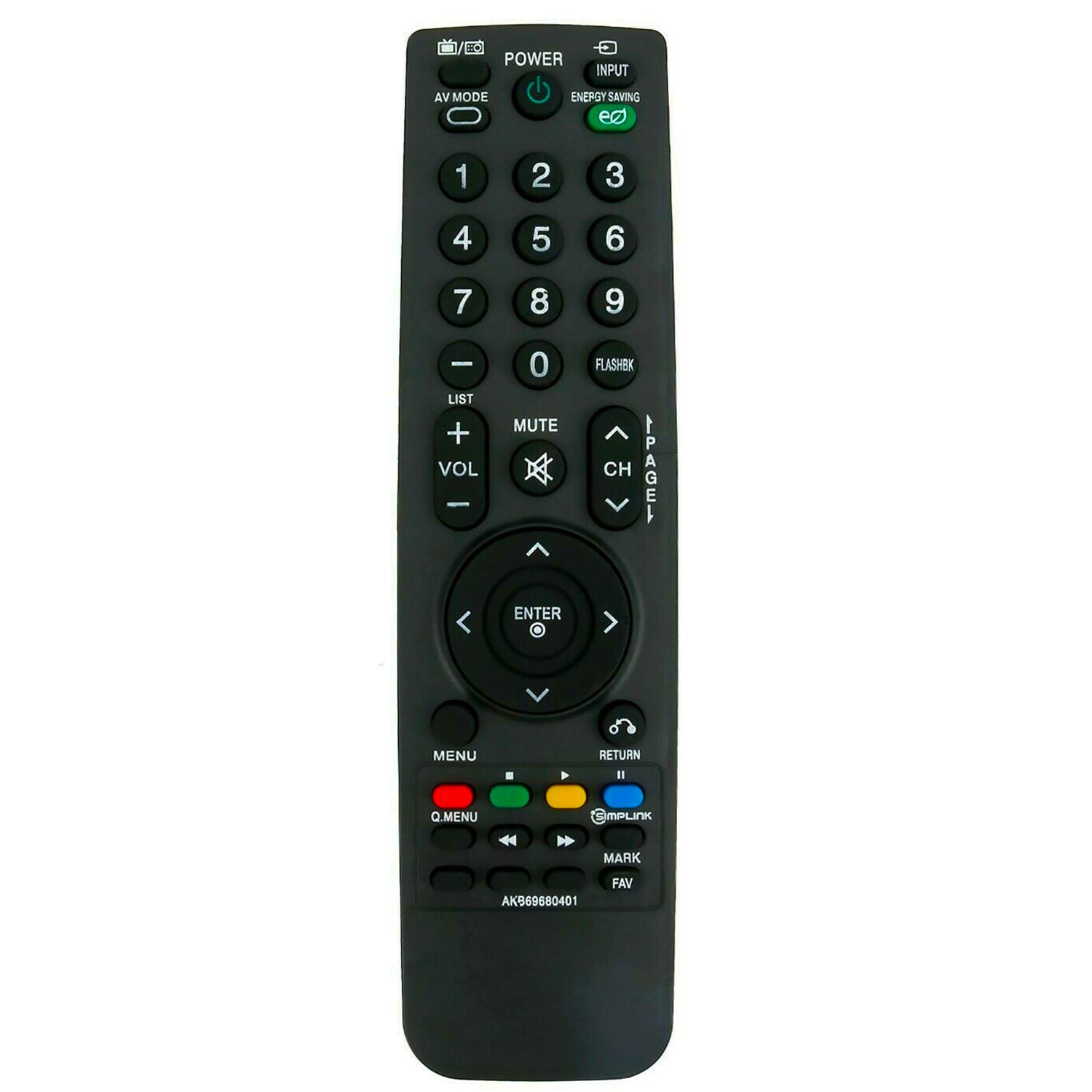
This manual provides instructions for the ALLIMITY AKB69680401 Replacement Remote Control, designed for use with various LG LCD TV models. This remote control functions as a direct replacement and requires no programming. Simply insert batteries to begin operation.
Enstalasyon
Enstalasyon batri
The remote control requires two AAA batteries for operation. Follow these steps to install the batteries:
- Jwenn lòj batri a sou do a nan kontwòl remote la.
- Glise kouvèti konpatiman batri a anba epi retire li.
- Mete de nouvo pil AAA, asire w ke tèminal pozitif (+) ak negatif (-) yo byen aliyen ak mak ki anndan konpatiman an.
- Remèt kouvèti konpatiman batri a lè w glise l tounen nan plas li jiskaske li fè yon klik byen fèm.

Once batteries are installed, the remote control is ready for use without any additional programming.
Enstriksyon Operasyon
To operate your LG LCD TV with the ALLIMITY AKB69680401 remote control:
- Aiming the Remote: Point the remote control directly towards the infrared (IR) sensor on your television. Ensure there are no obstacles between the remote and the TV sensor that could block the signal.
- Fonksyon bouton: The remote features standard buttons for power, input selection, volume control, channel navigation, menu access, and numerical input. Press the corresponding button for the desired function.
- Teknoloji enfrawouj: This remote uses infrared technology, which requires a clear line of sight to the TV's sensor.
Konpatibilite
This replacement remote control is compatible with the following LG LCD TV models:
- 19LH20, 22LH20, 26LH20, 32LH20, 37LH20, 42LH20
- 19LU55, 22LU55, 26LU55
- 32LF11, 37LF11, 42LF11, 47LF11
- 32LH30, 37LH30, 42LH30, 47LH30
- 47LF21, 32CL20
- 22LH200C
- 19LH20-UA, 22LH20-UA, 26LH20-UA, 32LH20-UA, 37LH20-UA, 42LH20-UA
- 19LU55-UA, 22LU55-UA, 26LU55-UA
- 32LF11-UA, 37LF11-UA, 42LF11-UA, 47LF11-UA
- 32LH30-UA, 37LH30-UA, 42LH30-UA, 47LH30-UA
- 47LF21-UA, 32CL20-UA
- 22LH200C-UA
If your specific model is not listed, please contact ALLIMITY customer support for assistance in verifying compatibility.
Espesifikasyon
| Nimewo Modèl | AKB69680401 |
| Mak | ALIMITE |
| Materyèl | Plastik |
| Koneksyon Teknoloji | Enfrawouj (IR) |
| Sous pouvwa | 2 x AAA pil (pa enkli) |
| Maksimòm Range | 10 mèt |
| Koulè | Nwa |
| Kalite kontwolè | Kontwòl bouton |
| Kantite bouton | 20 |
| Pwa atik | 0.07 Kilogram |
Depanaj
- Remote pa reponn:
- Ensure new batteries are correctly installed with proper polarity.
- Tcheke si pil yo ap vide epi ranplase yo si sa nesesè.
- Verify there are no obstructions between the remote control and the TV's infrared sensor.
- Confirm that the remote is pointed directly at the TV's sensor.
- Fonksyonalite pasyèl: If some buttons work but others do not, ensure the remote is compatible with your specific TV model. Refer to the Compatibility section.
If issues persist after following these steps, please contact ALLIMITY customer support for further assistance.
Antretyen
Pou asire lonjevite ak bon fonksyònman kontwòl remote ou a:
- Netwayaj: Siye kontwòl remote la avèk yon twal mou epi sèk. Pa sèvi ak pwodui netwayaj abrazif, solvan, oswa pwodui chimik ki agresif.
- Depo: Sere telekòmand lan nan yon kote ki sèk, lwen limyè solèy dirèk ak tanperati ekstrèm.
- Swen batri: Retire pil yo si ou pa pral itilize kontwòl remote la pou yon peryòd tan pwolonje pou anpeche flit.
- Evite gout: Pwoteje telekòmand lan kont enpak fizik, paske si li tonbe, li ka domaje konpozan entèn yo.
Sipò
For any questions, compatibility inquiries, or technical support regarding your ALLIMITY AKB69680401 Replacement Remote Control, please contact the seller or ALLIMITY customer service via email. Provide your product model number and a detailed description of your issue for prompt assistance.