
Entwodiksyon
Thank you for choosing the Kaidi KD903 Wireless Bluetooth Earphones. This manual provides essential information for the safe and optimal use of your device. Please read it carefully before use and retain it for future reference.
Ki sa ki nan bwat la:
- 1 x Kaidi KD903 Wireless Earphones
- 2 x Pairs of Comfortable Ear Tips (different sizes)
- 1 x USB Chaje Kab
- 1 x manyèl itilizatè

Image: Kaidi KD903 Wireless Earphones with included accessories, such as the charging cable and additional ear tips.
Pwodwi souview
The Kaidi KD903 earphones are designed for active lifestyles, offering a secure fit and resistance to sweat. They feature Bluetooth 4.1 for stable connectivity and clear audio.
Karakteristik kle:
- Bluetooth 4.1: Asire yon koneksyon san fil ki estab e efikas.
- Rezistans swe: Ideal for sports and workouts.
- CVC Intelligent Noise Reduction: Minimizes wind noise for clearer calls.
- Koneksyon miltipwen: Konekte ak de aparèy an menm tan.
- Rapèl Vwa: Provides audio prompts for status updates.
- IOS Power Display: Shows battery level on iOS devices.
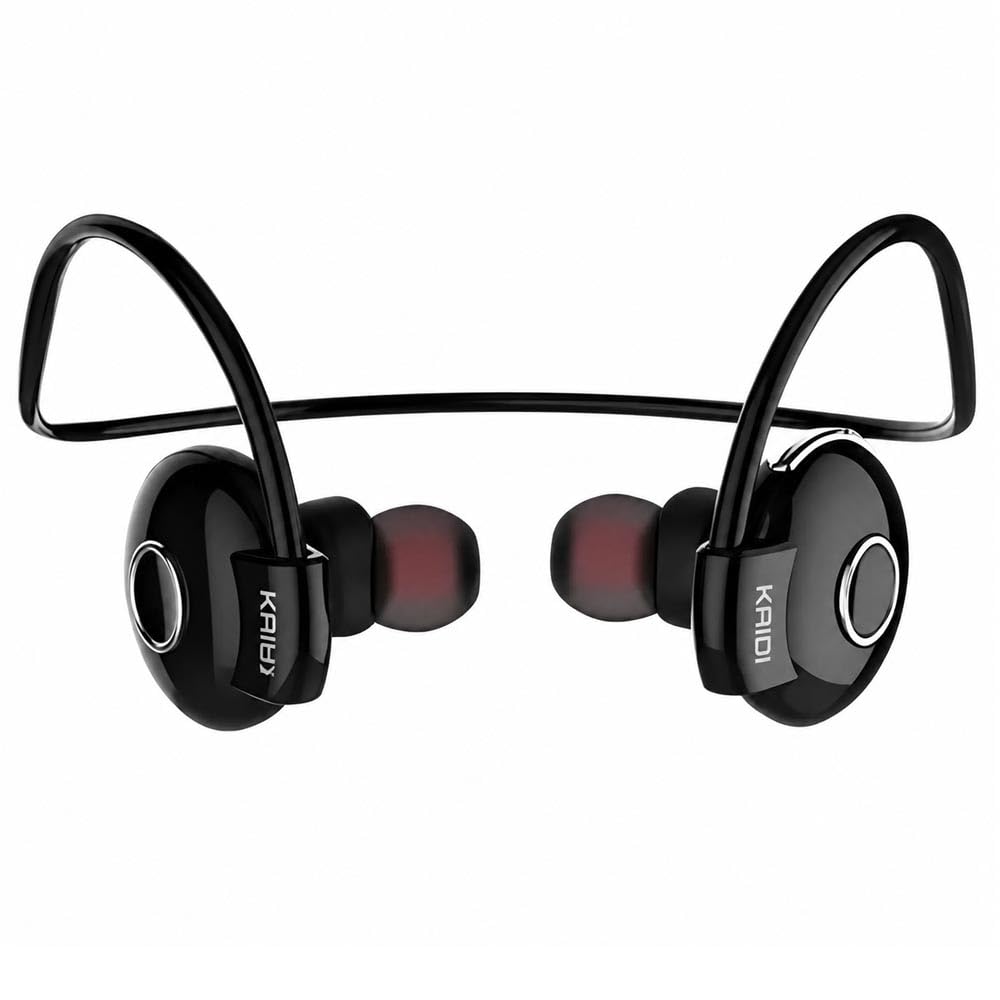
Imaj: Yon eksplozyon view illustrating the internal components and design of the Kaidi KD903 earphone.
Enstalasyon
1. Chaje ekoutè yo
- Connect the USB charging cable to the charging port on the earphones.
- Branche lòt bout kab USB a nan yon sous kouran USB konpatib (pa egzanp, òdinatè, adaptè miray).
- Limyè endikatè a ap limen pou montre eta chaj la. Yon chaj konplè anjeneral pran apeprè 2.5 èdtan.
- Yon fwa li fin chaje nèt, limyè endikatè a ap chanje oubyen etenn. Dekonekte kab chaje a.
2. Pairing ak yon Aparèy Bluetooth
- Asire w ke kas ekoutè yo etenn.
- Press and hold the multi-function button (usually the main button on the earphone) for approximately 5-7 seconds until the indicator light flashes red and blue alternately. This indicates the earphones are in pairing mode.
- Sou telefòn entelijan ou oswa lòt aparèy ki gen Bluetooth, aktive Bluetooth epi chèche aparèy ki disponib yo.
- Select 'KD903' from the list of found devices.
- Once connected, a voice prompt will confirm successful pairing, and the indicator light will typically flash blue slowly.

Image: A person wearing the Kaidi KD903 wireless earphones, highlighting their suitability for sports and active use.
Enstriksyon Operasyon
Power On/Off
- Pouvwa sou: Press and hold the multi-function button for approximately 3 seconds until the blue indicator light flashes and a voice prompt says "Power On".
- Pouvwa Off: Press and hold the multi-function button for approximately 3 seconds until the red indicator light flashes and a voice prompt says "Power Off".
Lèktur Klas Mizik
- Jwe/Poz: Peze bouton milti-fonksyon an yon fwa.
- Pwochen Track: Peze epi kenbe bouton Volim + la.
- Track Previous: Peze epi kenbe bouton Volim - la.
- Volim moute: Peze bouton Volim + la yon ti tan.
- Volim desann: Peze bouton Volim - la yon ti tan.
Jesyon Rele
- Reponn/Fen Apèl: Peze bouton milti-fonksyon an yon fwa.
- Rejte apèl: Peze epi kenbe bouton milti-fonksyon an pou apeprè 2 segonn.
- Recomposition Dènye Nimewo: Peze bouton milti-fonksyon an de fwa.
Multipoint Connection (Connecting to Two Devices)
- Pair the earphones with the first device as described in the "Pairing" section.
- After successful pairing, disable Bluetooth on the first device.
- Put the earphones back into pairing mode (red and blue flashing light).
- Konekte kas ekoutè yo ak dezyèm aparèy la.
- Once the second device is paired, re-enable Bluetooth on the first device. The earphones should now be connected to both devices simultaneously.
Antretyen
Proper maintenance ensures the longevity and performance of your Kaidi KD903 earphones.
- Netwayaj: Regularly clean the earphones with a soft, dry, lint-free cloth. Do not use abrasive cleaners, solvents, or harsh chemicals.
- Rezistans swe: While the earphones are sweat-resistant, avoid submerging them in water or exposing them to heavy rain. After intense workouts, wipe them dry.
- Depo: Lè w pa ap itilize ekoutè yo, sere yo nan yon kote ki fre epi sèk, lwen limyè solèy dirèk ak tanperati ekstrèm.
- Chaje: Charge the earphones using only the provided USB cable or a certified equivalent. Avoid overcharging.
Depanaj
If you encounter issues with your earphones, refer to the following common problems and solutions:
- Earphones do not power on:
Ensure the earphones are fully charged. Connect them to a power source and allow them to charge for at least 30 minutes before attempting to power on again. - Pa gen son oswa volim ki ba:
Check the volume levels on both the earphones and your connected device. Ensure the earphones are properly paired and connected to your device. Try re-pairing the earphones. - Pa ka konekte ak yon aparèy:
Ensure the earphones are in pairing mode (red and blue indicator light flashing). Make sure Bluetooth is enabled on your device and it is within the 8-meter transmission range. Try restarting both the earphones and your device. - Connection is unstable or drops frequently:
Ensure there are no obstacles between the earphones and your device. Move closer to your device. Avoid environments with strong Wi-Fi or other wireless interference. - Pwoblèm chaj:
Verify that the charging cable is securely connected to both the earphones and the power source. Try using a different USB port or charging adapter.
Espesifikasyon
| Karakteristik | Spesifikasyon |
|---|---|
| Bluetooth vèsyon | 4.1 |
| Profile Sipò | HSP/HFP/A2DP/AVRCP |
| Tan sibstiti | 200 èdtan |
| Tan pale | 10 èdtan |
| Tan lèktur Klas Mizik | 6 èdtan |
| Tan pou chaje | 2.5 èdtan |
| Gamme frekans | RF 2.40 GHz (2.402 G – 2.480 G) |
| Tanperati anbyen | -20°C pou +60°C |
| Distans transmisyon | Jiska 8 mèt |
| Kapasite batri | 100mAh rechargeable |
| Dimansyon (L x W x H) | 12.2 x 10.3 x 4.4 cm |
| Kalite Connector | USB Kalite-C |
| Koulè | Nwa |
Garanti ak sipò
Enfòmasyon sou Garanti
This Kaidi KD903 product comes with a 30-jou garanti from the date of purchase. This warranty covers manufacturing defects. Please retain your proof of purchase (receipt or invoice) as it is required for any warranty claims.
Garanti a pa kouvri domaj ki koze pa move itilizasyon, aksidan, modifikasyon san otorizasyon, oswa mete ak chire nòmal.
Sipò pou Kliyan
For technical assistance, troubleshooting not covered in this manual, or warranty inquiries, please contact the retailer from whom you purchased the product. You may also visit the official Kaidi websit pou plis resous sipò.