
1. Entwodiksyon
The iRobot Roomba 971 is a Wi-Fi connected robot vacuum designed to provide automated cleaning for your home. It features Power-Lifting Suction, Dual Multi-Surface Rubber Brushes, and multi-room navigation to efficiently clean various floor types. The robot is equipped with Dirt Detect Technology and a 3-Stage Cleaning System to ensure thorough cleaning. You can schedule cleaning sessions and control the robot through the iRobot HOME App.

Imaj 1.1: Anlè view of the iRobot Roomba 971 Robot Vacuum Cleaner.
2. Ki sa ki nan bwat la
Verifye ke tout konpozan yo prezan nan anbalaj la:
- iRobot Roomba 971 Robot Vacuum
- Kay Baz Charging Station
- Liy kòd

Image 2.1: The iRobot Roomba 971 robot, Home Base, and line cord.
3. Enstalasyon
3.1 Placing the Home Base
Place the Home Base charging station on a level surface against a wall. Ensure there is at least 0.5 meters (1.5 feet) of clear space on either side of the Home Base and 1.2 meters (4 feet) in front of it. Plug the line cord into the Home Base and then into a wall outlet. Keep the Home Base plugged in to ensure the robot is always charged and ready to clean.
Image 3.1: The Roomba 971 approaching its Home Base charging station.
3.2 Premye chaj
Place your Roomba robot on the Home Base. The robot will emit a tone to confirm it is properly docked. Allow the robot to charge for at least 3 hours before its first cleaning cycle. The battery indicator light on the robot will show its charging status.
3.3 Connecting to the iRobot HOME App
- Download the iRobot HOME App from your device's app store.
- Open the app and follow the on-screen instructions to connect your Roomba 971 to your home Wi-Fi network.
- The app allows you to schedule cleanings, view cleaning history, and access support.

Image 3.2: Controlling the Roomba 971 via the iRobot HOME App.
4. Operasyon Enstriksyon
4.1 Kòmanse yon sik netwayaj
Peze a Netwaye button on the robot or use the iRobot HOME App to start a cleaning cycle. The robot will automatically navigate your home, cleaning until its battery is low, then return to the Home Base to recharge. It will resume cleaning if the job is not finished.

Image 4.1: The Roomba 971 systematically cleaning a floor.
4.2 Navigation and Dirt Detect
The Roomba 971 uses vSLAM navigation technology to create an accurate map of your home, ensuring comprehensive coverage. Dirt Detect Technology allows the robot to identify and focus on areas with higher concentrations of dirt, providing a more thorough clean where needed.

Image 4.2: Roomba 971 cleaning along edges, with a virtual wall in use.
4.3 Scheduling and Smart Home Integration
Use the iRobot HOME App to set cleaning schedules that fit your lifestyle. The Roomba 971 is compatible with smart home devices, allowing for voice control and integration into your smart home ecosystem.
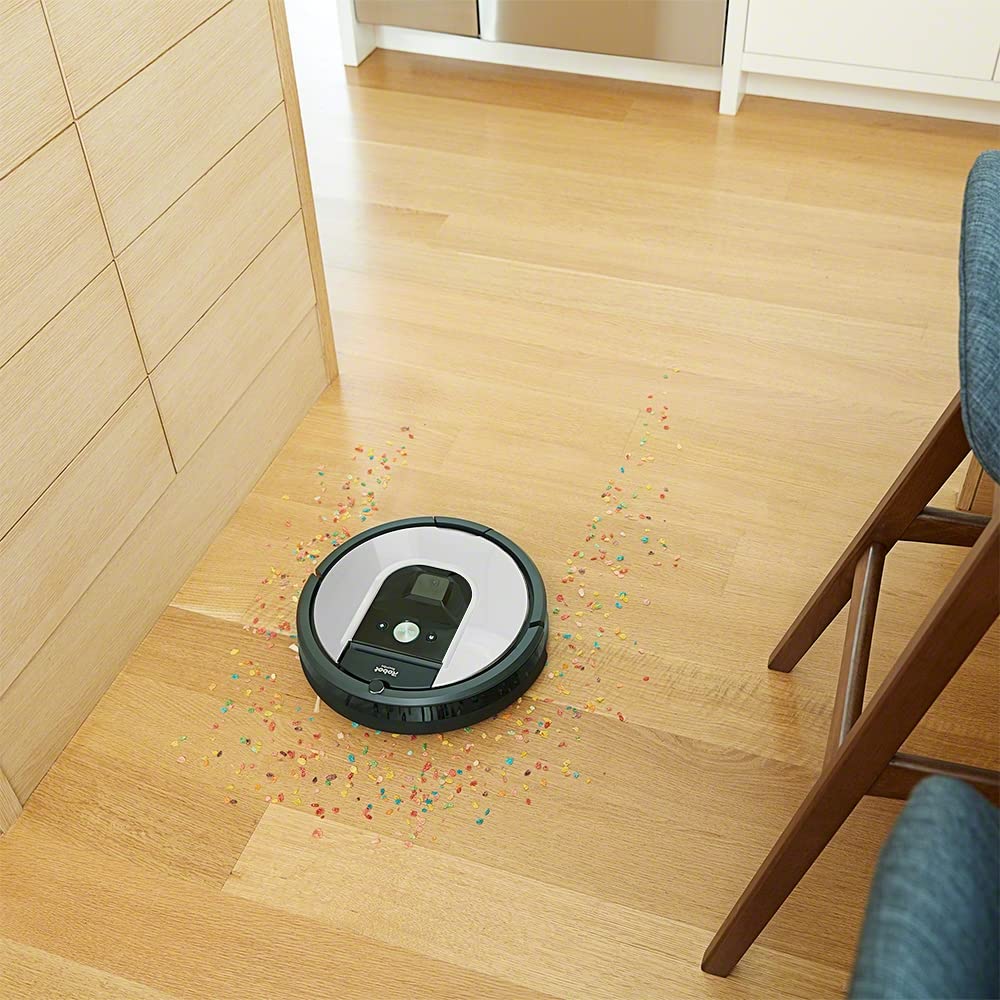
Image 4.3: Roomba 971 operating in a smart home environment.
4.4 Imprint Link Technology
The Roomba 971 can be paired with a Braava m6 robot mop using Imprint Link Technology. This allows the robot mop to automatically start a mopping job once the vacuuming is complete, providing a seamless two-step cleaning process.

Image 4.4: Roomba 971 and Braava m6 working together with Imprint Link Technology.
5. Antretyen
Regular maintenance ensures optimal performance of your Roomba 971. Always turn off the robot and disconnect it from the Home Base before performing any maintenance.
5.1 Vide bwat pousyè a
Empty the dust bin after each cleaning cycle. Press the bin release button and pull out the bin. Open the bin door and shake out debris. The bin can be rinsed with water, but ensure it is completely dry before reinserting.
5.2 Netwayaj bwòs yo
The Roomba 971 uses Dual Multi-Surface Rubber Brushes. These should be cleaned regularly, especially if you have pets. Pinch the yellow tabs to lift the brush frame and remove the brushes. Remove any hair or debris wrapped around the brushes or their caps. Reinstall the brushes, ensuring they click into place.

Image 5.1: Underside of Roomba 971, highlighting the cleaning brushes.
5.3 Netwaye filtè a
The robot uses a HEPA filter. Remove the filter from the dust bin and tap it against a trash can to dislodge debris. Do not wash the filter. Replace the filter every 2-3 months, or more frequently with heavy use.
5.4 Netwayaj Capteur ak Kontak Chaje
Wipe the robot's sensors (cliff sensors, optical sensors) and charging contacts on both the robot and the Home Base with a clean, dry cloth. This ensures proper navigation and charging.

Image 5.2: Diagram of the 3-Stage Cleaning System.
NAN. Depanaj
If your Roomba 971 encounters an issue, the robot may play an audible alert and display a troubleshooting message in the iRobot HOME App. Refer to the app for specific error codes and solutions.
- Robo a pa chaje: Ensure the Home Base is plugged in and the robot is properly docked. Clean the charging contacts on both the robot and the Home Base.
- Robo a bloke: Clear any loose cables, rugs with long fringes, or small objects from the cleaning area. Use Virtual Wall Barriers (sold separately) to block off problem areas.
- Pèfòmans netwayaj pòv: Empty the dust bin, clean the brushes, and replace the filter if necessary. Ensure the side brush is free of debris.
- Robo a pa konekte ak Wi-Fi a: Ensure your Wi-Fi router is on and within range. Restart your router and the robot. Follow the in-app instructions for Wi-Fi setup.
For further assistance, consult the iRobot HOME App or contact customer support.
7. Espesifikasyon
| Karakteristik | Spesifikasyon |
|---|---|
| Mak | iRobot |
| Non modèl | 900 seri |
| Nimewo Modèl Atik | R971 |
| Koulè | Ajan |
| Kalite filtre | HEPA |
| Kapasite | 0.6 lit |
| Sous pouvwa | Batri Powered |
| Metòd kontwòl | Aplikasyon, Kontwòl bouton |
| Aparèy konpatib | iRobot Roomba |
| Faktè fòm | Robotik |
| Pwa atik | 3 kg 900 g |
| Dimansyon atik LxWxH | 35 x 9.1 x 9.1 santimèt |
| Sifas Rekòmandasyon | Tapi, etaj difisil |
8. Garanti ak sipò
8.1 Enfòmasyon sou Garanti
The iRobot Roomba 971 comes with a warranty valid for a period of 24 mwa for the appliance itself, covering manufacturing defects. The battery is covered by a separate warranty for 12 mwa apati dat acha a. Tanpri konsève prèv acha ou pou reklamasyon garanti.
8.2 Sipò pou Kliyan
For technical assistance, troubleshooting, or warranty inquiries, please contact iRobot customer support:
- Nimewo gratis: 1800-200-3355
- Manifakti: iRobot Corporation, 8, Crosby Dr, Bedford, MA 01730, United States
- Enpòtatè (End): Puresight Systems Pvt Ltd, No 15, Queens Rd, Bangalore 560052
You can also find additional support resources and FAQs on the official iRobot website or through the iRobot HOME App.