
1. Entwodiksyon
This manual provides essential instructions for the installation, operation, and maintenance of your Comelit ET5001 Extra Series 4+N Audio Outdoor Panel. Please read this manual carefully before installation and use to ensure proper function and safety. Keep this manual for future reference.
2. Enfòmasyon sou Sekirite
- Sekirite elektrik: Installation must be performed by qualified personnel in accordance with local electrical codes and regulations. Disconnect power before performing any wiring or maintenance.
- Kondisyon anviwònman: The outdoor panel is designed for outdoor use. Ensure it is installed in a location protected from extreme weather conditions if possible, and within its specified operating temperature range.
- Manyen: Handle the unit with care to avoid damage. Do not expose to excessive force or impact.
- Netwayaj: Sèvi ak yon mou, damp twal pou netwaye. Pa sèvi ak pwodui netwayaj abrazif oswa solvan.
3. Pake kontni
Verifye ke tout atik yo prezan nan pakè a:
- Comelit ET5001 Extra Series 4+N Audio Outdoor Panel (1-button)
- Mounting screws and wall plugs (may vary)
- Manyèl Itilizatè (dokiman sa a)
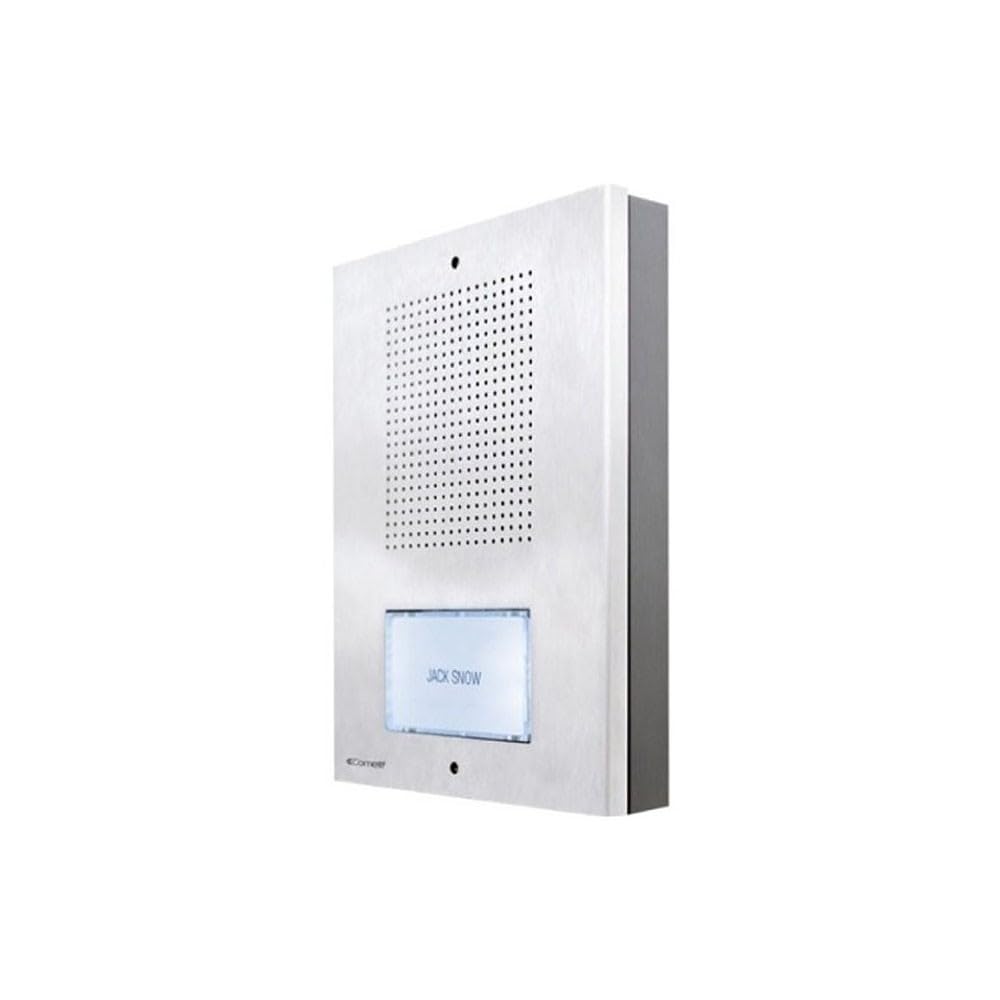
Image showing the front view of the Comelit ET5001 Extra Series 4+N audio outdoor panel, featuring a single call button and speaker grille.
4. Enstalasyon ak Enstalasyon
This section outlines the general steps for installing the ET5001 outdoor panel. Refer to the detailed wiring diagrams provided with your complete intercom system for specific connections.
4.1 Mounting the Outdoor Panel
- Chwazi Kote: Select a suitable location near the entrance, ensuring it is at an appropriate height for users and protected from direct heavy rain if possible.
- Prepare fil elektrik yo: Ensure the necessary 4+N wiring (4 common wires + N call wires, where N is the number of buttons) is routed to the installation point.
- Make pwen perçage yo: Use the panel as a template to mark the drilling points on the wall.
- Fè twou: Drill holes for the mounting screws and insert wall plugs if necessary.
- Panèl Ansekirite: Mount the panel securely to the wall using the provided screws.
4.2 Wiring Connections (4+N System)
The ET5001 panel operates on a 4+N wiring system. This typically involves:
- Common Wires (4): These typically include audio common, speech common, power supply, and lock release common.
- Call Wire (N=1 for ET5001): A dedicated wire for the call button, connecting to the corresponding indoor unit.
Enpòtan: Always refer to the specific wiring diagram supplied with your Comelit intercom system for accurate connection details. Incorrect wiring can damage the unit or the entire system.
5. Operasyon Enstriksyon
The Comelit ET5001 is designed for simple and intuitive operation.
- Fè yon apèl: To call the indoor unit, press the single call button located on the front of the outdoor panel.
- Kominikasyon Audio: Once the indoor unit answers, you can communicate hands-free through the speaker and microphone integrated into the outdoor panel.
- Ouvèti pòt: If connected to a door lock release system, the indoor unit operator can activate the door release function.
6. Antretyen
Regular maintenance ensures the longevity and optimal performance of your outdoor panel.
- Netwayaj: Periodically clean the exterior of the panel with a soft, slightly damp cloth. Do not use harsh chemicals, abrasive cleaners, or solvents, as these can damage the finish or electronic components.
- Enspeksyon: Occasionally check for any visible damage to the panel or wiring. If damage is found, contact a qualified technician for repair.
- Tcheke fonksyonalite: Test the call button and audio communication periodically to ensure proper operation.
NAN. Depanaj
If you encounter issues with your ET5001 outdoor panel, refer to the following common problems and solutions:
| Pwoblèm | Kòz posib | Solisyon |
|---|---|---|
| No audio from outdoor panel | Incorrect wiring; faulty speaker/microphone; power issue. | Check wiring connections (refer to system diagram). Ensure power supply is active. Contact support if problem persists. |
| Call button not working | Incorrect wiring; faulty button; indoor unit not powered. | Verify call button wiring. Check power to indoor unit. Test button continuity if possible. |
| Pòv kalite odyo | Interference; damaged wiring; faulty components. | Check for sources of electrical interference. Inspect wiring for damage. Contact support. |
For issues not listed here or if solutions do not resolve the problem, please contact Comelit technical support.
8. Espesifikasyon
- Mak: Comelit
- Modèl: ET5001
- Kalite: Audio Outdoor Panel
- Sistèm: Extra Series 4+N
- Bouton: 1
- Referans manifakti: ET5001
- ASIN: B083ZNSP14
- Disponibilite pyès rezèv: Enfòmasyon pa disponib
- Mizajou lojisyèl garanti jiska: Enfòmasyon pa disponib
- Date first available on Amazon.com.be: 18 janvye 2020
9. Garanti ak sipò
For warranty information, please refer to the warranty card included with your product or visit the official Comelit website. For technical support, service, or spare parts, please contact your local Comelit distributor or customer service department.
Comelit Official Websit: www.comelitgroup.com