
HOBOT HOBOT-388
HOBOT-388 Automatic Smart Window Cleaning Robot User Manual
Model: HOBOT-388
1. Entwodiksyon
The HOBOT-388 is an automatic smart window cleaning robot designed to efficiently clean glass surfaces. It features an ultrasonic water spray nozzle, a brushless DC motor for quiet operation, and can be controlled via a smartphone application or remote control. This manual provides essential information for the safe and effective use, setup, operation, and maintenance of your HOBOT-388.
2. Enstriksyon Sekirite Enpòtan
- The HOBOT-388 operates exclusively with its power cord connected. An embedded Un-interrupted Power System (UPS) prevents the robot from falling during a power interruption.
- Do NOT use the robot on windows with non-rectangular (rounded) edges, as this may compromise suction.
- Ensure the surface size is at least 13 x 13 inches (approximately 33 x 33 cm) for proper operation.
- The robot is suitable for glass thickness of 3 mm or more.
- Always attach the safety cord to a secure anchor point before operating the robot, especially on exterior windows.
- If the robot does not move upwards effectively, ensure cleaning cloths are adequately sprayed with cleaning solution. This can occur on very clean windows.
- Avoid using the robot in high humidity conditions or during rain, as moisture can affect suction and cleaning performance.
3. Pake kontni
Verifye ke tout atik yo prezan nan pakè a:
- HOBOT-388 Robot Unit
- 1 Bottle of Cleaning Solution
- Charging Adapter and Extension Cord (total length approximately 5 meters)
- Gid Enstriksyon (manyèl sa a)
- Sekirite kòd
- Set of 12 Cleaning Pads (microfiber)
- Kontwòl Remote
4. Pwodwi souview ak Karakteristik

Figi 4.1: Top-desann view of the HOBOT-388 robot, showing its oval shape, cleaning pads, control buttons, and ultrasonic spray nozzle.

Figi 4.2: HOBOT-388 robot cleaning a large window, with a bookshelf visible through the glass, demonstrating its operation on a vertical surface.
- Ultrasonic Water Spray Nozzle: Atomizes water into a 15-micrometer dense mist to dissolve dust and polish windows without leaving watermarks.
- Brushless DC motè: Provides longer life and lower noise during operation.
- AI-Technology: Enables intelligent navigation and cleaning patterns.
- Metòd kontwòl: Operates via a dedicated smartphone application (iOS and Android) or the included remote control.
- One-Button Easy Start: Simplifies the initiation of cleaning cycles.
- Secure DC Power Connector: Ensures a stable and reliable power connection during operation.
- Embedded UPS: Provides backup power to prevent falls in case of a power outage.
- Two Specially Designed Cleaning Wheels: Rotate at up to 70 rpm, mimicking hand gestures for effective glass cleaning.
- Replaceable Water Tank: Allows for easy refilling and maintenance.

Figi 4.3: Close-up of the HOBOT-388's main control button, indicating an "easy start" function.
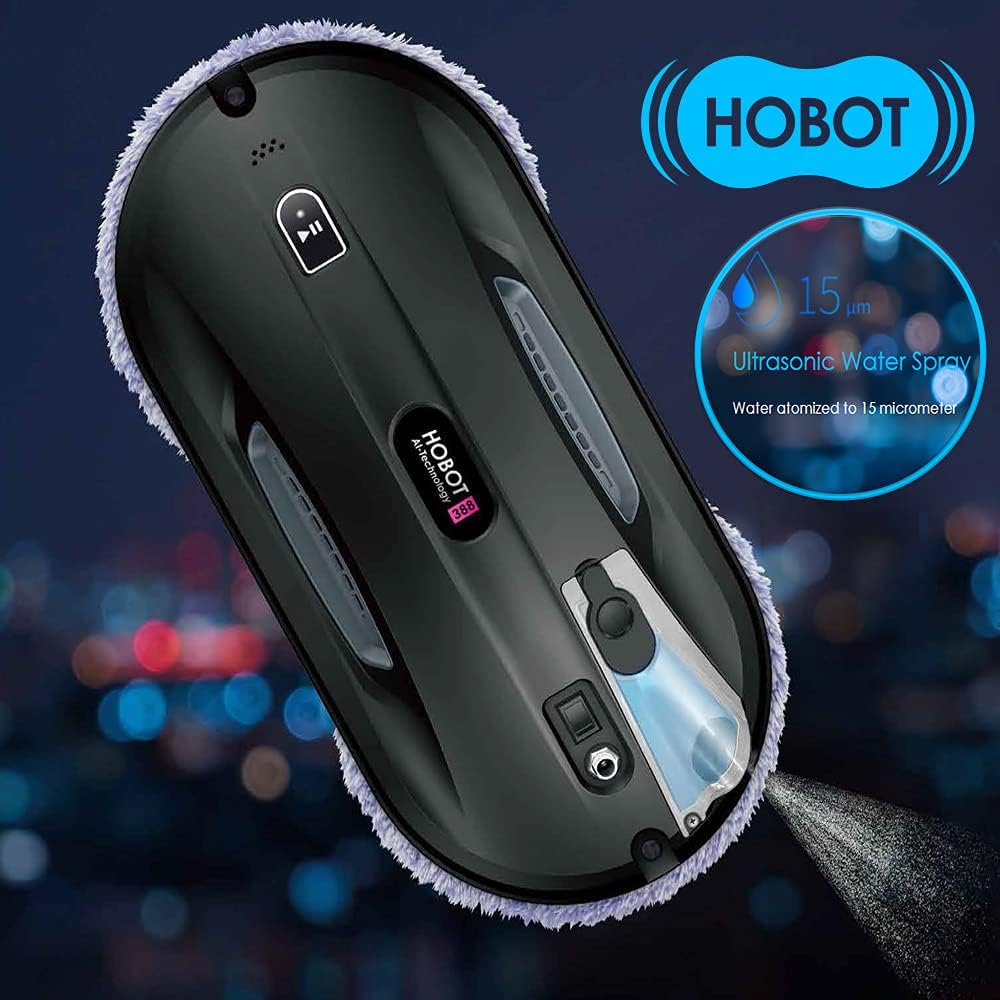
Figi 4.4: HOBOT-388 robot on a window, illustrating the ultrasonic water spray function atomizing water into a fine mist.

Figi 4.5: Close-up of the secure DC power connector being inserted into the HOBOT-388, highlighting the robust connection mechanism.

Figi 4.6: Image showing a smartphone displaying the HOBOT control app alongside a physical remote control, demonstrating multiple control options for the robot.

Figi 4.7: Anba view of the HOBOT-388, showing its two circular cleaning wheels with microfiber pads, designed for rotating wiping action.
5. Enstalasyon
5.1 Attaching Cleaning Pads
- Asire w ke robo a etenn.
- Align the microfiber cleaning pads with the two circular cleaning wheels on the underside of the robot.
- Press the pads firmly onto the hook-and-loop fasteners on the wheels.
5.2 Konble tank dlo a
- Jwenn bouchon tank dlo a sou robo a.
- Open the cap and carefully fill the tank with the provided HOBOT cleaning solution or distilled water. Do not overfill.
- Fèmen bouchon an byen.
5.3 Konekte kòd pouvwa ak kòd sekirite

Figi 5.1: Diagram illustrating the HOBOT-388's long power cord, showing the 4-meter extension and 1-meter adapter for extended reach.
- Connect the power adapter to the robot's secure DC power connector.
- Connect the extension cord to the power adapter, then plug the power cord into a wall outlet.
- Attach the safety cord to the designated attachment point on the robot.
- Secure the other end of the safety cord to a sturdy object indoors, such as a heavy piece of furniture or a window frame anchor. Ensure the cord is taut but allows the robot full range of motion on the window.
5.4 Initial Placement on Window
- Place the robot on the glass surface, ensuring it is flat against the window.
- Press the power button on the robot or use the remote/app to activate suction. The robot will adhere to the glass.
- Once suction is confirmed, you can release the robot.
6. Operasyon Enstriksyon
6.1 Cleaning Process Recommendation
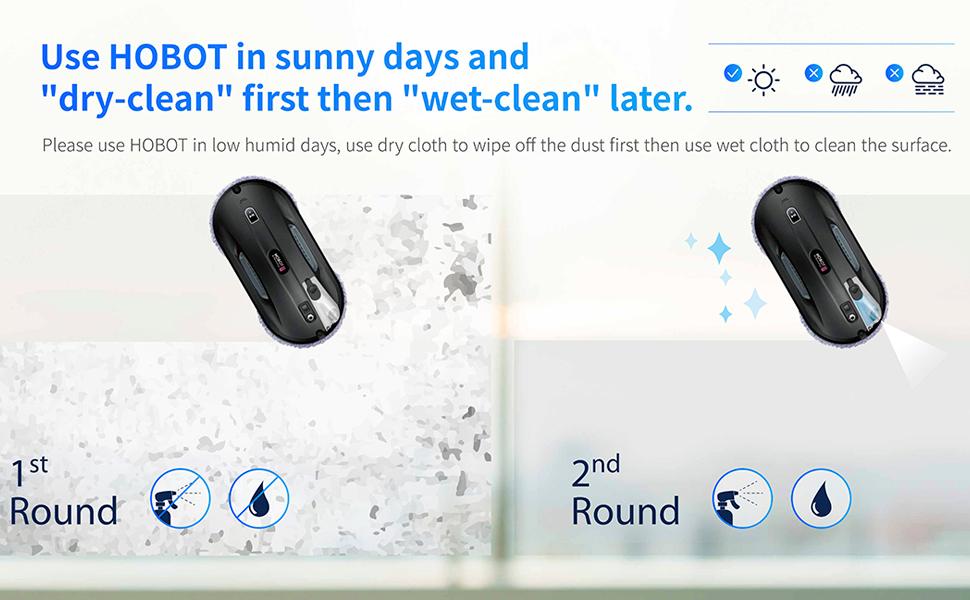
Figi 6.1: Diagram demonstrating the recommended two-step cleaning process: a first round with dry cloth to remove dust, followed by a second round with wet cloth for thorough cleaning.
For optimal results, especially on very dirty windows or in low humidity conditions, a two-step cleaning process is recommended:
- First Round (Dry Clean): Use dry cleaning pads to remove loose dust and dirt from the window surface. Do not activate the water spray during this cycle.
- Second Round (Wet Clean): Replace with clean, slightly dampened pads and activate the ultrasonic water spray for a thorough wet cleaning.
6.2 Kòmanse yon sik netwayaj
- Using the Robot Button: Press the main power/start button on the robot once it is securely attached to the window. The robot will automatically select a cleaning path.
- Sèvi ak kontwòl remote la: Use the designated buttons on the remote control to start, stop, or select specific cleaning patterns (e.g., Z-path, N-path). Refer to the remote control's specific button functions.
- Sèvi ak aplikasyon Smartphone nan: Download the HOBOT app from your device's app store. Connect to the HOBOT-388 via Bluetooth. The app allows for starting, stopping, manual control, and selection of cleaning modes.
6.3 Manyèl Kontwòl
For specific areas or smaller windows (less than 13x13 inches), you can use the remote control or smartphone app for manual navigation. This allows you to guide the robot to desired cleaning spots.
7. Antretyen
7.1 Nettoyage kousinen
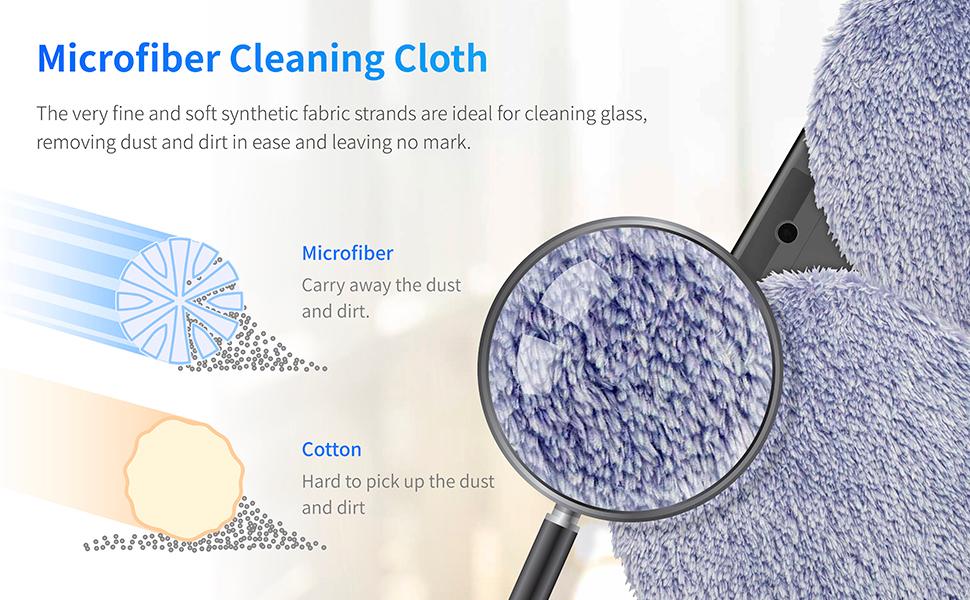
Figi 7.1: Agrandi view of the microfiber cleaning cloth, comparing its structure to cotton to highlight its effectiveness in capturing dust and dirt.
- After each use, remove the cleaning pads from the robot.
- Wash the microfiber pads by hand or machine wash with mild detergent. Do not use fabric softener.
- Kite kousinen yo seche nèt nan lè a anvan ou remete yo oswa sere yo.
- Replace pads when they show signs of wear or reduced cleaning effectiveness.
7.2 tank dlo
- Empty any remaining cleaning solution from the tank after use.
- Rinse the tank with clean water periodically to prevent residue buildup.
- Ensure the tank is dry before storing the robot.
7.3 Netwayaj jeneral
- Wipe the exterior of the robot with a soft, dry cloth.
- Keep the suction vents clear of dust and debris.
NAN. Depanaj
| Pwoblèm | Kòz posib | Solisyon |
|---|---|---|
| Robot falls off window | Non-rectangular/beveled edges; insufficient suction; power outage (UPS should prevent this); high humidity. | Ensure window edges are square. Verify safety cord is attached. Check power connection. Avoid use in high humidity. |
| Robot leaves streaks | Dirty cleaning pads; insufficient cleaning solution; very dirty window requiring pre-cleaning. | Replace or wash cleaning pads. Ensure water tank is filled. Perform a dry cleaning cycle first on very dirty windows. |
| Robot does not move up or gets stuck | Cleaning pads too dry; surface too clean (lack of friction); software issue. | Ensure cleaning pads are slightly damp. Spray pads with cleaning solution. Restart the robot. For small windows, manual control may be necessary. |
| Robot stops prematurely | Obstruction detected; edge detection issue; low battery (if not connected to power). | Clear any obstructions. Ensure window size meets minimum requirements. Verify power connection. Relocate the robot and restart. |
| Remote control or app not responding | Batteries in remote are low; Bluetooth connection issue; app malfunction. | Replace remote batteries. Re-pair Bluetooth connection. Restart the app or robot. |
9. Espesifikasyon
| Karakteristik | Spesifikasyon |
|---|---|
| Mak | HOBOT |
| Nimewo Modèl | HOBOT-388 |
| Dimansyon pwodwi | 11.6"L x 5.8"L x 3.7"H (29.5cm L x 14.7cm L x 9.4cm H) |
| Pwa atik | 2 liv (0.9 kg) |
| Koulè | Nwa |
| Sous pouvwa | Fil elektrik |
| Voltage | 240 Volts |
| Kalite batri | Lityòm Polymère (enkli) |
| Dire batri (UPS) | Approximately 20 minutes (backup) |
| Metòd kontwòl | Aplikasyon, Remote |
| Minimum Surface Size | 13 x 13 pous (33 x 33 cm) |
| Kalite filtre | Cloth (Microfiber) |
| Karakteristik espesyal | Automatic Dust Collection, Ultrasonic Water Spray |
10. Garanti ak sipò
For warranty information, please refer to the documentation included with your purchase or visit the official HOBOT website. If you encounter any issues or require technical assistance, please contact HOBOT customer support through their official channels. Keep your purchase receipt and product serial number handy for support inquiries.
Ask a question about this manual
Ask about setup, troubleshooting, compatibility, parts, safety, or missing instructions. Manuals+ will review the question and use this page’s manual context to help answer it.