
Entwodiksyon
This manual provides detailed instructions for the setup, operation, and maintenance of your LTC Nimbleback LK-301 Low Profile Mechanical Keyboard. Please read this manual thoroughly before using the product to ensure proper functionality and to maximize your user experience.

Image: The LTC Nimbleback LK-301 Low Profile Mechanical Keyboard, showcasing layout konplè li yo ak konsepsyon elegant li yo.
Karakteristik pwodwi
- Low Profile Chanjman mekanik: Equipped with responsive and comfortable white mechanical switches.
- Doub Koneksyon: Supports both Bluetooth 3.0 wireless and wired USB Type-C connections.
- Chanjman plizyè aparèy: Seamlessly switch between up to three connected Bluetooth devices.
- Layout 96-Kle: A compact layout that retains essential keys, including a numeric keypad.
- Ekleraj Blan: Features white backlighting with 17 different modes, adjustable brightness, and speed.
- RGB Side Lighting: Customizable RGB lighting on the sides of the keyboard.
- Konstriksyon dirab: Built with an all-metal frame for enhanced durability and a premium feel.
- Thin & Lightweight Design: Ideal for portability and comfortable use.
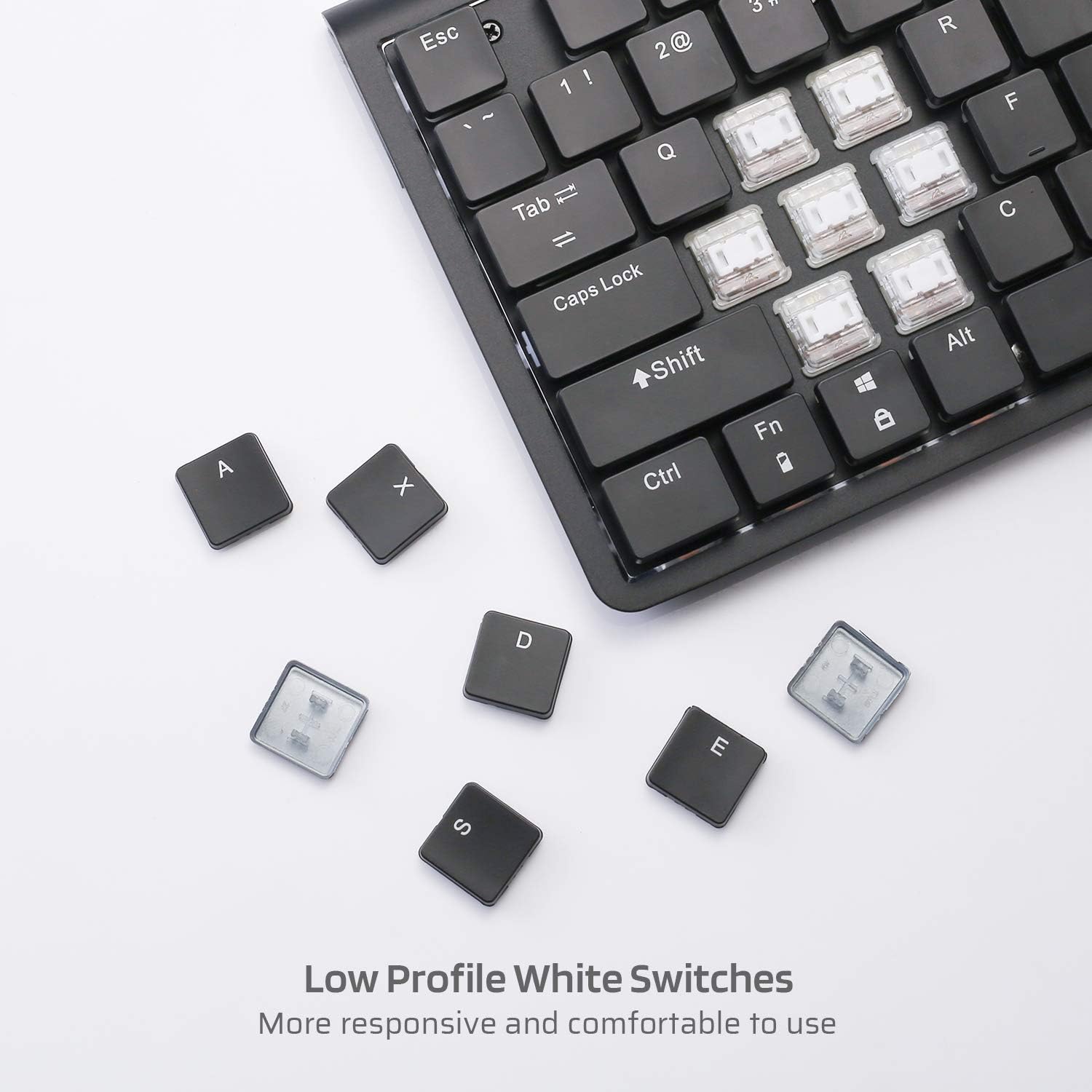
Imaj: Gwo plan view of the low profile white mechanical switches, highlighting their design.
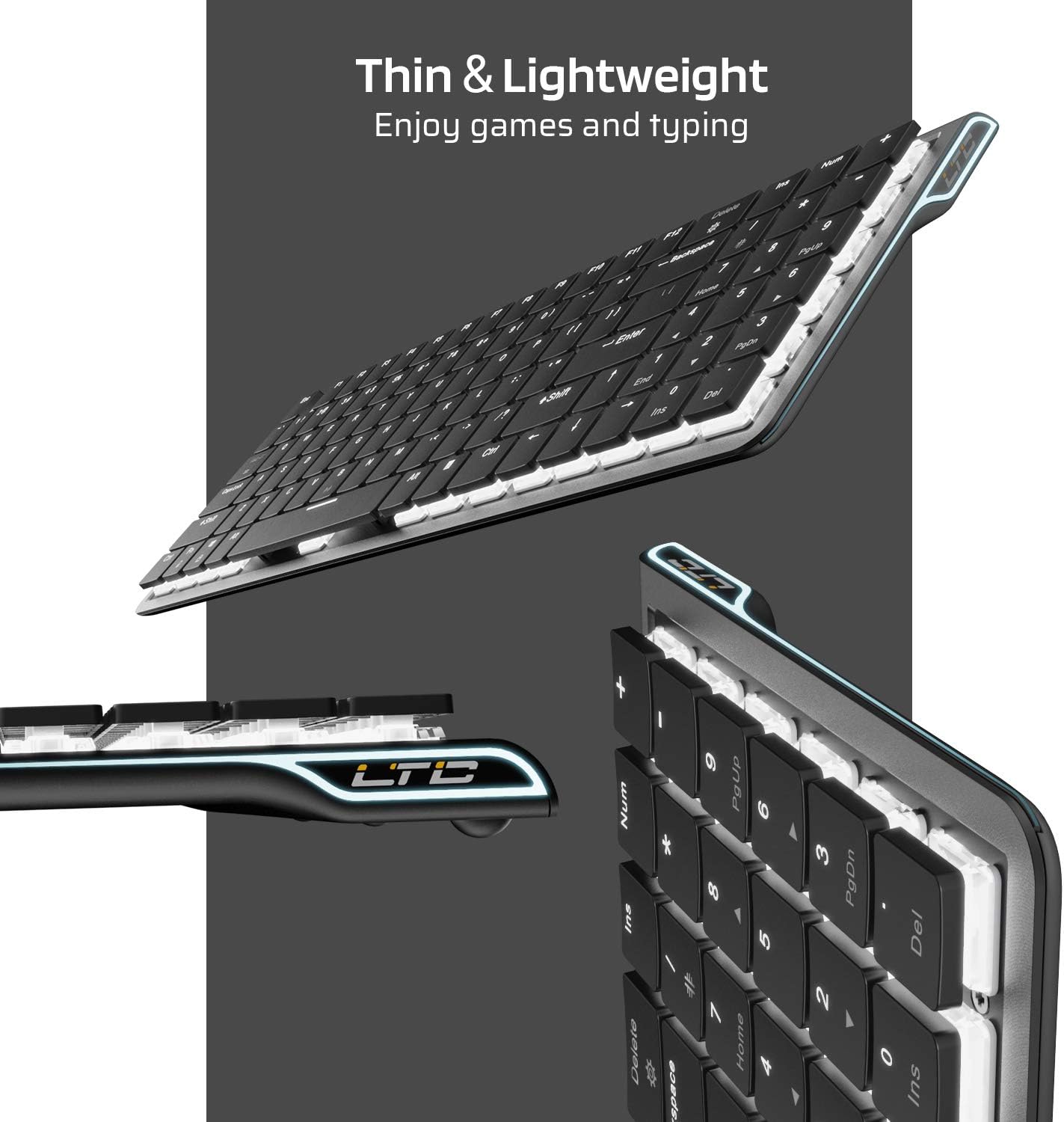
Imaj: Bò kote view of the keyboard, emphasizing its thin and lightweight profile.
Enstriksyon Enstalasyon
Koneksyon branche
- Locate the USB Type-C cable included in the package.
- Connect one end of the USB Type-C cable to the port on the keyboard.
- Konekte lòt bout kab la nan yon pò USB ki disponib sou òdinatè w la.
- Klavye a ap rekonèt otomatikman epi l ap pare pou itilize.
Bluetooth Wireless Koneksyon
- Ensure the keyboard is charged or connected via USB-C initially.
- Locate the ON/OFF switch on the underside of the keyboard and slide it to the 'ON' position.
- Peze Fn + Tab to switch the keyboard to wireless mode. The keyboard's backlight will blink twice to indicate wireless mode.
- To select a Bluetooth device slot, press Fn + Q, Fn + W, oswa Fn + E. The corresponding key will blink slowly.
- To enter pairing mode, long-press Fn+B for 3 seconds. The selected Bluetooth key (Q, W, or E) will blink quickly, indicating it is ready to pair.
- On your device (computer, tablet, or mobile phone), enable Bluetooth and search for available devices. Select "LTC Nimbleback LK-301" from the list.
- Once paired, the selected Bluetooth key will stop blinking and remain steadily lit.

Image: Illustration showing both wireless Bluetooth 3.0 and wired USB Type-C connection options for the keyboard.

Image: The keyboard connected to multiple devices (smartphone, tablet, laptop), demonstrating its multi-device switching capability.
Videyo: Yon finiview of the LTC Nimbleback LK-301 Low Profile Mechanical Keyboard, demonstrating its features and design. This video is provided by AceGadget.
Enstriksyon Operasyon
Kontwòl ekleraj
- Chanje Mòd Ekleraj: Peze Fn + Efase to cycle through 17 different white backlight modes.
- Pre-set Backlight Modes:
- Peze Fn + 1 for FPS (First-Person Shooter) backlight mode.
- Peze Fn + 2 for LOL (League of Legends) backlight mode.
- Peze Fn + 3 for Office backlight mode.
- Ajiste Klate ekleraj: Peze Fn + Flèch moute pou ogmante klète, epi Fn + Flèch desann diminye klète.
- Ajiste Vitès ekleraj: Peze Fn + flèch dwat to increase animation speed, and Fn + Flèch Goch to decrease animation speed.
Side RGB Lighting Control
- Change Side Light Mode/Color: Peze Fn + /? (located on the numeric keypad) to cycle through various RGB side lighting effects and colors.
Videyo: Yon re-detayeview of the LTC Nimbleback LK-301 Low Profile Mechanical Keyboard, including demonstrations of its backlighting and side RGB effects. This video is provided by AngelPGC Store.
Antretyen
Pou asire lonjevite ak pèfòmans optimal klavye ou a, swiv gid antretyen sa yo:
- Netwayaj: Use a soft, dry cloth to wipe down the keyboard surface. For deeper cleaning, use compressed air to remove dust and debris from between the keycaps. Avoid using harsh chemicals or abrasive materials.
- Depo: When not in use, store the keyboard in a cool, dry place away from direct sunlight and extreme temperatures. The included fabric bag can be used for protection during storage or travel.
- Ekspozisyon likid: Avoid spilling liquids on the keyboard. In case of accidental spills, immediately disconnect the keyboard, turn it off, and allow it to dry completely before attempting to use it again.
Depanaj
Keyboard Not Responding (Wired Mode)
- Asire w kab USB Kalite-C a byen konekte ak klavye a ak òdinatè a.
- Eseye konekte klavye a nan yon lòt pò USB sou òdinatè w la.
- Teste klavye a sou yon lòt òdinatè pou elimine pwoblèm espesifik nan sistèm nan.
Keyboard Not Connecting (Bluetooth Mode)
- Verify that the keyboard's ON/OFF switch is in the 'ON' position.
- Ensure the keyboard is in wireless mode (Fn + Tab).
- Confirm that the correct Bluetooth device slot is selected (Fn + Q/W/E).
- Re-enter pairing mode by long-pressing Fn+B pou 3 segonn.
- Check your device's Bluetooth settings to ensure Bluetooth is enabled and the keyboard is visible or already paired. Try removing and re-pairing the device.
- Asire w ke batri klavye a gen ase chaj.
Backlight Not Working or Dim
- Ajiste klète a lè l sèvi avèk Fn + Flèch moute.
- Chanje mòd ekleraj yo lè l sèvi avèk Fn + Efase to see if a different mode activates the lights.
- Ensure the keyboard battery has sufficient charge, as low battery can affect backlight performance.
Espesifikasyon
| Karakteristik | Detay |
|---|---|
| Nimewo Modèl | LK-301 |
| Koneksyon Teknoloji | Bluetooth 3.0, USB Type-C (Wired) |
| Deskripsyon klavye | Klavye mekanik Gaming |
| Karakteristik espesyal | Bluetooth, Lighting (White Backlit, RGB Side), Wireless |
| Koulè | Nwa |
| Materyèl | Metal |
| Pwa atik | 1.76 liv (apeprè 0.8 kg) |
| Dimansyon pake | 15.28 x 6.3 x 2.2 pous |
| Konpozan ki enkli | USB Receiver (Note: USB Type-C cable is also included for wired connection and charging) |
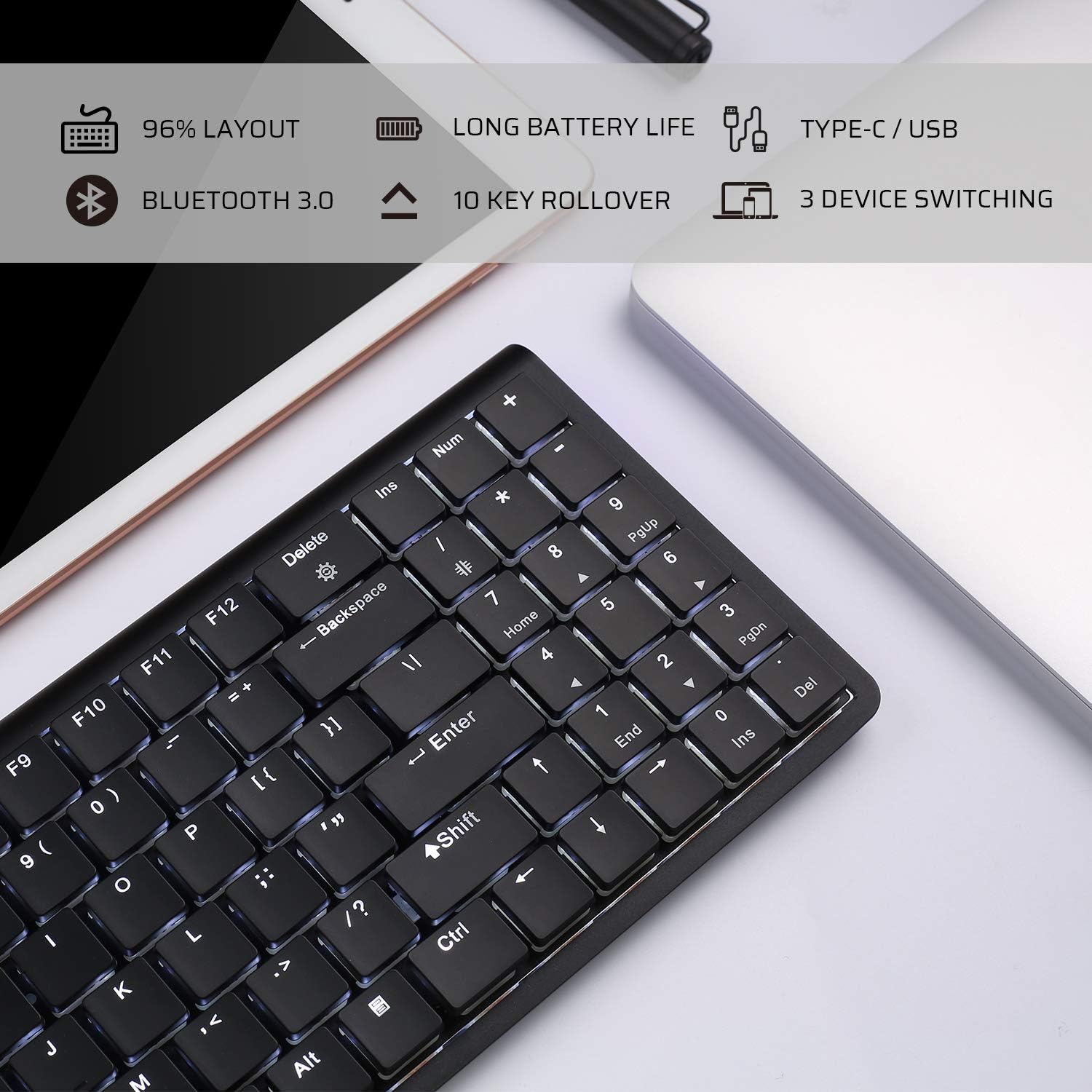
Image: An infographic highlighting key features such as 96% layout, long battery life, Type-C/USB, Bluetooth 3.0, 10-key rollover, and 3-device switching.
Garanti ak sipò
For warranty information and customer support, please refer to the warranty card included in your product packaging or visit the official LTC websit la. Kenbe resi acha ou kòm prèv acha pou nenpòt reklamasyon garanti.