
Entwodiksyon
This manual provides essential instructions for the safe and efficient use of your Redmi 10000mAh Power Bank (Model PB100LZm). Please read this manual thoroughly before using the product and retain it for future reference.
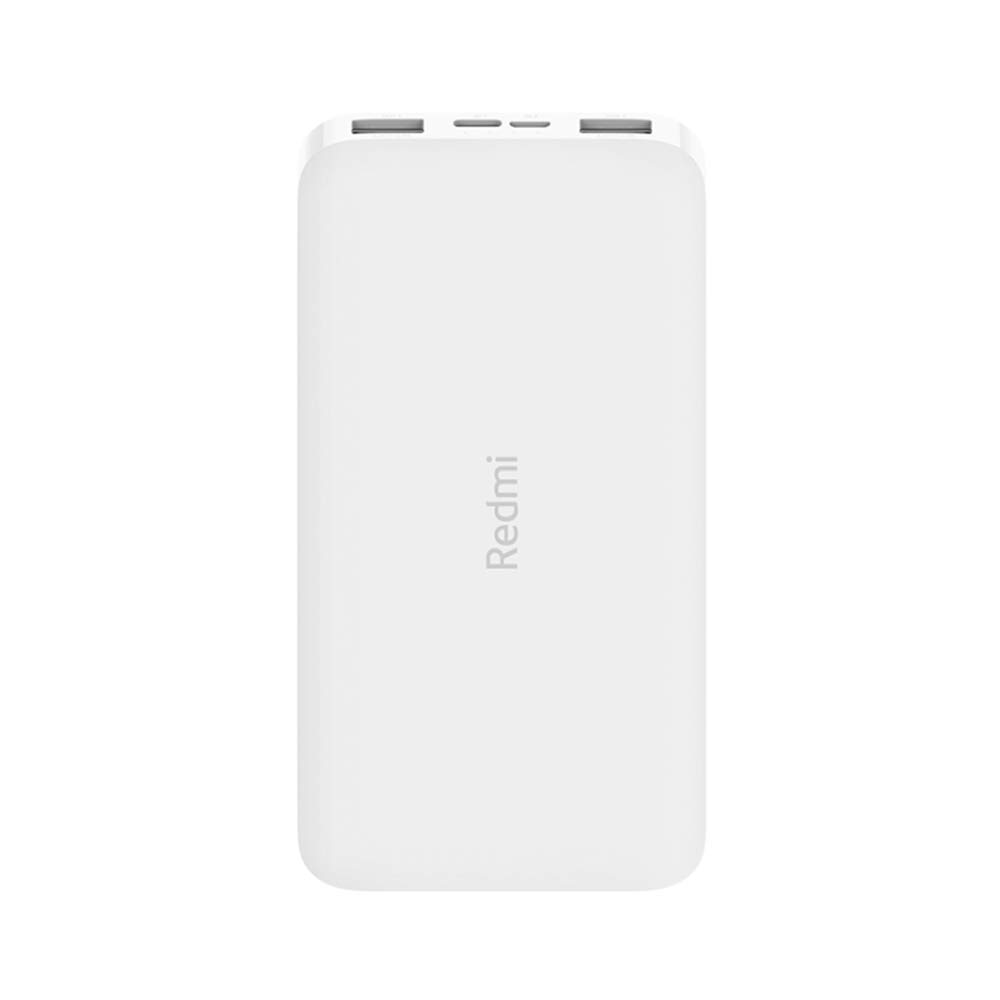
Imaj: Angle view of the white Redmi 10000mAh Power Bank.
Enfòmasyon sou Sekirite
To prevent injury, damage to the product, or damage to property, observe the following safety precautions:
- Pa demonte, repare, oswa modifye bank pouvwa a.
- Pa ekspoze bank pouvwa a nan dife, tanperati ki wo, oswa limyè solèy dirèk.
- Evite kontak ak dlo oswa lòt likid.
- Pa lage l, pa frape l, epi pa soumèt li a gwo vibrasyon.
- Kenbe soti nan atenn timoun yo.
- Sèvi ak sèlman kab chaje konpatib ak adaptè.
- Jete bank pouvwa a dapre règleman lokal yo.
Pwodwi souview
Familiarize yourself with the components of your Redmi 10000mAh Power Bank.

Image: Close-up of the power bank's top edge showing two USB-A output ports (OUT1, OUT2), one Micro-USB input port (IN1), one USB-C input port (IN2), and four LED battery level indicators.
- Pò Sòti USB-A (OUT1, OUT2): Itilize pou chaje aparèy ekstèn yo.
- Micro-USB Input Port (IN1): Itilize pou chaje bank pouvwa a.
- USB-C Input Port (IN2): Itilize pou chaje bank pouvwa a.
- Endikatè ki ap dirije: Four small lights indicating the remaining battery level.
- Bouton pouvwa: Located on the side, used to check battery level or activate charging.

Imaj: Bò kote view of the power bank highlighting the power button.
Enstalasyon
Premye Chajman Bank Pouvwa a
Before first use, fully charge your Redmi 10000mAh Power Bank.
- Connect a compatible USB cable to either the Micro-USB (IN1) or USB-C (IN2) input port on the power bank.
- Konekte lòt bout kab la nan yon adaptè kouran USB (pa enkli) oubyen nan yon pò USB òdinatè.
- The LED indicators will light up, showing the charging progress. All four LEDs will be solid when fully charged.
Konekte Aparèy
The power bank is compatible with mobile phones and other USB-powered devices.
- Use the appropriate charging cable for your device.
- Connect one end of the cable to one of the USB-A output ports (OUT1 or OUT2) on the power bank.
- Konekte lòt bout kab la nan pò chaje aparèy ou an.
Enstriksyon Operasyon
Chaje Aparèy Ekstèn yo
Once a device is connected, the power bank should automatically begin charging. If not, press the power button once to initiate charging.

Image: The power bank connected via a USB cable to charge a mobile phone, resting on a wooden table.
- The LED indicators will show the power bank's remaining battery level during charging.
- You can charge two devices simultaneously using both USB-A output ports.
Tcheke Nivo Batri
Press the power button once to check the remaining battery level. The LED indicators will light up for a few seconds:
- 1 dirije: 0-25% batri ki rete
- 2 LED: 25-50% batri ki rete
- 3 LED: 50-75% batri ki rete
- 4 LED: 75-100% batri ki rete
Antretyen
- Netwayaj: Siye bank pouvwa a avèk yon twal mou epi sèk. Pa sèvi ak pwodui chimik ki agresif oswa materyèl abrazif.
- Depo: Sere bank pouvwa a nan yon kote ki fre epi sèk, lwen limyè solèy dirèk ak tanperati ekstrèm.
- Swen batri: For optimal battery life, avoid fully discharging the power bank frequently. Recharge it when the battery level is low. If not used for extended periods, charge it to about 50% every three months.
Depanaj
| Pwoblèm | Solisyon posib |
|---|---|
| Batri pouvwa a pa chaje. |
|
| Aparèy la pa chaje ak bank pouvwa a. |
|
| Chaje dousman. |
|
Espesifikasyon
| Mak | Xiaomi |
| Nimewo Modèl | PB100LZm |
| Kapasite | 10000 mAh |
| Koulè | Blan |
| Kalite batri | Lityòm Polymère |
| Pò Antre | 1x Micro-USB, 1x USB-C |
| Sòti pò | 2x USB-A (5.1V=2.4A each) |
| Aparèy konpatib | Mobile Phones and other USB-powered devices |
| Dimansyon | 15.8 x 8 x 2 cm |
| Pwa | 276 gram |
Garanti ak sipò
Based on the provided product information, this product is indicated as having pa gen okenn garanti. For any product-related inquiries or technical support, please refer to the official Xiaomi support channels or your point of purchase.