
1. Pwodwi souview
This manual provides instructions for the VOFONO 4-button key fob replacement. This key fob is designed to function as a remote keyless entry device for compatible vehicles, allowing for locking, unlocking, remote start, and panic functions.
1.1 Konpatibilite
This key fob is compatible with the following vehicle models and years:
- Chevy Silverado: 1500/2500/3500 (2007-2013)
- Chevy Avalanche: (2007-2013)
- Chevy Equinox: (2007-2014)
- Chevy Express: 1500/2500/3500 (2008-2015)
- Chevy Suburban: 1500/2500 (2007-2014)
- Chevy Tahoe: (2007-2014)
- Chevy Traverse: (2009-2015)
- GMC Acadia: (2007-2015)
- GMC Savana: 1500/2500/3500 (2008-2014)
- GMC Sierra: 1500/2500/3500 (2007-2013)
- GMC Yukon: (2007-2014)
This remote key replacement is compatible with FCC IDs OUC60270, OUC60221, and Part Numbers 115913421, 20868672, 20952474, 22759546, 22936098, 5922035.
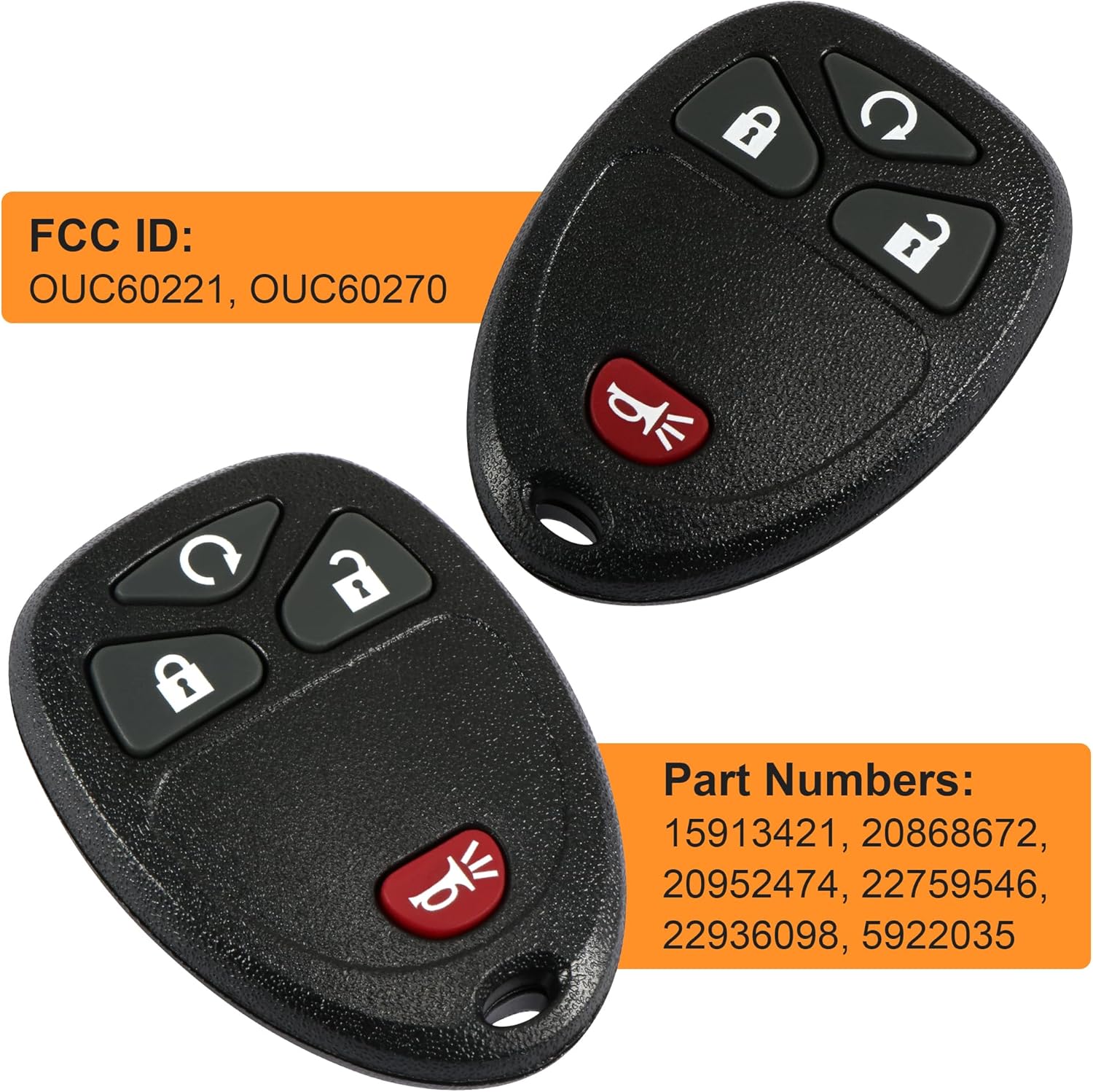
Image 1.1: VOFONO 4-Button Key Fob with FCC ID and Part Numbers. This image displays two black 4-button key fobs, highlighting the compatible FCC IDs (OUC60221, OUC60270) and various Part Numbers (15913421, 20868672, 20952474, 22759546, 22936098, 5922035).
1.2 Karakteristik kle
- Anti-theft functionality
- Remote start capability
- Lossless signal transmission
- Precise replacement design
- Wear-resistant buttons
- Solid durable tail buckle

Image 1.2: Key Fob Features and Internal Components. This image illustrates the key features of the VOFONO fob, including anti-theft, remote start, and lossless signal. It also shows the internal circuit board and battery compartment of the key fob.
2. Enstalasyon ak Pwogramasyon
Proper programming is essential for the key fob to function correctly with your vehicle. Please follow the instructions carefully.
2.1 Programming Requirements
- For models up to 2010: Self-programming may be available. Refer to your vehicle's owner's manual or online resources for specific self-programming procedures. Note: Self-programming is not available for Saturn Vue models.
- For 2010+ models: Programming typically requires a qualified locksmith or dealership. These models often have advanced security systems that prevent DIY programming.

Image 2.1: Key Fob Programming Information. This image shows two key fobs with a truck in the background, emphasizing that self-programming is available for vehicles before 2010 (except Saturn Vue), while 2010+ vehicles require professional programming.
3. Operasyon Enstriksyon
Once programmed, your VOFONO key fob provides convenient access and control over your vehicle's functions.
3.1 Fonksyon bouton
- Bouton fèmen (): Peze yon fwa pou fèmen tout pòt machin yo.
- Unlock Button (): Press once to unlock the driver's door, press twice to unlock all doors.
- Remote Start Button (): Press and hold to remotely start the vehicle (if equipped).
- Panic/Horn Button (): Press and hold to activate the vehicle's alarm/horn. Press again to deactivate.

Image 3.1: Key Fob in Operation. This image shows a VOFONO key fob with a signal icon, indicating its wireless communication with a red pickup truck in the background, demonstrating its remote functionality.
4. Antretyen
To ensure optimal performance and longevity of your VOFONO key fob, periodic maintenance, primarily battery replacement, is recommended.
4.1 Ranplasman batri
The key fob uses a Coin / Button Cell, Lithium 3V battery. When the remote's range decreases or it becomes unresponsive, it may be time to replace the battery.
- Carefully open the key fob casing. You may need a small flat-head screwdriver to gently pry it open at the seam.
- Jwenn batri a.
- Remove the old battery and insert a new 3V coin cell battery, ensuring correct polarity.
- Snap the key fob casinranje yo ansanm byen fèm.
Video 4.1: Chevy Tahoe GMC Yukon Acadia Key Fob Battery Replacement. This video demonstrates the process of replacing the battery in a compatible key fob, showing how to open the casing, remove the old battery, and insert a new one.
NAN. Depanaj
If you encounter issues with your VOFONO key fob, consider the following common problems and solutions:
- Kle Fob la pa reponn:
- Check the battery. Replace if necessary (refer to Section 4.1).
- Ensure the key fob is properly programmed to your vehicle. If it was recently replaced or the battery died, it might need reprogramming.
- Verify that you are within range of the vehicle.
- Fonksyonalite tanzantan:
- Batri fèb.
- Entèferans ki soti nan lòt aparèy elektwonik.
- Damage to the key fob circuit board.
- Programming Failure:
- Ensure your vehicle model and year are compatible with self-programming (refer to Section 2.1).
- Follow the programming steps precisely.
- If issues persist, professional programming by a locksmith or dealership may be required.
6. Espesifikasyon
Detailed technical specifications for the VOFONO 4-button key fob replacement:
| Karakteristik | Spesifikasyon |
|---|---|
| Konfigirasyon bouton | 4 Buttons (Lock, Unlock, Remote Start, Panic/Horn) |
| Frekans | 315 MHz |
| Kalite batri | Coin / Button Cell, Lithium 3V |
| Pwa atik | 1.76 ons |
| Dimansyon pake | 5.75 x 4.29 x 0.75 pous |
| Nimewo Pati Manifakti | HYM0114 |
| Karakteristik espesyal | Pre pwograme |
| Koulè | Nwa |
| Koneksyon Teknoloji | Enfrawouj |
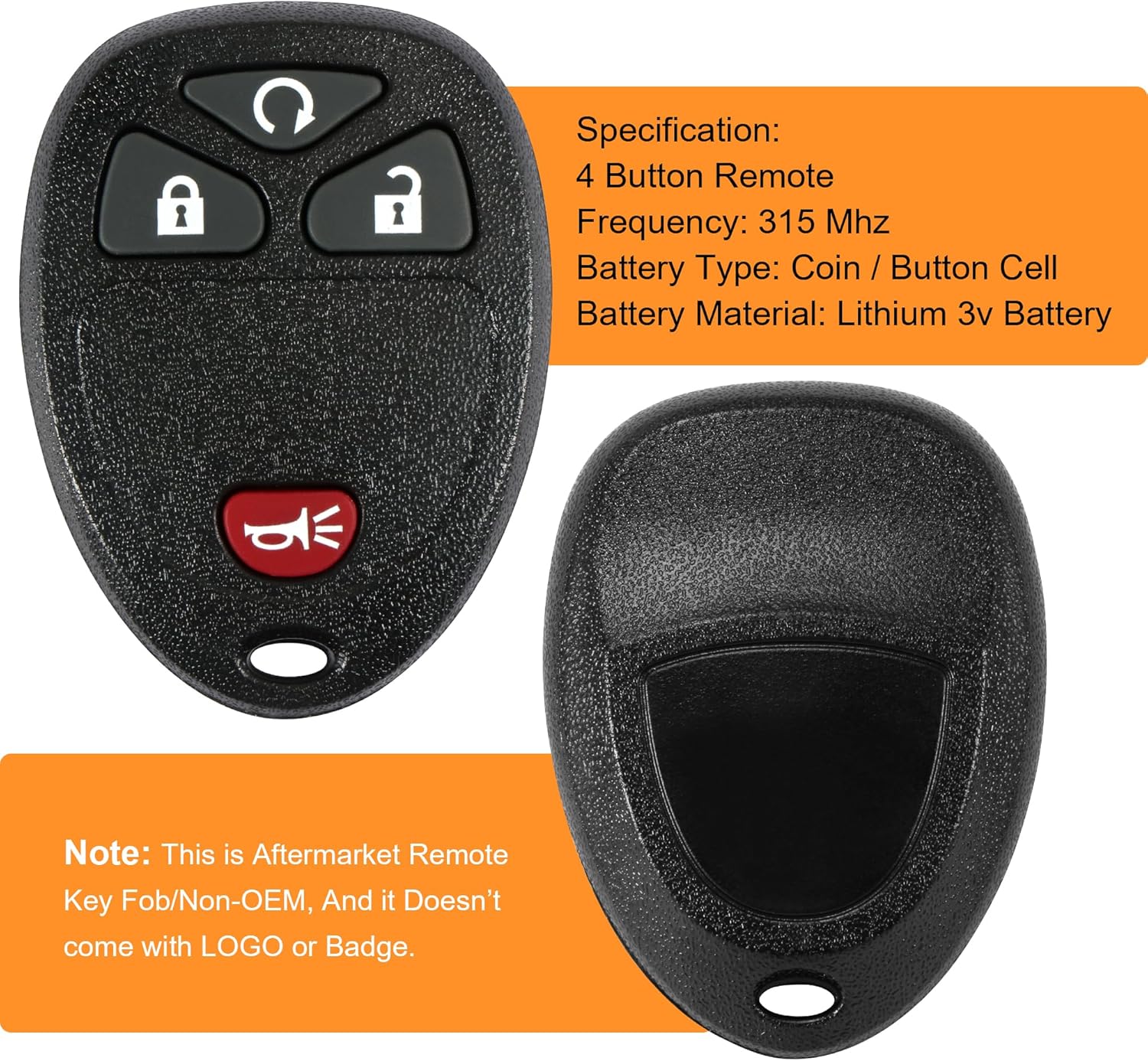
Image 6.1: Key Fob Specifications. This image displays a single VOFONO 4-button key fob alongside a list of its specifications, including button configuration, frequency, battery type, and material.
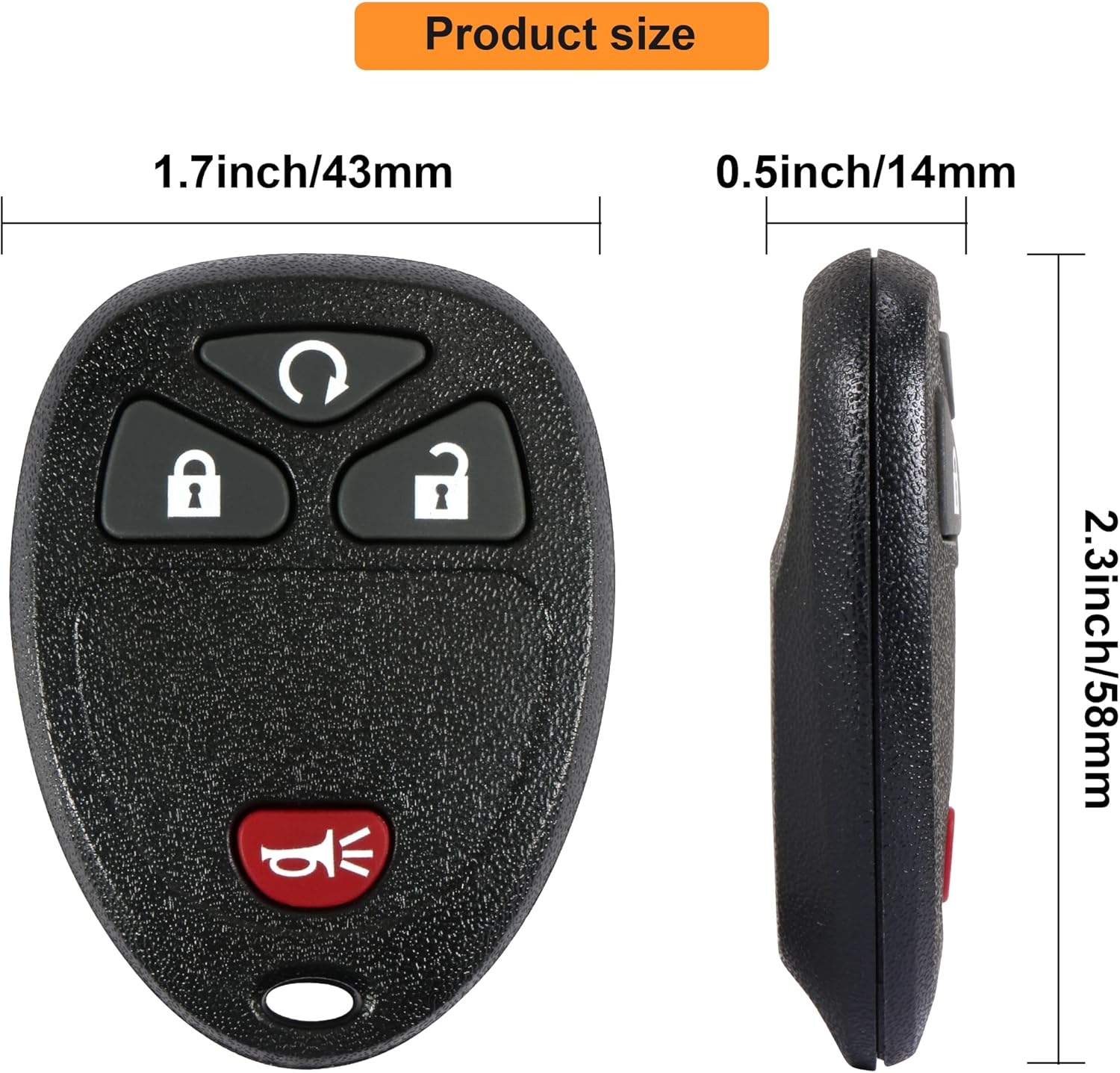
Image 6.2: Key Fob Dimensions. This image shows the VOFONO 4-button key fob with its physical dimensions labeled: 1.7 inches (43mm) width, 0.5 inches (14mm) thickness, and 2.3 inches (58mm) length.
7. Garanti ak sipò
VOFONO is committed to providing high-quality products and customer satisfaction.
7.1 Sèvis Kliyan
If you have any questions, concerns, or require assistance with your VOFONO key fob replacement, please contact our customer service representatives. We are available to address any inquiries regarding your product.
For further support, please refer to the VOFONO store on Amazon or contact the seller directly through the platform.


