
Entwodiksyon
Thank you for choosing the CACTUS CAC-109-M01 Kids Digital LCD Watch. This manual provides essential information for setting up, operating, and maintaining your watch. This digital watch features a clear LCD display, stopwatch, alarm, and a backlight for visibility in low light conditions. It is also water resistant up to 10 ATM, making it suitable for various activities.
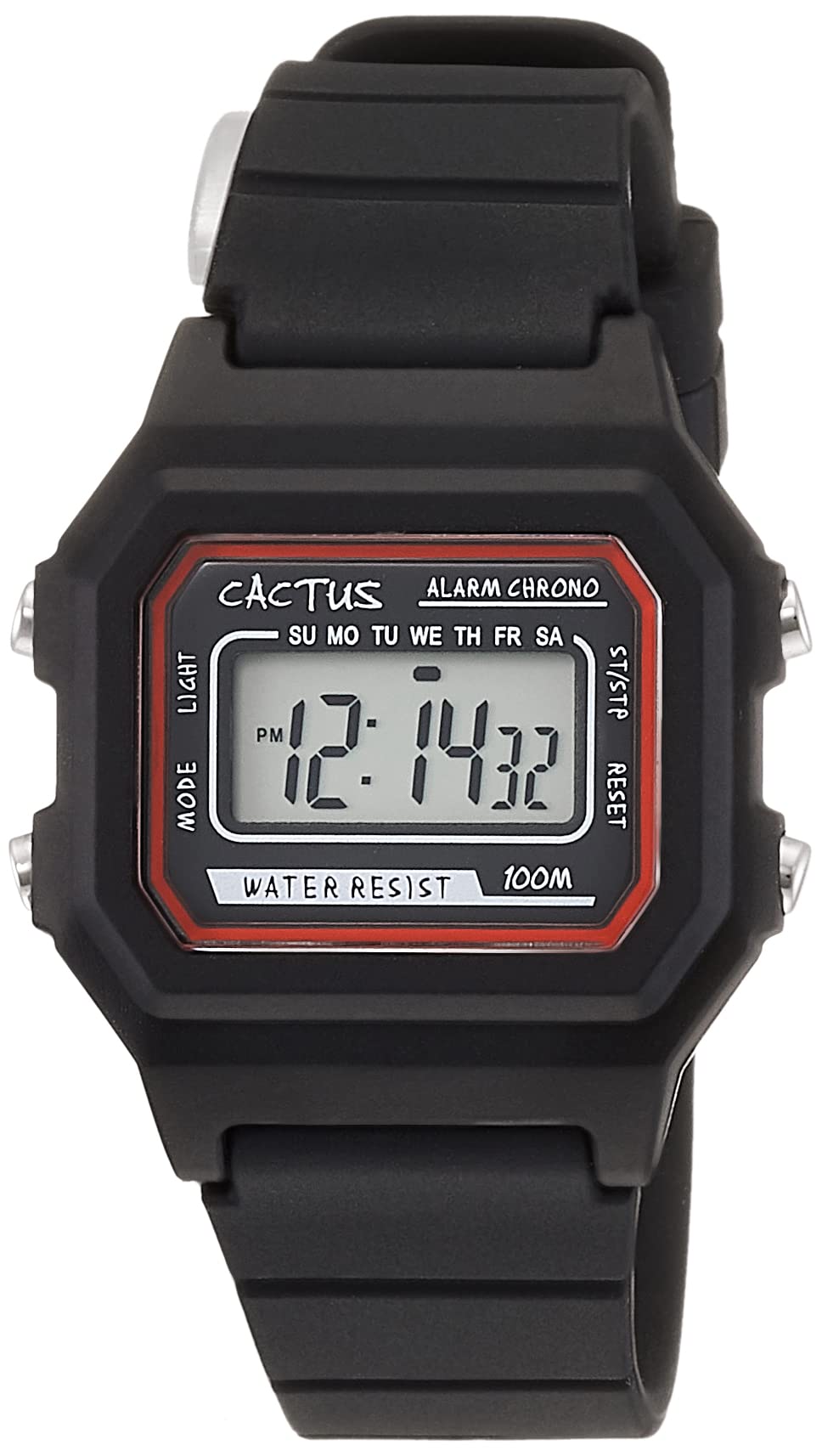
Figi 1: Anglè devan view of the CACTUS CAC-109-M01 Digital Watch. This image shows the watch face with its digital display, buttons on the side, and the black silicone strap.
Enstalasyon
Mete tan ak dat
To ensure accurate timekeeping, follow these steps to set the time and date on your watch.

Figi 2: Gwo plan devan view of the watch display and control buttons. The buttons are labeled MODE (top left), LIGHT (bottom left), RESET (top right), and START (bottom right).
- Nan mòd ekspozisyon tan nòmal, peze la MÒD button three times to enter the time setting mode. The seconds digits will flash.
- Peze a RESET bouton pou reset segonn yo a zewo.
- Peze a KÒMANSE button to advance to the next setting (hours, minutes, month, date, day of the week).
- Pandan yon chif ap flache, peze bouton an RESET bouton pou ajiste valè a.
- Repeat step 3 and 4 until all desired settings (hours, minutes, month, date, day of the week) are adjusted.
- Peze a MÒD button once to exit the setting mode and return to normal time display.
Enstriksyon Operasyon
Fonksyon bouton
- MODE Button (Top Left): Cycles through display modes (Time, Alarm, Stopwatch, Time Setting).
- LIGHT Button (Bottom Left): Aktive ekleraj dèyè a pou kèk segonn.
- Bouton RESET (Anlè adwat): Used to reset values or select items during setting.
- Bouton START (Anba Adwat): Used to start/stop functions or advance through settings.
Fonksyon alam
Your watch includes an alarm feature.
- Nan ekspozisyon tan nòmal la, peze bouton an MÒD Peze bouton an yon fwa pou antre nan mòd Alam. Lè alam lan ap parèt.
- Peze a RESET button to toggle the alarm ON/OFF. An alarm icon will appear when activated.
- Pou mete lè alam lan, peze bouton an MÒD button twice from normal time display to enter alarm setting mode. The hour digits will flash.
- Peze a RESET bouton pou ajiste lè a.
- Peze a KÒMANSE bouton an pou chanje nan anviwònman minit la.
- Peze a RESET bouton pou ajiste minit yo.
- Peze a MÒD bouton an pou sòti nan mòd konfigirasyon alam lan.
Fonksyon kronomètr
The stopwatch allows you to measure elapsed time.
- Nan ekspozisyon tan nòmal la, peze bouton an MÒD Peze bouton an de fwa pou antre nan mòd kronomèt. Ekran an ap montre "00:00:00".
- Peze a KÒMANSE bouton pou kòmanse konte tan.
- Peze a KÒMANSE Peze bouton an ankò pou pran yon poz.
- Peze a RESET button while paused to reset the stopwatch to "00:00:00".
- Peze a MÒD bouton an pou sòti nan mòd kronomèt la.
Fonksyon limyè
Pou klere ekran an nan fènwa, peze bouton an LIMYÈ button (bottom left). The backlight will activate for a few seconds.
Rezistans dlo
This watch is water resistant up to 10 ATM (100 meters). This means it is suitable for swimming, showering, and snorkeling. However, it is not recommended for diving. Avoid pressing buttons underwater, as this can compromise the water resistance seal.

Figure 3: The CACTUS CAC-109-M01 watch displayed on a wrist, showing its size and fit.
Swen ak Antretyen
Netwayaj
Pou netwaye mont ou a, siye l dousman ak yon twal mou.amp cloth. Avoid using harsh chemicals, solvents, or abrasive cleaners, as these can damage the watch's finish or internal components. For the silicone strap, mild soap and water can be used, ensuring it is thoroughly rinsed and dried.
Ranplasman batri
When the display becomes dim or the watch stops functioning, the battery may need replacement. Battery replacement should ideally be performed by a qualified watch technician to ensure the water resistance seal is maintained. Attempting to replace the battery yourself may void the warranty and compromise the watch's water resistance.
Depo
Store your watch in a cool, dry place away from direct sunlight, extreme temperatures, and strong magnetic fields.
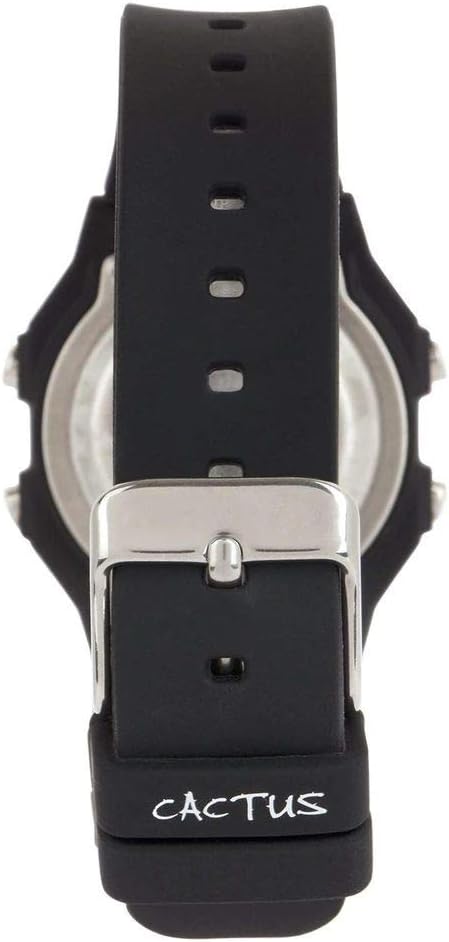
Figi 4: Retounen view of the watch, illustrating the stainless steel case back and the buckle mechanism of the silicone strap.
Depanaj
Si ou rankontre nenpòt pwoblèm ak mont ou a, tanpri al gade pwoblèm ak solisyon komen sa yo:
- Ekran mont lan vid oswa li pa klere byen: This usually indicates a low battery. Refer to the "Battery Replacement" section.
- Bouton yo pa reponn: Ensure the watch is not in a locked mode (if applicable, though this model typically does not have one). If the issue persists, a battery replacement might be needed, or a soft reset by removing and reinserting the battery (recommended to be done by a professional).
- Lè a pa kòrèk: Re-set the time and date following the "Setting Time and Date" instructions. Ensure you are in the correct time zone.
- Dlo anndan mont lan: If water appears inside the watch, immediately stop using it and take it to a professional watch repair service. This indicates a compromised water resistance seal.
Espesifikasyon pwodwi
| Nimewo Modèl | CAC-109-M01 |
| Kalite Mouvman | Quartz dijital |
| Kalite ekspozisyon | Digital LCD |
| Ka Materyèl | Rezin |
| Bann Materyèl | Silicone |
| Pwofondè Rezistans Dlo | 100 Metres (10 ATM) |
| Karakteristik adisyonèl | Alarm, Stopwatch, Light |
| Ka Dyamèt | 32 Milimèt |
| Ka epesè | 11 Milimèt |
| Pwa atik | 24 gram |
Garanti ak sipò
For warranty information or technical support, please refer to the documentation provided with your purchase or contact the retailer where the watch was acquired. Keep your proof of purchase for warranty claims.