
Entwodiksyon
The GENAI Wireless Bluetooth Headset B112 provides a convenient and hands-free communication experience. This manual offers detailed instructions for setting up, operating, maintaining, and troubleshooting your headset to ensure optimal performance and longevity.
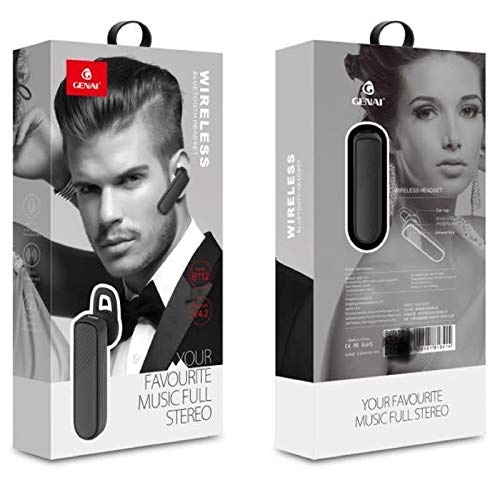
Image: GENAI Wireless Bluetooth Headset B112, main unit with ear hook.
Ki sa ki nan bwat la
Pake pwodwi a gen ladan atik sa yo:
- GENAI Wireless Bluetooth Headset B112
- Kousen zòrèy
- Kab chaje (Mikwo USB)
Enstalasyon
1. Chaje Headset la
- Connect the Micro USB charging cable to the charging port on the headset.
- Connect the other end of the charging cable to a compatible USB power source (e.g., computer USB port, USB wall adapter).
- Limyè endikatè a ap limen pandan y ap chaje.
- Yon chaj konplè anjeneral pran apeprè 2 èdtan.
- Once fully charged, the indicator light may change color or turn off, depending on the model. Disconnect the charging cable.
2. Pairing ak yon Aparèy Bluetooth
- Asire w ke kask la konplètman chaje.
- Pouvwa sou: Press and hold the multi-function button (usually the main button) on the headset until the indicator light flashes, typically alternating blue and red, indicating pairing mode.
- Aktive Bluetooth: On your mobile phone or other Bluetooth-enabled device, go to the Bluetooth settings and ensure Bluetooth is turned on.
- Chèche pou Aparèy: Your device will scan for available Bluetooth devices. Look for "B112" or "GENAI B112" in the list.
- Konekte: Select "B112" or "GENAI B112" to initiate the pairing process. If prompted for a password, enter "0000" (four zeros).
- Once successfully paired, the indicator light on the headset will typically flash blue slowly, and you may hear a voice prompt confirming the connection.
3. Mete Headset la
The GENAI B112 headset is designed for comfortable wear. Attach the ear hook if desired, and adjust it to fit securely over your ear. The ear cushions can be changed for a better fit.
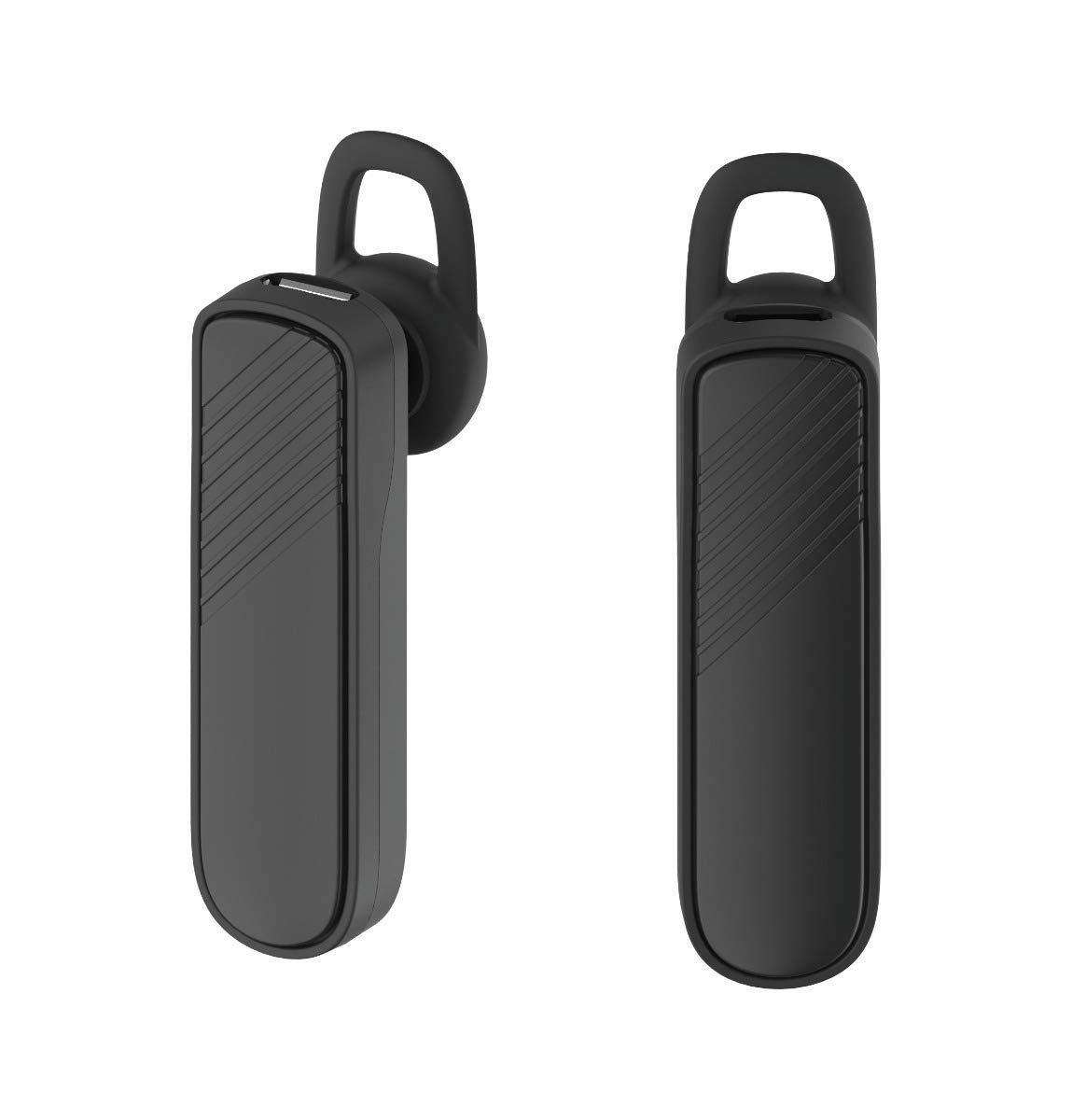
Imaj: De views of the GENAI Wireless Bluetooth Headset B112, illustrating its design.
Enstriksyon Operasyon
- Limen/Etenyen: Press and hold the multi-function button for approximately 3-5 seconds to power on or power off the headset. A voice prompt will confirm the action.
- Reponn / Fini Apèl: Press the multi-function button once to answer an incoming call. Press it again to end an active call.
- Rejte apèl: Peze epi kenbe bouton milti-fonksyon an pandan apeprè 2 segonn pou rejte yon apèl k ap antre.
- Recomposition Dènye Nimewo: Peze bouton milti-fonksyon an de fwa pou w konpoze dènye nimewo ou te konpoze a ankò.
- Kontwòl Volim: Use the dedicated volume buttons (if present) or the multi-function button (depending on model variation) to adjust the call or music volume. Refer to your device's manual for specific button functions.
- Lektur Mizik: When connected, you can play music from your paired device. The multi-function button may also control play/pause.
- Enstriksyon vwa: The headset provides voice alerts for power on/off and pairing status.
Antretyen
- Netwayaj: Use a soft, dry, lint-free cloth to clean the headset. Do not use harsh chemicals, cleaning solvents, or strong detergents.
- Depo: When not in use, store the headset in a cool, dry place, away from extreme temperatures and direct sunlight.
- Swen batri: To prolong battery life, avoid fully discharging the battery frequently. Charge the headset regularly, even if not used for extended periods.
- Ekspozisyon dlo: This headset is not waterproof. Avoid exposure to water, moisture, or rain.
Depanaj
- Kas ekoutè a pa limen:
- Asire w ke kas ekoutè a byen chaje. Konekte l nan yon sous kouran epi kite l chaje pou omwen 30 minit anvan ou eseye limen l ankò.
- M pa ka konekte kas ekoutè a ak aparèy mwen an:
- Ensure the headset is in pairing mode (indicator light flashing blue/red).
- Asire w ke Bluetooth aktive sou aparèy ou an.
- Keep the headset and your device within close proximity (within 1 meter) during pairing.
- Turn off and on both the headset and your device, then try pairing again.
- If previously paired, try "forgetting" or "unpairing" the headset from your device's Bluetooth list and then re-pair.
- Pa gen son oswa volim ki ba:
- Check the volume levels on both the headset and your paired device.
- Ensure the headset is properly connected to your device. Sometimes, the audio output might switch to the phone speaker.
- Eseye rekòmanse tou de aparèy yo.
- Headset disconnects frequently:
- Asire w pa gen okenn obstak ant kas ekoutè a ak aparèy ou an.
- Move closer to your paired device to reduce interference.
- Check for other active Bluetooth devices that might be causing interference.
- Asire w ke kas ekoutè a byen chaje.
Espesifikasyon
| Non modèl | B112 |
| Koneksyon Teknoloji | Bluetooth V4.2 |
| Port chaje | Mikwo USB |
| Tan pou chaje | Apeprè 2 èdtan |
| Tan pale | Jiska 20 èdtan |
| Tan jwe mizik | Apeprè 20 èdtan |
| Tan sibstiti | Jiska 1000 èdtan |
| Pwa atik | 30 g |
| Materyèl | Plastik |
| Karakteristik espesyal | Earhook |
| Konpozan ki enkli | Kousen zòrèy |
| Aparèy konpatib | Android, iOS, Mi devices (Bluetooth-enabled smartphones) |
Enfòmasyon sou Garanti
This GENAI Wireless Bluetooth Headset B112 comes with a 3 Mwa Ranplasman Garanti from the date of purchase. Please retain your proof of purchase for warranty claims. This warranty covers manufacturing defects. Please note that this warranty does not include refunds.
Sipò
For further assistance, technical support, or warranty claims, please contact your retailer or the GENAI customer service department. Refer to the product packaging or the official GENAI websit pou detay kontak.