
ELEPHAS BL128
ELEPHAS Mini Projector User Manual
Modèl: BL128
1. Entwodiksyon
Thank you for choosing the ELEPHAS Mini Projector. This manual provides essential information for setting up, operating, and maintaining your projector. Please read it thoroughly before use to ensure optimal performance and longevity of the device.
The ELEPHAS Mini Projector is a compact and portable device designed for versatile entertainment and presentation needs. It supports 1080P HD resolution and offers a large projection screen size, making it suitable for both indoor and outdoor use.
2. Pake kontni
Tanpri verifye ke tout atik yo prezan nan pakè a:
- 1 x ELEPHAS Mini Projector
- 1 x Mini tripod
- 1 x kontwòl remote
- 1 x Manyèl Itilizatè (dokiman sa a)
- 1 x HDMI kab
3. Pwodwi souview
Familiarize yourself with the components of your ELEPHAS Mini Projector.

The ELEPHAS Mini Projector is designed to be highly portable, easily fitting in the palm of your hand.
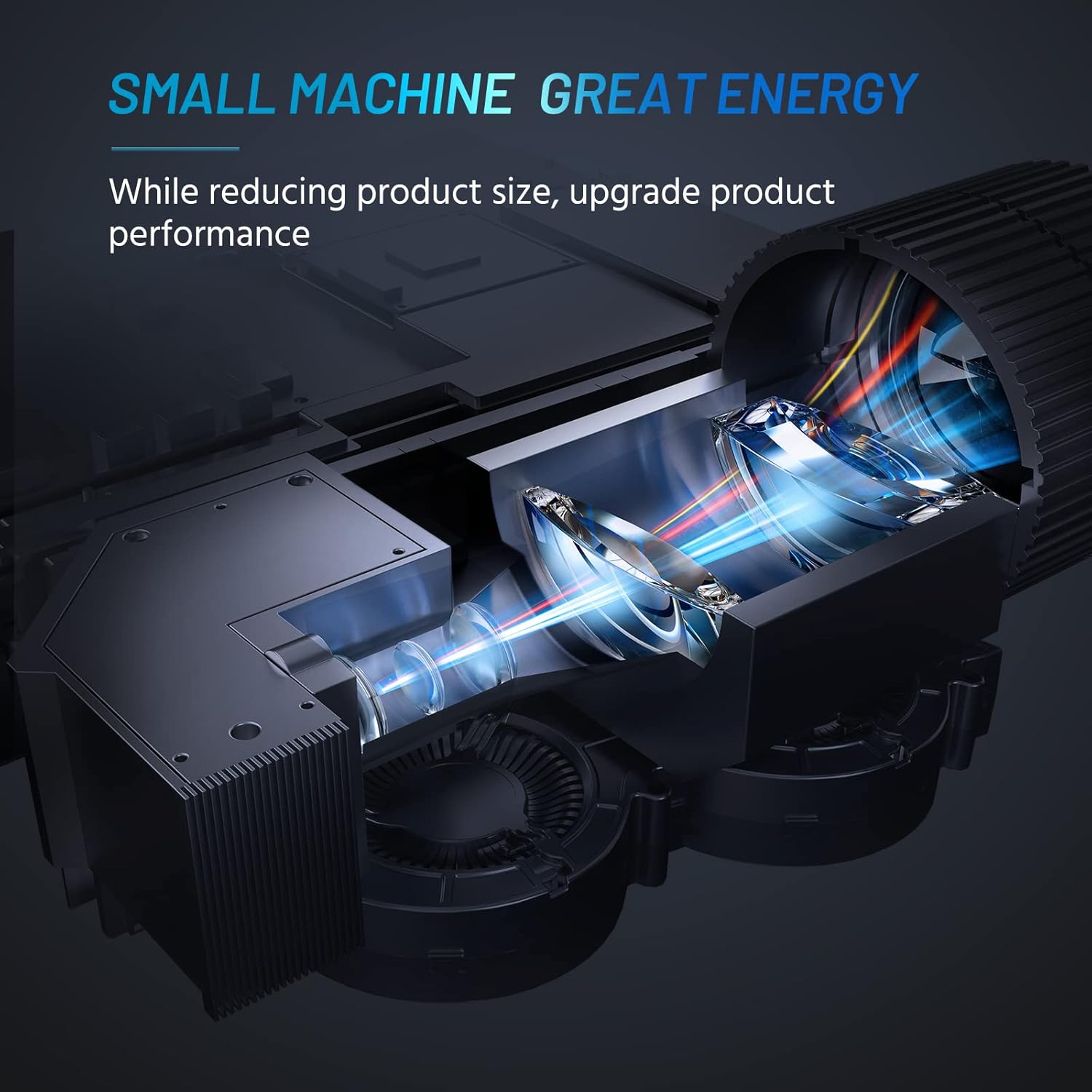
Internal design of the projector, highlighting its compact yet powerful light engine.

Detaye view of the German LED light source and emerald glass lens, designed for enhanced picture quality.
4. Enstalasyon
4.1 Basic Placement
Mete pwojektè a sou yon sifas ki estab e plat. Pou yon pi bon rezilta viewing, ensure the projection surface (wall or screen) is clean and smooth. The included mini tripod can be used for minor height and angle adjustments.

Various setup options for the projector, including table placement, mini tripod installation, and ceiling mount, showing potential screen sizes.
4.2 Koneksyon pouvwa
- Konekte adaptè kouran an nan pò antre kouran pwojektè a.
- Ploge adaptè pouvwa a nan yon priz elektrik apwopriye.
4.3 Konekte Aparèy
The projector supports multiple input sources. Ensure your device is powered on before connecting.
- HDMI: Connect your laptop, PC, TV Box, TV Stick, or gaming console using the provided HDMI cable.
- USB: Insert a USB flash drive for direct media playback.
- DE: Use an AV cable (not included) to connect older devices.
- Odyo Deyò: Konekte oratè ekstèn oswa kas ekoutè atravè priz odyo 3.5mm lan pou yon son amelyore.
- Koneksyon Smartphone: For iOS/Android/Windows smartphones, a compatible HDMI adapter (e.g., Lightning to HDMI, Micro USB/Type-C to HDMI) is required and not included.
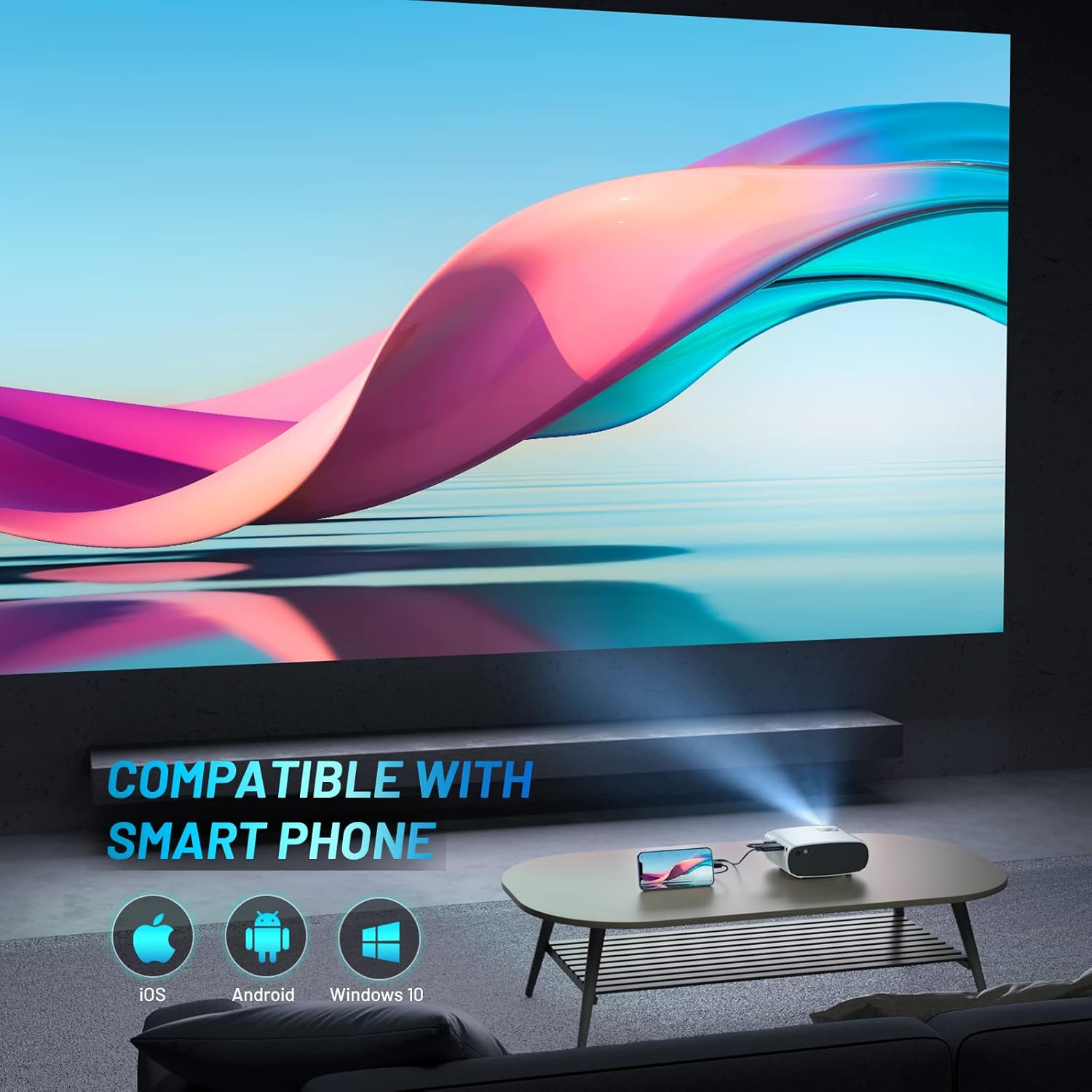
The projector is compatible with various smartphone operating systems, requiring an appropriate adapter for connection.

Connecting smartphones to the projector for outdoor movie nights. Adapters are sold separately.
Official video demonstrating the features and portability of the ELEPHAS Mini Projector, including setup and usage scenarios.
5. Operasyon Enstriksyon
5.1 Power On/Off
- Pouvwa sou: Peze bouton pouvwa a sou pwojektè a oswa sou kontwòl remote la. Limyè endikatè a ap limen.
- Pouvwa Off: Peze bouton pouvwa a ankò. Pwojektè a ap fèmen.
5.2 Ajisteman Fokus ak Keystone
- Konsantre: Rotate the focus ring on the projector lens until the projected image is clear and sharp.
- Koreksyon Keystone: Use the keystone adjustment dial (if available) or the remote control to correct trapezoidal distortion if the projector is not perfectly perpendicular to the screen.

The projector offers an adjustable angle for flexible projection setup.
5.3 Seleksyon Sous Antre
Press the 'Source' button on the remote control or projector to cycle through available input sources (HDMI, USB, AV).
5.4 Sòti odyo
The projector has a built-in HIFI speaker. For a more immersive audio experience, connect external speakers or headphones to the 3.5mm audio output port.
The projector features a dual-band sound system designed for reduced noise and clear audio.
6. Antretyen
6.1 Netwayaj
- Lantiy: Sèvi ak yon twal mou ki pa gen pousyè, espesyalman fèt pou lantiy optik. Pa sèvi ak pwodui netwayaj abrazif oswa solvan.
- Casing: Siye deyò pwojektè a avèk yon twal mou epi sèk. Evite sèvi ak pwodui netwayaj likid dirèkteman sou aparèy la.
- Vantilasyon: Asire w ke ouvèti vantilasyon yo pa gen pousyè ak obstak pou anpeche yo chofe twòp.
6.2 Depo
When not in use, store the projector in a cool, dry place, away from direct sunlight and extreme temperatures. Use the lens cap to protect the lens from dust and scratches.
NAN. Depanaj
| Pwoblèm | Kòz posib | Solisyon |
|---|---|---|
| Pa gen imaj projeté | Power not connected; Incorrect input source; Loose cable connection | Check power cable; Select correct input source; Reconnect HDMI/USB cable securely |
| Imaj floue | Out of focus; Incorrect projection distance | Adjust focus ring; Adjust projector distance from screen |
| Pa gen son | Volume too low; Muted; External speakers not connected properly | Increase volume; Unmute; Check external speaker connection |
| Remote kontwòl pa travay | Dead batteries; Obstruction between remote and projector | Replace batteries; Remove obstructions; Point remote directly at projector's IR receiver |
| Cannot play Netflix/Amazon Prime/Hulu | HDCP copyright restrictions | Use an Amazon Fire Stick or Roku Stick for these services. |
8. Espesifikasyon
- Nimewo Modèl: BL128
- Rezolisyon ekspozisyon: 1920 x 1080 (1080P HD Support)
- Klate: 8000L (Lumèn)
- Pwopòsyon kontras: 6000:1
- Koneksyon Teknoloji: HDMI, USB, AV, Audio Out
- Dimansyon pwodwi: 6 x 4.4 x 2.4 pous
- Pwa atik: 1 liv
- Manifakti: ELEPHAS
- Peyi orijin: Lachin
- Karakteristik espesyal: Portable, HDMI Connectivity, Built-in HIFI Speaker, Efficient Heat Dissipation System, Emerald Glass Lens, 24-bit True Color Support
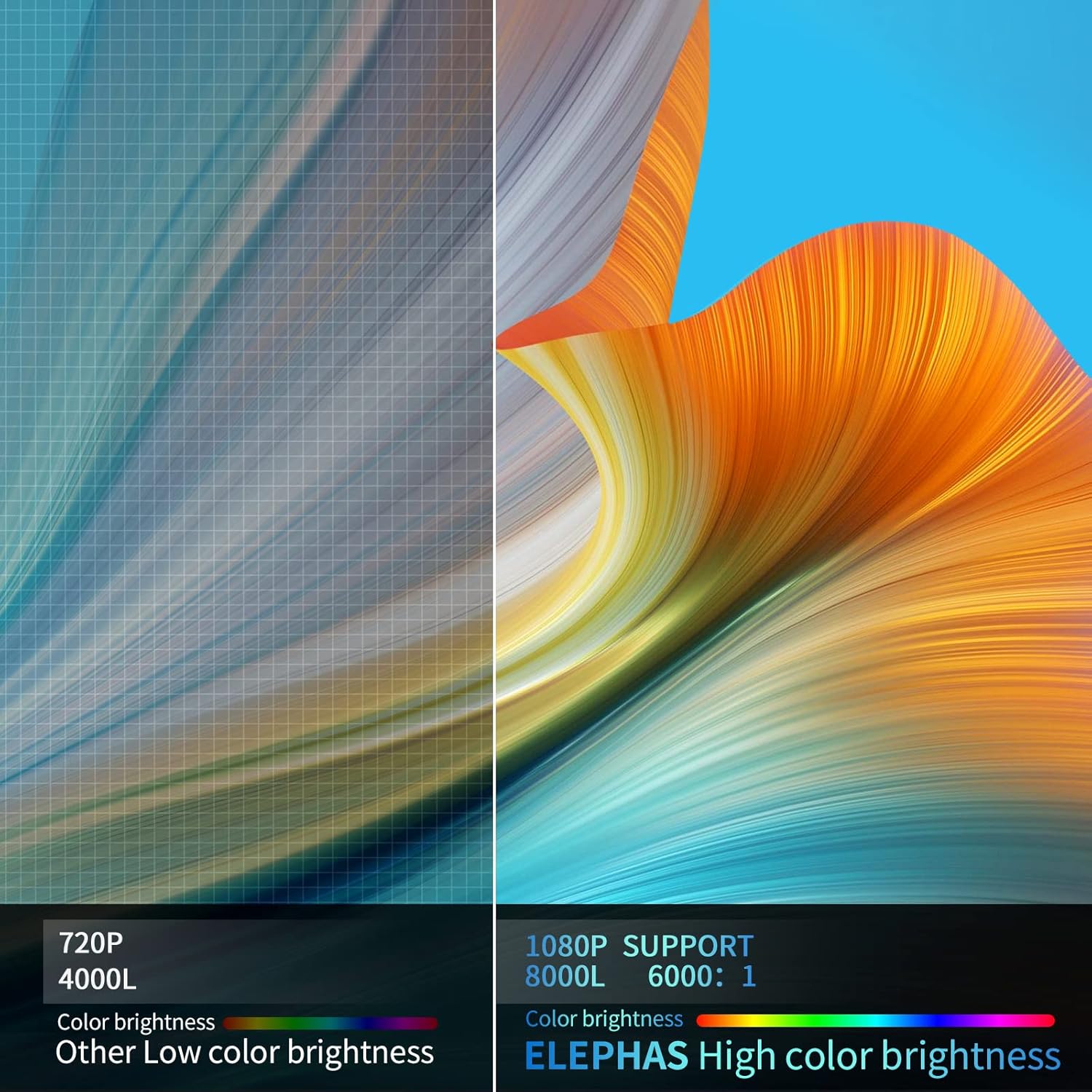
Visual comparison demonstrating the enhanced brightness and color quality of the ELEPHAS projector.

Illustrates the progression of brightness and clarity from lower resolution projectors to the 8000L 1080P ELEPHAS model.
9. Garanti ak sipò
ELEPHAS projectors come with a 3-year factory support warranty. For any issues or inquiries, please contact ELEPHAS customer service. Refer to the contact information provided on the product packaging or the official ELEPHAS websit.
The product holds CE, FCC, RoHS, and PSE certificates, ensuring compliance with relevant safety and quality standards.
Ask a question about this manual
Ask about setup, troubleshooting, compatibility, parts, safety, or missing instructions. Manuals+ will review the question and use this page’s manual context to help answer it.