
Greenlite 48145
Manyèl Itilizatè Greenlite LED PAR38 Mouvman Anpoul Limyè Inondasyon ak Capteur
Modèl: 48145
Pwodwi souview
The Greenlite LED PAR38 Motion Sensor Flood Light Bulb is designed for both indoor and outdoor use, providing efficient and bright illumination with integrated motion sensing capabilities. This 13W LED bulb is equivalent to a 100W incandescent bulb, offering 1050 lumens of 3000K Soft White light. It features an E26 medium base and is Energy Star certified, ensuring energy efficiency.
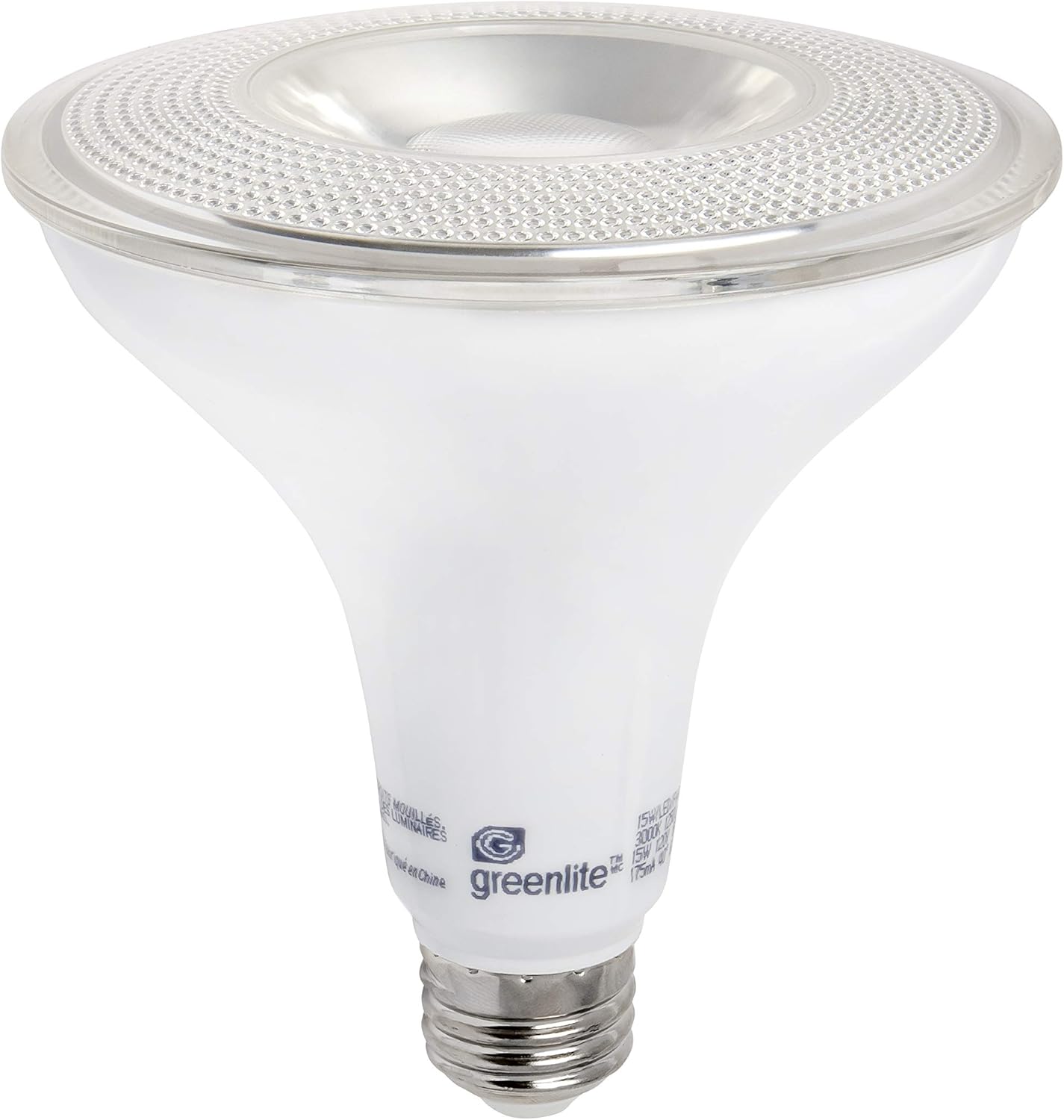
Image: The Greenlite LED PAR38 Motion Sensor Flood Light Bulb, showcasing its PAR38 shape and E26 medium base.

Image: Product packaging highlighting key features such as motion sensor, 13W PAR38, 100W equivalent, 1050 lumens, and Energy Star certification.
Enfòmasyon sou Sekirite
- AVÈTISMAN: Risk chòk elektrik. Dekonekte pouvwa anvan enstalasyon.
- Do not use with dimmers. This bulb is non-dimmable.
- Apwopriye pou kote ki mouye.
- Ensure the fixture is rated for the bulb's wattage ak gwosè.
- Pa demonte anpoul la.
- Aparèy sa a pa fèt pou itilize ak sòti ijans.
Enstalasyon ak Enstalasyon
- Pouvwa Off: Before replacing an existing bulb or installing a new one, ensure the power to the light fixture is turned off at the circuit breaker or wall switch.
- Retire ansyen anpoul: Carefully unscrew the old bulb from the fixture.
- Enstale nouvo anpoul: Screw the Greenlite LED PAR38 Motion Sensor Flood Light Bulb into the E26 medium base socket. Ensure it is securely tightened but do not overtighten.
- Pouvwa sou: Restore power to the fixture. The bulb will illuminate briefly as it initializes.
Nòt enpòtan: The motion sensor requires a brief warm-up period after power is applied. During this time, the bulb may remain on continuously before the motion sensing function becomes active. This can take up to an hour in some cases, as noted by user experiences.

Image: Dimensional drawing of the bulb, showing a width of 4.7 inches (119mm) and a height of 5.2 inches (132mm). Ensure your fixture can accommodate these dimensions.
Enstriksyon Operasyon
This Greenlite LED PAR38 bulb features an integrated motion sensor. It is designed to automatically turn on when motion is detected within its sensing range and turn off after a period of no motion. The bulb operates based on ambient light levels, typically activating only in low-light conditions (e.g., dusk to dawn) when motion is present.
- Operasyon otomatik: Once installed and powered, the bulb will automatically detect motion and ambient light.
- Deteksyon Mouvman: The sensor detects movement within its field of view. Factors like distance, object size, and movement speed can affect detection.
- Auto Fèmen-off: After motion ceases, the bulb will remain lit for a set period (typically a few minutes, non-adjustable) before turning off.
- Sansiblite limyè: The bulb is designed to operate in dark conditions. It will generally not activate during daylight hours, even if motion is detected.
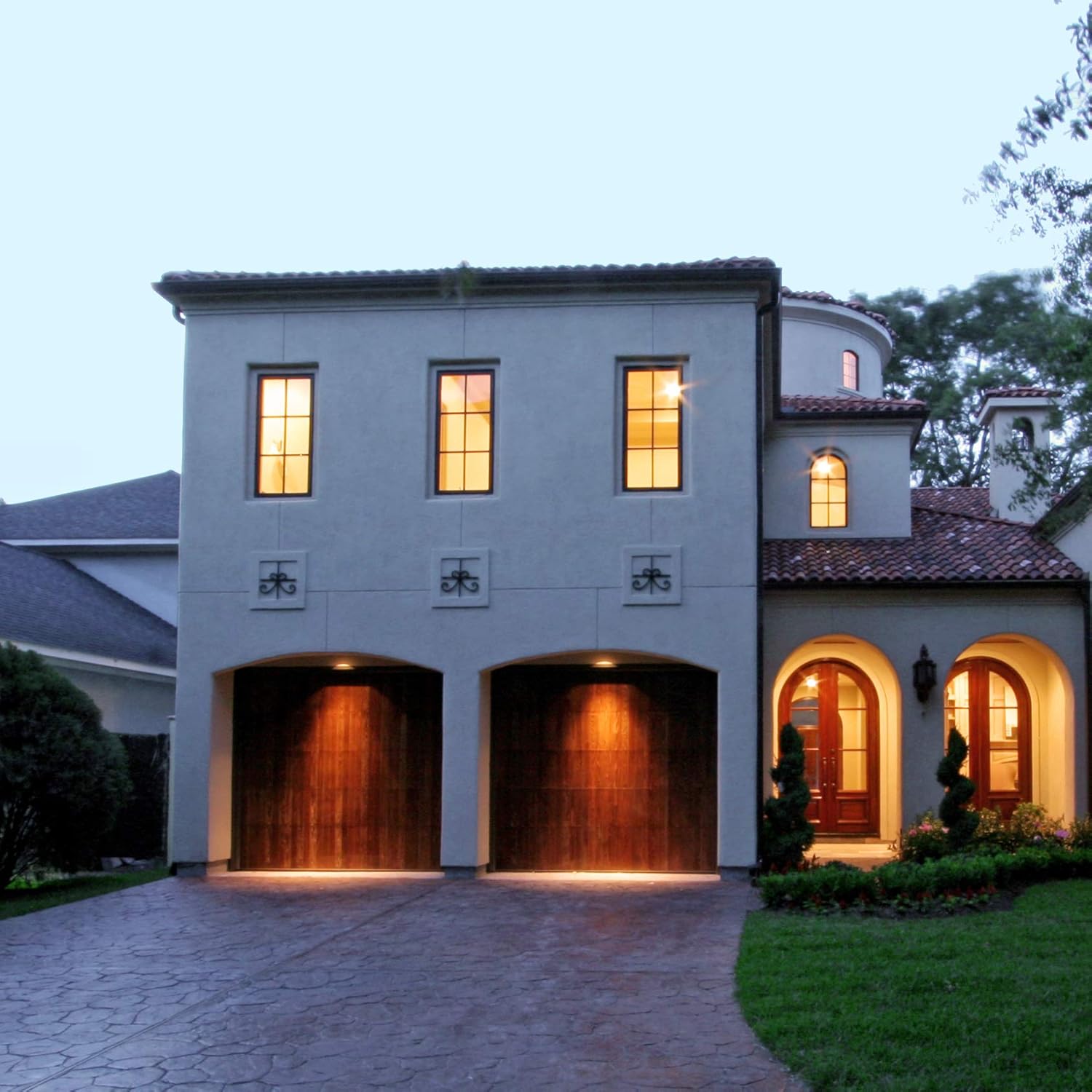
Imaj: Yon ansyenample of the flood light bulbs installed in an outdoor setting, illuminating a driveway and garage area at night, demonstrating their effective coverage.
Antretyen
- Netwayaj: Ensure the bulb is cool and power is off before cleaning. Wipe the bulb and sensor lens gently with a soft, dry cloth. Do not use liquid cleaners or abrasive materials.
- Enspeksyon: Tcheke anpoul la ak aparèy la detanzantan pou nenpòt siy domaj oswa koneksyon ki lach.
- Pa gen pati itilizatè ki ka fè sèvis: The bulb contains no user-serviceable parts. Do not attempt to open or repair it.
Depanaj
| Pwoblèm | Kòz posib | Solisyon |
|---|---|---|
| Anpoul la pa limen. | No power; Bulb not screwed in properly; Sensor blocked; Ambient light too high. | Check power supply and circuit breaker. Ensure bulb is securely tightened. Clear any obstructions from the sensor. Test in darker conditions. |
| Anpoul la rete limen san rete. | Initial warm-up period; Constant motion detected; Sensor malfunction; Ambient light too low (sensor thinks it's always dark). | Allow up to an hour for initial warm-up. Ensure no continuous motion is in the sensor's field. Check for external light sources interfering with the sensor. If problem persists, bulb may be faulty. |
| Anpoul la limen/etenn sanzatann. | Interference from moving objects (trees, traffic); Sensor sensitivity issues. | Adjust fixture angle if possible to minimize unwanted triggers. Ensure sensor is clean. |
| Limyè a twò fèb oswa twò klere. | Incorrect bulb for application; Not designed for dimming. | This bulb is non-dimmable. Ensure it meets your brightness requirements (1050 lumens). |
Espesifikasyon
| Karakteristik | Detay |
|---|---|
| Mak | Greenlite |
| Nimewo Modèl | 48145 |
| Kalite limyè | dirije |
| Gwosè fòm anpoul | PAR38 |
| Wattage | 13 Watts |
| Wat ekivalantage | 100 Watts |
| Klète | 1050 Lumen |
| Tanperati Koulè | 3000 Kelvin (mou blan) |
| Baz anpoul | E26 baz mwayen |
| Voltage | 120 Volts |
| Itilizasyon Andedan kay la / Deyò | Andedan kay la, deyò |
| Karakteristik espesyal | Motion Sensor, Shatter Resistant |
| Sètifikasyon | Energy Star, UL Listed, RoHS Compliant |
| Dimansyon pwodwi | 4.73" lajè x 5.15" wotè (119mm x 132mm) |
| Pwa atik | 6.1 ons |

Image: The bulb displaying its motion sensor icon, Energy Star, UL Listed, and RoHS compliance logos, indicating its safety and efficiency certifications.
Garanti ak sipò
Specific warranty details for the Greenlite LED PAR38 Motion Sensor Flood Light Bulb (Model 48145) are not provided in this manual. For warranty information, technical support, or customer service inquiries, please refer to the manufacturer's official website or contact Greenlite customer support directly.
Manifakti: Greenlite
Websit: www.greenlite.ca
Ask a question about this manual
Ask about setup, troubleshooting, compatibility, parts, safety, or missing instructions. Manuals+ will review the question and use this page’s manual context to help answer it.