
1. Entwodiksyon
The Maxell Bass 13 Wireless Headphones (Model B13-WHPS) are designed to provide a versatile audio experience. These headphones feature 40mm drivers for clear sound, an integrated microphone for communication, and comfortable ear pads for extended listening. They offer both wireless Bluetooth connectivity and a traditional 3.5mm wired option.
2. Ki sa ki nan bwat la
- Maxell Bass 13 Wireless Headphones
- USB Chaje Kab
- 3.5mm Audio Cable (if applicable, not explicitly listed but common for hybrid headphones)
- Manyèl itilizatè
3. Pwodwi souview
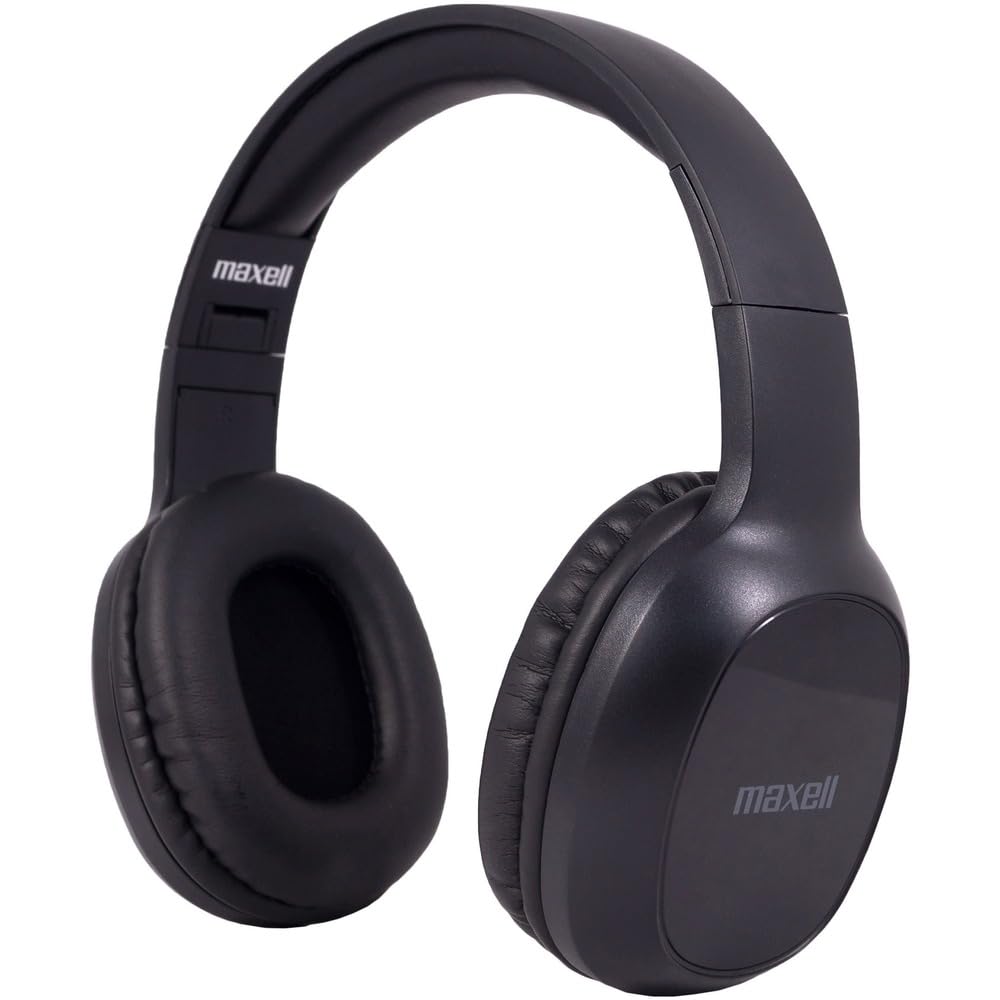
Figure 1: Maxell Bass 13 Wireless Headphones

Figure 2: Earcup Controls (Power, Volume, Play/Pause)
Karakteristik kle:
- 40mm chofè dinamik: Deliver clear and powerful audio performance.
- Mikwofòn entegre: Pèmèt apèl men lib.
- Noise-Isolating Earpads: Provide comfort and help reduce external distractions.
- Koneksyon Bluetooth 5.0: Pou yon koneksyon san fil ki estab.
- 3.5mm Audio Jack: Allows for wired connection to compatible devices.
- Bando reglabl: Ensures a comfortable fit for various head sizes.
- Jiska 8 èdtan lavi batri: For extended listening and talk time.
4. Enstalasyon
4.1 Chaje kas ekoutè yo

Figure 3: Connecting the USB Charging Cable
- Locate the charging port on the headphone earcup.
- Connect the small end of the provided USB charging cable to the headphone's charging port.
- Konekte pi gwo bout kab USB a nan yon sous kouran USB (pa egzanp, yon pò USB òdinatè, yon adaptè USB nan miray).
- The LED indicator on the headphones will illuminate to show charging status. It will typically turn off or change color when fully charged.
- A full charge provides up to 8 hours of continuous talk/play time.
4.2 Bluetooth Pairing
- Asire w ke kas ekoutè yo byen chaje.
- Press and hold the Power button on the headphone earcup until the LED indicator flashes blue and red, indicating pairing mode.
- Sou aparèy ou an (telefòn entelijan, tablèt, òdinatè), ale nan paramèt Bluetooth yo.
- Chèche pou available devices. Select "Maxell Bass 13" from the list.
- Yon fwa li konekte, endikatè LED la ap tipikman montre yon limyè ble fiks oswa li ap flache ble dousman.
- Si yo mande w yon kòd sekrè, antre "0000".
4.3 Koneksyon filaire (3.5mm Jack odyo)

Figure 4: Connecting the 3.5mm Audio Cable
For devices without Bluetooth or when battery is low, you can use the 3.5mm audio cable:
- Plug one end of the 3.5mm audio cable into the audio input jack on the headphone earcup.
- Plug the other end into the 3.5mm audio output jack of your device.
- The headphones will operate in passive mode, and Bluetooth functionality will be disabled.
5. Operasyon Enstriksyon
5.1 Power On/Off
- Pouvwa sou: Peze epi kenbe bouton Power la pou apeprè 3 segonn jiskaske endikatè LED la limen.
- Pouvwa Off: Peze epi kenbe bouton Power la pou apeprè 3-5 segonn jiskaske endikatè LED la etenn.
5.2 Kontwòl Volim
- Ogmante Volim: Peze bouton Ogmante Volim nan (+).
- Diminye Volim: Peze bouton Diminye Volim nan (-).
5.3 Mizik lèktur
- Jwe/Poz: Peze bouton Milti-fonksyon an (souvan bouton Pouvwa a oswa yon bouton Lekti/Pòz espesyal) yon fwa.
- Pwochen Track: Press and hold the Volume Up (+) button (or double-press, refer to specific product button layout).
- Track Previous: Press and hold the Volume Down (-) button (or double-press, refer to specific product button layout).
5.4 Jesyon Apèl
- Reponn/Fen Apèl: Peze bouton Multi-fonksyon an yon fwa.
- Rejte apèl: Peze epi kenbe bouton milti-fonksyon an pou apeprè 2 segonn.
- Recomposition Dènye Nimewo: Doub peze bouton Multi-fonksyon an.
6. Antretyen
6.1 Netwayaj
- Siye kas ekoutè yo ak yon twal mou, sèk, epi ki pa gen pousyè.
- Pa sèvi ak pwodui netwayaj abrazif, solvan, oswa espre ayewosòl.
- Evite ke imidite antre nan nenpòt ouvèti.
6.2 Depo

Figure 5: Headphones Folded for Storage
- Sere kas ekoutè yo nan yon kote ki fre epi sèk, lwen tanperati ekstrèm.
- When not in use for extended periods, ensure the headphones are fully charged before storage to preserve battery health.
- The headphones feature a foldable design for compact storage and portability.
6.3 Swen Batri
- Evite dechaje batri a nèt souvan.
- Charge the headphones regularly, even if not used often.
- Pa ekspoze batri a anba chalè twòp oswa anba limyè solèy dirèk.
NAN. Depanaj
| Pwoblèm | Kòz posib | Solisyon |
|---|---|---|
| Kas ekoutè yo pa limen | Batri ki ba | Chaje kas ekoutè yo konplètman. |
| Pa ka konekte via Bluetooth | Kas ekoutè a pa nan mòd koneksyon; Bluetooth aparèy la etenn; Twò lwen aparèy la | Ensure headphones are in pairing mode (flashing blue/red). Turn on device Bluetooth. Move headphones closer to device. |
| Pa gen son | Volume too low; Incorrect audio source; Headphones not connected | Increase headphone and device volume. Check if headphones are properly paired/connected. Verify audio output settings on your device. |
| Kalite apèl pòv | Weak Bluetooth signal; Microphone obstructed | Move closer to your device. Ensure microphone is not covered. |
8. Espesifikasyon
| Karakteristik | Detay |
|---|---|
| Nimewo Modèl | B13-WHPS |
| Mak | Maxell |
| Koneksyon Teknoloji | Bluetooth 5.0 |
| Gwosè Chofè Audio | 40 mm |
| Lavi batri | Up to 8 Hours (continuous talk/play time) |
| Ekoutè Jack | 3.5mm Jack |
| Karakteristik Kontwòl Bri | Sound Isolation, Noise Cancelling |
| Enpedans | 32 Ohms |
| Sansiblite | 100 dB |
| Repons Frekans | 20 Hz |
| Plasman Zòrèy | Sou Zòrèy |
| Faktè fòm | Sou Zòrèy |
| Dimansyon pwodwi | 7.25 x 3 x 9 pous |
| Pwa atik | 8.4 ons |
| Materyèl | Electronic Components, Foam, Plastic, Wire |
| Aparèy konpatib | Tablets, Laptops, Desktops, Portable Devices with 3.5mm Audio Jack |
9. Videyo pwodwi ofisyèl la
Video 1: Maxell Bass 13 Bluetooth Headphones Overview. This video provides a visual demonstration of the headphones' features and design.
10. Garanti ak sipò
Maxell products are designed for reliability and performance. For specific warranty information, please refer to the warranty card included with your purchase or visit the official Maxell website. For technical support or customer service inquiries, please contact Maxell customer support through their official channels.