
1. Plis paseview
The Crenova BL-76 Home Video Projector is designed to provide a versatile and immersive viewing experience. Supporting Full HD 1080P resolution, this projector offers remarkable brightness and clarity for various entertainment needs, from streaming movies to gaming. Its compact design and multiple connectivity options make it suitable for both indoor home theater setups and outdoor activities.

Figure 1.1: Crenova BL-76 Home Video Projector, showcasing konsepsyon elegant li yo.
2. Enstriksyon Sekirite
Please read and follow all safety instructions carefully to prevent injury or damage to the projector.
- Pwovizyon pou pouvwa: Use only the specified power adapter. Ensure the power voltage is compatible with the projector's requirements.
- Vantilasyon: Pa bloke ouvèti vantilasyon yo. Asire w ke gen ase lè k ap sikile toutotou pwojektè a pou anpeche l chofe twòp.
- Plasman: Place the projector on a stable, flat surface. Avoid placing it in direct sunlight, near heat sources, or in humid environments.
- Netwayaj: Dekonekte kouran an anvan ou netwaye li. Sèvi ak yon twal mou epi sèk. Pa sèvi ak pwodui netwayaj likid oswa ayewosòl.
- Pwoteksyon je: Pa gade dirèkteman nan lantiy pwojektè a lè l ap limen.amp limen, paske li ka domaje je yo.
- Reparasyon: Do not attempt to repair the projector yourself. Refer all servicing to qualified service personnel.
3. Pake kontni
Verifye ke tout atik yo prezan nan pakè a:
- Crenova BL-76 Home Video Projector
- Kontwòl Remote
- Pouvwa kab
- AV Cable (RCA to 3.5mm)
- Manyèl Enstriksyon
- Simple Projection Screen (100-inch) with accessories

Figure 3.1: Projector and included accessories, including the remote control, cables, and projection screen.
4. Pwodwi Features
The Crenova BL-76 projector offers a range of features designed to enhance your vieweksperyans nan:
- Segondè klète ak rezolisyon: Native 1280x720P resolution with 6000 Lux brightness, supporting up to 1080P input for clear and vibrant images.
- Large Image Display: Projects images up to 200 inches, with a zoom function (75%-100%) for flexible screen sizing.
- Opsyon Koneksyon miltip: Equipped with HDMI, VGA, USB, AV inputs, and TF Card slot for connecting various devices like TV sticks, game consoles, PCs, laptops, and smartphones (additional adapter may be required for smartphones).
- Odyo entegre: Integrated SRS sound system provides a satisfactory audio experience without external speakers.
- Sistèm refwadisman efikas: Features SmartEco technology and updated double tube cooling to minimize lamp consumption and extend lamp lavi jiska 50,000 èdtan.
- Focus & Keystone Adjustment: Manual focus and keystone correction allow for precise image alignment and clarity.

Figure 4.1: Visual representation of the projector's native 1080P HD resolution capability.
5. Enstalasyon
5.1 Plasman Inisyal
Choose a dark or semi-dark environment for optimal viewing. Position the projector on a stable surface at the desired distance from your projection screen or wall.
5.2 Koneksyon pouvwa
Konekte kab kouran an nan antre kouran pwojektè a epi branche li nan yon priz kouran.
5.3 Ajisteman Fokus ak Keystone
Use the focus ring and keystone correction dial located on the projector to achieve a clear and rectangular image. Adjust until the image appears sharp and undistorted.

Figure 5.1: Adjusting the focus and keystone for optimal image clarity.
6. Operasyon Enstriksyon
6.1 Power On/Off
Peze bouton pouvwa a sou pwojektè a oswa sou kontwòl remote la pou limen oswa etenn aparèy la.
6.2 Seleksyon Sous
Use the 'Source' button on the remote or projector control panel to select the desired input source (HDMI, VGA, USB, AV, TF Card).
6.3 Navigasyon meni
Navigate through the on-screen menu using the arrow keys and 'OK' button on the remote or projector. Adjust settings such as picture mode, brightness, contrast, and color temperature as needed.

Figure 6.1: The projector displaying a large image, demonstrating its screen size capabilities.
7. Koneksyon
The Crenova BL-76 projector offers various ports for connecting external devices:
- HDMI: Connects to devices like TV sticks, game consoles (PS4, Xbox), laptops, and Blu-ray players.
- USB: For playing media directly from USB drives or connecting devices like Amazon Fire Stick.
- VGA: Connects to older computers or laptops.
- DE: Connects to devices with RCA outputs (e.g., DVD players).
- Kat TF: Insert a TF card to play media files dirèkteman.
- Odyo Deyò: Konekte moun kap pale ekstèn oswa kas ekoutè pou odyo amelyore.
7.1 Smartphone Connection
To connect a smartphone, an additional HDMI adapter (not included) is required. This allows for a stable wired connection. Note that copyrighted content from services like Hulu or Netflix cannot be mirrored or screencast directly from a smartphone due to copyright restrictions.

Figi 7.1: Plis paseview of the various input ports for connecting multiple devices to the projector.
7.2 Videyo pwodwi ofisyèl yo
Native 1080P Projector BL-76 Overview
Videyo 7.1: Videyo sa a bay yon eksplikasyon detaye souview of the Crenova BL-76 projector, highlighting its native 1080P capabilities and design.
CRENOVA 1080P OUTDOOR VIDEO PROJECTOR - Quick Look
Video 7.2: A brief video showcasing the Crenova 1080P projector, emphasizing its suitability for outdoor use.
8. Antretyen
Regular maintenance ensures the longevity and optimal performance of your projector:
- Netwayaj lantiy: Use a soft lens cleaning cloth to gently wipe the projector lens. Avoid abrasive materials that could scratch the lens.
- Retire pousyè: Periodically clean the ventilation grilles to prevent dust buildup, which can affect cooling efficiency. Use a soft brush or compressed air.
- Depo: Lè w pa itilize pwojektè a pou yon bon bout tan, sere l nan yon kote ki fre epi sèk, pwoteje kont pousyè ak tanperati ekstrèm.
- Lamp Lavi: Dirije lamp has a lifespan of up to 50,000 hours. No user replacement is typically required for the lamp.
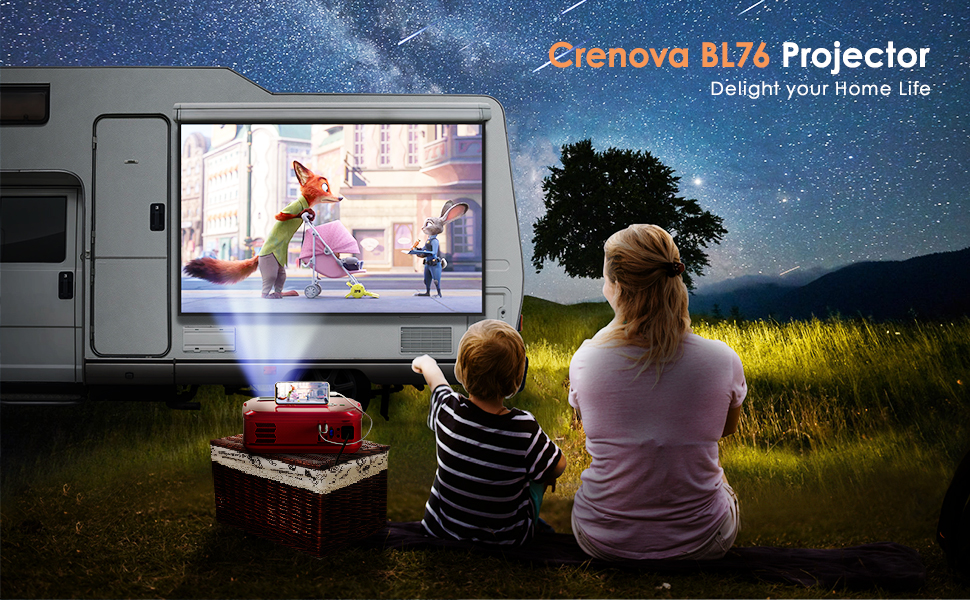
Figure 8.1: The projector in operation, demonstrating its visual output.
NAN. Depanaj
Si ou rankontre pwoblèm ak pwojektè ou a, gade solisyon komen sa yo:
| Pwoblèm | Kòz posib | Solisyon |
|---|---|---|
| Pa gen imaj ki parèt | Sous antre ki pa kòrèk la chwazi; koneksyon kab la lach; aparèy la pa limen. | Select the correct input source; check all cable connections; ensure connected device is powered on. |
| Imaj twoub | Lens out of focus; incorrect keystone adjustment. | Adjust the focus ring; adjust the keystone correction dial. |
| Pa gen son | Volume too low; audio cable not connected; external device audio settings. | Increase projector volume; ensure audio cables are connected correctly; check audio output settings on the connected device. |
| Remote kontwòl pa travay | Batteries depleted; obstruction between remote and projector; remote sensor blocked. | Replace batteries; ensure clear line of sight to projector's IR sensor; remove any obstructions. |
10. Espesifikasyon
| Karakteristik | Detay |
|---|---|
| Mak | Crenova |
| Nimewo Modèl | BL-76 |
| Rezolisyon ekspozisyon | Native 1280 x 720 (Supports 1080P) |
| Klète | 6000 Lux |
| Pwopòsyon kontras | 5000:1 |
| Koneksyon Teknoloji | HDMI, VGA, USB, AV, TF Card |
| Kalite Oratè | Stereo (SRS Sound System) |
| Lamp Lavi | Jiska 50,000 èdtan |
| Dimansyon pwodwi | 16.54 x 6.69 x 11.81 pous |
| Pwa atik | 7.65 liv |
11. Garanti ak sipò
For warranty information, technical support, or service inquiries, please refer to the contact details provided in your product packaging or visit the official Crenova websit la. Kenbe resi acha ou kòm prèv acha pou reklamasyon garanti.