
1. Entwodiksyon
Mèsi pou acha aasing the Wendry Smart Projector. This portable LED projector is designed to provide a versatile viewing experience for both indoor and outdoor entertainment. This manual will guide you through the setup, operation, and maintenance of your new projector to ensure optimal performance.
2. Pake kontni
Tanpri verifye ke tout atik ki nan lis anba a yo enkli nan pakè ou a:
- Wendry Smart Projector Unit
- Kontwòl Remote
- Adaptè pouvwa
- AV Cable (3-in-1 RCA)
- HDMI kab
- Gid itilizatè
- Netwaye twal
- 100-inch Projection Screen
- Wall Mount Hooks for Screen

Figure 2.1: Wendry Smart Projector and included accessories.
3. Pwodwi Features
- Ekspozisyon segondè-definisyon: Supports 720P and 1080P resolution for clear and natural images.
- Pòtabilite: Small and lightweight design for easy transport and setup.
- Klate: 3000 lumens for vibrant presentations.
- Opsyon Koneksyon miltip: Includes HDMI, AV, VGA, USB, and Micro SD card slots.
- Odyo entegre: Features a built-in speaker and a headphone jack for external audio.
- Adjustable Projection: Manual focus adjustment, aspect ratio selection (16:9 to 4:3), and a projection distance of 1.0-2.8 meters.
- Long-Life Lamp: Equipped with RGB lamps offering up to 30,000 hours of operational life.

Figure 3.1: High-definition display capabilities.

Figure 3.2: Multiple input interfaces for diverse media devices.
4. Enstalasyon
4.1. Plasman Inisyal
Place the projector on a stable, flat surface. Ensure there is adequate ventilation around the unit.
4.2. Koneksyon pouvwa
- Konekte adaptè kouran an nan pò DC IN ki sou pwojektè a.
- Ploge adaptè pouvwa a nan yon priz elektrik apwopriye.
4.3. Konekte Sous Antre yo
Connect your desired media device (e.g., laptop, TV box, game console, USB drive) to the projector using the appropriate port:
- HDMI: Pou videyo ak odyo an wo definisyon.
- USB: Pou jwe medya files dirèkteman nan yon kondwi flash USB.
- DE: For standard definition video and audio using the included AV cable.
- VGA: Pou konekte ansyen òdinatè oswa aparèy.
- Mikwo SD: Pou jwe medya files directly from a Micro SD card.
4.4. Setting Up the Projection Screen
The included 100-inch projection screen can be mounted using the provided hooks and adhesive stickers. Follow the instructions on the screen packaging for proper installation.
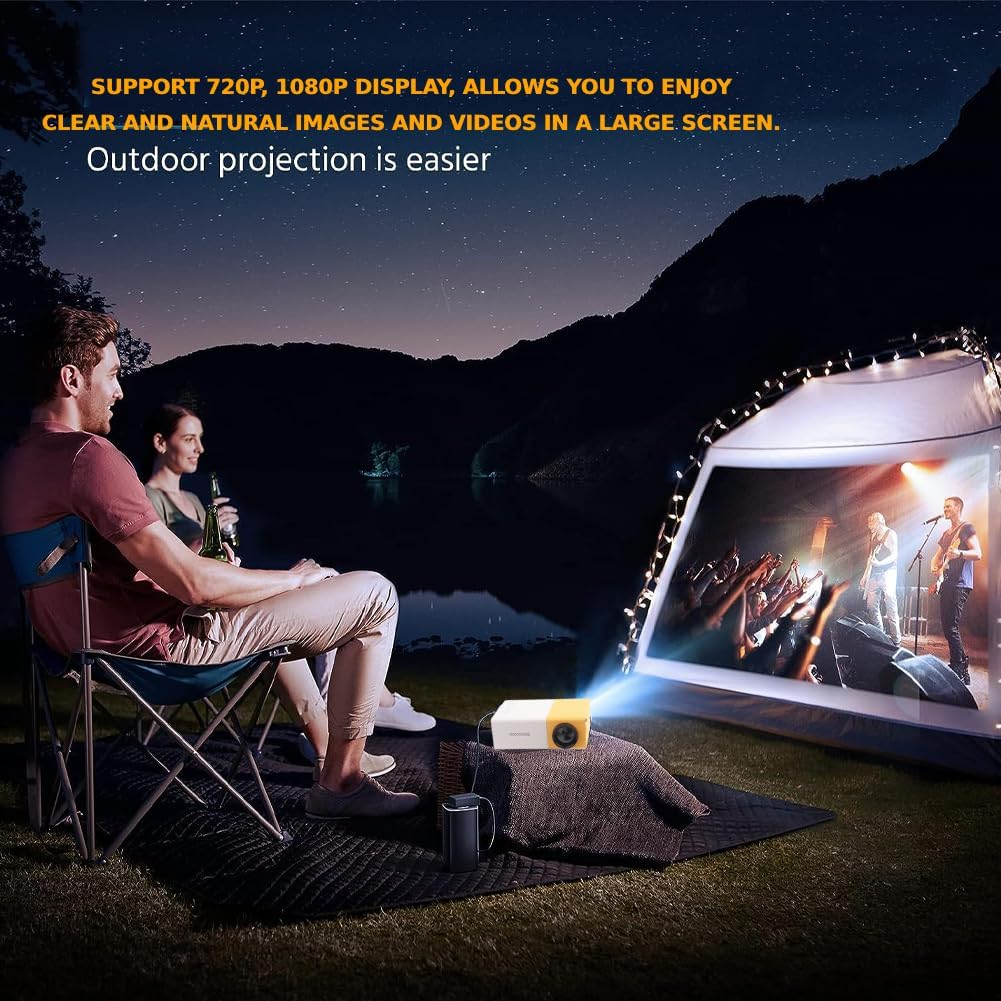
Figi 4.1: Egzample of outdoor projection setup.
5. Operasyon Enstriksyon
5.1. Power On/Off
Peze bouton pouvwa a sou pwojektè a oswa sou kontwòl remote la pou limen oswa etenn aparèy la.
5.2. Ajiste Konsantre
Rotate the focus ring located on the projector lens until the image on the screen appears clear and sharp.

Figure 5.1: Adjusting projection for optimal viewing.
5.3. Chwazi Sous Antre
Use the 'Source' button on the remote control or the projector's control panel to cycle through available input sources (USB, TF, HDMI, AV, VGA).
5.4. Menu Navigation and Volume Control
Use the arrow keys and 'OK' button on the remote control or projector to navigate through menus and make selections. Adjust the volume using the dedicated volume buttons on the remote.
5.5. Aspect Ratio Adjustment
The projector supports aspect ratio adjustments from 16:9 to 4:3. Refer to the on-screen menu for specific settings.
6. Antretyen
6.1. Netwaye lantiy la
Gently wipe the projector lens with the provided cleaning cloth or a soft, lint-free cloth. Avoid using abrasive materials or harsh chemicals that could damage the lens.
6.2. Netwayaj jeneral
Wipe the exterior of the projector with a soft, dry cloth. Ensure ventilation vents are clear of dust and debris to prevent overheating.
NAN. Depanaj
If you encounter issues with your projector, please refer to the following common solutions:
- Pa gen pouvwa: Ensure the power adapter is securely connected to both the projector and the electrical outlet.
- Pa gen imaj: Verify that the correct input source is selected. Check all cable connections (HDMI, AV, VGA, USB).
- Imaj flou: Adjust the focus ring on the projector lens. Ensure the projection surface is flat and the projector is at an appropriate distance.
- Pa gen son: Check the volume settings on both the projector and the connected media device. If using external speakers, ensure they are properly connected.
- Kontwòl Remote pa travay: Ensure batteries are correctly inserted and functional. Point the remote directly at the projector's IR receiver.
For further assistance, please consult the full user guide or contact customer support.
8. Espesifikasyon
| Karakteristik | Spesifikasyon |
|---|---|
| Dimansyon pwodwi | 5 x 3.21 x 1.91 pous |
| Pwa atik | 1.01 liv |
| Nimewo Modèl | Wendry0fw4c39u5i-01 |
| Rezolisyon ekspozisyon | 320 x 240 (Native), Supports 720P/1080P |
| Koneksyon Teknoloji | HDMI, USB, VGA, AV, Micro SD |
| Karakteristik espesyal | Lejè, pòtab |
| Itilizasyon Rekòmande | Gaming, Home Cinema, Outdoor Recreation |
| Lamp Lavi | 30,000 hours (RGB LED) |
| Klète | 3000 lumèn |