
1. Entwodiksyon
Thank you for choosing the ELEPHAS YG420 Mini Beamer Projector. This projector is designed to provide a high-quality visual experience for home entertainment, gaming, and outdoor movie nights. With its native 720P HD resolution (supporting 1080P), 4500 lumens brightness, and a 2000:1 contrast ratio, it delivers clear and vibrant images. The long-lasting LED lamp offers up to 50,000 hours of life, ensuring extended use. Its compact and lightweight design makes it highly portable, allowing you to enjoy a large screen experience anywhere.

The ELEPHAS YG420 Projector delivers native 720P HD resolution with 4500 lumens brightness for clear and vivid images.
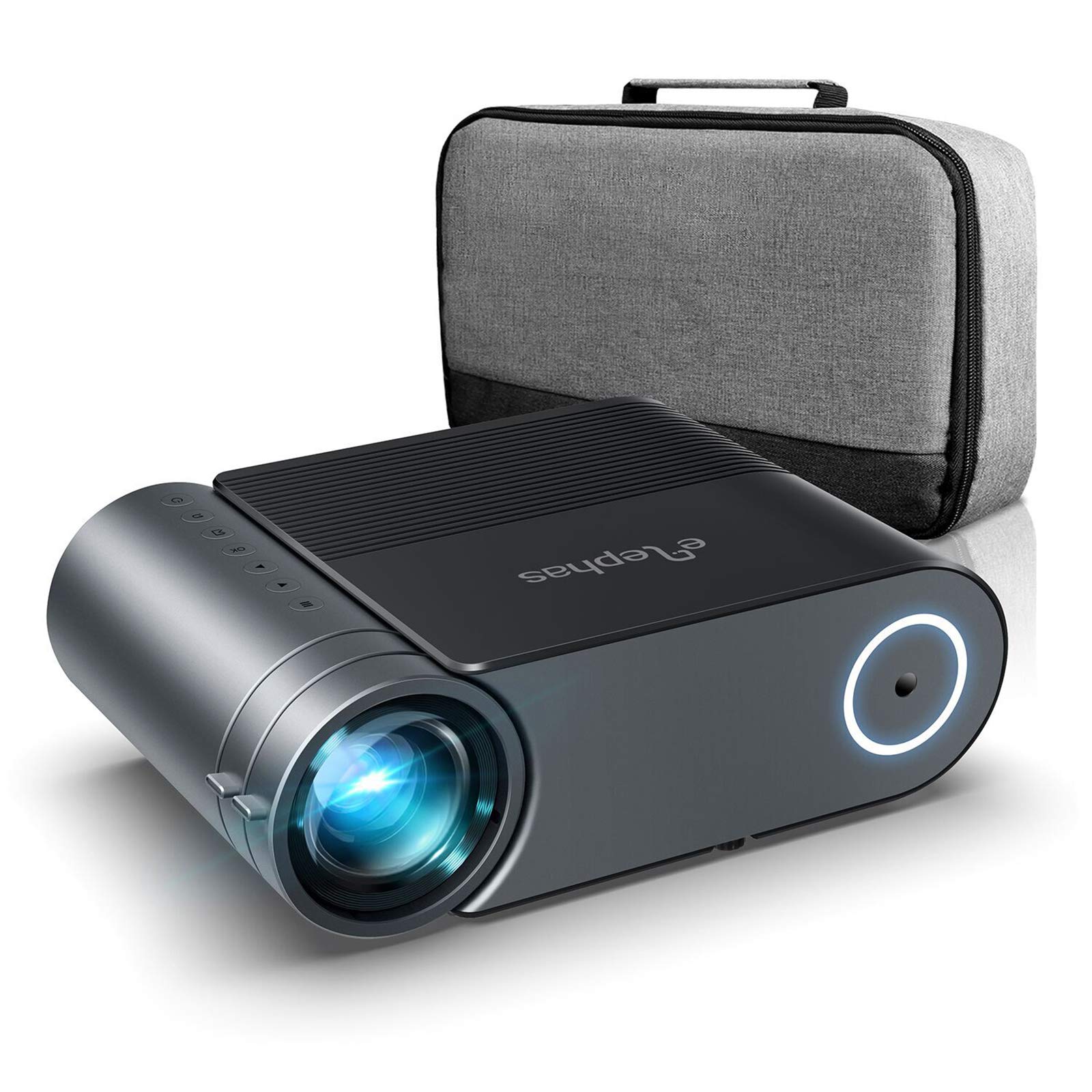
Experience superior brightness and balanced colors with the ELEPHAS YG420 projector.
2. Enstriksyon Sekirite
- Li tout enstriksyon yo anvan ou itilize pwojektè a.
- Pa bloke ouvèti vantilasyon yo. Asire w ke gen ase espas otou pwojektè a pou bon sikilasyon lè a.
- Pa gade dirèkteman nan lantiy pwojektè a lè l ap limen.amp se sou.
- Avoid placing the projector in direct sunlight, near heat sources, or in environments with high humidity or dust.
- Sèvi sèlman ak adaptè kouran ki vini ak pwojektè a.
- Debranche pwojektè a nan priz kouran an pandan tanpèt zèklè oswa lè ou pa itilize li pou yon bon bout tan.
- Pa eseye repare pwodui sa a tèt ou. Konfye tout antretyen bay pèsonèl sèvis kalifye.
3. Pake kontni
Tanpri verifye sa ki nan pake a lè w ap debale l pou asire w tout bagay yo la:
- ELEPHAS YG420 pwojektè
- Kontwòl Remote
- Pouvwa kab
- HDMI kab
- AV Kab
- Manyèl itilizatè
4. Pwodwi souview
4.1 Projector Ports and Controls
The ELEPHAS YG420 projector features a variety of ports for versatile connectivity and intuitive controls for easy operation.
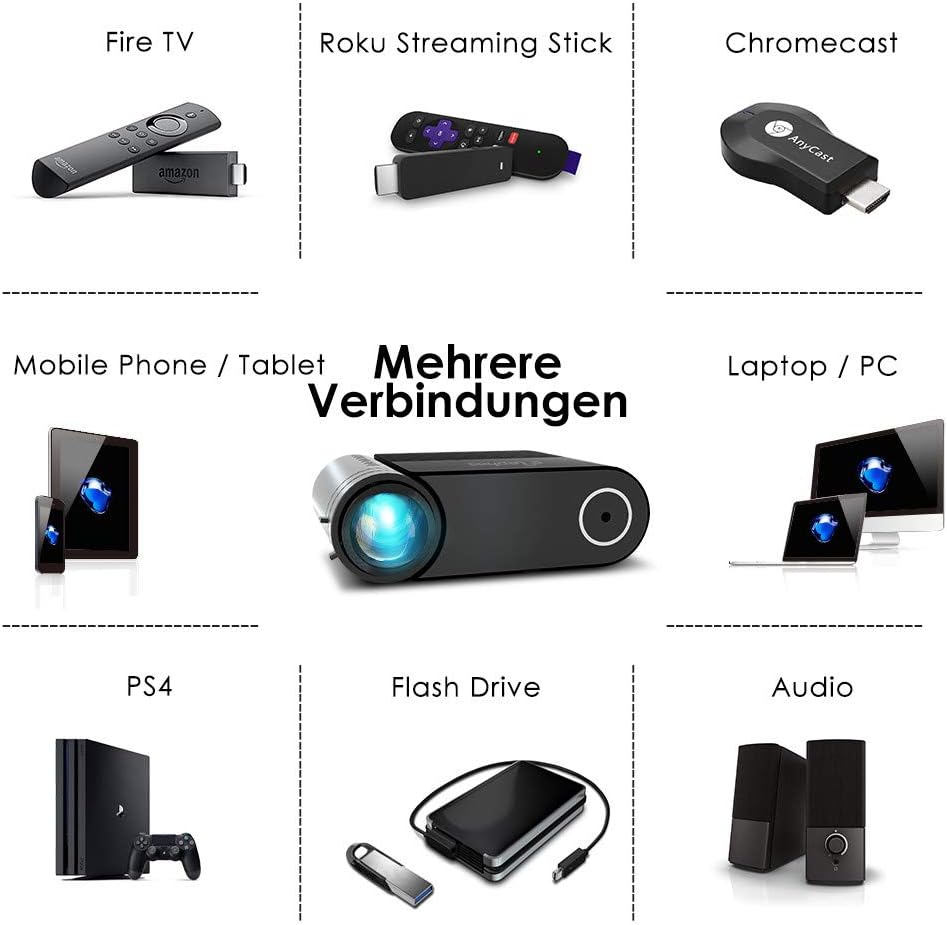
The projector offers multiple interfaces for connecting various devices.
4.2 Kontwòl Remote
The included remote control allows for convenient operation of the projector from a distance. It provides access to power on/off, input source selection, menu navigation, volume control, and other settings.
5. Enstalasyon
5.1 Plasman
Mete pwojektè a sou yon sifas ki estab e plat. Pou yon pi bon rezilta viewing, ensure the projector is aligned directly with the projection surface. The recommended projection distance ranges from 1.5 meters to 4.5 meters, allowing for an image size between 44 inches and 200 inches.

The projector supports flexible display sizes from 44 to 200 inches, depending on the projection distance.
5.2 Koneksyon pouvwa
- Konekte kab kouran an nan pò antre kouran pwojektè a.
- Ploge lòt bout kab pouvwa a nan yon priz kouran.
5.3 Konekte Aparèy Antre
The YG420 supports multiple input sources including HDMI, VGA, USB, Micro SD, and AV. Choose the appropriate cable for your device.

Connect a wide range of devices including streaming sticks, gaming consoles, and computers.
- HDMI: Connect to laptops, gaming consoles (PS3/PS4), streaming devices (Fire TV, Roku, Chromecast), or DVD/VCD players.
- VGA: Konekte ak òdinatè oswa laptop ki pi ansyen.
- USB: Insert a USB flash drive or external hard drive to play media files dirèkteman.
- Mikwo SD: Mete yon kat Micro SD pou li medya yo files.
- DE: Connect to older video devices using the included AV cable.
Nòt: For connecting smartphones or tablets, an appropriate adapter (not included) may be required.

Some devices, like smartphones, require an adapter for connection (not supplied).
5.4 Ajisteman Fokus ak Keystone
- Konsantre: Vire bag konsantre a sou lantiy pwojektè a jiskaske imaj la parèt byen file epi klè.
- Keystone: Use the keystone correction dial to adjust the vertical distortion of the image if the projector is not perfectly perpendicular to the screen. The projector supports vertical keystone correction up to 15 degrees.
6. Operasyon Enstriksyon
6.1 Limen/Etenyen
- Pouvwa sou: Press the power button on the projector or the remote control. The projector will start up quickly.
- Pouvwa Off: Press the power button again. The projector will shut down immediately without a cool-down phase.
6.2 Chwazi Sous Antre
After powering on, use the 'Source' button on the remote control or the projector's control panel to cycle through available input sources (HDMI1, HDMI2, VGA, USB, Micro SD, AV) and select the one corresponding to your connected device.
6.3 Ajiste Paramèt Imaj yo
Access the projector's menu using the remote control to adjust settings such as brightness, contrast, color, and aspect ratio to optimize your vieweksperyans nan.
6.4 Ajiste Paramèt Odyo yo
The projector features enhanced stereo-dual speakers. You can adjust the volume using the remote control. For a more immersive audio experience, you can connect external speakers via the audio output port.

The projector includes built-in stereo-dual speakers for clear audio.
7. Antretyen
7.1 Netwaye Lantiy la
Use a soft, lint-free cloth or lens cleaning paper to gently wipe the projector lens. Avoid using abrasive cleaners or excessive force, which can scratch the lens.
7.2 Cleaning the Air Filter/Vents
Regularly check and clean the air vents to prevent dust buildup, which can affect cooling performance. Use a soft brush or a vacuum cleaner with a brush attachment to remove dust from the vents. The projector features an advanced cooling system to maintain optimal performance.

The advanced cooling system helps maintain the projector's performance and extends its lifespan.
7.3 Depo
When not in use, store the projector in a cool, dry place, away from direct sunlight and extreme temperatures. If possible, use the original packaging or a protective case to prevent dust and damage.
NAN. Depanaj
Si ou rankontre pwoblèm ak pwojektè ou a, gade pwoblèm ak solisyon komen sa yo:
| Pwoblèm | Solisyon posib |
|---|---|
| Pa gen imaj sou ekran an | Ensure the power cable is securely connected. Check if the correct input source is selected. Verify the input device is powered on and sending a signal. |
| Imaj la twoub | Adjust the focus ring on the lens. Ensure the projection distance is within the recommended range. |
| Imaj la defòme (fòm trapèz) | Adjust the keystone correction dial. Ensure the projector is placed as perpendicular to the screen as possible. Note that slight blurriness at the edges may occur with keystone correction. |
| Pa gen son | Check the projector's volume settings and ensure it's not muted. Verify the audio output settings on your connected device. If using external speakers, ensure they are properly connected and powered on. |
| Remote kontwòl pa travay | Tcheke pil yo nan kontwòl remote la. Asire w pa gen okenn obstak ant kontwòl remote la ak reseptè IR pwojektè a. |
9. Espesifikasyon
| Karakteristik | Spesifikasyon |
|---|---|
| Mak | ELEPHAS |
| Non modèl | YG420 |
| Nimewo Atik | kk-10 |
| Itilizasyon Rekòmande | Home entertainment, gaming, outdoor movie viewings |
| Koneksyon Teknoloji | HDMI, USB, VGA |
| Rezolisyon ekspozisyon (natif natal) | 1280 x 720 |
| Rezolisyon ekspozisyon maksimòm | 1920 x 1080 |
| Kalite ekspozisyon | LCD |
| Klète | 4500 Lumen |
| Pwopòsyon Imaj Kontrèman | High (2000:1 mentioned in feature bullets) |
| Sous Limyè Lavi | 50,000 èdtan |
| Gwosè Imaj maksimòm | 200 pous |
| Distans Minimòm Jete | 1.5 mèt |
| Distans maksimòm jete | 4.5 mèt |
| Dimansyon pwodwi (L x W x H) | 24.5L x 16.6W x 8.1H santimèt |
| Pwa atik | 1.25 Kilogram |
| Wattage | 15 wat |
| Kalite kontwolè | Kontwòl Remote |
| Aparèy konpatib | PC, DVD/VCD players, speakers, USB hard drives, TV, PS3/PS4 |
10. Garanti ak sipò
The ELEPHAS YG420 Projector comes with lifetime service and 24 months of technical support. If you have any questions, suggestions, or require assistance, please do not hesitate to contact our customer support team. We are committed to enriching your daily life with our products and providing a satisfactory shopping experience.