
1. Entwodiksyon
The Dual DAB 3A Digital Radio Adapter is designed to upgrade your existing audio system with modern digital radio reception and Bluetooth streaming capabilities. This adapter allows you to enjoy DAB+ and FM radio broadcasts with clear digital quality and stream audio wirelessly from compatible devices. Its user-friendly interface and remote control ensure convenient operation.
2. Enfòmasyon sou Sekirite
- Pwovizyon pou pouvwa: Use only the provided AC power adapter. Ensure the voltage matches the requirements specified on the adapter.
- Dlo ak imidite: Do not expose the device to rain, moisture, or dripping/splashing liquids. Keep it away from water sources.
- Vantilasyon: Ensure adequate ventilation around the unit. Do not block ventilation openings. Avoid placing the device on soft surfaces that may obstruct airflow.
- Sous Chalè: Kenbe aparèy la lwen sous chalè tankou radyatè, recho, recho oswa lòt aparèy ki pwodui chalè.
- Netwayaj: Disconnect the power before cleaning. Use a soft, dry cloth. Do not use liquid cleaners or aerosol sprays.
- Sèvis: Pa eseye fè sèvis pwodui sa a tèt ou. Refere tout sèvis yo bay pèsonèl sèvis kalifye.
3. Pake kontni
Tanpri verifye ke tout atik ki nan lis anba a yo enkli nan pakè ou a:
- Dual DAB 3A Digital Radio Adapter
- AC pouvwa adaptè
- Kontwòl Remote
- Manyèl Pwopriyetè a
- External Wire Antenna
4. Pwodwi souview
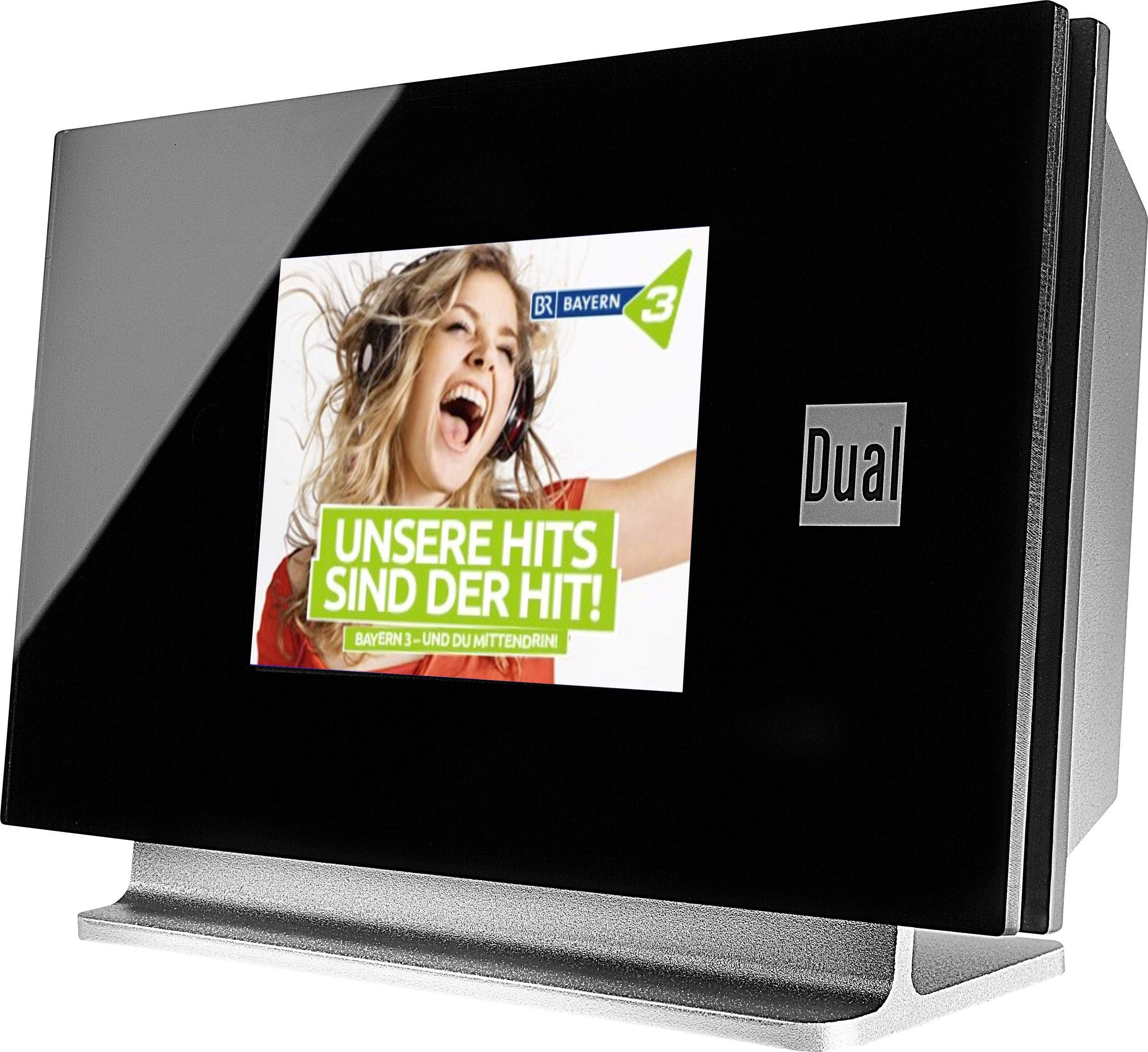
This image displays the Dual DAB 3A Digital Radio Adapter from a front-side angle. The front features a large, black TFT color display showing a radio station's album art and text. The side view indicates the product dimensions: 15 cm (width), 6 cm (depth), and 10.49 cm (height).
Front Panel
- Ekspozisyon koulè TFT: Shows station information, track details, album art, and menu options.
Koneksyon Panèl Dèyè
- Antre Antre: For connecting the external wire antenna or a commercially available antenna.
- AUX-OUT: Sòti odyo pou konekte ak yon aparèy ekstèn amplifier oswa sistèm odyo.
- Antre pouvwa: Pou konekte adaptè kouran AC a.
Kontwòl Remote
The included remote control provides full functionality for navigating menus, changing stations, adjusting volume, and selecting input modes.
5. Enstalasyon
- Konekte Antèn: Connect the supplied external wire antenna to the antenna input on the rear panel of the DAB 3A adapter. For optimal reception, extend the antenna fully.
- Konekte ak sistèm odyo: Use an appropriate audio cable (not included) to connect the AUX-OUT port on the rear of the DAB 3A to an available audio input (e.g., AUX-IN, Line-IN) on your existing amplifier oswa sistèm stereo.
- Konekte pouvwa: Plug the AC power adapter into the power input on the rear of the DAB 3A, then plug the adapter into a wall outlet.
- Pouvwa sou: Press the Power button on the unit or the remote control to turn on the adapter. The display will illuminate.
- Initial Scan (DAB+): Upon first power-on, the unit may automatically perform a scan for available DAB+ stations. Allow this process to complete.
6. Opere
Power On/Off
- Peze a Pouvwa button on the unit or remote control to turn the device on or off.
DAB+ Radio Mode
- Peze a Mode button on the remote control until DAB+ mode is selected.
- If no stations are found or you wish to rescan, navigate to the 'Full Scan' option in the menu and confirm. The adapter will search for available DAB+ stations.
- Sèvi ak la Leve/Desann navigation buttons on the remote to browse through the list of available stations.
- Peze OK/Antre yo chwazi yon estasyon.
- The TFT display will show station name, program information, and potentially album art or weather data.
FM Radyo Mode
- Peze a Mode button on the remote control until FM mode is selected.
- Pou chèche estasyon otomatikman, peze epi kenbe bouton an Eskane button (or equivalent on remote). The adapter will tune to the next strong station.
- Pou melodi manyèlman, sèvi ak la Leve/Desann navigation buttons to adjust the frequency.
Bluetooth mòd
- Peze a Mode button on the remote control until Bluetooth mode is selected. The display will show 'Bluetooth Pairing' or similar.
- Sou smartphone ou oswa tablèt, aktive Bluetooth epi chèche aparèy ki disponib.
- Select 'Dual DAB 3A' from the list of devices to pair.
- Once paired, you can stream audio from your device to the DAB 3A adapter.
AUX-IN mòd
- Connect an external audio source (e.g., MP3 player, CD player) to the AUX-IN port on the rear of the DAB 3A using a 3.5mm audio cable (not included).
- Peze a Mode button on the remote control until AUX-IN mode is selected.
- Audio from the connected external device will now play through your audio system.
7. Antretyen
- Netwaye inite a: Disconnect the power adapter before cleaning. Use a soft, dry, lint-free cloth to wipe the surface of the unit. Do not use abrasive cleaners, waxes, or solvents.
- Netwaye ekspozisyon an: Gently wipe the TFT display with a soft, dry microfiber cloth. Avoid pressing hard on the screen.
- Depo: Si w ap sere aparèy la pou yon bon bout tan, dekonekte l nan ekipman pou kouran an epi sere l nan yon kote ki fre epi sèk, lwen limyè solèy dirèk ak tanperati ekstrèm.
NAN. Depanaj
| Pwoblèm | Kòz posib | Solisyon |
|---|---|---|
| Pa gen pouvwa | Adaptè kouran an pa konekte oswa priz la gen pwoblèm. | Asire w adaptè kouran an byen konekte ak aparèy la epi li nan yon priz kouran ki fonksyone. |
| Resepsyon DAB+/FM ki pòv | Antenna not properly connected or poor signal strength. | Ensure the antenna is fully extended and properly connected. Try repositioning the antenna or the unit. Consider using a stronger external antenna if available. |
| Aparèy Bluetooth echwe | Bluetooth not enabled on source device or adapter is not in pairing mode. | Ensure Bluetooth is enabled on your smartphone/tablet and the DAB 3A is in Bluetooth mode. Try restarting both devices. |
| Pa gen son | Volim nan twò ba, move antre chwazi sou amplifier, or audio cable issue. | Increase the volume on both the DAB 3A and your amplavi. Asire w ke ou amplifier is set to the correct input (e.g., AUX-IN). Check the audio cable connections. |
9. Espesifikasyon
- Modèl: 75862
- Teknoloji sentonizè: DAB Plus, FM
- Koneksyon: Bluetooth
- Gwoup Radyo Sipòte: FM, DAB +
- Kalite ekspozisyon: Koulè Display
- Sous pouvwa: AC adaptè
- Entèfas pyès ki nan konpitè: Bluetooth
- Aparèy konpatib: Telefòn entelijan, Laptop
- Karakteristik espesyal: Bluetooth, Remote Control
- Dimansyon pwodwi: 15 x 6 x 10.5 cm
- Pwa atik: 540 g
10. Garanti ak sipò
This product comes with a standard manufacturer's warranty. For detailed warranty information, please refer to the warranty card included in your package or visit the official Dual website. For technical support, troubleshooting assistance, or service inquiries, please contact Dual customer support through their official channels.