
DALI IO-6
Manyèl Itilizatè Kas Ekoutè DALI IO-6 Premium San Fil ki Pase Zòrèy ak ANC
Modèl: IO-6
Entwodiksyon
Welcome to the user manual for your DALI IO-6 Premium Wireless Over-The-Ear ANC Headphones. These headphones are designed to deliver exceptional audio quality with the convenience of wireless connectivity and advanced Active Noise Cancellation (ANC) technology. This manual provides essential information on setup, operation, maintenance, and troubleshooting to ensure you get the most out of your DALI IO-6 headphones.
Kontni pake
Anvan ou kòmanse, tanpri asire w ke tout bagay yo prezan nan pake a:
- DALI IO-6 kas ekoutè
- USB Chaje Kab
- 3.5mm Audio Kab
- Ka vwayaj (si enkli)
- Gid Quick Start
- Kousen zòrèy
Note: The specific contents may vary slightly based on regional packaging.
Enstalasyon
1. Chaje kas ekoutè yo
Before first use, fully charge your DALI IO-6 headphones. A full charge provides approximately 30 hours of battery life with ANC enabled.
- Connect the supplied USB charging cable to the USB-C port on the headphones.
- Connect the other end of the cable to a USB power adapter (not supplied) or a powered USB port on a computer.
- The LED indicator on the headphones will show charging status. It typically takes about 2 hours for a full charge.

Figure 1: DALI IO-6 headphones, Army Green color, showing the overall design. The USB-C port is located on one of the earcups.
2. Pè Bluetooth
Pair your DALI IO-6 headphones with your Bluetooth-enabled device (smartphone, tablet, laptop, etc.).
- Asire w ke kas ekoutè yo etenn.
- Press and hold the Power/Bluetooth button on the headphones for approximately 5 seconds until the LED indicator flashes blue and red, indicating pairing mode.
- Sou aparèy ou an, ale nan paramèt Bluetooth yo epi aktive Bluetooth.
- Chwazi "DALI IO-6" nan lis aparèy ki disponib yo.
- Once paired, the LED indicator on the headphones will turn solid blue.

Figi 2: Devan view nan kas ekoutè DALI IO-6 yo, montreasing the earcups and headband. The control buttons are located on the right earcup.
3. Filè Koneksyon
For a wired connection, use the supplied 3.5mm audio cable.
- Konekte yon bout kab odyo 3.5mm lan nan priz antre odyo ki sou kas ekoutè a.
- Connect the other end to the 3.5mm audio output jack on your device.
- Kas ekoutè yo ap chanje otomatikman nan mòd filaire.
Enstriksyon Operasyon
Power On/Off
- Pou limen: Peze epi kenbe bouton Pouvwa a pandan 2 segonn.
- Pou etenn: Peze epi kenbe bouton Pouvwa a pandan 3 segonn.
Music Playback and Call Control
| Fonksyon | Aksyon |
|---|---|
| Jwe/Poz | Peze bouton Multi-fonksyon an yon fwa. |
| Next Track | Press the Multi-function button twice. |
| Previous Track | Press the Multi-function button three times. |
| Volim leve | Peze bouton an Volim +. |
| Volim desann | Peze bouton Volim - la. |
| Reponn/Fen Apèl | Peze bouton Multi-fonksyon an yon fwa. |
| Rejte apèl | Peze epi kenbe bouton Multi-fonksyon an pou 2 segonn. |
| Aktive Asistan Vwa | Press and hold the Multi-function button for 2 seconds (when not on a call). |
Anilasyon Bri Aktif (ANC) ak Mòd Transparans
The DALI IO-6 features Active Noise Cancellation to reduce ambient noise and a Transparency Mode to allow external sounds to pass through.
- To cycle through ANC modes (ANC On, Transparency Mode, ANC Off): Press the ANC button located on the earcup.
- The LED indicator will change color to indicate the current ANC mode.
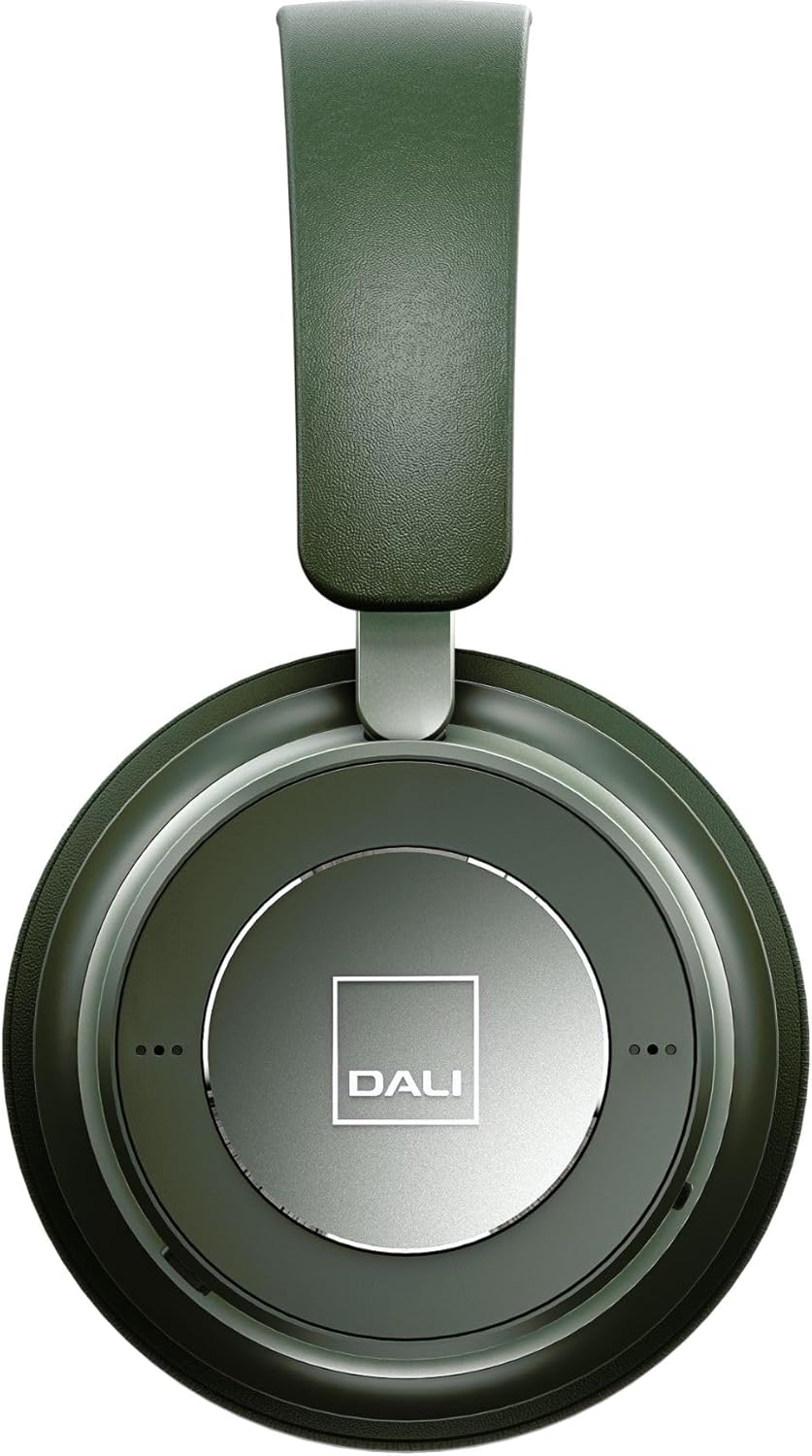
Figi 3: Close-up view of the DALI IO-6 earcup, highlighting the DALI logo and the subtle design details. The control buttons are integrated into the earcup design.
Antretyen ak Swen
Proper care will extend the life and performance of your DALI IO-6 headphones.
- Netwayaj: Sèvi ak yon twal mou epi sèk pou netwaye kas ekoutè yo. Pa sèvi ak pwodui netwayaj abrazif, solvan, oswa pwodui chimik fò.
- Depo: Lè w pa ap itilize kas ekoutè yo, sere yo nan ti sak pwoteksyon yo pou evite yo domaje.
- Tanperati: Evite ekspoze kas ekoutè yo nan tanperati ekstrèm (cho oswa frèt) oswa nan imidite ki wo.
- Ekspozisyon likid: Keep the headphones away from water and other liquids. They are not waterproof.
- Kousen zòrèy: The ear cushions are designed for comfort and can be replaced if worn. Refer to DALI's official websit pou pati ranplasman.

Figure 4: DALI IO-6 headphones resting on a concrete surface, demonstrating their robust build and design. This image highlights the durable materials used.
Depanaj
If you encounter issues with your DALI IO-6 headphones, try the following solutions:
| Pwoblèm | Solisyon posib |
|---|---|
| Pa gen pouvwa | Asire w ke kas ekoutè yo byen chaje. Konekte yo nan yon sous kouran epi tcheke endikatè chaj la. |
| Pa ka konekte via Bluetooth |
|
| Pa gen Son |
|
| ANC pa fonksyone byen |
|
Espesifikasyon
| Karakteristik | Detay |
|---|---|
| Non modèl | IO-6 |
| Koneksyon Teknoloji | San fil (Bluetooth 5.0) |
| Kontwòl bri | Anilasyon bri aktif (ANC) |
| Ekoutè Jack | 3.5mm Jack |
| Lavi batri | Jiska 30 èdtan (avèk ANC) |
| Tan pou chaje | Apeprè. 2 èdtan |
| Gamme frekans | 10 - 20000 Hz |
| Enpedans | 25 Ohm |
| Gwosè Chofè Audio | 50 mm |
| Materyèl | Plastik, Kim memwa |
| Dimansyon pwodwi | 3.11 x 8.86 x 9.65 pous |
| Pwa atik | 2.4 liv |
Garanti ak sipò
DALI products are built to high standards and come with a limited warranty. For specific warranty terms and conditions, please refer to the warranty card included with your product or visit the official DALI websit.
For technical support, service, or replacement parts, please contact DALI customer support through their official website or authorized service centers. You can find more information and contact details at: www.dali-speakers.com
Ask a question about this manual
Ask about setup, troubleshooting, compatibility, parts, safety, or missing instructions. Manuals+ will review the question and use this page’s manual context to help answer it.