
Entwodiksyon
The PDP Gaming Faceoff Deluxe+ Audio Wired Controller is designed for use with the Nintendo Switch. It features a 3.5mm audio jack for in-game audio and USB chat, customizable programmable back buttons, and interchangeable faceplates. This manual provides instructions for setting up, operating, and maintaining your controller.
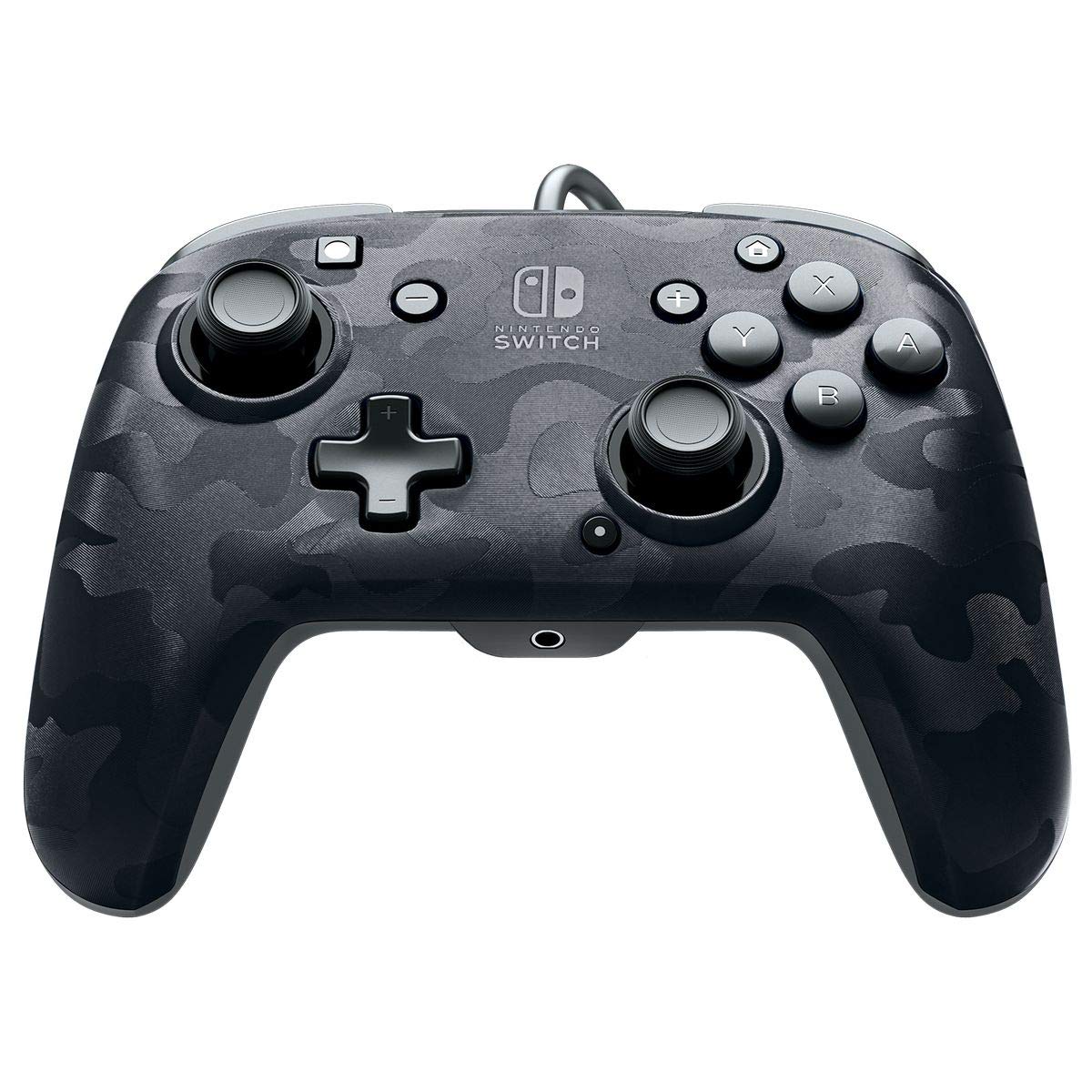
Imaj: Devan view of the PDP Gaming Faceoff Deluxe+ Audio Wired Controller in Black Camo.
Enstalasyon
1. Koneksyon Inisyal
- Ensure your Nintendo Switch console is docked and powered on.
- Connect the controller's fixed USB cable to an available USB port on the Nintendo Switch dock.
- The controller should automatically be recognized by the console.
2. Audio Setup
- Plug your 3.5mm headset into the audio jack located at the bottom center of the controller.
- In-game audio will now be routed through your headset. USB chat is supported for compatible titles.
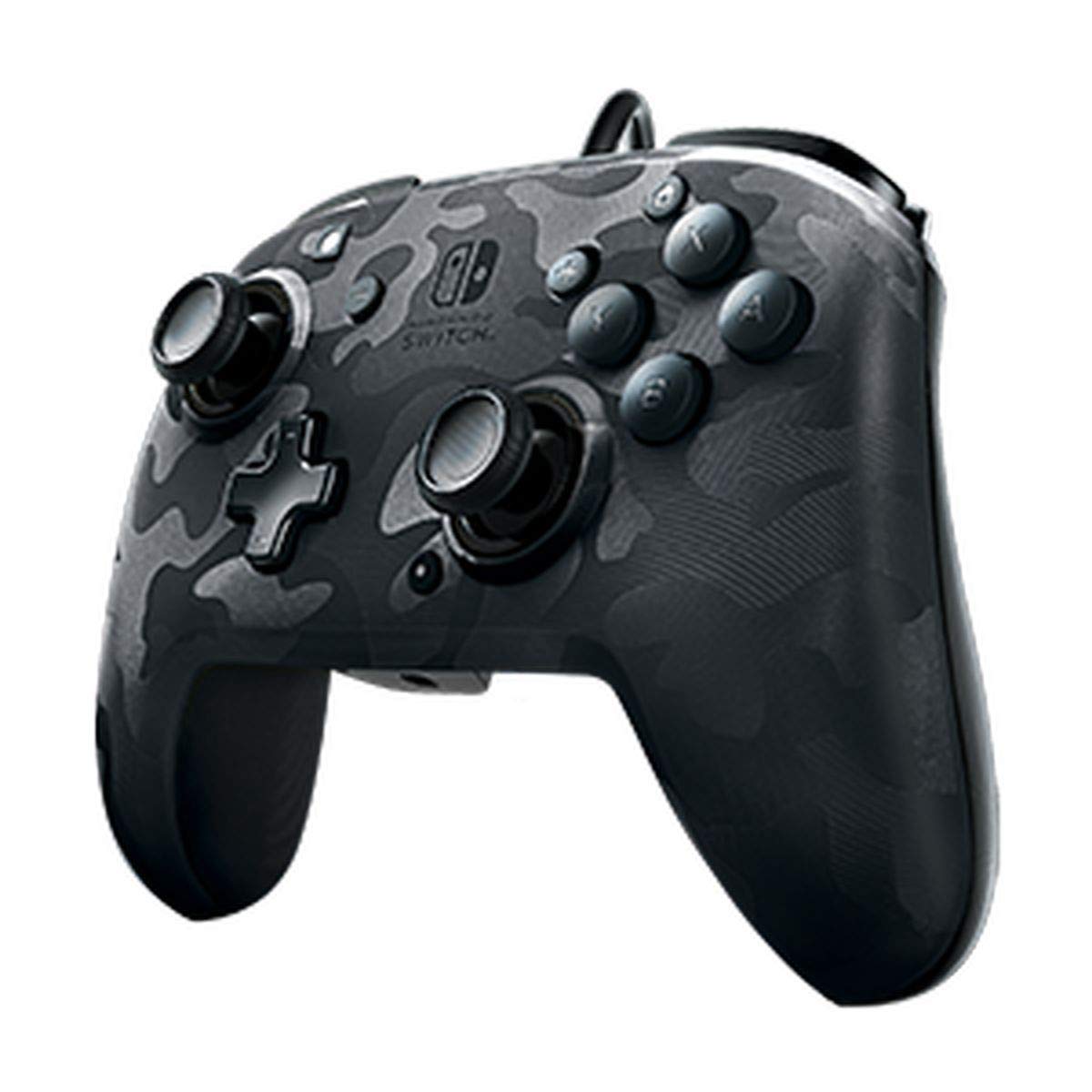
Image: A user playing with the PDP Gaming Faceoff Deluxe+ Audio Wired Controller, demonstrating the headset connection.
Opere kontwolè a
1. Dispozisyon bouton ak fonksyon yo
Familiarize yourself with the controller's button layout for optimal gameplay.

Imaj: Detaye view of the controller with key buttons labeled for easy identification.
- View bouton: Typically used for in-game menus or map access.
- Bouton Kay: Retounen nan meni AKÈY Nintendo Switch la.
- Kontwòl Volim: Ajiste volim odyo kas ekoutè a.
- Bouton Fonksyon: Used in conjunction with other buttons for specific features (refer to game instructions).
- Baton analòg: Provide precise movement and camera control. Features low friction rings for smooth performance.
2. Bouton Retounen Pwogramasyon
The controller features dual programmable paddle-style buttons on the back, allowing for customized gameplay. These can be mapped to other buttons on the controller to suit your play style.

Image: The back of the controller highlighting the programmable paddle buttons.
3. Adjusting Audio Volume
Volume can be adjusted directly on the controller using the D-pad while holding the Function button (refer to the labeled image above for button location).
4. Faceplate Customization
The unique interchangeable design allows you to swap out and snap in different Faceoff faceplates to personalize your controller's appearance.

Image: Illustration demonstrating the interchangeable faceplate design of the controller.
Antretyen
- Kenbe kontwolè a pwòp lè w siye l avèk yon twal mou epi sèk.
- Evite ekspoze kontwolè a nan tanperati ekstrèm, imidite, oswa limyè solèy dirèk.
- Do not attempt to disassemble the controller, as this may void the warranty.
Depanaj
- Kontwolè pa reponn: Ensure the USB cable is securely connected to the Nintendo Switch dock. Try a different USB port.
- No audio through headset: Verify the headset is fully plugged into the controller's 3.5mm jack. Check the volume settings on the controller and the Nintendo Switch console.
- Bouton yo pa fonksyone byen: Ensure the controller's firmware is up to date (if applicable, check PDP's official website). If issues persist, try restarting the Nintendo Switch console.
Espesifikasyon
| Karakteristik | Detay |
|---|---|
| Nimewo Modèl | 500-134-NA-CM00 |
| Koneksyon | Wired (10-foot fixed USB cable) |
| Audio Jack | 3.5mm (supports in-game audio and USB chat) |
| Personnalisation | Interchangeable faceplates, dual programmable paddle-style back buttons |
| Dimansyon | 0.35 x 0.12 x 0.83 pous |
| Pwa | 14.1 ons |
| Konpatibilite | Nintendo switch |
| Manifakti | PDP |

Image: Controller dimensions for reference.
Videyo pwodwi ofisyèl la
Videyo: Yon rezime onètview of the PDP Gaming Wired Nintendo Switch Controller, showcasing karakteristik ak fonksyonalite li yo.
Garanti ak sipò
For warranty information and customer support, please refer to the documentation included with your product or visit the official PDP websit.
Ou ka vizite tou Magazen PDP sou Amazon pou plis enfòmasyon sou pwodwi a ak resous sipò.