
Entwodiksyon
The Rapoo 1680 Silent Wireless Mouse offers a comfortable and quiet computing experience. Featuring a reliable 2.4GHz wireless connection, 1000 DPI optical tracking, and a silent click design, it is suitable for various environments, including offices and libraries. Its ergonomic and ambidextrous design ensures comfortable use for extended periods, and a long battery life provides convenience.

Image: The Rapoo 1680 Silent Wireless Mouse, showcasing its sleek, ambidextrous design in white.
Ki sa ki nan bwat la
Tanpri verifye ke tout atik yo prezan nan pakè a:
- 1 x Wireless Mouse (Rapoo 1680)
- 1 x USB Reseptè
- 1 x batri AA
- 1 x manyèl enstriksyon

Image: The underside of the Rapoo 1680 mouse with the battery compartment open, showing the included AA battery and the USB nano receiver.
Enstriksyon Enstalasyon
- Mete batri a: Open the battery compartment located on the underside of the mouse. Insert the provided AA battery, ensuring correct polarity. Close the compartment securely.
- Mete reseptè USB a: Locate the USB nano receiver, typically stored within the battery compartment or packaged separately. Plug the USB receiver into an available USB port on your computer (PC, laptop, or tablet).
- Limen sourit la: Slide the ON/OFF switch on the bottom of the mouse to the "ON" position. The mouse should now be powered on and ready for use.
- Koneksyon otomatik: The mouse is designed for plug-and-play functionality. Your computer should automatically detect and connect to the mouse within a few seconds. No additional drivers are typically required.
The Rapoo 1680 mouse is compatible with various operating systems, including Windows, Mac OS, Linux, and Chrome OS.
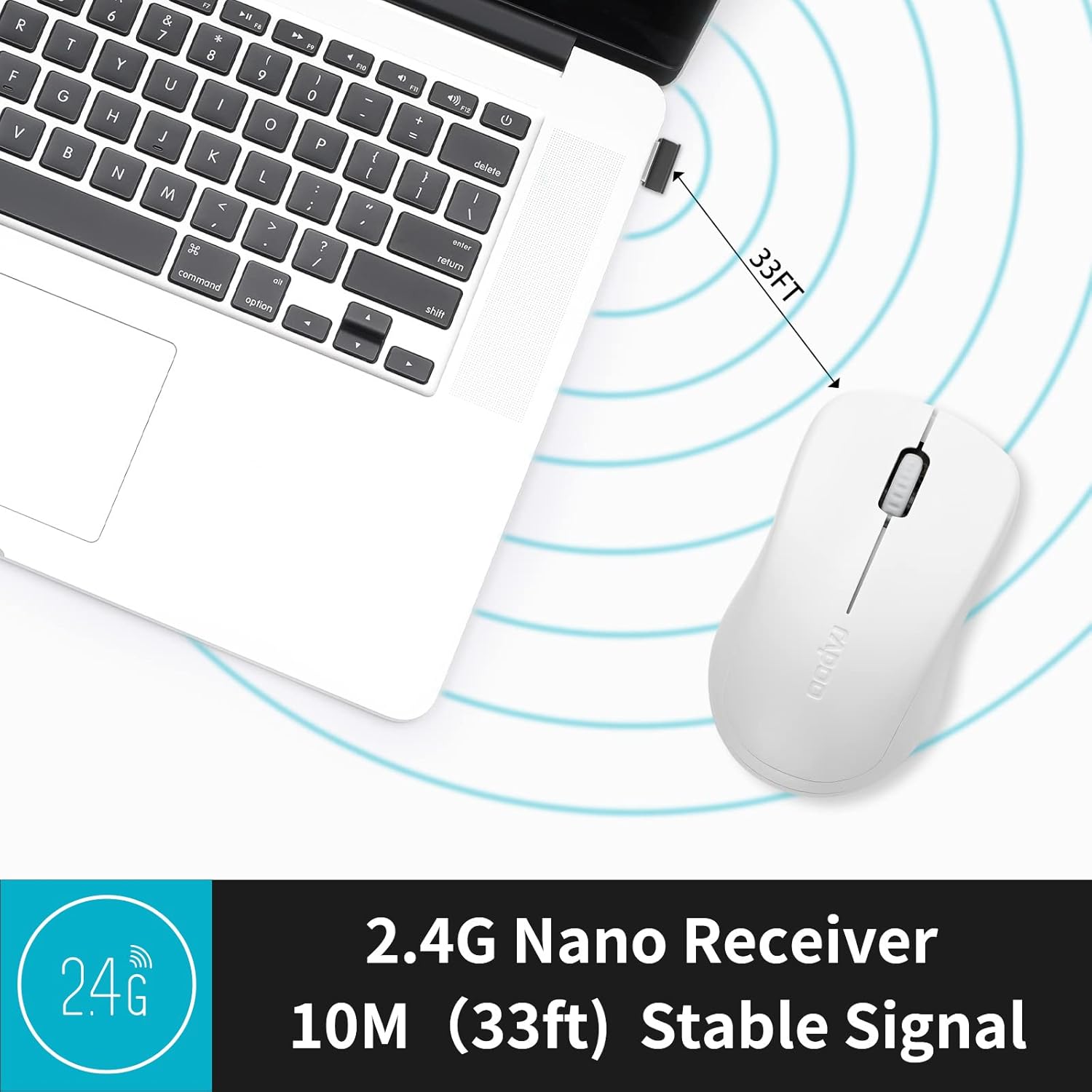
Image: A close-up of the 2.4G Nano Receiver plugged into a laptop, demonstrating the 10-meter (33ft) stable wireless signal range.

Image: The Rapoo 1680 mouse highlighting its wide compatibility with Windows, Mac OS, Linux, and Chrome operating systems.
Enstriksyon Operasyon
The Rapoo 1680 mouse features a standard 3-button layout for intuitive control.
- Klike Goch: Bouton prensipal pou chwazi atik, ouvri files, ak kominike avèk lojisyèl.
- Klike sou dwa: Bouton segondè pou jwenn aksè nan meni kontèks ak opsyon adisyonèl.
- wou woulo liv: Itilize pou defile nan dokiman yo ak web paj yo. Rou defile a fonksyone tou kòm yon bouton klike nan mitan an.
Konsepsyon Klike Silansyeuz: This mouse is engineered to reduce click sounds by up to 90%, providing a quiet environment without compromising the tactile click feel. This feature is particularly beneficial in quiet settings such as libraries or shared workspaces.
Suivi optik 1000 DPI: The high-definition 1000 DPI optical tracking engine ensures responsive and smooth cursor control on most surfaces.

Image: The Rapoo 1680 mouse demonstrating its silent click feature, ideal for quiet environments.

Image: A user operating the Rapoo 1680 mouse in a library, emphasizing its quiet operation for undisturbed work.
Antretyen
- Ranplasman batri: When the mouse performance degrades or stops responding, it may be time to replace the AA battery. Open the battery compartment, remove the old battery, and insert a new AA battery with the correct polarity.
- Netwayaj: Sèvi ak yon twal mou epi sèk pou netwaye deyò sourit la. Pou detèktè optik la, sèvi ak yon ti moso koton ki siye yon ti kras.ampened with rubbing alcohol, ensuring no liquid enters the mouse's internal components.
- Depo: When not in use for an extended period, slide the ON/OFF switch to the "OFF" position to conserve battery life. The USB receiver can be stored inside the mouse's battery compartment for safekeeping.
Depanaj
- Sourit la pa reponn:
- Ensure the mouse is switched "ON" using the ON/OFF switch on the bottom.
- Check if the AA battery is correctly inserted and has sufficient charge. Replace if necessary.
- Verifye ke reseptè USB a byen branche nan yon pò USB ki fonksyone sou òdinatè w la. Eseye yon lòt pò USB.
- Mouvman Kurseur Iregilye:
- Netwaye detèktè optik ki anba sourit la.
- Asire w ke w ap itilize sourit la sou yon sifas ki apwopriye. Evite sifas ki reflete anpil limyè oswa transparan.
- Pwoblèm Koneksyon:
- Retire epi mete reseptè USB a ankò.
- Move the mouse closer to the USB receiver to rule out range issues (maximum 10 meters).
Espesifikasyon
| Karakteristik | Detay |
|---|---|
| Mak | Rapoo |
| Non modèl | 1680 |
| Koneksyon Teknoloji | USB (2.4GHz san fil) |
| Teknoloji deteksyon mouvman | Optik |
| Mouse Maximum Sensitivity | 1000 DPI |
| Kantite bouton | 3 |
| Oryantasyon men | Anbidextr |
| Sous pouvwa | Mache ak pil (1 x pil AA enkli) |
| Lavi Mwayèn Batri | Jiska 12 mwa |
| Wireless Range | 10 mèt (33 pye) |
| Pwa atik | 58 gram |
| Dimansyon atik (L x W) | 4.33"L x 2.56"Lajè |
| Aparèy konpatib | Odinatè pèsonèl |
| Sistèm operasyon | Windows, Mac OS, Linux, Chrome OS |
| Materyèl patiraj | Plastik |
| Fini | Mat |

Image: Detailed dimensions of the Rapoo 1680 mouse, showing its length and width.
Videyo pwodwi ofisyèl la
Video: An official product video from RAPOO showcasing the features and benefits of the Rapoo 1680 Silent Wireless Mouse, including its silent clicks, ergonomic design, and ease of use.
Garanti ak sipò
The Rapoo 1680 Silent Wireless Mouse comes with a 1-ane garanti from the date of purchase. This warranty covers manufacturing defects and ensures reliable performance under normal use conditions.
For technical support, warranty claims, or any product-related inquiries, please contact Rapoo customer service. Refer to the Rapoo official websit entènèt la oswa anbalaj pwodwi a pou jwenn enfòmasyon kontak ki pi ajou yo.
RAPOO is committed to providing high-performance and high-quality peripheral products. If you have any questions or require assistance, please do not hesitate to reach out to their support team.