
1. Entwodiksyon
The Walfront GT8907 is a handheld digital anemometer designed for precise measurement of wind speed, temperature, and air volume. This device is suitable for various applications including industrial settings, environmental monitoring, HVAC system analysis, and outdoor activities. It features a high-definition large screen display for clear readings and soft rubber buttons for comfortable operation. This manual provides detailed instructions for the proper setup, operation, and maintenance of your GT8907 anemometer.

Figure 1: Walfront GT8907 Anemometer with its wind fan probe connected, displaying wind speed and temperature.
2. Pake kontni
Tanpri verifye sa ki nan pake a lè w resevwa li pou asire w tout atik yo la:
- Walfront GT8907 Digital Anemometer Unit
- Wind Fan Probe (connected via cable)
- USB Cable (for data transfer, if applicable)
- Manyèl Itilizatè (dokiman sa a)
- Ka pote
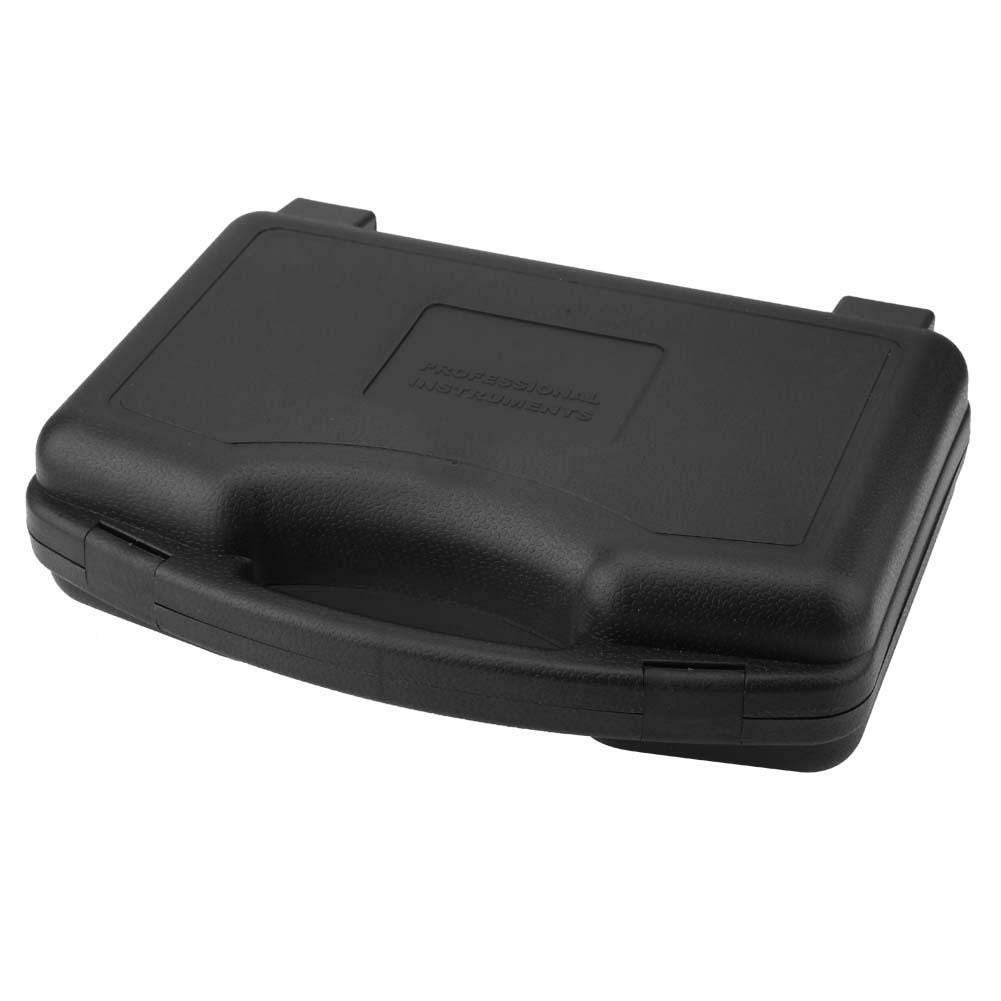
Figure 2: The protective carrying case for the GT8907 anemometer, designed for safe storage and transport.
3. Aparèy souview
Familiarize yourself with the components and controls of the GT8907 anemometer:

Figure 3: Detailed diagram of the GT8907 anemometer, highlighting the main unit's screen and buttons, and the wind fan probe with its telescopic rod and handle.
- Ekran: High-definition LCD display for readings.
- Bouton fèmen: To hold current readings.
- Mode Switch / Enter Button: To cycle through measurement modes and confirm selections.
- Air Volume Switch: To switch to air volume measurement.
- ON/OFF / Unit Button: Power on/off the device; short press to change units.
- Setting Area: For configuring measurement area for air volume.
- Sove bouton: To save data.
- Read Data Button: To recall saved data.
- Delete Data Button: To delete saved data.
- Wind Fan: Rotates to measure wind speed.
- baton teleskopik: Extends the wind fan for reaching measurement points.
- Manch: Ergonomic grip for the wind fan probe.
4. Enstalasyon
4.1 Enstalasyon batri
The GT8907 anemometer requires four (4) 1.5V AAA batteries (not included). Follow these steps to install the batteries:
- Jwenn kouvèti konpatiman batri a sou do inite prensipal la.
- Glise kouvèti a anba oubyen peze latch la pou ouvri li.
- Insert four AAA batteries, ensuring correct polarity (+ and -) as indicated inside the compartment.
- Remèt kouvèti konpatiman batri a, epi asire w li byen klike nan plas li.

Figure 4: The open battery compartment of the GT8907, showing the correct orientation for inserting four AAA batteries.
4.2 Koneksyon Sonde
Ensure the wind fan probe is securely connected to the main unit via its cable. The connector should fit snugly into the port on the top of the main unit.
5. Operasyon Enstriksyon
5.1 Power On/Off
- Pou limen aparèy la, peze epi kenbe bouton an ON/OFF bouton.
- Pou etenn aparèy la, peze epi kenbe bouton an ON/OFF button again. The device also features an auto-power-off function to conserve battery life.
5.2 Chanje Inite Mezi yo
With the device powered on, short press the INITE button (which is also the ON/OFF button) to cycle through available wind speed units (m/s, Ft/min, Knots, Km/h, Mph) and temperature units (°C, °F).
5.3 Wind Speed and Temperature Measurement
The device automatically displays wind speed and temperature upon power-on. Extend the telescopic rod of the wind fan probe and position the fan in the airflow you wish to measure. Ensure the fan is facing directly into the wind for accurate readings.

Figure 5: The GT8907 anemometer in use, showing its digital display with wind speed and temperature readings against a backdrop of wind turbines.
5.4 Air Volume Measurement (CFM/CMM)
- Peze a VEL/FLOW button to switch to air volume measurement mode.
- Peze a AREA/SAMPLE button to enter the area setting mode.
- Use the arrow buttons (if available, or other designated buttons) to adjust the measurement area (e.g., duct dimensions). Refer to the on-screen prompts.
- Peze ANTRE to confirm the area setting.
- Position the wind fan probe in the airflow. The device will display the air volume in CFM (Cubic Feet per Minute) or CMM (Cubic Meters per Minute).
5.5 Fonksyon kenbe done
Peze a KENBE button to freeze the current readings on the display. Press it again to release the hold function and resume live measurements.
5.6 Depo ak Rapèl Done
- Pou sove yon lekti, peze bouton an SAVE bouton.
- To recall saved data, press the LI button. Use navigation buttons (if available) to browse through saved records.
- To delete saved data, press the DEL bouton.
6. Antretyen
6.1 Netwayaj
Wipe the device and probe with a soft, dry cloth. Do not use abrasive cleaners or solvents. Ensure the wind fan is free from dust and debris for accurate operation.
6.2 Ranplasman batri
When the low battery indicator appears on the display, replace all four AAA batteries as described in Section 4.1. Remove batteries if the device will not be used for an extended period to prevent leakage.
6.3 Depo
Store the anemometer in its protective carrying case in a cool, dry place, away from direct sunlight and extreme temperatures. Ensure the wind fan probe is retracted or protected to prevent damage.
NAN. Depanaj
- Aparèy la pa limen:
- Tcheke si pil yo byen enstale ak polarite ki kòrèk la.
- Ranplase ak pil AAA fre.
- Lekti ki pa egzak:
- Ensure the wind fan is clean and rotates freely.
- Verify the probe is securely connected to the main unit.
- Confirm the device is set to the correct measurement unit.
- Ensure the wind fan is positioned directly in the airflow.
- Ekran an fèb oswa vid:
- Ranplase pil.
- Asire w ke aparèy la pa ekspoze a tanperati ekstrèm.
8. Espesifikasyon
| Paramèt | Spesifikasyon |
|---|---|
| Modèl | GT8907 |
| Ranje Mezi Vitès Van | 0.0 - 45.0 m/s; 0.0 - 8800 Ft/min; 0.0 - 88.0 Knots; 0.0 - 140.0 Km/h; 0.0 - 100 Mph |
| Rezolisyon vitès van an | 0.01 (m/s, Knots, Mph); 0.01/0.1/1 (Ft/min); 0.01 (Km/h) |
| Wind Speed Precision | ±3% ±0.1 (m/s); ±3% ±20 (Ft/min); ±3% ±0.2 (Knots); ±3% ±0.4 (Km/h); ±3% ±0.2 (Mph) |
| Air Volume Measurement Range (CFM) | 0 - 999900 ft³/min |
| Air Volume Measurement Range (CMM) | 0 - 999900 m³/min |
| Ranje Mezi Tanperati | 0 - 45°C / 32 - 113°F |
| Rezolisyon Tanperati | 0.1°C / 0.18°F |
| Presizyon Tanperati | ± 1.0 ° C / ± 1.8 ° F. |
| Ranje mezi imidite | 10 - 90% RH (without condensation) |
| Imidite Rezolisyon | 0.1% RH |
| Precision imidite | ± 5% |
| Tanperati anviwònman k ap travay | 0 - 50°C (32 - 122°F) |
| Anviwònman travay Imidite | 40 - 80% RH |
| Storage Condition Temperature | -40 - 60°C (-40 - 140°F) |
| Storage Condition Humidity | ≤80% RH |
| Pwovizyon pou pouvwa | 4 x 1.5V pil AAA |
| Pwa | Apeprè 1214 g / 42.8 oz |
| Dimansyon (L x W x H) | 3.94 x 3.94 x 3.94 pous (Inite prensipal) |
9. Garanti ak sipò
Walfront products are designed for reliability and performance. For warranty information or technical support, please refer to the contact details provided with your purchase or visit the official Walfront websit la. Kenbe resi acha ou kòm prèv acha pou reklamasyon garanti.
For further assistance, you may contact Walfront customer service through their official channels. Please have your model number (GT8907) and purchase details ready.