
1. Entwodiksyon
Mèsi pou acha aasing the ELEPHAS RD-606 Mini Projector. This compact and portable projector is designed to provide a versatile home theater experience with features like Wi-Fi connectivity, 3D support, and a built-in battery. This manual provides essential information for setting up, operating, and maintaining your projector to ensure optimal performance and longevity.
The RD-606 utilizes advanced DLP technology to deliver clear images with a 1000:1 contrast ratio and up to 1080P resolution. Its lightweight design and integrated battery allow for flexible use in various environments.

Image: High-Definition Display Comparison. The ELEPHAS projector delivers superior image clarity and color reproduction.
2. Enfòmasyon sou Sekirite
Tanpri li tout enstriksyon sekirite yo ak anpil atansyon anvan ou itilize pwojektè a. Kenbe manyèl sa a pou referans pita.
- Pa gade dirèkteman nan lantiy pwojektè a lè l ap limen.amp limen, paske limyè klere a ka domaje je yo.
- Asire w ke gen bon vantilasyon toutotou pwojektè a. Pa bloke ouvèti vantilasyon yo.
- Sèvi sèlman ak adaptè kouran ki vini ak pwojektè a.
- Pa ekspoze pwojektè a anba lapli, imidite, oswa tanperati ekstrèm.
- Evite mete pwojektè a sou sifas ki pa estab.
- Pa eseye demonte oswa modifye pwojektè a. Konfye tout antretyen bay pèsonèl kalifye.
3. Pake kontni
Verifye ke tout atik yo prezan nan pakè ou a:
- ELEPHAS Mini Projector (RD-606) x1
- Adaptè pouvwa x1
- Remote Kontwòl x1
- Micro USB Wire x1
- Free Tripod x1
- Sak pote x1
- Manyèl itilizatè x1
4. Enstalasyon
4.1 Limen/Etenyen
- Connect the power adapter to the projector's charging port (DC 5V) and then to a power outlet.
- Slide the Power Switch to the 'ON' position. The projector will power on.
- Pou etenn li, glise switch pouvwa a nan pozisyon 'OFF'.
4.2 Ajisteman Konsantre
Rotate the focus ring on the side of the projector until the projected image appears clear and sharp.
4.3 Koreksyon Keystone Auto
The RD-606 features an automatic keystone correction function. The projected image will adjust automatically to optimize the angle, correcting distortion up to ±40 degrees. No manual adjustment is typically required for this feature.
4.4 Koneksyon
Pwojektè a sipòte plizyè sous opinyon:
- HDMI: Connect devices like laptops, gaming consoles (PS4), or streaming sticks (Fire TV, Roku Stick, Apple TV) using an HDMI cable.
- USB: Mete yon kle USB pou li medya yo files dirèkteman.
- Mikwo USB: For charging or connecting compatible devices.
- Audio 3.5mm: Konekte oratè ekstèn yo oswa kas ekoutè yo.
- Wi-Fi: Connect to your wireless network for online content and screen mirroring.

Image: Projector Ports and Compatible Devices. This image illustrates the various input ports and devices that can be connected to the RD-606 projector.
5. Operasyon Enstriksyon
5.1 Navigasyon debaz
Use the included remote control to navigate the projector's on-screen menu. The directional buttons allow you to move through options, and the 'OK' or 'Enter' button confirms selections. 'Back' or 'Return' buttons typically exit menus.
5.2 Koneksyon Wi-Fi
- Access the projector's settings menu.
- Select 'Network' or 'Wi-Fi Settings'.
- Chwazi rezo Wi-Fi ou vle a nan lis la.
- Antre modpas Wi-Fi a avèk klavye ki sou ekran an.
- Once connected, you can access built-in apps like YouTube and Koala (if available) for online content.
5.3 Wireless Screen Mirroring (Airplay/Miracast)
The projector supports wireless mirroring from compatible smartphones and tablets via Airplay (for iOS devices) or Miracast (for Android devices).
- Ensure your projector and smart device are connected to the same Wi-Fi network.
- On the projector, select the 'Screen Mirroring' or 'Wireless Display' option from the main menu.
- On your smart device, activate its screen mirroring feature (e.g., 'Screen Mirroring', 'Smart View', 'Airplay', 'Cast').
- Select the projector's name from the list of available devices on your smart device.
- The device's screen content will now be projected.

Image: Screen Mirroring with Phone/Tablet. This image demonstrates how to wirelessly share content from mobile devices to the projector.
5.4 3D Mode Operation
The RD-606 Series supports multiple 3D modes. To experience 3D content:
- You will need a pair of active DLP Link 3D glasses (sold separately).
- Play 3D content from a compatible source.
- Turn on your DLP Link 3D glasses. They should automatically synchronize with the projected image.
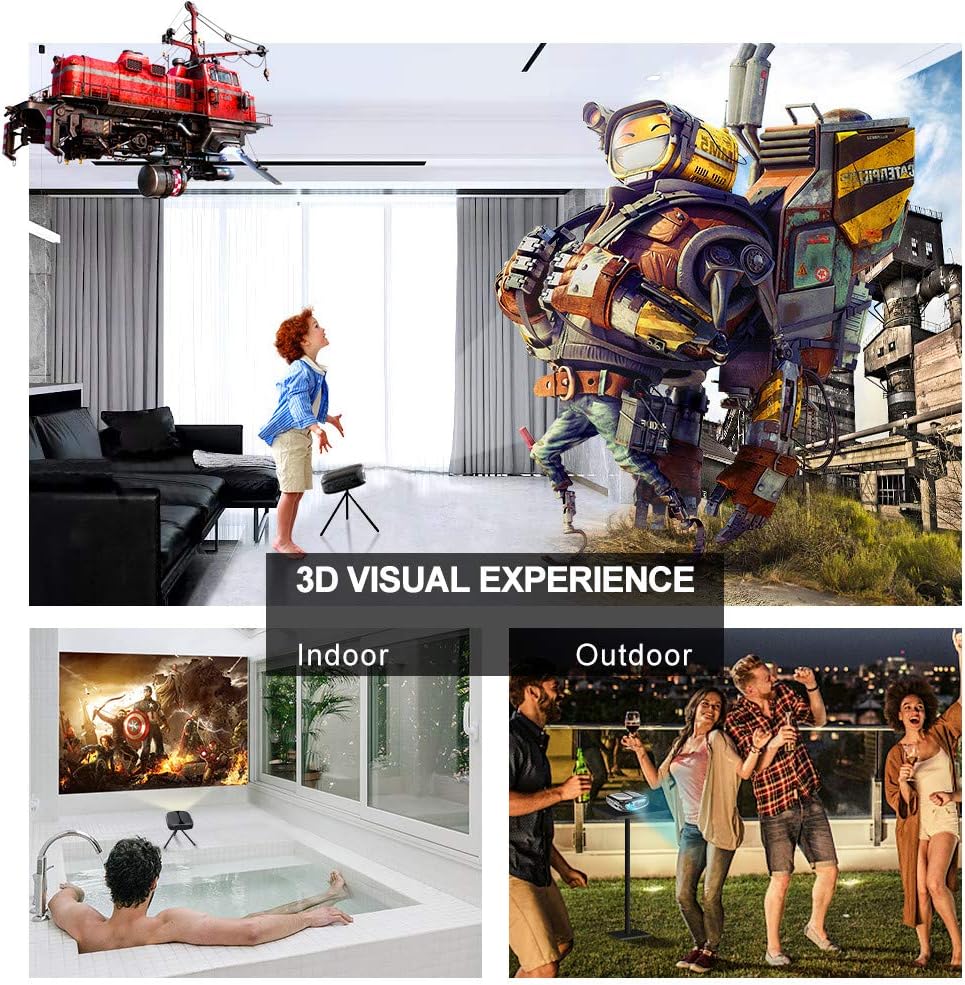
Image: 3D Visual Experience. The projector offers immersive 3D viewing for both indoor and outdoor settings.
5.5 Battery Operation and Portability
The built-in battery provides approximately two hours of continuous video playback, offering flexibility for use without a constant power source. For extended use, the projector can also be charged via a power bank.

Image: Embedded Battery for Portable Use. The projector's battery allows for convenient outdoor entertainment.

Image: Pocket Size and Lightweight Design. The projector's compact form factor makes it highly portable.
6. Antretyen
6.1 Netwaye Lantiy la
Gently wipe the projector lens with a soft, lint-free cloth specifically designed for optical surfaces. Do not use abrasive cleaners or harsh chemicals.
6.2 Netwayaj jeneral
Sèvi ak yon twal mou epi sèk pou netwaye pati pwojektè a.asing. For stubborn dirt, a slightly damp Ou ka itilize yon twal, epi sèvi ak yon twal sèk. Asire w pa gen likid ki antre nan aparèy la.
6.3 Depo
When not in use for extended periods, store the projector in a cool, dry place, away from direct sunlight and extreme temperatures. Use the provided carrying bag for protection against dust and physical damage.
NAN. Depanaj
- Pa gen pouvwa:
- Ensure the power adapter is securely connected to both the projector and a working power outlet.
- Tcheke si switch pouvwa a nan pozisyon 'ON'.
- Verifye priz kouran an fonksyonèl.
- Pa gen imaj:
- Check the input source selection on the projector to ensure it matches your connected device (e.g., HDMI, USB).
- Verify that the connected device is powered on and outputting a signal.
- Asire ke tout câbles yo byen konekte.
- Imaj flou:
- Adjust the focus ring on the projector until the image is sharp.
- Asire w sifas pwojeksyon an plat epi pwojektè a nan yon distans apwopriye.
- Pa gen son:
- Tcheke paramèt volim yo sou pwojektè a ak aparèy sous ki konekte a.
- Si w ap itilize oratè ekstèn, asire w ke yo byen konekte epi yo limen.
- Verifye ke paramèt pwodiksyon odyo yo sou aparèy sous ou a kòrèk.
- Wi-Fi/Screen Mirroring Issues:
- Ensure both the projector and your smart device are connected to the same Wi-Fi network.
- Check for strong Wi-Fi signal strength.
- Restart both the projector and your smart device.
- Asire w ke sistèm operasyon aparèy entelijan ou an ajou.
8. Espesifikasyon
| Karakteristik | Spesifikasyon |
|---|---|
| Modèl | RD-606 |
| Teknoloji ekspozisyon | DLP |
| Imaj klète | 2600 Lumen |
| Pwopòsyon Imaj Kontrèman | 1000:1 |
| Rezolisyon natif natal | 1920 x 1080 (Supports 1080P) |
| Karakteristik espesyal | Auto Keystone, HDMI Connectivity, Portable, Built-in Wi-Fi, 3D Ready |
| Koneksyon Teknoloji | HDMI, USB, Wi-Fi |
| Aparèy konpatib | Laptops, Smartphones, Media Players |
| Kalite batri | Lityòm Ion (1 enkli) |
| Lavi batri | Approx. 2 hours video playback |
| Dimansyon pwodwi | 9.91 x 10.67 x 4.06 cm |
| Pwa atik | 793.79 g (0.66 lb) |
| Kalite aliye | Tabletop mòn |
9. Garanti ak sipò
ELEPHAS provides lifetime professional customer service and technical support for the RD-606 Mini Projector. If you encounter any issues or have questions regarding your product, please do not hesitate to contact our support team.
Enfòmasyon pou kontakte:
- Imèl: support@elephas.com.hk
Please have your product model number (RD-606) and purchase details ready when contacting support to facilitate a quicker resolution.