
1. Entwodiksyon
Thank you for choosing the TIGERKING 1.2 Cu Ft LK-WHITE Digital Security Safe Box. This safe is designed to provide secure storage for your valuables, documents, and personal items. It features a robust construction with an electronic combination lock, dual anti-theft locking bolts, and a removable shelf for organized storage. Please read this manual carefully before operating your safe to ensure proper setup and usage.
Text Description: This video provides a general overview of the TIGERKING Digital Security Safe Box, highlighting its features and design.
2. Enfòmasyon sou Sekirite
- Do not store emergency keys inside the safe. Keep them in a secure, separate location.
- Asire w ke kòf fò a byen monte pou anpeche moun retire li san otorizasyon.
- Keep the safe away from moisture and direct sunlight.
- Ranplase pil yo byen vit lè endikatè pil fèb la parèt pou asire yon fonksyònman kontinyèl.
- This safe is not fireproof or waterproof. Do not store items that require fire or water protection.
3. Pake kontni
Verifye ke tout atik yo enkli nan pakè ou a:
- 1 x TIGERKING 1.2 Cu Ft Digital Security Safe Box
- 2 x Kle Ijans
- 4 x Expansion Bolts (for mounting)
- 1 x External Battery Box
- 1 x manyèl itilizatè

Text Description: An image showing all components included with the TIGERKING safe: the safe itself, a user manual, an emergency battery box, two emergency keys, and four expansion bolts for installation.
4. Espesifikasyon
| Karakteristik | Detay |
|---|---|
| Mak | TIGERKING |
| Nimewo Modèl | E25LK |
| Dimansyon pwodwi | 9.9"D x 13.8"W x 9.9"H |
| Kapasite | 1.2 pye kib |
| Kalite fèmen | Elektwonik Konbinezon Lock |
| Materyèl | Alloy Steel |
| Karakteristik espesyal | Alarm System, Anti-Theft, Combination Lock, Removable Shelf, Sensor Light |
| Kalite aliye | Mi mòn |
| Pwa atik | 20.1 liv |
| Nivo rezistans dlo | Pa reziste dlo |
Text Description: A visual representation of the safe's exterior and interior dimensions, highlighting its 1.2 cubic feet capacity.
5. Enstalasyon
5.1 Initial Opening with Emergency Key
- Locate the emergency lock cover on the front panel.
- Remove the cover to reveal the keyhole.
- Mete youn nan kle ijans yo epi vire l nan sans kontrè zegwi mont lan.
- While holding the key turned, rotate the handle clockwise to open the safe door.
- Once the safe is open, remove the emergency key and store it in a safe place outside the safe.
Text Description: This video demonstrates the first-time operation of the safe using the emergency keys to open the door.
5.2 Enstalasyon batri
Kòf fò a bezwen 4 pil AA (pa enkli) pou klavye elektwonik la fonksyone.
- Open the safe door using the emergency key (if not already open).
- Jwenn konpatiman batri a anndan pòt kòf fò a.
- Mete 4 pil AA, asire w polarite ki kòrèk la (+/-).
- Fèmen kouvèti lòj batri a.

Text Description: A detailed view of the safe's digital keypad and the internal battery compartment, illustrating where to insert the AA batteries.
5.3 Enstalasyon Kòf fò a
For enhanced security, the safe can be mounted to a wall or floor.
- Chwazi yon kote ki apwopriye pou aliye.
- The safe has 4 pre-drilled holes on the back and bottom.
- Position the safe and mark the drilling points on the wall or floor.
- Fè twou nan pwen yo make.
- Align the safe with the drilled holes and secure it using the provided expansion bolts.

Text Description: A step-by-step visual guide on how to install the safe by mounting it to a wall, showing the drilling and securing process.
5.4 Setting User Code
You can set a personal user code (1 to 8 digits) for daily access.
- Avèk pòt kòf fò a louvri, peze bouton wouj reyajisteman an ki sitiye anndan pòt la.
- The yellow indicator light on the keypad will flash, and you will hear a beep.
- Enter your desired user code (1-8 digits) on the keypad.
- Press the "#" button to confirm. The safe will emit 2 beeps, and the yellow light will turn off.
Text Description: This video demonstrates the first method to set up a user code for the digital safe, guiding through the steps of pressing the reset button and entering a new code.
Text Description: This video illustrates a second method for setting up a user code on the digital safe, providing an alternative approach to programming your personal access code.
5.5 Setting Master Code
A master code provides an additional layer of security and can be used to open the safe or reset user codes.
- With the safe door open, press the "0" button twice, then press the red reset button.
- The yellow indicator light will flash, and you will hear a beep.
- Enter your desired master code (1-8 digits) on the keypad.
- Press the "#" button to confirm. The safe will emit 2 beeps, and the yellow light will turn off.
Text Description: This video demonstrates the first method to set up a master code for the digital safe, guiding through the steps of pressing specific buttons and entering a new master code.
Text Description: This video illustrates a second method for setting up a master code on the digital safe, providing an alternative approach to programming your master access code.
6. Operasyon Enstriksyon
6.1 Opening the Safe with Code
- Enter your user code or master code on the keypad.
- Press the "#" button to confirm.
- The green indicator light will illuminate, and you will hear a beep.
- Within 5 seconds, rotate the handle clockwise to open the door.
Text Description: This video demonstrates how to open the TIGERKING safe using a programmed code on the digital keypad.
6.2 Opening the Safe with Emergency Key
Follow the steps in section 5.1 if the batteries are dead or you forget your code.
6.3 Dual Alarm System
The safe is equipped with a dual alarm system for enhanced security:
- Incorrect Entry Alarm: If an incorrect code is entered three consecutive times, the alarm will sound for 20 seconds, and the keypad will lock for 3 minutes.
- Alam Vibration: If the safe experiences violent vibration or tampering, the alarm will sound.

Text Description: A visual explanation of the safe's dual warning system, illustrating how the alarm activates upon violent vibration or multiple incorrect code entries.
6.4 Mode silans
For discreet access, the safe features a silent mode:
- To activate silent mode, press the "*" button before entering your code.
- The safe will operate without sound, allowing for quiet access when needed.
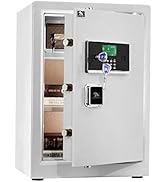
Text Description: A visual guide to the safe's alarm and silent mode features, showing how to activate silent mode for discreet operation.
6.5 Etajè detachable
The interior of the safe includes a removable shelf to customize storage space.
- To remove the shelf, simply lift it from its supports.
- To re-install, align the shelf with the desired supports and lower it into place.

Text Description: A visual demonstration of the safe's removable shelf, highlighting its flexibility for organizing various items.
7. Antretyen
7.1 Ranplasman batri
When the batteries are low, the keypad indicator light will flash red. Replace all four AA batteries promptly.
- Louvri pòt ki an sekirite.
- Retire kouvèti lòj batri a.
- Replace old batteries with new 4 x AA batteries, observing correct polarity.
- Fèmen kouvèti lòj batri a.
7.2 Netwayaj
Clean the safe exterior with a soft, damp twal. Evite itilize pwodui netwayaj abrazif oswa solvan ki ka domaje fini an.
NAN. Depanaj
| Pwoblèm | Kòz posib | Solisyon |
|---|---|---|
| Kòf fò a pa ouvri ak kòd. | Incorrect code entered; low batteries. | Re-enter correct code; replace batteries; use emergency key. |
| Klavye a pa reponn. | Pil ki mouri. | Use the external battery box or emergency key to open, then replace internal batteries. |
| Alam lan sonnen sanzatann. | Tampering detected; multiple incorrect entries. | Ensure safe is stable; enter correct code to disarm. |
9. Garanti & Sipò
TIGERKING offers a 1-year warranty on this product against defects in materials and workmanship. For customer service, technical support, or warranty claims, please contact TIGERKING customer service. Our responsive customer service team is available to assist you.
- Sèvis Kliyan: Refer to the contact information provided in your purchase documentation or visit the official TIGERKING websit.
- Garanti Satisfaksyon: Your satisfaction is important to us. If you encounter any issues, please reach out for assistance.
Ask a question about this manual
Ask about setup, troubleshooting, compatibility, parts, safety, or missing instructions. Manuals+ will review the question and use this page’s manual context to help answer it.