
1. Entwodiksyon
The JBL LIVE 400BT are on-ear wireless headphones designed to deliver JBL Signature Sound. These headphones feature Bluetooth connectivity, a built-in microphone for hands-free calls, and integrated voice assistant support (Amazon Alexa). They also include Ambient Aware and TalkThru technologies for enhanced situational awareness and convenient conversations without removing the headphones. The headphones offer up to 24 hours of battery life and can be used with an audio cable when the battery is depleted.
2. Ki sa ki nan bwat la
Lè w ap ouvri pake a, asire w ke tout bagay yo la:
- JBL LIVE 400BT Headphones
- Chaje kab
- Aux Cable (3.5 mm)
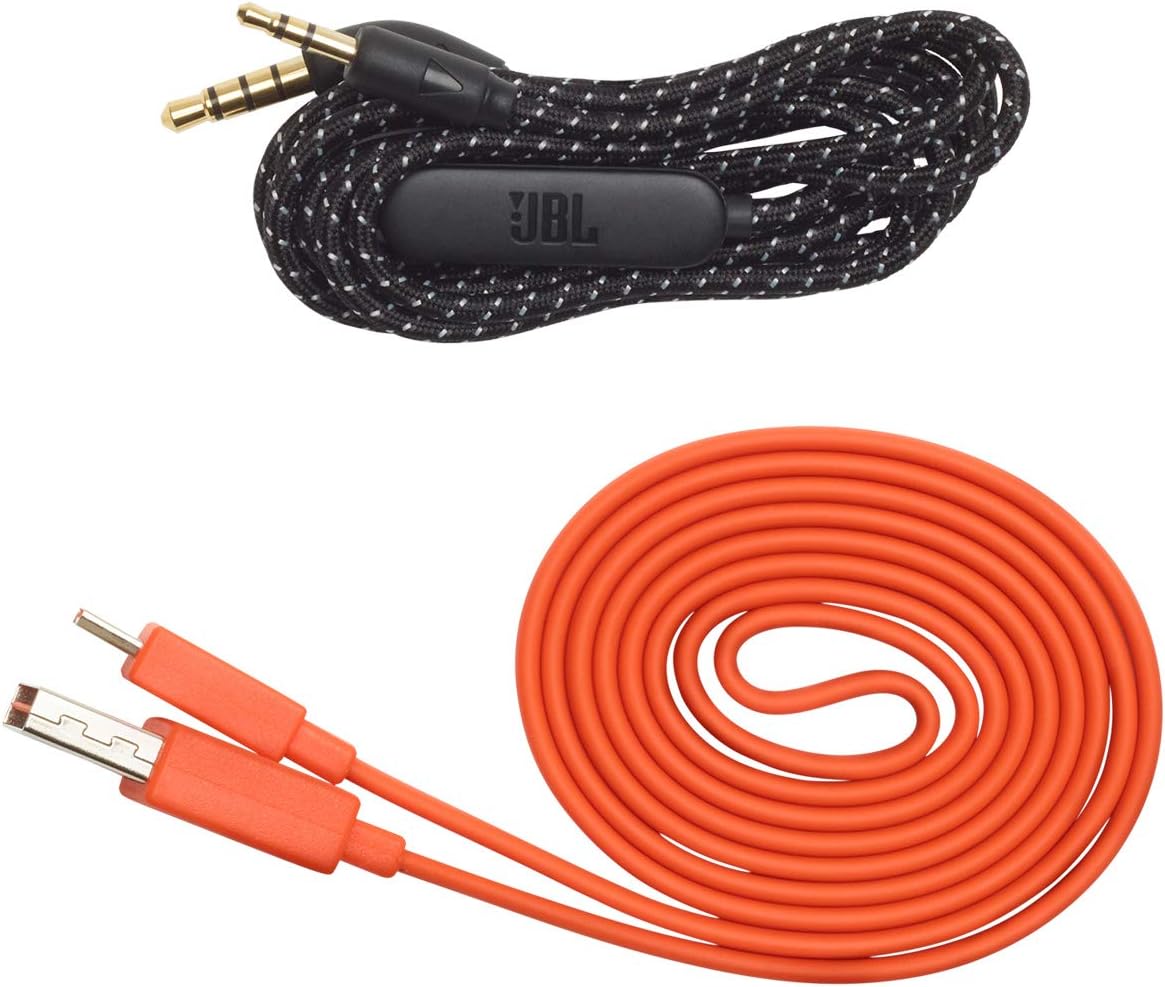
Image: JBL LIVE 400BT headphones shown with the included charging cable and 3.5mm aux cable.
3. Enstalasyon
3.1. Chaje kas ekoutè yo
Before first use, fully charge your JBL LIVE 400BT headphones. A full charge provides up to 24 hours of playback. A quick 15-minute charge can provide an additional 2 hours of listening time.
- Konekte kab chaje ki vini ak kas ekoutè a nan pò chaje ki sou kas ekoutè a.
- Konekte lòt bout kab chaje a nan yon sous kouran USB (pa egzanp, yon adaptè miray, yon pò USB òdinatè).
- Endikatè LED ki sou kas ekoutè a ap montre eta chaj la. Anjeneral, li etenn oswa chanje koulè lè li konplètman chaje.
3.2. Powering On / Off
- To power on, slide the power switch located on the right earcup.
- To power off, slide the power switch back to the off position.
3.3. Pè Bluetooth
The JBL LIVE 400BT headphones use Bluetooth 4.0 for wireless connectivity with a range of up to 10 meters.
- Asire w ke kas ekoutè yo etenn.
- Slide the power switch to the "on" position and hold it for approximately 3-5 seconds until the LED indicator flashes blue, indicating pairing mode.
- Sou aparèy ou an (telefòn entelijan, tablèt, òdinatè), aktive Bluetooth epi chèche aparèy ki disponib yo.
- Select "JBL LIVE 400BT" from the list of available devices.
- Yon fwa konekte, endikatè ki ap dirije a ap vire solid ble.

Image: The right earcup of the JBL LIVE 400BT headphones, highlighting the power switch and LED indicator for Bluetooth pairing.
4. Itilizasyon kas ekoutè yo
4.1. Kontwòl debaz yo
The headphones feature intuitive controls on the earcups for managing audio and calls.
- Jwe/Poz: Peze bouton milti-fonksyon an yon fwa.
- Pwochen Track: Peze bouton milti-fonksyon an de fwa.
- Track Previous: Peze bouton milti-fonksyon an twa fwa.
- Volim monte/desann: Sèvi ak bouton volim espesyal yo.
- Reponn/Fen Apèl: Peze bouton milti-fonksyon an yon fwa pandan yon apèl k ap antre oswa yon apèl aktif.
- Rejte apèl: Peze epi kenbe bouton milti-fonksyon an pandan 2 segonn pandan yon apèl k ap antre.
4.2. Voice Assistant (Amazon Alexa)
Access Amazon Alexa directly from your headphones. Use the JBL App to set up your voice assistant preference.
- Ensure your headphones are connected to your smartphone via Bluetooth.
- Download and open the JBL Headphones App.
- Follow the in-app instructions to select and configure Amazon Alexa as your voice assistant.
- Once configured, tap the left earcup to activate Alexa and issue commands (e.g., "Play my favorite playlist," "Check the weather").
4.3. Ambient Aware and TalkThru Technology
These features allow you to stay connected to your surroundings or have conversations without removing your headphones.
- Anbyen Konsyan: A touch of the Ambient Aware button (located on the left earcup) increases ambient sound, allowing you to hear what's happening around you while music continues at a lower volume.
- TalkThru: Activate TalkThru mode by pressing the TalkThru button (located on the left earcup). This significantly drops the music volume, enabling clear conversations with others without removing the headphones.
Video: Official JBL demonstration of the LIVE 400BT headphones, highlighting features like JBL Signature Sound, Ambient Aware, TalkThru technology, and voice assistant integration.
4.4. Filè Koneksyon
If the battery runs out or you prefer a wired connection, use the provided 3.5mm audio cable.
- Branche yon bout kab odyo 3.5mm lan nan priz odyo ki sou kas ekoutè a.
- Plug the other end into your audio source's 3.5mm output.
- The headphones will function passively, without requiring battery power.
5. Antretyen
Proper care ensures the longevity of your JBL LIVE 400BT headphones.
- Netwayaj: Sèvi ak yon twal mou epi sèk pou netwaye ekoutè yo ak bann tèt la. Evite itilize pwodui chimik ki agresif oswa materyèl abrazif.
- Depo: When not in use, store the headphones in a cool, dry place. Avoid extreme temperatures. The headphones are foldable for compact storage.
- Swen batri: Pou konsève lavi batri a, evite dechaje kas ekoutè yo nèt souvan. Chaje yo regilyèman, menm si w pa itilize yo tout tan.
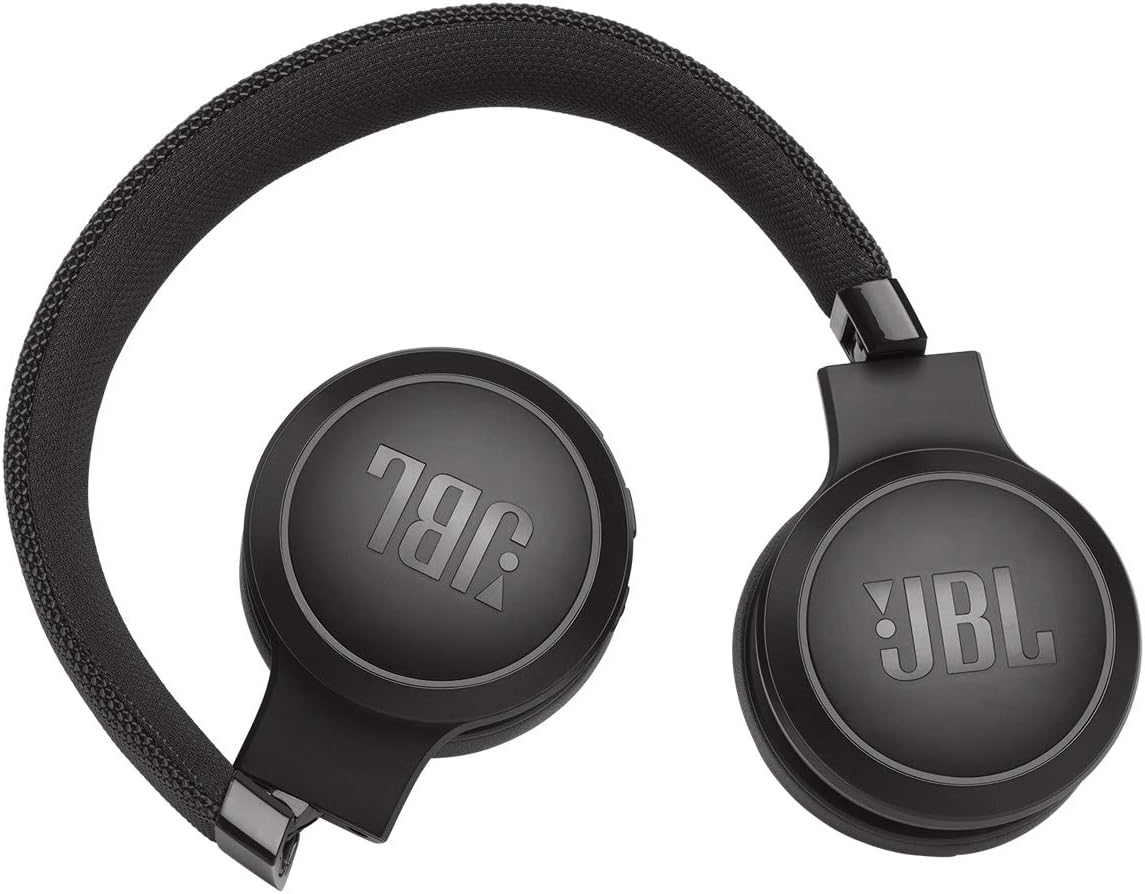
Image: JBL LIVE 400BT headphones shown in a folded position, demonstrating their portability and ease of storage.
NAN. Depanaj
If you encounter issues with your JBL LIVE 400BT headphones, refer to the following common solutions.
6.1. No Power / Cannot Turn Off
- Chaje batri: Ensure the headphones are fully charged. A low battery can cause unexpected behavior.
- Sik pouvwa: If the headphones are stuck on or cannot be turned off, try connecting them to a charger for a few minutes, then attempt to power off again.
- Reset faktori: If the issue persists, a factory reset may resolve it. Consult the JBL support website or the full user manual for specific factory reset instructions for your model, as this often involves a combination of button presses.
6.2. Pwoblèm koneksyon Bluetooth
- Ensure Pairing Mode: Verify the headphones are in pairing mode (flashing blue LED).
- Pwòksimite Aparèy: Make sure the headphones are within 10 meters of your Bluetooth device.
- Bliye Aparèy: On your device, "forget" or "unpair" the JBL LIVE 400BT from your Bluetooth settings, then attempt to pair again.
- Rekòmanse Aparèy: Restart both your headphones and the Bluetooth device.
6.3. Pa gen son oswa volim ki ba
- Tcheke Nivo Volim yo: Ensure volume is turned up on both the headphones and your connected device.
- Correct Output: Verify that your device is sending audio to the JBL LIVE 400BT.
- Koneksyon filaire: If using the aux cable, ensure it is fully inserted into both the headphones and the audio source.
7. Espesifikasyon
| Karakteristik | Spesifikasyon |
|---|---|
| Non modèl | JBL LIVE 400 - Black (JBLLIVE400BTBLKAM) |
| Mak | JBL |
| Koneksyon Teknoloji | Bluetooth |
| Teknoloji kominikasyon san fil | Bluetooth |
| Bluetooth vèsyon | 4.0 |
| Gamme Bluetooth | 10 mèt |
| Gwosè Chofè Audio | 40 Milimèt |
| Kalite chofè odyo | Chofè dinamik |
| Repons Frekans | 20 KHz |
| Sansiblite | 106 dB |
| Enpedans | 32 Ohms |
| Lavi batri | 24 èdtan |
| Tan pou chaje | 2 èdtan |
| Ekoutè Jack | 3.5mm Jack |
| Kalite kontwòl | Alexa, Touch, Voice Assistant |
| Metòd kontwòl | Manyen, Vwa |
| Kontwòl bri | Active Noise Cancellation (basic_noise_control) |
| Materyèl | Faux Leather |
| Pwa atik | 6.6 ons (185.8 gram) |
| Dimansyon pwodwi | 8.07 x 2.17 x 8.78 pous |
| Dat Premye Disponib | 7 janvye 2019 |
8. Garanti ak sipò
Pou enfòmasyon sou garanti, sipò teknik, oswa plis asistans, tanpri vizite sit sipò ofisyèl JBL la. websit la oubyen kontakte sèvis kliyan yo. Kenbe prèv acha ou pou reklamasyon garanti.
Ou ka jwenn plis resous ak enfòmasyon pou kontakte yo sou Magazen JBL sou Amazon.