Thank you for choosing the SINGTRONIC Professional 2000W Complete Karaoke System. This system is designed to provide a high-quality karaoke experience with powerful audio output and versatile features. This manual will guide you through the setup, operation, and maintenance of your new karaoke system.
The package includes the SINGTRONIC KA-1000Pro Professional DSP HDMI Mixing Amplifier, SINGTRONIC KS-550Pro Professional Vocalist Speakers (Pair), SINGTRONIC UHF-450Pro Professional Dual Wireless Microphone System, and SINGTRONIC Professional Heavy Duty Tripod Speaker Stands (Pair). Additionally, you will find speaker cables, an optical cable, and a laser disco light.
Kontni pake
SINGTRONIC KA-1000Pro Professional DSP HDMI Mixing Amplifier
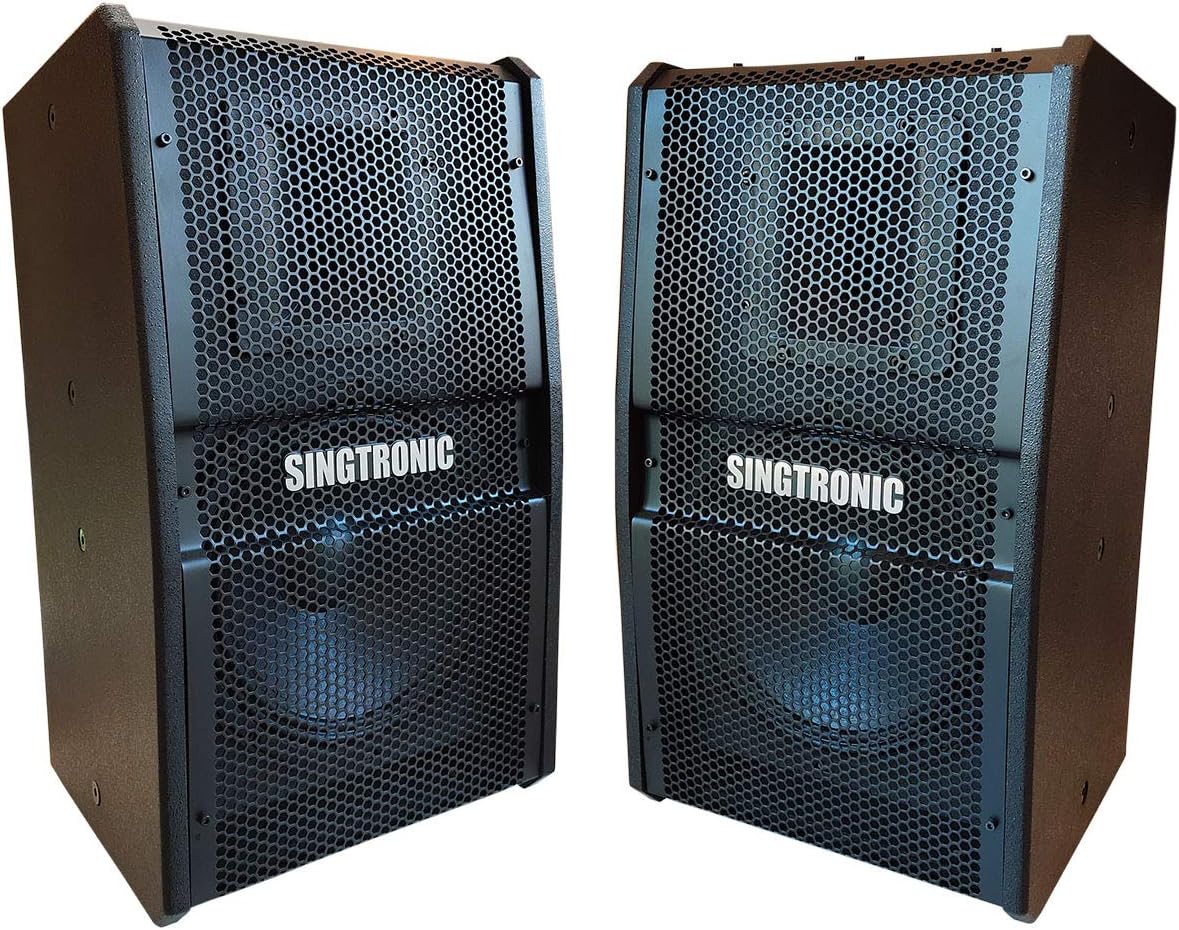
SINGTRONIC KS-550Pro Professional Vocalist Speakers (Pair)
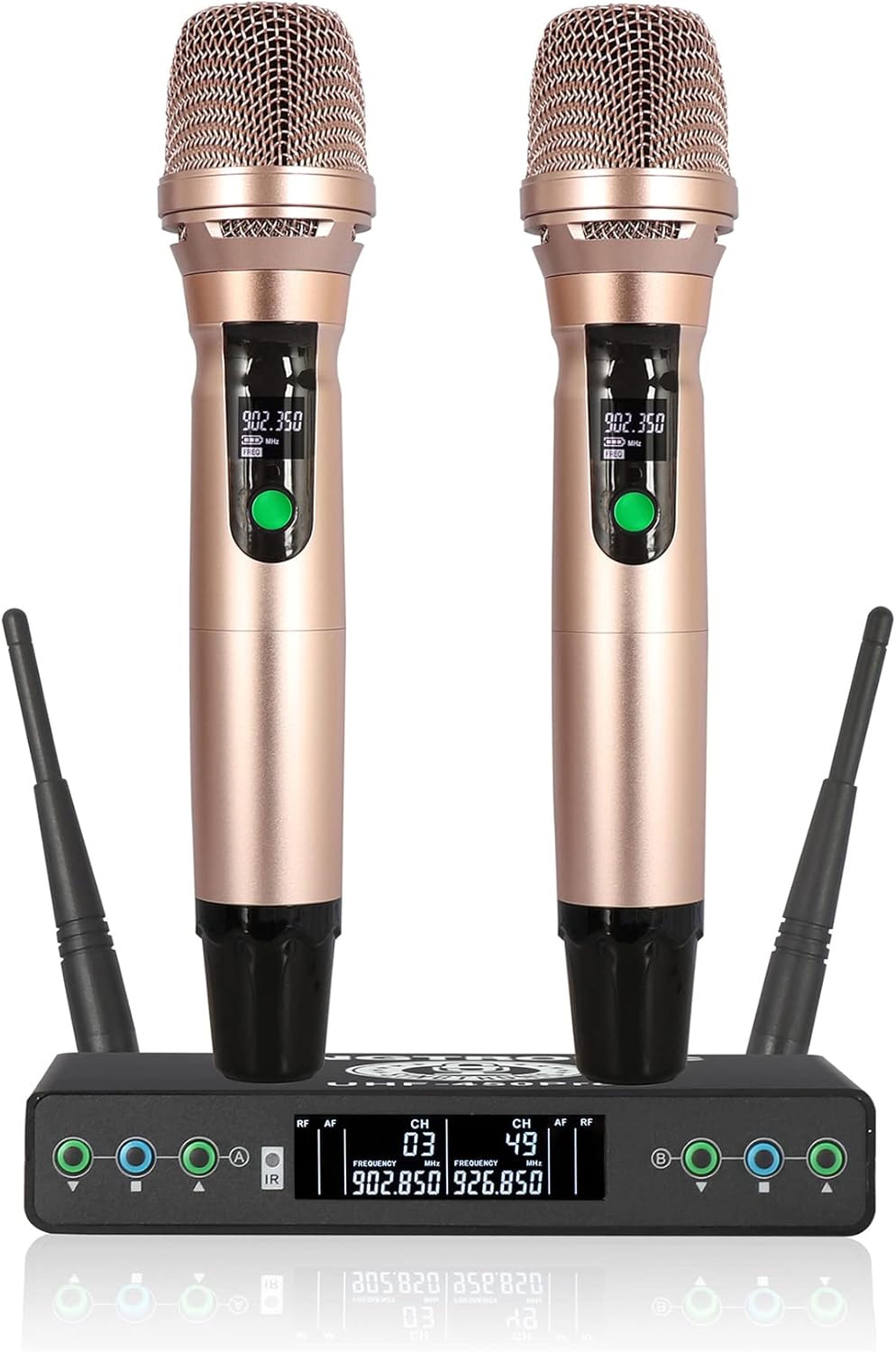
SINGTRONIC UHF-450Pro Professional Dual Wireless Microphone System
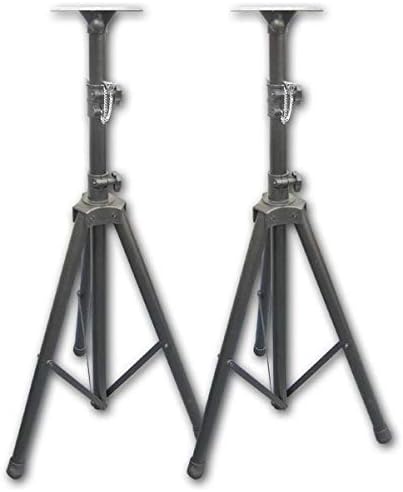
SINGTRONIC Professional Heavy Duty Tripod Speaker Stand (Pair)
Speaker Cables (Pair)
Kab optik
Laser Disco Light
Gid Enstalasyon
1. Debalaj ak Plasman
Carefully unpack all components from the box. Place the amplifier on a stable, flat surface with adequate ventilation. Position the speakers on the provided tripod stands, ensuring they are stable and facing the listening area. Place the wireless microphone receiver near the amplifier.
2. Konekte a Amplifier ak Oratè
Connect the SINGTRONIC KS-550Pro speakers to the KA-1000Pro amplifier using the provided speaker cables. Ensure correct polarity (red to red, black to black) for optimal sound quality. The amplifier has speaker outputs labeled SPK1 and SPK2.
Dèyè view of the KA-1000Pro amplifier, highlighting the speaker output terminals. Connect the speaker cables to these terminals, ensuring the correct positive and negative connections for each speaker.The Singtronic KS-550Pro Professional Vocalist Speakers. These speakers are designed for high-quality vocal reproduction and powerful sound output.The Singtronic Professional Heavy Duty Tripod Speaker Stands. These stands provide stable support for the KS-550Pro speakers, allowing for optimal sound projection.
3. Connecting the Wireless Microphones
Connect the UHF-450Pro wireless microphone receiver to the amplifier using the appropriate audio cables (typically XLR or 1/4-inch TRS). Extend the antennas on the receiver for optimal signal reception. Insert batteries into the wireless microphones.
The Singtronic UHF-450Pro Professional Dual Wireless Microphone System, including two microphones and the receiver unit. This system provides wireless freedom for vocal performances.
4. Audio Source Connection (TV/External Device)
To connect your TV or other audio source, use the optical cable provided. Connect one end to the optical output of your TV and the other end to the optical input on the KA-1000Pro amplifier. Ensure your TV's audio output settings are configured for optical output and set to PCM format for compatibility.
A diagram illustrating how to connect an optical cable from a TV's digital audio output to the amplifier's optical input. This setup is crucial for receiving audio from your TV.
For detailed visual instructions on setting up the karaoke system, please refer to the video below:
Video: "Singtronic Karaoke System Set Up Easy as 1,2,3..." This video provides a step-by-step guide on how to set up your Singtronic karaoke system, including connections for speakers, microphones, and audio sources.
5. Koneksyon pouvwa
Konekte kab pouvwa a soti nan amplifier to a suitable power outlet. Ensure all connections are secure before powering on the system.
Enstriksyon Operasyon
1. Powering On / Off
Press the POWER button on the front panel of the KA-1000Pro amplifier to turn the system on or off. Allow a few seconds for the system to initialize.
2. Adjusting Volume and Effects
Mèt Volim: Use the large MASTER VOLUME knob to control the overall sound output level.
Volim Mikwofòn: Adjust individual microphone volumes using the MIC1, MIC2, MIC3, MIC4 knobs.
Volim Mizik: Control the music input volume with the MUSIC VOLUME knob.
Echo/Reverb: Use the ECHO and REVERB controls to add vocal effects.
Kontwòl Ton: Adjust BASS, MID, and TREBLE for both music and microphone channels to customize the sound.
Front panel of the Singtronic KA-1000Pro amplifier, showing all input jacks, volume controls, equalization settings, and digital display for various functions.
3. Using Bluetooth Connectivity
The KA-1000Pro amplifier features Bluetooth connectivity. To pair a device, select the Bluetooth input on the amplifier. On your mobile device, search for available Bluetooth devices and select "SINGTRONIC" to connect. You can then stream music wirelessly.
4. Lekti ak Anrejistreman USB
Insert a USB drive into the USB port on the front panel. The amplifier supports MP3 playback. Use the navigation buttons to browse and select tracks. The system also supports voice recording to a USB drive.
Antretyen
Netwayaj: Use a soft, dry cloth to clean the surfaces of the amplifier, speakers, and microphones. Avoid using liquid cleaners or abrasive materials.
Vantilasyon: Asire w la amplifier's ventilation openings are clear and unobstructed to prevent overheating.
Depo: Lè w pa itilize sistèm nan pou yon bon bout tan, sere l nan yon kote ki fre epi sèk, pwoteje kont pousyè ak tanperati ekstrèm.
Ranplasman batri: Replace microphone batteries regularly to ensure optimal performance.
Depanaj
Pwoblèm
Kòz posib
Solisyon
Pa gen son ki soti nan moun kap pale
Kouran an pa konekte oswa limen.
Speaker cables incorrectly connected.
Sous antre a pa chwazi oswa volim nan twò ba.
TV audio output not set to PCM.
Check power connections and turn on amplifier.
Verify speaker cable connections and polarity.
Select correct input source and increase volume.
Adjust TV audio settings to PCM.
Mikwofòn yo pa fonksyone
Microphone batteries are low or dead.
Wireless receiver not powered on or connected.
Microphone volume on amplifier is low.
Microphone frequency interference.
Ranplase pil.
Ensure receiver is powered and connected to amplifier.
Ogmante volim mikwofòn.
Adjust microphone frequencies if possible (refer to UHF-450Pro manual).
Pwoblèm appariement Bluetooth
Bluetooth mode not selected on amplifier.
Aparèy la twò lwen amplifier.
Entèferans ki soti nan lòt aparèy.
Select Bluetooth input on amplifier.
Deplase aparèy la pi pre amplifier.
Fèmen lòt aparèy Bluetooth.
Espesifikasyon
SINGTRONIC KA-1000Pro DSP HDMI Mixing Amplifier
Sorti pouvwa: 1000W + 1000W (Total 2000W)
Karakteristik espesyal: DSP, HDMI, Bluetooth, USB Playback/Record, Optical/Coaxial Input
Koneksyon: Bluetooth, HDMI, Optical, Coaxial, USB
Dimansyon (D x W x H): 14"D x 17"W x 7"H
Pwa: 50 liv
Sous pouvwa: Plug In Electric (AC 110V/60Hz)
SINGTRONIC KS-550Pro Vocalist Speakers
Manyen pouvwa: 2000 Watts
Konsepsyon: 3-way full-range
Eleman: Double Magnet Woofer, Super High Frequency Compressor, 10-inch Bass Super Woofer, 3-inch High Frequency Compression Driver
SINGTRONIC UHF-450Pro Professional Dual Wireless Microphone System
Please refer to the manufacturer's warranty card included with your product for detailed warranty terms and conditions. Typically, electronic products come with a limited warranty covering manufacturing defects. Keep your purchase receipt as proof of purchase.
Optional protection plans may be available for purchase separately. For example, a 4-Year Protection Plan or a Complete Protect monthly plan might be offered by third-party providers.
Sipò pou Kliyan
For technical assistance, troubleshooting, or service inquiries, please contact SINGTRONIC customer support. Contact information can usually be found on the product packaging or the official SINGTRONIC websit.
Ask about setup, troubleshooting, compatibility, parts, safety, or missing instructions. Manuals+ will review the question and use this page’s manual context to help answer it.