
SINGTRONIC 2500W Complete Karaoke System
Singtronic 2500W Complete Karaoke System Instruction Manual
Brand: SINGTRONIC | Model: 2500W Complete Karaoke System
Entwodiksyon
This manual provides comprehensive instructions for the setup, operation, and maintenance of your Singtronic 2500W Complete Karaoke System. Designed for optimal audio performance, this system offers a rich karaoke experience with extensive song libraries and versatile connectivity options.
Ki sa ki nan bwat la
- Singtronic KSP-1500ProB Digital 2500W Amplifier
- 2 x Singtronic Anti-Feedback Wireless Microphones
- Singtronic KS-550Pro Vocalist 2000W Speakers (Pair)
- Singtronic KTV-15.6UHD Touch Screen 5TB Smart 4K with 50,000 Preloaded Songs
- Singtronic Heavy Duty Tripod Speaker Stands (Pair)
- All necessary cables and accessories

Image: All components of the Singtronic 2500W Complete Karaoke System, including amplifier, speakers, microphones, touch screen, and stands.
Enstriksyon Enstalasyon
- Depake konpozan: Retire tout atik yo nan anbalaj la avèk prekosyon.
Image: The complete karaoke system with all its components ready for setup.
- Rasanble Sipò Oratè yo: Extend the tripod legs of the speaker stands and secure them. Adjust the height as desired.

Imaj: Detaye view of the speaker stands, showing adjustable height and stable tripod base.
- Mount Oratè: Place each Singtronic KS-550Pro speaker onto the assembled tripod stands. Ensure they are stable.

Image: A pair of Singtronic KS-550Pro speakers, designed for clear vocal and music output.
- Konekte Amplifier: Place the Singtronic KSP-1500ProB Digital 2500W Amplifier in a central location. Connect the speakers to the amplifier using the provided banana plug speaker connectors.

Image: Front panel of the Singtronic amplifier, showing controls and microphone inputs.
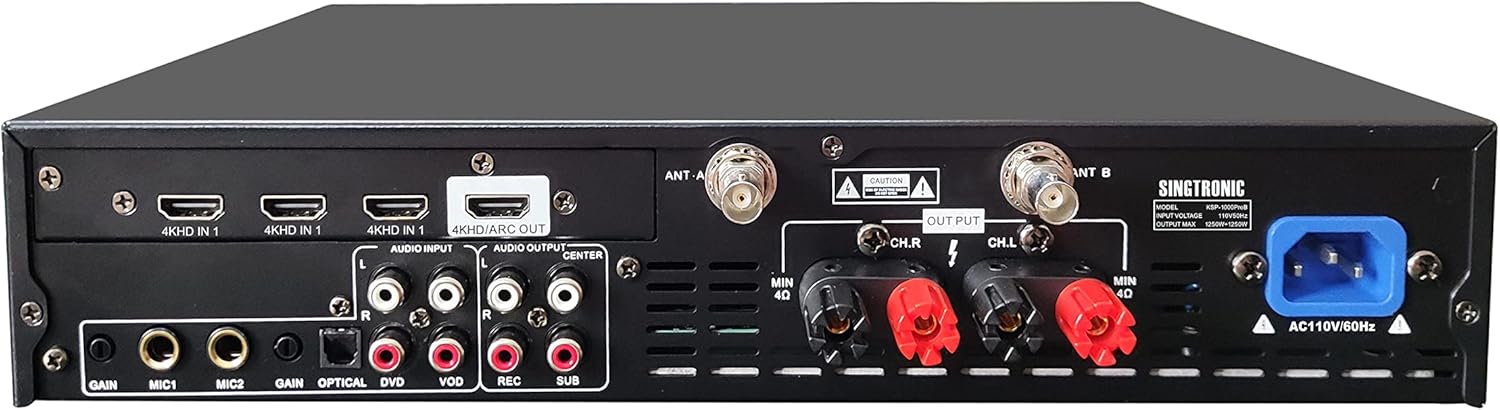
Image: Rear panel of the Singtronic amplifier, highlighting various audio input/output ports including HDMI, Optical, RCA, and speaker connections.
- Connect Touch Screen: Connect the KTV-15.6UHD Touch Screen to the amplifier using the appropriate cables (e.g., HDMI for video, RCA for audio if needed).
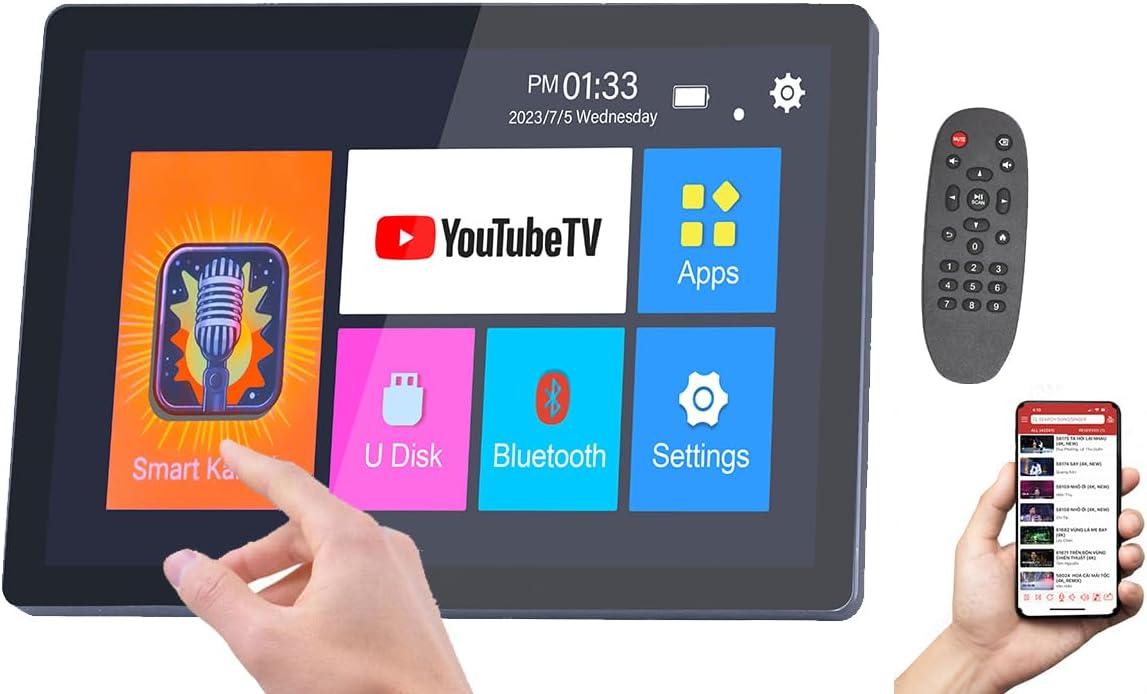
Image: The touch screen interface of the karaoke system, displaying app icons like YouTube TV, Smart Karaoke, and Settings.
- Pouvwa sou: Konekte a amplifier and touch screen to a power source and turn them on.
- Enstalasyon Mikwofòn: Ensure the wireless microphones are charged and powered on. They should automatically pair with the amplifier.
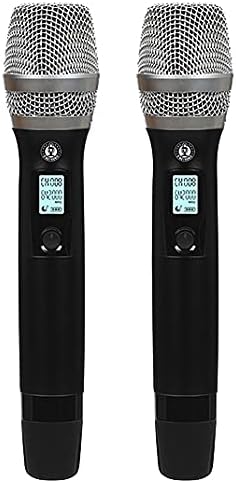
Image: A pair of Singtronic Anti-Feedback Wireless Microphones, featuring digital displays.
- Gid Videyo: For a visual guide on setting up your karaoke system, please refer to the official setup video below.
Video: Official Singtronic setup guide for the 2500W Digital Karaoke System. This video demonstrates the step-by-step process of connecting all components for initial use.
Enstriksyon Operasyon
Touch Screen Navigasyon
The KTV-15.6UHD Touch Screen operates on an Android-based interface. Navigate through apps like "Smart Karaoke" for preloaded songs, "YouTube TV" for unlimited online content, or "Bluetooth" to connect your smartphone or tablet.
Itilizasyon Mikwofòn
- Power on each wireless microphone using its dedicated button.
- Adjust microphone volume, treble, echo, and delay using the dedicated controls on the amplifier's top panel.
- The built-in Anti-Feedback technology helps prevent unwanted audio feedback.
Ajisteman son
La amplifier features a Built-in Digital Equalizer with individual controls for Music, Microphone, and Effect. Use these knobs to fine-tune your audio output. The Built-in BBE Sonic Maximizer enhances both vocal and music clarity.
Lektur Media
- Preloaded Songs: Access 50,000 preloaded songs via the "Smart Karaoke" app on the touch screen.
- YouTube: Connect to Wi-Fi and use the "YouTube TV" app for an extensive library of karaoke content.
- Aparèy ekstèn: Use Digital Optical / Coax Audio Input to connect directly from any Smart TV. HDMI, RCA, and Bluetooth connectivity are also available for other devices like smartphones or tablets.
Antretyen
- Keep the system clean by wiping surfaces with a soft, dry cloth.
- Avoid exposing the system to excessive moisture or extreme temperatures.
- Store microphones in a dry place when not in use.
- Asire bon vantilasyon pou la amplifier pou anpeche surchof.
Depanaj
- Pa gen Sòti Son:
- Check all cable connections (power, speakers, audio inputs).
- Asire w la amplifier and speakers are powered on and volume levels are adequate.
- Verifye ke sous opinyon ki kòrèk la chwazi sou la amplifier/touch screen.
- Microphone Feedback/Howling:
- Lower the microphone volume.
- Adjust the mic treble, echo, and delay settings on the control panel.
- Avoid pointing microphones directly at speakers.
- Karaoke Function Not Working:
- Ensure the touch screen is properly connected and the karaoke app is running.
- Check internet connection for YouTube-based karaoke.
Espesifikasyon
| Karakteristik | Detay |
|---|---|
| Maksimòm pwodiksyon pouvwa | 2500W (1250W + 1250W) |
| Dimansyon pwodwi | 12 x 12 x 22.4 pous |
| Koulè | Nwa |
| Aparèy konpatib | Amplifier, Smartphone, Tablet |
| Kalite Connector | HDMI, Optical, RCA, Bluetooth |
| Konte Oratè | 2 (Pè) |
| Fòma Media | Digital Sound |
| Sous pouvwa | AC, fil elektrik |
| Karakteristik espesyal | Touch Screen, Built-in Microphone, Digital Key Pitch Control, Anti-Feedback, BBE Sonic Maximizer |
Garanti ak sipò
For warranty information or technical support, please refer to the documentation included with your product or contact Singtronic customer service directly. Contact details can typically be found on the manufacturer's websit la oubyen nan gid demaraj rapid pwodwi a.
Ask a question about this manual
Ask about setup, troubleshooting, compatibility, parts, safety, or missing instructions. Manuals+ will review the question and use this page’s manual context to help answer it.