
Entwodiksyon
Thank you for choosing SIMOLIO JH-711 Wireless Kids Headphones. These headphones are designed with children's safety and comfort in mind, featuring 3-level volume limiting for hearing protection, Bluetooth connectivity, and a durable, foldable design. This manual will guide you through the setup, operation, and maintenance of your new headphones.
Karakteristik pwodwi
- 3-Level Volume Limiting: Protects children's hearing with selectable limits of 75dB (toddlers), 85dB (kids), and 94dB (adults).
- Wireless & Wired Modes: Connect via Bluetooth for wireless freedom or use the included 3.5mm audio cable when the battery is low or with non-Bluetooth devices.
- Mikwofòn entegre: Enables hands-free calling for convenience.
- Audio Sharing Port: Allows another headphone to connect and share audio from the same device.
- Durable & Flexible Design: Constructed with memory stainless steel strips in the headband to withstand bending and twisting.
- Pliyab & Konpak: Easy to fold and store in the included EVA hard carrying case, perfect for travel and school.
- Long lavi batri: Provides up to 15 hours of playtime on a single charge.

Image: Diagram illustrating the 3-level volume limiting feature (75dB, 85dB, 94dB) for different age groups.

Image: Hands bending the headphone headband, showcasing its flexible and durable construction.

Image: The headphones folded compactly, ready to be stored in their EVA hard carrying case.
Ki sa ki nan bwat la
- SIMOLIO JH-711 Wireless Kids Headphones (2 Count)
- USB Chaje Kab
- 3.5mm AUX Audio Kab
- Manyèl Itilizatè (dokiman sa a)
- EVA Hard Carrying Case
Enstalasyon
1. Chaje kas ekoutè yo
- Locate the Micro USB charging port on the headphone earcup.
- Connect the provided USB charging cable to the headphone's charging port.
- Plug the other end of the USB cable into a compatible USB power source (e.g., computer, USB wall adapter).
- Endikatè LED la ap limen pandan chaj la epi li ap etenn lè li fin chaje. Yon chaj konplè pran apeprè 3 èdtan.

Image: The SIMOLIO JH-711 headphones with the charging cable inserted into the Micro USB port.
2. Pè Bluetooth
- Asire w ke kas ekoutè yo byen chaje.
- Press and hold the Power button (MFB) on the headphone earcup until the LED indicator flashes blue and red, indicating pairing mode.
- Sou aparèy ou an (telefòn entelijan, tablèt, elatriye), aktive Bluetooth epi chèche aparèy ki disponib yo.
- Select "SIMOLIO JH-711" from the list of devices.
- Yon fwa konekte, endikatè ki ap dirije a ap klere ble tou dousman.
3. Koneksyon filaire (AUX Mode)
- Locate the 3.5mm AUX port on the headphone earcup.
- Connect one end of the provided 3.5mm AUX audio cable to the headphone's AUX port.
- Connect the other end of the AUX cable to the 3.5mm audio jack of your device.
- The headphones will automatically switch to wired mode. This mode works even if the headphone battery is depleted.
4. Adjusting Volume Limiter
The headphones feature a 3-level volume limiter switch (75dB, 85dB, 94dB) located on the earcup. Slide the switch to select the desired maximum volume level appropriate for the user's age and environment.

Image: Detail of the headphone earcup highlighting the 3-level volume limiter switch.
5. Ajisteman bann tèt
The headband is adjustable to fit various head sizes. Gently slide the earcups up or down along the headband to achieve a comfortable and secure fit. The flexible design allows for minor reshaping.

Image: A person demonstrating how to adjust the headband for a proper fit.
Enstriksyon Operasyon
1. Power On/Off
- Pouvwa sou: Press and hold the Multi-Function Button (MFB) for approximately 3 seconds until the LED indicator lights up.
- Pouvwa Off: Press and hold the MFB for approximately 3 seconds until the LED indicator turns off.
2. Mizik lèktur
- Jwe/Poz: Kout peze MFB la.
- Pwochen Track: Long press the "Volume Up" button.
- Track Previous: Long press the "Volume Down" button.
- Volim moute: Short press the "Volume Up" button.
- Volim desann: Short press the "Volume Down" button.
3. Rele Jesyon
- Reponn/Fen Apèl: Kout peze MFB la.
- Rejte apèl: Peze MFB a pandan lontan.
4. Audio Sharing
To share audio with another pair of headphones, connect a 3.5mm audio cable from the sharing jack on the right earcup of the SIMOLIO headphones to the audio input of another headphone. This allows two users to listen to the same audio source simultaneously.
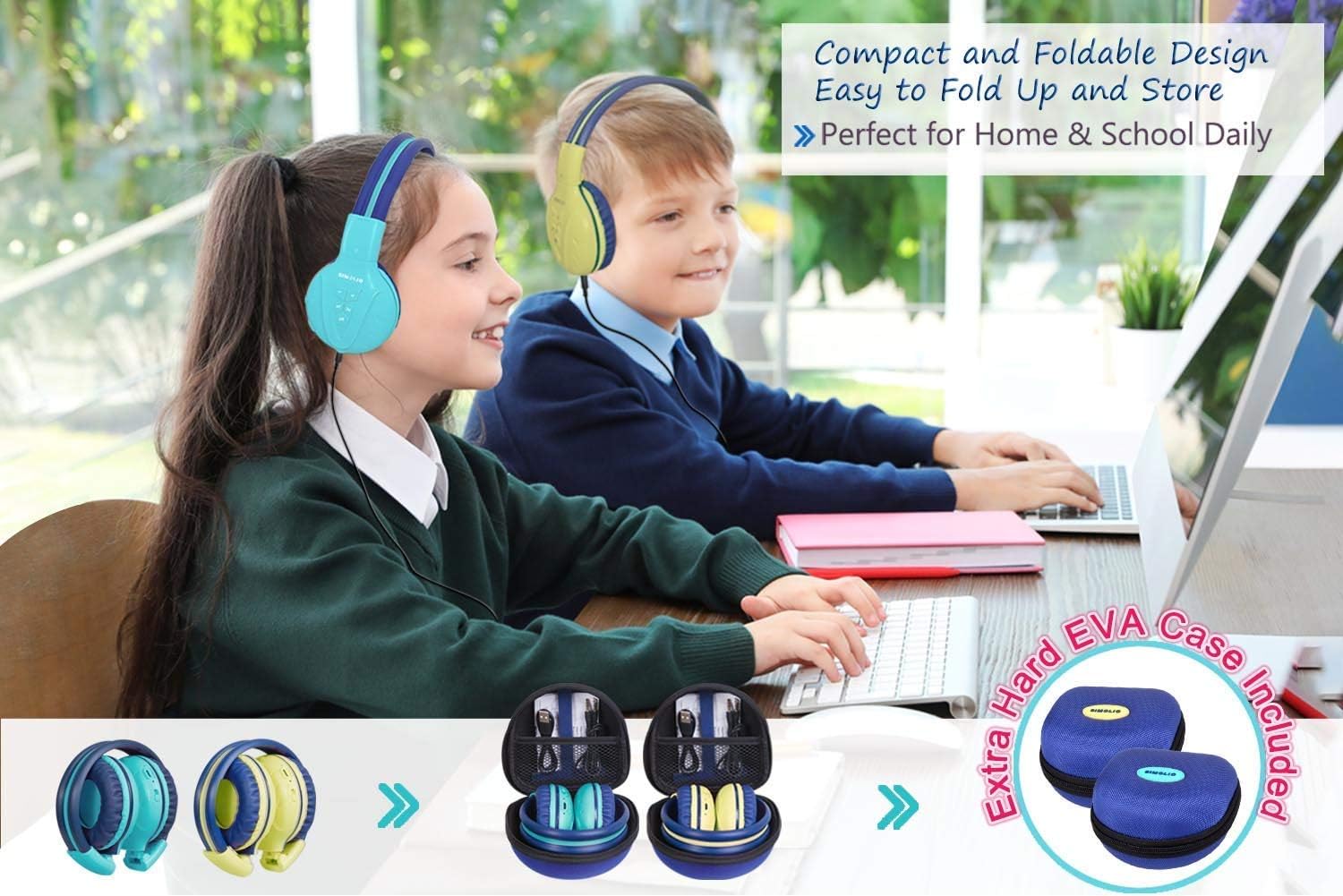
Image: Two pairs of headphones connected using the audio sharing feature, allowing simultaneous listening.
Antretyen
- Netwayaj: Sèvi ak yon twal mou epi sèk pou netwaye kas ekoutè yo. Pa sèvi ak pwodui netwayaj likid oswa ayewosòl.
- Depo: When not in use, fold the headphones and store them in the provided EVA hard carrying case to protect them from dust and damage.
- Swen batri: Pou pwolonje lavi batri a, evite dechaje kas ekoutè yo nèt souvan. Chaje yo regilyèman, menm si w pa itilize yo tout tan.
Depanaj
| Pwoblèm | Solisyon |
|---|---|
| Kas ekoutè yo pa vle limen. | Asire w ke kas ekoutè yo chaje. Konekte yo ak yon sous kouran avèk kab USB a. |
| Pa ka konekte atravè Bluetooth. | Make sure the headphones are in pairing mode (flashing blue/red LED). Ensure your device's Bluetooth is on and within range. Forget previous pairings on your device and try again. |
| Pa gen son nan mòd filaire. | Check that the 3.5mm AUX cable is securely connected to both the headphones and the audio source. Ensure the audio source's volume is not muted or too low. |
| Sound is too low/high. | Adjust the volume using the +/- buttons on the headphones and on your connected device. Check the 3-level volume limiter switch setting. |
Espesifikasyon
- Non modèl: Kids Bluetooth Headphones JH-711MY
- Koneksyon Teknoloji: San fil (Bluetooth), Filaire (3.5mm AUX)
- Teknoloji kominikasyon san fil: Bluetooth 4.0
- Gamme Bluetooth: 30 pye
- Lavi batri: Jiska 15 èdtan
- Tan pou chaje: Apeprè 3 èdtan
- Kalite chofè odyo: Chofè dinamik
- Plasman Zòrèy: Sou Zòrèy
- Kontwòl bri: Izolasyon son
- Karakteristik espesyal: 3 Adjustable Volume Limited, Built-in Microphone, Durable and Flexible, Foldable, Audio Share Port, EVA Case
- Dimansyon pwodwi: 5.51 x 3.15 x 5.31 pous
- Pwa atik: 1.8 liv (0.82 kilogram)
- Materyèl: Nylon, Stainless Steel (headband), EVA (carrying case)
Videyo pwodwi ofisyèl la
Video: An official product video from Simolio Direct showcasing the features and usage of the SIMOLIO Bluetooth Headphones for Kids with Case JH-711.
Garanti ak sipò
For warranty information or technical support, please refer to the contact details provided on the product packaging or visit the official SIMOLIO websit.