
Entwodiksyon
This manual provides instructions for the setup, operation, maintenance, and troubleshooting of your new replacement remote control for Optoma projectors. This remote is designed to be compatible with a wide range of Optoma projector models, offering a convenient and reliable control solution.
Compatible Optoma Projector Models:
- HD26, X412, HD26B, HD26BR, UHD300X
- GT1080, GT1080E, GT1080DARBEE, GT1070X, VDGTGZBZ, GT1070Xe
- HD141X, HD143X, H181X, DH1008, DH1009
- HD37, UHD60, HDF536, HDF537ST, HD200D
- HD39DARBEE, VDHDNBDSE, UHD65, HD27, HD27E, HD27HDR, HD29DARBEE
- EH200ST, EH412ST, GT5600, VDHDNL, HD142X, HD144X, HD152X
- UHD550X, HD28HDR, HD28DSE, UHD40, UHD50, UHZ65, VDUHDLZ, ZH403, HD39HDR, UHD35
Please verify that your original remote control is identical to this replacement model for full functionality. If your original remote differs, some functions may not be fully compatible.
Enstalasyon
Enstalasyon batri
The remote control requires two (2) AA batteries for operation. Batteries are not included with the remote control.
- Jwenn lòj batri a sou do a nan kontwòl remote la.
- Glise kouvèti konpatiman batri a anba oubyen peze lokèt la epi leve l pou ouvri l.
- Mete de pil AA ladan l, asire w ke tèminal pozitif (+) ak negatif (-) yo byen aliyen ak mak ki anndan konpatiman an.
- Remèt kouvèti konpatiman batri a lè w glise l tounen nan plas li jiskaske li fè yon klik byen fèm.

The remote control's rear panel, with the battery cover removed, revealing the battery compartment and regulatory markings.

The remote control's front, highlighting the requirement for two AA batteries for operation.
Operasyon
Fonksyon debaz yo
Point the remote control directly at the infrared receiver on your Optoma projector. The maximum effective range is approximately 10 meters (33 feet).
Yon klè view of the remote control's front face, displaying all functional buttons including power, menu, volume, and source selection.
- ON/OFF: Press the 'ON' button to power on the projector. Press the 'OFF' button to power off the projector.
- Meni: Access the projector's on-screen display (OSD) menu.
- Bouton Navigasyon (Anwo, Anba, Agoch, Adwat, Antre): Use these buttons to navigate through menu options and confirm selections.
- Volim +/-: Ajiste nivo pwodiksyon odyo a.
- Sous: Cycle through available input sources (e.g., HDMI1, HDMI2, VGA1, VGA2, Video, YPbPr).
- Bèbè: Aktive oubyen dezaktive son odyo a.
- Klate: Adjust the projector's brightness setting.
- Kontras: Adjust the projector's contrast setting.
- Keystone: Access keystone correction settings to adjust image geometry.
- Rapò aspè: Change the image aspect ratio.
- Mòd: Select different display modes.
- 3D: Activate or deactivate 3D mode (if supported by projector).
- Revèy dòmi: Set a timer for the projector to automatically power off.
- Re-sync: Re-synchronize the input signal.
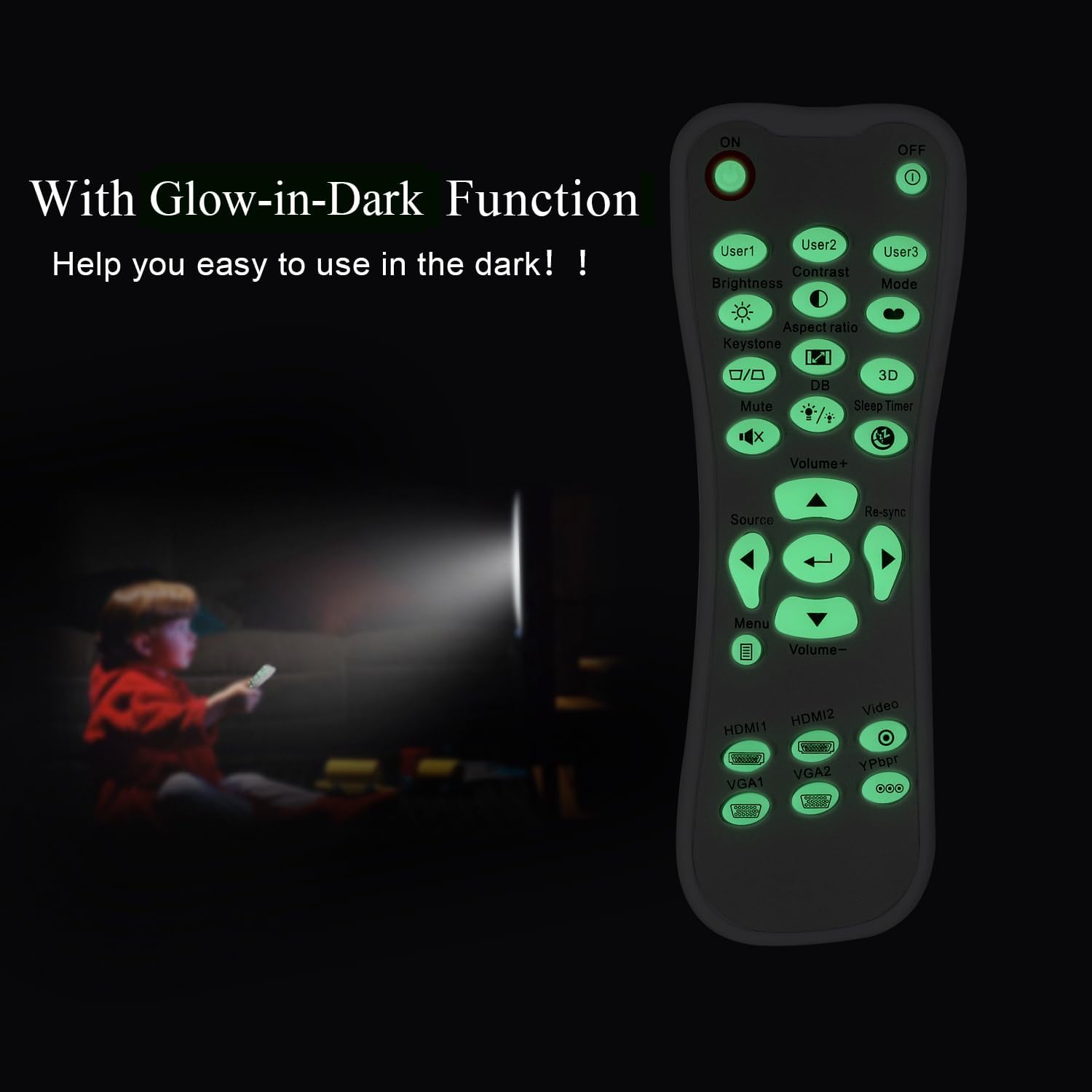
Glow-in-Dark Function
Certain buttons on this remote control are designed to glow in the dark, enhancing visibility and ease of use in low-light conditions. For optimal luminous effect, expose the remote control to bright light for a period before use in the dark.

The remote control features glow-in-the-dark buttons, making it visible and easy to use in low-light environments, such as a darkened room during projector use.
Range opere
The remote control operates using infrared (IR) technology. Ensure a clear line of sight between the remote control and the projector's IR receiver. The effective operating distance is up to 10 meters (approximately 33 feet).
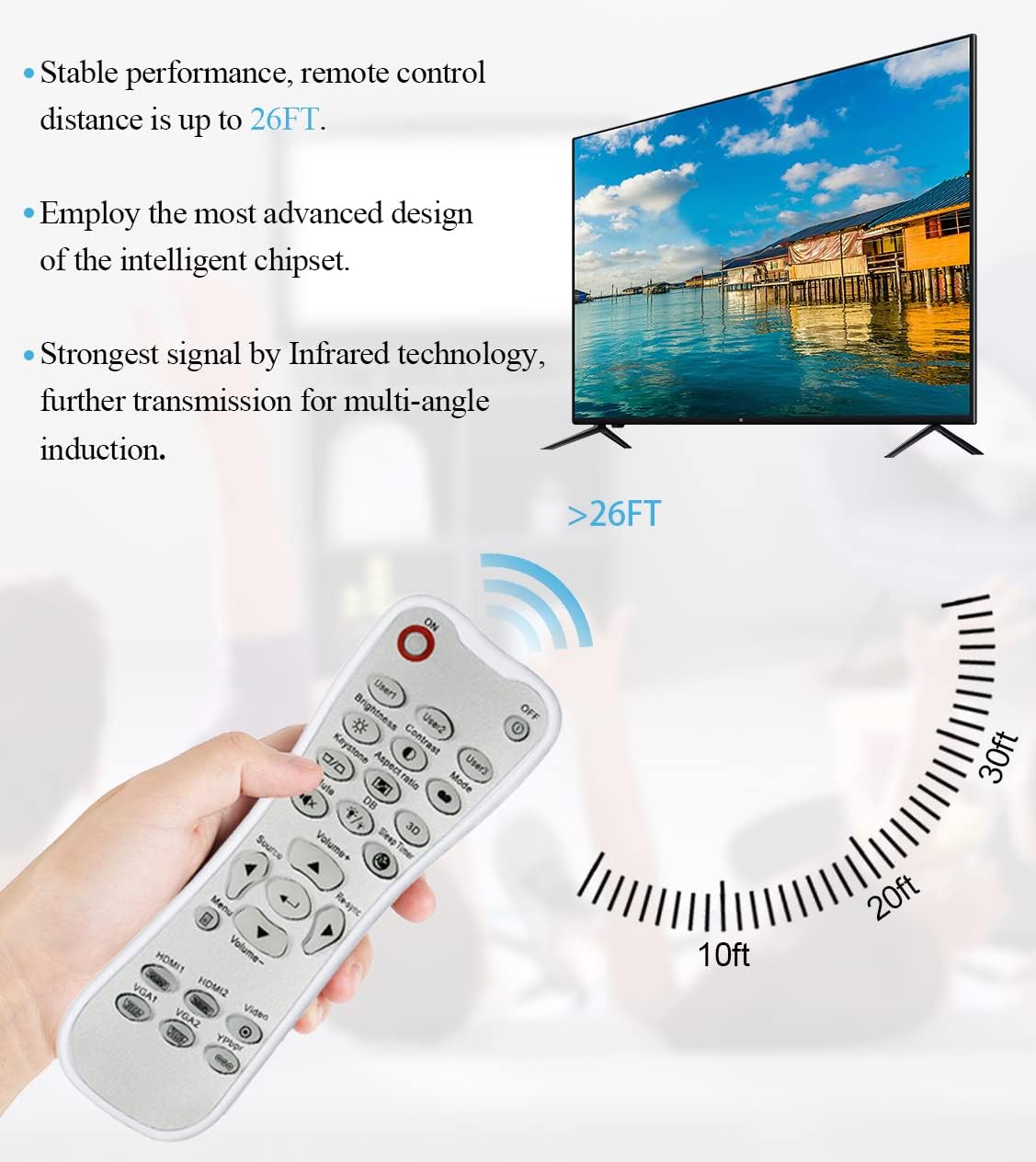
The remote control utilizes infrared technology for signal transmission, offering a reliable operating range of up to 26 feet (approximately 8 meters) for controlling your projector.
Antretyen
Netwayaj
To clean the remote control, use a soft, dry cloth. Do not use liquid cleaners, abrasive pads, or chemical solvents, as these may damage the surface or internal components.
Ranplasman batri
Replace batteries when the remote control's response becomes sluggish or stops working. Always replace both batteries at the same time with new AA batteries. Do not mix old and new batteries, or different types of batteries.
Depo
Sere kontwòl remote la nan yon kote ki fre epi sèk, lwen limyè solèy dirèk ak tanperati ekstrèm. Si ou pa pral itilize kontwòl remote la pou yon peryòd tan pwolonje, li rekòmande pou retire pil yo pou anpeche flit.
Depanaj
- Remote pa reponn:
- Ensure batteries are correctly installed with the correct polarity.
- Ranplase ansyen pil ak nouvo pil.
- Check for any obstructions between the remote control and the projector's IR receiver.
- Ensure you are within the effective operating range (up to 10 meters).
- Buttons are stiff or unresponsive:
- Ensure the remote control is clean and free from debris that might impede button movement.
- If buttons are consistently stiff, this may indicate a manufacturing issue.
- Glow-in-dark function is weak:
- Expose the remote control to bright light for a longer duration to charge the luminous material.
Espesifikasyon
| Karakteristik | Spesifikasyon |
|---|---|
| Non modèl | L-27-5KEY |
| Konpatibilite mak | Pwojektè Optoma |
| Karakteristik espesyal | Universal Replacement, Glow-in-Dark Buttons |
| Koulè | Blan |
| Koneksyon Teknoloji | Enfrawouj (IR) |
| Kantite bouton | 5 (referring to the main function keys, though more buttons are present) |
| Kalite kontwolè | Kontwòl bouton |
| Maksimòm Range | 10 mèt (apeprè 33 pye) |
| Kalite batri | 2 x AA pil (pa enkli) |
| Materyèl | Plastik |
| Dimansyon atik (L x W x H) | 14.9 santimèt (5.9 pous) x 5.3 santimèt (2.1 pous) x 2.5 santimèt (1 pous) |

A dimensional diagram illustrating the compact size of the remote control, measuring approximately 14.9 cm (5.9 inches) in length, 5.3 cm (2.1 inches) in width, and 2.5 cm (1 inch) in thickness.
Garanti ak sipò
For any issues not covered in this manual, or for warranty inquiries, please contact the seller or manufacturer directly through your purchase platform. Keep your purchase receipt as proof of purchase.