
Entwodiksyon
Welcome to the world of Ivalice! This manual provides essential information for playing Final Fantasy XII The Zodiac Age on your Nintendo Switch. Fully remastered in high definition, this version includes enhanced gameplay features, reconstructed battle design, and a revamped job system, offering a grand adventure for both new and returning players.
Enstalasyon
Follow these steps to begin your adventure:
- Insert the Game Card: Mete ak anpil atansyon Final Fantasy XII The Zodiac Age game card into the Nintendo Switch console's game card slot. Ensure the card is facing the correct direction.
- Lanse jwèt la: From the Nintendo Switch HOME Menu, select the Final Fantasy XII The Zodiac Age icon to start the game.
- Premye konfigirasyon: Upon first launch, you may be prompted to select your preferred language and create save data. Follow the on-screen instructions.
- Mizajou sistèm: Ensure your Nintendo Switch system software is up to date for optimal performance and access to all game features.
For visual guidance on handling the game card, refer to the image below:

Operating (Gameplay Features)
Final Fantasy XII The Zodiac Age offers a rich gameplay experience with several key features:
- The Zodiac Job System: This improved character leveling system allows players to customize their party members' roles and abilities, catering to individual preferences and strategic combat.
- Trial Mode: Engage in up to 100 consecutive battles against various monsters and enemies to test your party's strength and earn rewards.
- Mòd vitès: Accelerate gameplay to move through the world and battles at a faster pace, ideal for grinding or revisiting areas.
- HD Graphical Capabilities: Experience the world of Ivalice with fully remastered characters, environments, and movie scenes in high definition.
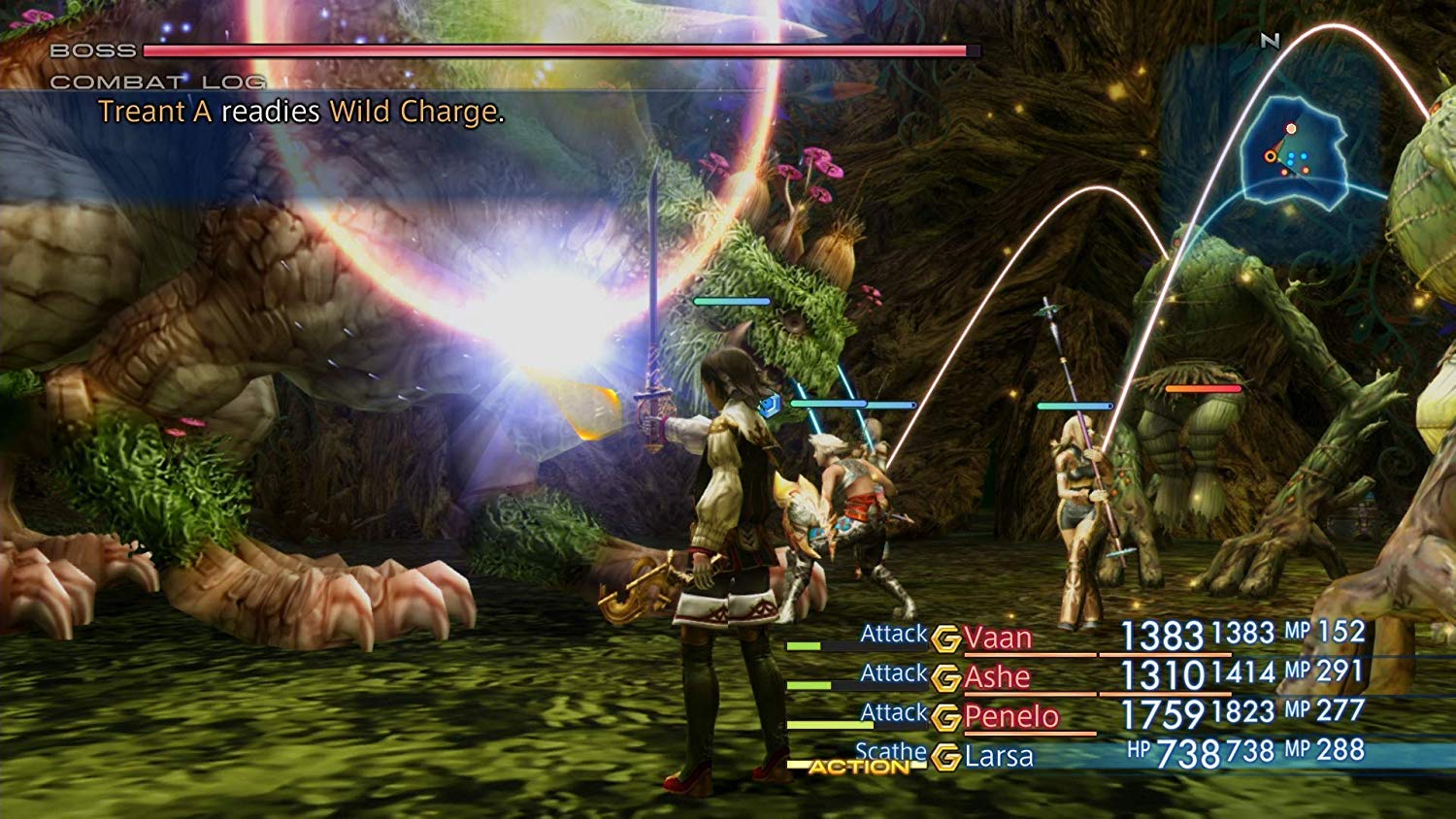
The game's combat system is dynamic, allowing for strategic planning and real-time execution. Below are examples of in-game battles and character interactions:


Antretyen
To ensure the longevity of your game and console, consider the following maintenance tips:
- Swen Kat Jwèt: Keep the game card clean and free from dust or debris. Avoid touching the gold connectors. Store it in its original case when not in use.
- Mizajou konsole: Regularly check for and install system software updates for your Nintendo Switch console. These updates often include performance improvements and bug fixes.
- Depo: Store the game case and console in a cool, dry place away from direct sunlight, extreme temperatures, and humidity.
Depanaj
If you encounter issues while playing, try these common solutions:
- Jwèt la pa kòmanse: Ensure the game card is fully inserted into the console. Try removing and reinserting it. Restart your Nintendo Switch console.
- Performance Issues (Lag/Freezing): Close other applications running on your Nintendo Switch. Ensure your system software is updated. If the issue persists, try restarting the console.
- Save Data Issues: Verify that there is sufficient storage space on your console or microSD card. Do not power off the console during saving.
- Kòd erè: If you receive an error code, note it down and refer to the official Nintendo Support website for specific solutions.
For further assistance, consult the Nintendo Switch electronic manual or visit the official Square Enix support websit.
Espesifikasyon
| Karakteristik | Detay |
|---|---|
| Modèl Konsole Jwèt Videyo Konpatib | Nintendo Switch, Nintendo Switch - Modèl OLED, Nintendo Switch 2, Nintendo Switch Lite |
| Dat lage | 30 avril 2019 |
| Lang | English (Japanese, French, German, Spanish, Simplified Chinese, Korean subtitles also available) |
| Nimewo Modèl Atik | SQEA25.UK.45ST |
| Pwa atik | 1.76 ons |
| Dimansyon pwodwi | 6.69 x 0.39 x 4.13 pous |
| Manifakti | Square Enix |
Garanti ak sipò
For information regarding product warranty, please refer to the official Square Enix website or the documentation included with your Nintendo Switch console. Technical support and frequently asked questions can also be found on the Square Enix support portal.
Official Support Resources:
- Square Enix Official Websit: www.square-enix.com
- Sipò Nintendo: www.nintendo.com/support