
1. Pwodwi souview
The Elecom M-FBL01DBXSBK is a 5-button wireless mouse designed for comfortable and quiet operation. It features a Blue LED sensor for versatile surface compatibility and a compact USB receiver.

Image 1.1: Elecom M-FBL01DBXSBK Wireless Mouse with its compact USB receiver.
2. Pake kontni
- Elecom M-FBL01DBXSBK Wireless Mouse
- USB Wireless Reseptè
- AA Alkaline Battery (for operation confirmation)
- Manyèl Itilizatè (dokiman sa a)
3. Enstriksyon Enstalasyon
3.1. Enstalasyon batri
- Jwenn kouvèti konpatiman batri a anba sourit la.
- Leve oswa glise kouvèti a pou ouvri konpatiman an.
- Insert one AA alkaline battery, ensuring the positive (+) and negative (-) terminals align correctly with the markings inside the compartment.
- Fèmen kouvèti lòj batri a byen.

Image 3.1: The underside of the mouse, indicating the battery compartment and power switch.
3.2. Konekte Reseptè USB a
- Remove the compact USB receiver from its storage slot on the underside of the mouse.
- Branche reseptè USB a nan yon pò USB-A ki disponib sou òdinatè w la.
- Odinatè w la ta dwe detekte epi enstale chofè ki nesesè yo otomatikman. Sa ka pran kèk segond.
3.3. Alimente sou sourit la
After installing the battery and connecting the receiver, locate the power switch on the underside of the mouse and slide it to the 'ON' position. The mouse is now ready for use.
3.4. OS Compatibility
The Elecom M-FBL01DBXSBK Wireless Mouse is compatible with:
- Windows 11, Windows 10, Windows RT8.1, Windows 8.1, Windows 7, Windows Vista
- macOS High Sierra 10.13 ak pita
Ensure your operating system is updated to the latest version and any service packs are installed for optimal performance.
4. Itilizasyon Sourit la
4.1. Fonksyon debaz yo
The mouse features five buttons and a scroll wheel:
- Bouton Goch: Prensipal fonksyon klike sou.
- Dwa bouton: Fonksyon klike segondè (meni kontèks).
- wou woulo liv: Dokiman defile ak web pages vertically. Can also be pressed for a middle-click function.
- Bouton Avant: Navige pi devan nan web navigatè oswa file eksploratè.
- Bouton tounen: Navige bak nan web navigatè oswa file eksploratè.

Image 4.1: The five buttons of the Elecom M-FBL01DBXSBK mouse, including the scroll wheel.
4.2. Quiet Click Feature
All five buttons incorporate a silent switch mechanism, significantly reducing clicking noise. This allows for quiet operation in various environments.

Image 4.2: The silent switch design minimizes operational noise.
4.3. Blue LED Sensor
The mouse is equipped with a Blue LED optical sensor, which provides accurate tracking on a variety of surfaces, including those with slight unevenness or dust. This enhances usability in diverse settings.

Image 4.3: The Blue LED sensor allows for comfortable use on various surfaces.
4.4. Wireless Koneksyon
The mouse utilizes a 2.4 GHz wireless band for stable communication. The effective radio distance is approximately 3 meters (9.8 feet) on magnetic surfaces (e.g., steel desks) and up to 10 meters (32.8 feet) on non-magnetic surfaces (e.g., wooden desks).
4.5. Endikatè batri
An integrated battery indicator light notifies you when the battery level is low, signaling that a replacement is needed.
4.6. Elecom Mouse Assistant Software
Button functions can be customized using the free downloadable Elecom Mouse Assistant software. This allows users to reassign functions to the mouse buttons for improved workflow efficiency.
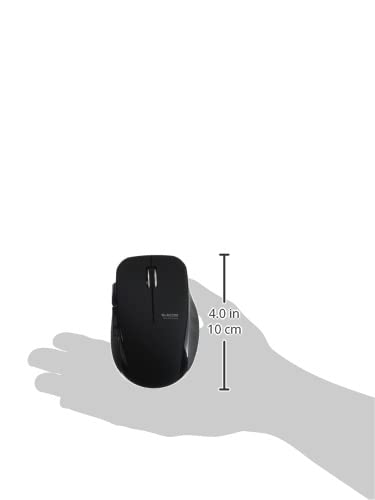
Image 4.4: The Elecom Mouse Assistant software enables button customization.
5. Antretyen
5.1. Ranplasman batri
When the battery indicator signals low power, replace the AA battery with a new AA alkaline, manganese, or NiMH battery. Follow the battery installation steps outlined in Section 3.1.
5.2. Netwayaj
To clean the mouse, gently wipe its surface with a soft, dry cloth. Avoid using harsh chemicals or abrasive materials, as these can damage the finish. Ensure no liquid enters the mouse.
5.3. Receiver Storage
The USB receiver can be stored inside the mouse body when not in use or during transport. This helps prevent loss of the receiver.
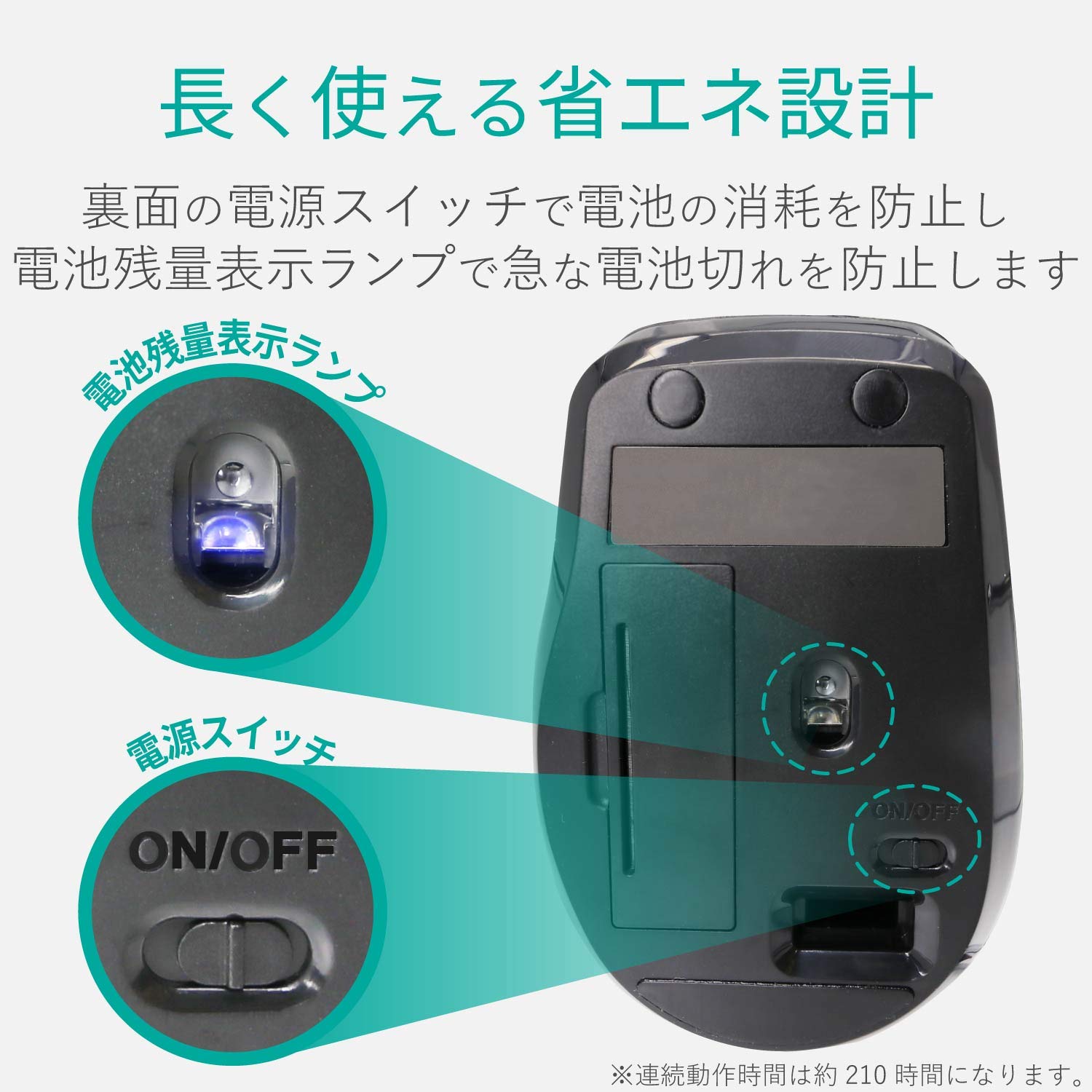
Image 5.1: The compact receiver can be stored within the mouse for convenience.
NAN. Depanaj
- Sourit la pa reponn:
- Check if the mouse is powered on (power switch on the underside).
- Asire w ke batri a byen enstale epi li pa fin dechaje. Ranplase l si sa nesesè.
- Verifye si reseptè USB a byen branche nan yon pò USB ki fonksyone sou òdinatè w la. Eseye yon lòt pò USB.
- Rekòmanse òdinatè w lan.
- Mouvman kurseur iregilye:
- Clean the optical sensor area on the underside of the mouse.
- Asire w ke w ap itilize sourit la sou yon sifas ki apwopriye. Evite sifas ki reflete anpil limyè oswa transparan.
- Check for interference from other wireless devices. Move the mouse closer to the receiver.
- Bouton yo pa fonksyone byen:
- If using Elecom Mouse Assistant, ensure button assignments are correct.
- Reinstall the Elecom Mouse Assistant software if issues persist.
7. Espesifikasyon
| Entèfas | USB |
| Fòm Connector | USB-A Gason |
| OS konpatib | Windows 11, 10, RT8.1, 8.1, 7, Vista; macOS High Sierra 10.13+ |
| Rezolisyon | 1600 konte |
| Metòd kominikasyon | Metòd GFSK |
| Radyo Frekans | 2.4GHz bann |
| Radio Distance | Magnetic objects: 3m (9.8 ft); Non-magnetic objects: 10m (32.8 ft) |
| Metòd lekti | Sistèm detèktè optik (LED ble) |
| Kantite bouton | 5 (including wheel button) |
| Kantite wou | 1 |
| Depo reseptè | Wi |
| Tan opere kontinyèl | Apeprè. 210 èdtan |
| Tan sibstiti | Approx. 1666 jou |
| Estimated Battery Usage Time | Approx. 478 jou |
| Alimantasyon (Inite Prensipal) | 1 AA alkaline, manganese, or NiMH battery |
| Rated Voltage (Body) | 1.5V |
| Koulè | Nwa |
| Pwa (Sourit) | Apeprè. 62g (san batri) |
| Dimansyon ekstèn (Reseptè) | 14.5 x 18.0 x 6.3 mm |
| Pwa (Reseptè) | Apeprè. 2g |
8. Garanti ak sipò
8.1. Peryòd garanti
Pwodwi sa a vini ak yon garanti 6 mwa apati dat yo te achte a.
8.2. Product Inquiries
For product inquiries or technical support, please contact the Elecom General Information Center:
- TEL: 0570-084-465
- FAKS: 0570-050-012
- Lè Resepsyon: 10:00 - 19:00 (24/7)