
1. Entwodiksyon
Mèsi pou acha aasing the SENCOR SSS 3200 Kids Bluetooth Speaker with Karaoke Microphone. This portable speaker is designed to provide entertainment with its Bluetooth connectivity, karaoke function, and vibrant LED lighting. Please read this manual carefully before using the product to ensure proper operation and to maximize its lifespan. Keep this manual for future reference.
2. Enstriksyon Sekirite
- Pa ekspoze aparèy la nan tanperati ekstrèm, limyè solèy dirèk, oswa imidite ki wo.
- Use only the supplied charger to recharge the product.
- Evite jete oswa soumèt oratè a nan gwo enpak.
- Pa demonte oswa eseye repare aparèy la tèt ou. Konfye tout antretyen bay pèsonèl kalifye.
- Keep the speaker away from water or other liquids to prevent electric shock.
- Asire w ke gen bon vantilasyon toutotou oratè a pandan w ap itilize li.
3. Pake kontni
Carefully unpack your SENCOR SSS 3200 Kids speaker and check that all items are present and in good condition. The package should include:
- SENCOR SSS 3200 Kids Bluetooth Speaker
- Mikwofòn branche
- 3.5mm Audio Cable (AUX cable)
- USB Chaje Kab
- Adaptè pouvwa
- braslè zepòl
- Manyèl Itilizatè (dokiman sa a)

Image 3.1: Included accessories for the SENCOR SSS 3200 Kids speaker, including the wired microphone, various cables, power adapter, and shoulder strap.
4. Pwodwi souview
4.1 Panèl devan

Imaj 4.1: Devan view of the SENCOR SSS 3200 Kids Bluetooth Speaker, showcasing the main speaker grille with LED backlighting and the SENCOR logo.
The front of the speaker features the main speaker grille, which is equipped with multi-color flashing LED backlighting for an enhanced visual experience. The SENCOR brand logo is prominently displayed.
4.2 Rear Panel and Controls

Image 4.2: Rear panel of the SENCOR SSS 3200 Kids Bluetooth Speaker, showing various input ports, control buttons, and adjustment knobs.
The rear panel houses all the essential controls and connectivity ports:
- MIC-IN: Yon jack 6.3mm pou konekte mikwofòn filaire la.
- GUITAR-IN: 6.3mm jack for connecting a guitar (if applicable).
- LINE IN EAR MIC: 3.5mm AUX input.
- Pò USB: Pou lekti sou yon kle USB.
- TF Kat plas: Pou lekti kat microSD.
- DC 9V: Antre pouvwa pou chaje.
- Pouvwa switch: Pou limen/etenn oratè a.
- Ekspozisyon: Digital display for mode and track information.
- Bouton kontwòl: Play/Pause, Skip tracks, Mode/Shift, Record/Delete.
- Bouton: VOLUME+, -TREBLE+, -ECHO+, -MIC VOL+ for audio adjustments.
- Endikatè batri: Montre estati batri a.
5. Enstalasyon
5.1 Chaje batri a
Before first use, fully charge the speaker's built-in rechargeable battery. Connect the supplied power adapter to the DC 9V input on the rear panel and plug it into a power outlet. The battery indicator will show charging status. A full charge typically takes 3-5 hours. Ensure the product is fully charged before initial operation to ensure proper functionality.
5.2 Konekte Mikwofòn nan
Insert the plug of the wired microphone into the MIC-IN jack on the rear panel of the speaker. Ensure the microphone's ON/OFF switch is in the 'ON' position when in use.
6. Operasyon Enstriksyon
6.1 Power On/Off
To turn the speaker ON, slide the Power switch on the rear panel to the 'ON' position. To turn it OFF, slide the switch to the 'OFF' position.
6.2 Bluetooth Pairing
- Limen oratè a. Li pral antre otomatikman nan mòd koneksyon Bluetooth, sa ap parèt ak yon ikòn Bluetooth k ap flache sou ekran an.
- Aktive Bluetooth sou telefòn entelijan ou, tablèt ou, oswa lòt aparèy konpatib.
- Chèche pou available Bluetooth devices and select "SSS 3200 Kids" from the list.
- Yon fwa li fin konekte, oratè a ap emèt yon son konfimasyon, epi ikòn Bluetooth la sou ekran an ap sispann flache.
- Kounye a ou kapab jwe odyo soti nan aparèy ou an atravè oratè a.
6.3 Lekti Kat USB/TF
Insert a USB flash drive or a TF (microSD) card into the respective port/slot on the rear panel. The speaker will automatically detect the storage device and begin playing audio files. Use the control buttons (Play/Pause, Skip tracks) to manage playback.
6.4 Antre AUX
Connect an external audio device (e.g., MP3 player, laptop) to the LINE IN EAR MIC (3.5mm AUX) port using the supplied 3.5mm audio cable. Press the 'MODE/SHIFT' button to switch to AUX input mode. Audio will then play from your connected device.
6.5 Karaoke Function and Recording
With the microphone connected to the MIC-IN port, you can sing along to music playing from any source (Bluetooth, USB, TF, AUX). Adjust the microphone volume using the 'MIC VOL+' knob and add echo effects with the '-ECHO+' knob. The speaker also supports recording your karaoke performance. Refer to the 'REC/DEL' button for recording and deleting functions.
6.6 mòd limyè ki ap dirije
The speaker features multi-color flashing LED backlighting. These lights automatically activate when the speaker is on, enhancing the party atmosphere. There may be a dedicated button or a combination of buttons to cycle through different light modes or turn them off, if available (refer to specific product documentation for details).
6.7 Ajisteman odyo
Use the 'VOLUME+' knob to adjust the overall speaker volume. The '-TREBLE+' knob allows you to fine-tune the treble levels for clearer sound. The '-ECHO+' and '-MIC VOL+' knobs are specifically for microphone effects and volume, respectively.
7. Antretyen
7.1 Netwayaj
Siye deyò oratè a avèk yon twal mou epi sèk. Pa sèvi ak pwodui netwayaj abrazif, sir, oswa solvan. Asire w ke pa gen likid ki antre nan ouvèti oratè a.
7.2 Depo
When not in use for extended periods, store the speaker in a cool, dry place, away from direct sunlight and extreme temperatures. It is recommended to fully charge the battery every few months to maintain its health.
NAN. Depanaj
- Pa gen pouvwa: Ensure the speaker is charged. Connect the power adapter and allow it to charge for a few hours. Check the power switch is in the 'ON' position.
- Pa gen son: Check the volume levels on both the speaker and the connected device. Ensure the correct input mode (Bluetooth, USB, AUX) is selected.
- Bluetooth pa konekte: Make sure the speaker is in pairing mode. Disable and re-enable Bluetooth on your device. Move your device closer to the speaker.
- Mikwofòn pa travay: Ensure the microphone is securely plugged into the MIC-IN jack and its ON/OFF switch is in the 'ON' position. Adjust the 'MIC VOL+' knob.
- Son defòme: Reduce the volume on both the speaker and the connected device. Ensure audio fileyo pa koripsyon.
9. Espesifikasyon
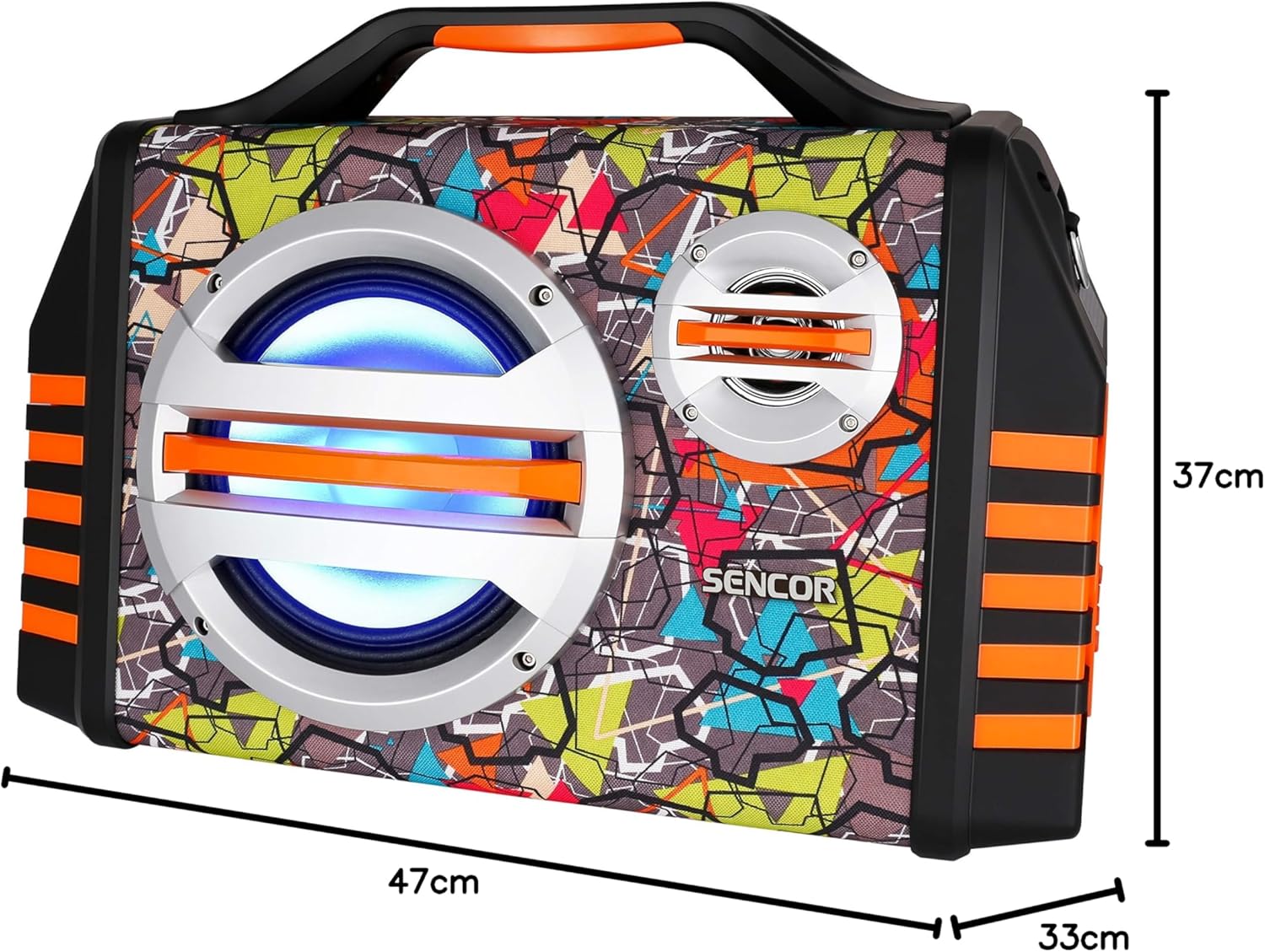
Image 9.1: Dimensions of the SENCOR SSS 3200 Kids Bluetooth Speaker, showing approximate measurements of 47cm (width), 37cm (height), and 33cm (depth).
| Karakteristik | Spesifikasyon |
|---|---|
| Mak | SENCOR |
| Nimewo Modèl | SSS3200KIDS |
| Koulè | Plizyè koulè |
| Koneksyon Teknoloji | Bluetooth |
| Pò Koneksyon | 3.5mm Jack, USB |
| Karakteristik espesyal | Integrated Microphone, Multi-color LED Backlight |
| Total pò USB | 1 |
| Enpedans | 4 Ohms |
| Aparèy konpatib | Laptop, Smartphone, Tablèt |
| Itilizasyon Rekòmande | Children's Entertainment, Music Activities |
| Sous pouvwa | Batri Powered |
| Kantite moun kap pale | 1 |
10. Garanti ak sipò
SENCOR products are designed and manufactured to the highest quality standards. For warranty information, please refer to the warranty card included with your purchase or contact your local SENCOR distributor. For technical support or service inquiries, please visit the official SENCOR websit oswa kontakte depatman sèvis kliyan yo.