
1. Entwodiksyon
This manual provides detailed instructions for the proper use and maintenance of your Edifier W820BT Bluetooth Headphones. Please read this manual thoroughly before using the product to ensure optimal performance and longevity.
2. Pake kontni
Verify that all items listed below are included in your package. If any items are missing or damaged, please contact Edifier customer support.
- Edifier W820BT Bluetooth Headphones
- Kab chaje (USB)
- Kab odyo (3.5mm)
- Manyèl Itilizatè (dokiman sa a)
3. Pwodwi souview
The Edifier W820BT headphones are designed for comfort and extended listening, featuring Bluetooth v4.1 connectivity and a long-lasting battery.
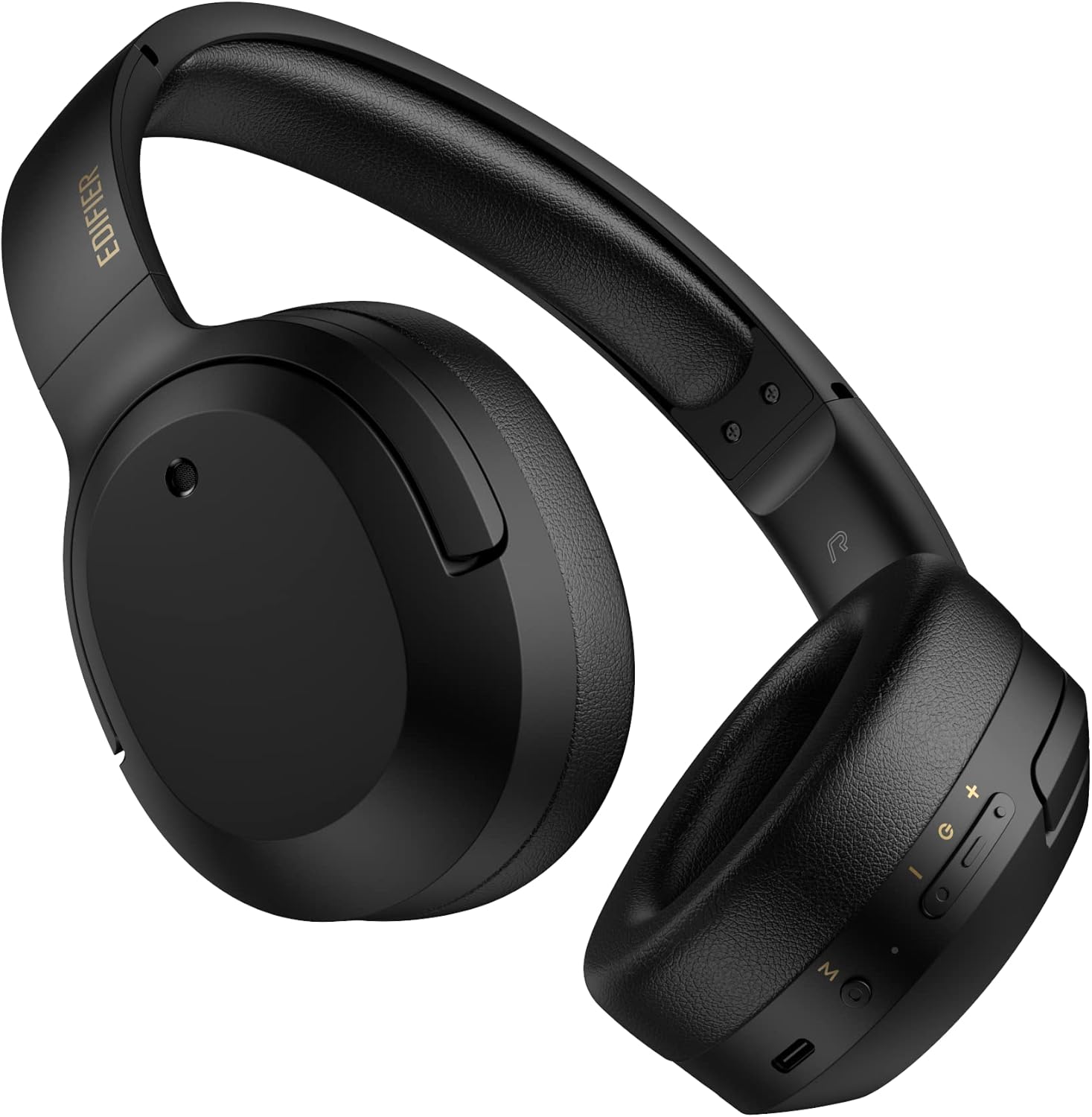
Figi 3.1: Devan view of the Edifier W820BT Bluetooth Headphones.

Figi 3.2: Side view of the Edifier W820BT Bluetooth Headphones, highlighting the control buttons.
Karakteristik kle:
- Bluetooth V4.1 with CSR Technology for stable wireless connection.
- Jiska 80 èdtan nan lavi batri.
- Foldable design for portability.
- Soft leather ear pads for comfort.
- Durable and flexible steel headband.
- On-ear controls for media playback and calls.
4. Enstalasyon
4.1 Chaje kas ekoutè yo
Anvan premye itilizasyon an, chaje kas ekoutè yo nèt.
- Connect the micro-USB end of the charging cable to the charging port on the headphone (located on the right earcup).
- Konekte bout USB-A kab chaje a nan yon adaptè kouran USB (pa enkli) oubyen nan yon pò USB òdinatè.
- The LED indicator will illuminate during charging and turn off once fully charged.
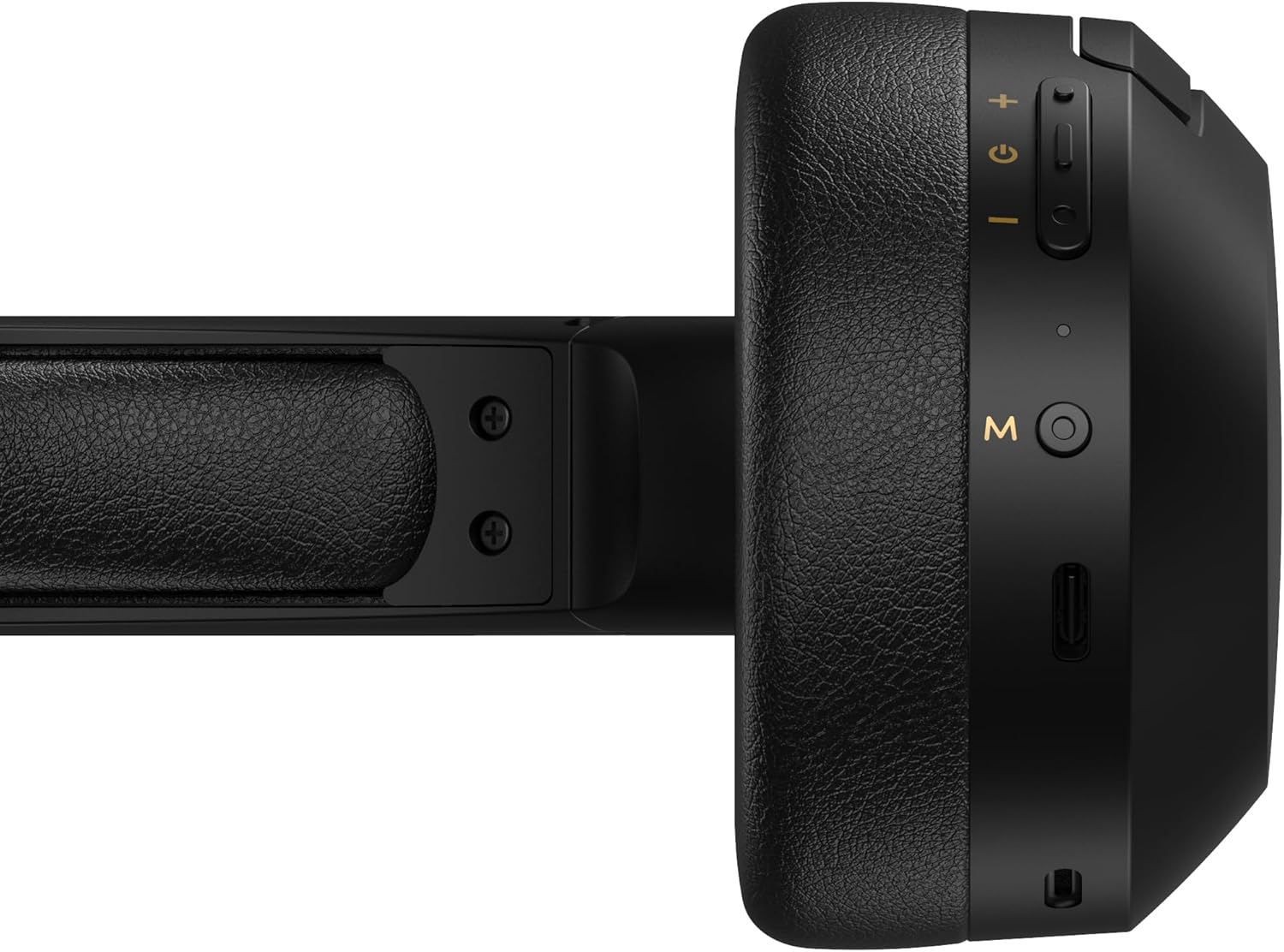
Figure 4.1: Close-up of the charging port and control buttons on the right earcup.
4.2 Limen/Etenyen
- Pou limen: Press and hold the multi-function button (usually marked with a power icon or 'M') for approximately 3 seconds until the LED indicator flashes blue.
- Pou etenn: Peze epi kenbe bouton milti-fonksyon an pou apeprè 5 segonn jiskaske endikatè LED la flache an wouj epi li etenn.
4.3 Bluetooth Pairing
Pou konekte kas ekoutè ou yo ak yon aparèy ki gen Bluetooth:
- Asire w ke kas ekoutè yo etenn.
- Press and hold the multi-function button for approximately 5-7 seconds until the LED indicator flashes red and blue alternately. This indicates pairing mode.
- Sou aparèy ou an (telefòn entelijan, tablèt, òdinatè), aktive Bluetooth epi chèche aparèy ki disponib yo.
- Select "EDIFIER W820BT" from the list of found devices.
- Yon fwa li konekte, endikatè LED la ap flache ble dousman.
Nòt: Kas ekoutè yo ap eseye otomatikman rekonekte ak dènye aparèy ki konekte a lè yo limen yo.
5. Operasyon Enstriksyon
5.1 On-Ear Controls
The control buttons are located on the right earcup.
| Bouton/Aksyon | Fonksyon |
|---|---|
| Multi-function Button (M) |
|
| Volim monte (+) |
|
| Volim Dawonn (-) |
|
5.2 Koneksyon branche
The W820BT headphones can also be used with a wired connection.
- Connect one end of the 3.5mm audio cable to the audio input jack on the left earcup of the headphones.
- Konekte lòt bout kab odyo 3.5mm lan nan priz pwodiksyon odyo aparèy ou an.
- Kas ekoutè a ap chanje otomatikman an mòd filaire. Fonksyonalite Bluetooth la ap enfim.

Figure 5.1: Connecting the 3.5mm audio cable for wired listening.
6. Antretyen
- Netwaye kas ekoutè yo ak yon twal mou epi sèk. Pa sèvi ak pwodui netwayaj abrazif oswa solvan.
- Evite ekspoze kas ekoutè yo nan tanperati ekstrèm, imidite, oswa limyè solèy dirèk.
- Sere kas ekoutè yo nan yon kote ki fre epi sèk lè w pa ap itilize yo. Design pliyab la pèmèt ou sere yo byen.
- Do not disassemble the headphones. This will void the warranty.
NAN. Depanaj
If you encounter issues with your Edifier W820BT headphones, refer to the following common problems and solutions:
| Pwoblèm | Solisyon |
|---|---|
| Pa ka limen | Ensure the headphones are charged. Connect to a power source using the charging cable. |
| Pa ka konekte via Bluetooth |
|
| Pa gen son |
|
| Move son kalite |
|
8. Espesifikasyon
| Karakteristik | Detay |
|---|---|
| Non modèl | W820BT |
| Koneksyon Teknoloji | San fil (Bluetooth), Filaire (3.5mm Jack) |
| Bluetooth vèsyon | 4.1 |
| Lavi batri | Jiska 80 èdtan |
| Fòm ekoutè | Sou Zòrèy |
| Materyèl | Steel (headband) |
| Pwa atik | 1.14 liv (apeprè 517g) |
| Dimansyon pwodwi | 9.25 x 7.64 x 3.41 pous |
| Manifakti | Edifier |
9. Garanti ak sipò
Edifier provides a yon ane garanti in the USA and Canada for the W820BT headphones. For warranty claims or technical support, please contact Edifier customer service.
For more information, visit the official Edifier websit la oubyen gade dokiman acha ou a.
10. Demonstrasyon Videyo
Watch the official product video for a visual guide on the Edifier W820BT Bluetooth Headphones' features and usage.
Videyo 10.1: Pwodui ofisyèl la finiview of the Edifier W820BT Bluetooth Headphones, demonstrating features like battery life, comfort, foldable design, and on-ear controls.