
Enfòmasyon enpòtan sou sekirite
Tanpri li tout enstriksyon yo ak anpil atansyon anvan ou asanble epi itilize li. Si ou pa swiv enstriksyon sa yo, ou ka blese oswa domaje pwodwi a.
- Asire w tout konpozan yo prezan epi yo pa domaje anvan asanblaj la.
- Do not exceed the maximum weight capacity of 10 lbs (4.5 kg) on the work platform.
- Keep hands and clothing clear of moving parts during height adjustment.
- Only use the provided power adapter and connect to a grounded AC outlet.
- Do not allow children to operate the desk converter without adult supervision.
- Avoid placing liquids directly on the work platform to prevent damage to electronic components.
Pwodwi souview
The Safco Soar Electric Sit/Stand Desk Converter (Model 2191WH) is designed to transform a traditional desk into an adjustable sit-stand workstation. It features motorized height adjustment, programmable presets, and integrated power outlets for convenience.
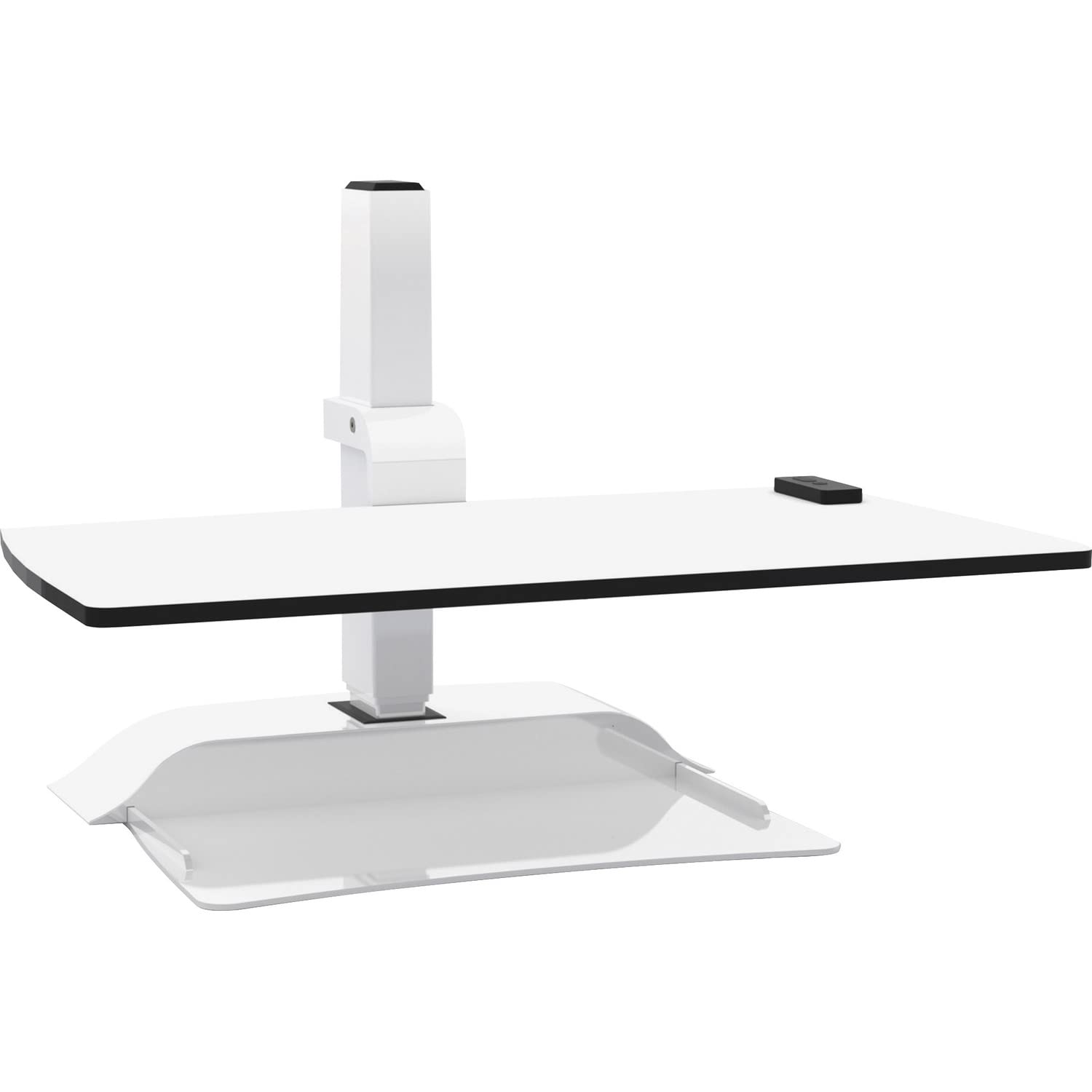
Figure 1: Safco Soar Electric Sit/Stand Desk Converter (Model 2191WH)
Karakteristik kle:
- Ajisteman Wotè elektrik: Smooth, motorized movement with a 17.5-inch (44.45 cm) vertical adjustment range.
- Prereglaj Pwogramasyon: Store up to three custom height settings for quick recall.
- Mayetik kontwòl remote: Handheld remote for easy height adjustment and preset selection, attaches to the base for storage.
- Pouvwa entegre: Two grounded AC outlets and two USB ports located on the back of the base for powering devices.
- Konstriksyon solid: Laminate work platform and powder-coated steel base support up to 10 lbs (4.5 kg).
Enstalasyon ak Asanble
The Safco Soar Electric Sit/Stand Desk Converter requires some assembly. Please follow these general steps:
- Depake konpozan: Carefully remove all parts from the packaging and place them on a clean, flat surface. Verify all components are present according to the packing list (not provided in this manual, refer to product packaging).
- Assemble Base and Platform: Follow the specific assembly instructions provided with your product to attach the work platform to the electric base. Ensure all fasteners are securely tightened.
- Position on Desk: Place the assembled desk converter on a stable, level desk surface. Ensure there is adequate space for the unit to extend to its maximum height without obstruction.
- Konekte pouvwa: Plug the power cord from the desk converter into a grounded AC outlet.
- Attach Remote Control: The remote control is magnetic and can be attached to the metal base of the converter for convenient access.
Note: Specific assembly steps and diagrams are typically included in the physical product manual.
Operasyon
Ajiste Wotè:
The Safco Soar Electric Sit/Stand Desk Converter is operated using the magnetic remote control.
- Raise Platform: Peze epi kenbe la UP button on the remote control. The platform will move upwards. Release the button at your desired height.
- Lower Platform: Peze epi kenbe la DESANN button on the remote control. The platform will move downwards. Release the button at your desired height.
The platform has a vertical adjustment range of 17.5 inches (44.45 cm), from a minimum height of 1.25 inches (3.18 cm) to a maximum height of 18.75 inches (47.63 cm) above the desk surface.
Programming Custom Heights (Presets):
You can program up to three custom height settings for quick access.
- Adjust the desk converter to your desired height using the UP/DOWN buttons.
- Press and hold one of the preset buttons (e.g., 1, 2, oswa 3) until you hear a beep or see an indicator light flash, confirming the height has been saved.
- To recall a saved height, simply press the corresponding preset button once. The desk converter will automatically move to the programmed height.
Using Integrated Power Ports:
The back of the converter's base includes two grounded AC outlets and two USB ports.
- Use the AC outlets to power monitors, laptops, or other office equipment.
- Sèvi ak pò USB yo pou chaje telefòn entelijan, tablèt, oswa lòt aparèy ki mache ak USB.
Ensure that the total power draw of all connected devices does not exceed the converter's specified electrical limits (refer to product label for details).
Antretyen
Regular maintenance helps ensure the longevity and proper function of your desk converter.
- Netwayaj: Siye sifas yo ak yon mou, damp cloth. Avoid abrasive cleaners or solvents that may damage the finish. Ensure the unit is unplugged before cleaning.
- Enspeksyon: Tcheke tout koneksyon ak eleman koneksyon yo detanzantan pou asire yo byen fèm.
- Jesyon kab: Ensure power cords and device cables are routed safely and do not interfere with the movement of the desk converter.
Depanaj
If you encounter issues with your Safco Soar Electric Sit/Stand Desk Converter, try the following steps:
- Unit does not move:
- Check if the power cord is securely plugged into a grounded AC outlet and the converter.
- Asire w pa gen okenn obstak ki anpeche w deplase.
- Kontwòl remote la pa reponn:
- Ensure the remote is properly connected (if wired) or within range (if wireless, though this model uses a wired magnetic remote).
- Check for any damage to the remote control or its cable.
- Devices not charging/powering via integrated ports:
- Verify the desk converter is powered on.
- Check if the devices are properly connected to the AC outlets or USB ports.
- Ensure the total power draw does not exceed the converter's limits.
If the problem persists, please contact Safco customer support for assistance.
Espesifikasyon
| Nimewo Modèl | 2191WH |
| Mak | Safco |
| Overall Dimensions (Lowest) | 27.75" lajè x 22" pwofondè x 18.5" wotè (70.5 cm lajè x 55.9 cm pwofondè x 47 cm wotè) |
| Overall Dimensions (Highest) | 27.75" lajè x 22" pwofondè x 36" wotè (70.5 cm lajè x 55.9 cm pwofondè x 91.4 cm wotè) |
| Platform Height Range | 1.25" - 18.75" (3.18 cm - 47.63 cm) above desk surface |
| Vertical Adjustment Range | 17.5 pous (44.45 santimèt) |
| Kapasite maksimòm pwa | 10 liv (4.5 kg) |
| Pwa pwodwi | 40.6 liv (18.4 kg) |
| Materyèl | Alloy Steel, Laminate |
| Koulè | Blan |
| Karakteristik espesyal | Electric, Programmable Presets, Integrated AC/USB Ports |
| Asanble obligatwa | Wi |
Garanti ak sipò
For warranty information, product support, or to purchase replacement parts, please contact Safco Products customer service. Refer to the official Safco website or your product packaging for the most current contact details and warranty terms.
Manifakti: Safco Products
Kote Biznis: NEW HOPE, MN, 55428 US