
Entwodiksyon
Thank you for choosing the AGPTEK M16SB 16GB Bluetooth MP3 Player. This manual provides detailed instructions for setting up, operating, and maintaining your device. Please read it carefully to ensure proper use and to maximize your listening experience.
Pwodwi souview
Familiarize yourself with the device's components and controls.

Imaj: Devan ak bò view of the AGPTEK M16SB MP3 player with numbered labels indicating each button and port function.
Definisyon bouton:
- Retounen: Navigates back to the previous menu.
- Bluetooth/FM Radio: Short press for Bluetooth, long press for FM Radio.
- Submenu/Screen-lock: Accesses submenus or locks/unlocks the screen.
- Deplase anlè: Navigates up in menus.
- Previous/Fast rewind: Skips to the previous track or fast rewinds during playback.
- Deplase desann: Navigates down in menus.
- Next/Fast forward: Skips to the next track or fast forwards during playback.
- Enter/Play/Pause: Confirms selection or plays/pauses media.
- Volim +: Ogmante volim.
- Volim -: Diminye volim.
- Power on/off; Screen on/off: Powers the device on/off or turns the screen on/off.
Ports and Features:
- Card slot (TF): For Micro SD card expansion up to 128GB.
- Ekouteur Jack: 3.5mm audio output for wired headphones.
- Mikwo USB pò: Pou chaje ak transfè done.
- Oratè entegre: Pou lekti odyo san kas ekoutè.
- Mikwofòn (MIC): Pou anrejistreman vwa.
Enstalasyon
1. Chaje Aparèy la
Before first use, fully charge the MP3 player. A full charge takes approximately 2 hours using a 5V/500mA charger or a computer USB port.

Imaj: A person relaxing while listening to the MP3 player, with text indicating "2 HOURS for full charge" and "28-30 hours playtime".
- Connect the Micro USB cable to the player's Micro USB port and the other end to a USB power source.
- Endikatè batri a sou ekran an ap montre eta chaj la.
- Once fully charged, the device offers up to 28 hours of music playback (screen off, medium volume) or 5 hours via Bluetooth headphones.
2. Power On/Off
- Pou pouvwa sou, peze epi kenbe la Bouton pouvwa (11) jiskaske ekran an limen.
- Pou koupe pouvwa a, peze epi kenbe Bouton pouvwa (11) jiskaske aparèy la fèmen.
- Yon kout laprès nan Bouton pouvwa (11) will turn the screen on or off.
3. Mete yon Kat Mikwo SD
The device has 16GB of internal memory and supports external Micro SD cards up to 128GB (not included).

Imaj: Yon detaye view of the MP3 player's side, highlighting the TF card slot with a Micro SD card partially inserted, indicating 16GB internal memory and support for up to 128GB external storage.
- Jwenn la Card slot (TF) (12) on the side of the player.
- Dousman mete kat Micro SD nan plas la jiskaske li klike an plas.
- Pou retire kat la, pouse kat la yon ti kras jouktan li soti.
Enstriksyon Operasyon
1. Navigasyon debaz
- Sèvi ak la Move up (4) epi Move down (6) buttons to navigate through menus.
- Peze a Enter/Play/Pause button (8) pou chwazi yon opsyon.
- Peze a Return button (1) pou tounen nan ekran anvan an.
- Ajiste volim lè l sèvi avèk la Volume + (9) epi Volume - (10) bouton sou bò a.
2. Mizik lèktur
The player supports MP3, WMA, OGG, APE, FLAC, WAV, AAC-LC, and ACELP audio formats.

Imaj: A person holding the AGPTEK MP3 player, displaying the music playback interface with track information and a Bluetooth connection indicator.
- Nan meni prensipal la, chwazi "Mizik".
- Browse by Artist, Album, Songs, Playlists, or Folder.
- Peze Enter/Play/Pause (8) pou kòmanse oswa pran yon poz nan lekti a.
- Sèvi ak Previous/Fast rewind (5) epi Next/Fast forward (7) to change tracks or fast forward/rewind.
- Access submenus (e.g., Equalizer, Repeat Mode) by pressing the Submenu button (3) pandan lekti.
3. Pè Bluetooth
Connect your MP3 player to Bluetooth headphones or speakers for wireless audio.

Imaj: An illustration demonstrating three audio output options for the MP3 player: wired headphones for private listening, the built-in speaker for sharing, and a Bluetooth speaker for party settings.
- Nan meni prensipal la, chwazi "Bluetooth".
- Altènativman, peze kout la Bluetooth/FM Radio button (2) to quickly enable Bluetooth.
- Ensure your Bluetooth device (headphones/speaker) is in pairing mode.
- The player will scan for available devices. Select your device from the list to pair.
- The player supports automatic reconnection to previously paired devices.
4. FM Radyo
Listen to FM radio stations. Wired headphones must be connected as they act as the antenna.
- Connect wired headphones to the Earphone jack (13).
- Nan meni prensipal la, chwazi "Radyo FM".
- Alternatively, long press the Bluetooth/FM Radio button (2) to quickly enter FM Radio mode.
- Use the navigation buttons to scan for stations or select from presets.
- The radio function allows saving up to 30 preset stations and supports FM recording.
5. Lòt Fonksyon
- Anrejistrè vwa: Select "Record" from the main menu to use the built-in microphone for voice recording.
- E-liv: Read TXT format e-books by selecting "E-book".
- Videyo: Play AMV format videos by selecting "Video".
- Imaj Viewer: Browse JPG, GIF, and BMP images by selecting "Pictures".
- Anviwònman: Access various device settings, including equalizer, volume limit, display brightness, and timed shutdown.
Antretyen
1. Mizajou Firmware
Free firmware updates are available to improve device performance and add new features.
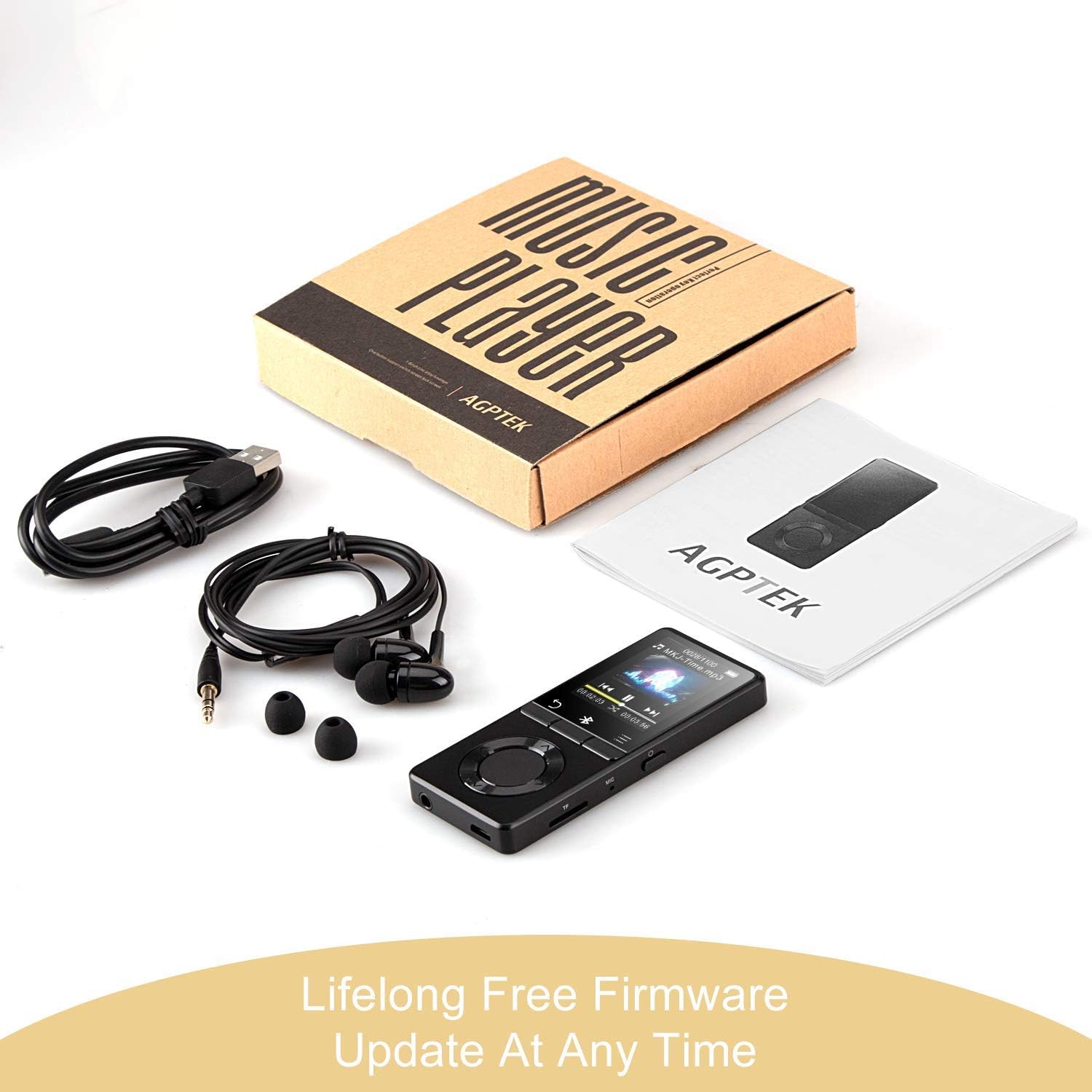
Imaj: The AGPTEK MP3 player, its packaging, and included accessories (earphones, USB cable), emphasizing the availability of lifelong free firmware updates.
- Visit the official AGPTEK websit la pou dènye firmwèr la ak enstriksyon yo.
- Follow the provided instructions carefully to update your device.
2. Netwayaj
- Use a soft, dry cloth to clean the device's exterior.
- Evite itilize pwodui netwayaj likid oswa materyèl abrazif.
Depanaj
- Aparèy pa limen: Asire w batri a chaje. Konekte l nan yon plato epi eseye ankò.
- Pa gen son: Check volume levels. Ensure headphones are properly connected or Bluetooth device is paired and connected. If using the built-in speaker, ensure it is enabled in settings.
- Pwoblèm koneksyon Bluetooth: Ensure the Bluetooth device is in pairing mode and within range. Disconnect the MP3 player from other Bluetooth devices if it was previously paired elsewhere.
- Filemwen pa jwe: Verify that the audio/video file format is supported (MP3, WMA, OGG, APE, FLAC, WAV, AAC-LC, ACELP for audio; AMV for video).
- Aparèy la pa reponn: Press and hold the Power button for 10-15 seconds to force a reset.
- Micro SD card not detected: Ensure the card is inserted correctly. Try reinserting or using a different card to rule out card issues.
- Issues during PC sync: Avoid altering files directly in the player's window while synced. Make changes on the PC, then re-upload. If the player crashes, perform a long press on the power button to reset.
Espesifikasyon
| Mak | AGPTEK |
| Non modèl | AGPTEK 16GB Bluetooth 4.0 MP3 Player with Touch Buttons |
| Nimewo Modèl | M16SB-EU |
| Koneksyon Teknoloji | Bluetooth |
| Kapasite Depo memwa | 16 GB (expandable up to 128 GB with Micro SD card) |
| Koulè | Nwa |
| Gwosè ekran | 1.8 pous |
| Aparèy konpatib | Headphones, Personal Computer |
| Kalite Medya | MP3 |
| Nòm Odyo Sipòte yo | AAC, ACELP, APE, FLAC, MP3, OGG, WAV, WMA |
| Sipòte Estanda Videyo | AMV |
| Supported Image Standards | JPG, GIF, BMP |
| Dire Batri (Lèktur Mizik) | Up to 28 hours (screen off, medium volume) |
| Battery Life (Bluetooth Playback) | Jiska 5 èdtan |
| Tan pou chaje | Apeprè. 2 èdtan |
Garanti ak sipò
AGPTEK is committed to providing reliable and high-quality products. While specific warranty details are not provided in this manual, AGPTEK offers free firmware updates and customer support.
- For any product issues or inquiries, please contact AGPTEK customer service.
- Refer to the official AGPTEK website for support contact information and the latest firmware updates.