
1. Entwodiksyon
The Gembird EG-SST-01 is an external DVD±RW drive designed for convenient reading and writing of CD and DVD media. This device connects to your computer via a USB 2.0 interface, offering broad compatibility with various Windows operating systems. Its compact and lightweight design makes it an ideal portable solution for laptops and desktop computers without an integrated optical drive.
This manual provides essential information on setting up, operating, maintaining, and troubleshooting your Gembird EG-SST-01 drive to ensure optimal performance and longevity.
2. Pake kontni
Tanpri verifye ke tout atik yo prezan nan pakè a:
- Gembird EG-SST-01 External DVD±RW Drive (Black)
- USB Koneksyon Kab
- Manyèl itilizatè
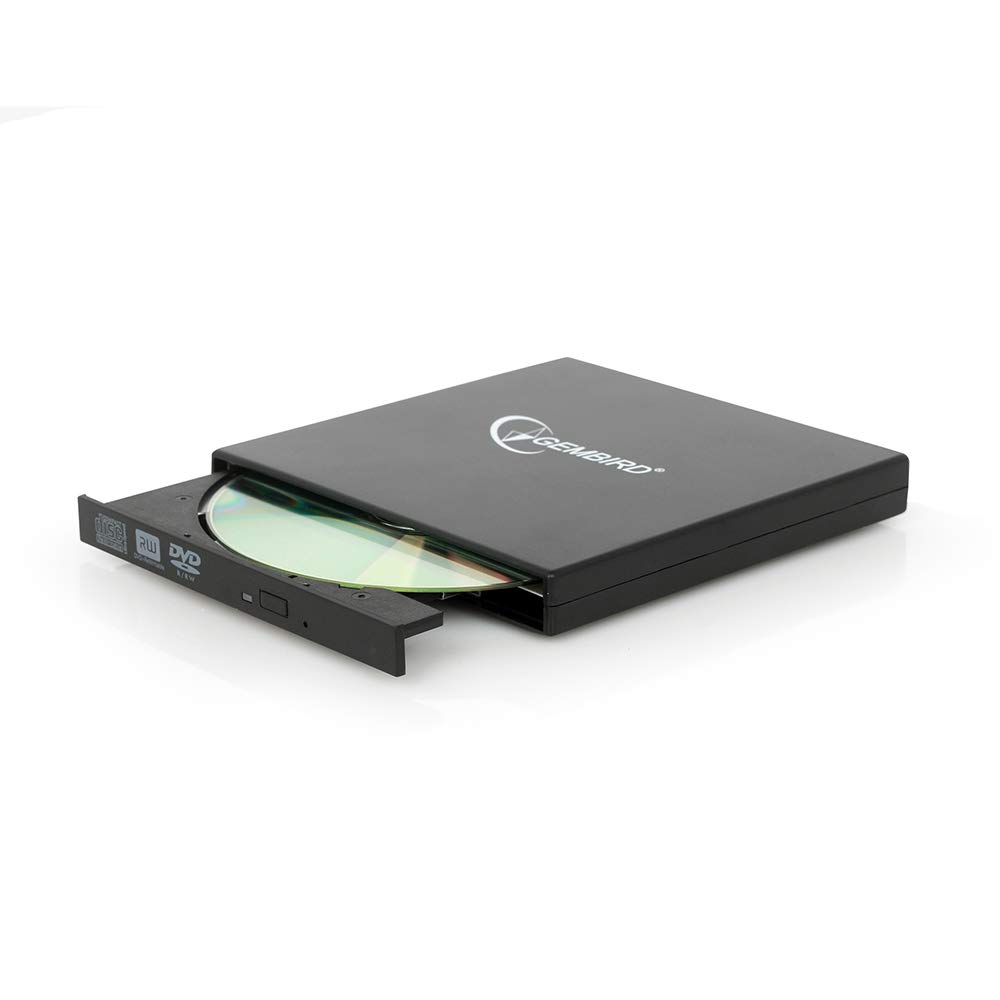
Image: The Gembird EG-SST-01 External DVD±RW Drive in black, shown with its USB connection cable. This image illustrates the compact design and the included accessories.
3. Enstriksyon Enstalasyon
- Konekte kondwi a: Plug the USB cable into the Gembird EG-SST-01 drive and then connect the other end to an available USB 2.0 port on your computer. For optimal performance, use a direct USB port on your computer rather than a USB hub.
- Rekonesans Sistèm: Your operating system (Windows 7, Windows 8, or Windows 10) should automatically detect and install the necessary drivers for the drive. No manual driver installation is typically required.
- Verifye enstalasyon: Once connected, the drive should appear in 'This PC' or 'My Computer' as a new optical drive. If it does not appear, try connecting to a different USB port or restarting your computer.
4. Operasyon Enstriksyon
4.1. Loading a Disc
- Gently press the eject button on the front of the drive to open the disc tray.
- Place the CD or DVD onto the tray with the label side facing up. Ensure the disc is seated correctly on the spindle.
- Dousman pouse plato a tounen nan lektè a jiskaske li fème ak yon klik.
4.2. Reading Discs
- After loading a disc, your computer's operating system may automatically prompt you to choose an action (e.g., play a movie, open files, install software).
- If no prompt appears, navigate to 'This PC' or 'My Computer', locate the optical drive icon, and double-click it to browse the disc's contents.
- The drive supports CD read speeds of up to 24x and DVD read speeds of up to 8x (DVD-ROM).
4.3. Writing Discs
- To write data to a blank CD-R/RW or DVD±R/RW/RAM disc, you will need compatible burning software (not included).
- Insert a blank, writable disc into the drive.
- Follow the instructions provided by your chosen burning software to select files, configure burning options, and start the writing process.
- The drive supports CD-R/RW write speeds of up to 24x and DVD±R/RW write speeds of up to 8x (5x for DVD-R DL, DVD+R DL, and DVD-RAM).
5. Antretyen
- Netwayaj: Use a soft, dry, lint-free cloth to clean the exterior of the drive. Do not use liquid cleaners or solvents. Avoid opening the drive casing.
- Swen Disk: Always handle discs by their edges. Keep discs clean and free from scratches, dust, and fingerprints to ensure reliable reading and writing.
- Depo: Store the drive in a cool, dry place away from direct sunlight, extreme temperatures, and high humidity when not in use.
- Transpò: When transporting the drive, ensure no disc is inside the tray and the tray is fully closed.
NAN. Depanaj
- Kondwi pa rekonèt:
- Asire w kab USB a byen konekte ak tou de kondwi a ak òdinatè a.
- Eseye konekte disk la nan yon lòt pò USB sou òdinatè w la.
- Rekòmanse òdinatè w lan.
- Check Device Manager (Windows) to see if the drive is listed without errors.
- Disc Not Reading/Writing:
- Ensure the disc is clean and free from scratches or damage.
- Verify that the disc type (CD-R, DVD-RW, etc.) is compatible with the drive and the operation you are attempting.
- For writing, ensure you are using a blank, writable disc and appropriate burning software.
- Eseye yon lòt disk pou w ka pa gen pwoblèm ak disk la.
- Pèfòmans Ralanti:
- Ensure the drive is connected to a USB 2.0 port or higher for optimal data transfer speeds.
- Fèmen tout aplikasyon ki pa nesesè k ap fonksyone nan background nan ki ta ka konsome resous sistèm nan.
7. Espesifikasyon
| Karakteristik | Spesifikasyon |
|---|---|
| Nimewo Modèl | EG-SST-01 |
| Kalite pwodwi | External DVD±RW Drive |
| Entèfas | USB 2.0 |
| Disc Loading Type | Plato |
| Koulè | Nwa |
| Dimansyon (L x W x H) | 135 mm x 130 mm x 17 mm |
| Pwa | 290 g |
| Sipòte sistèm operasyon yo | Windows 10, Windows 7, Windows 8 |
| CD Write Speed | 24x (CD-R, CD-RW) |
| DVD Write Speed | 8x (DVD+R, DVD-R, DVD+RW, DVD-RW), 5x (DVD-R DL, DVD+R DL, DVD-RAM) |
| CD Read Speed | 24x (CD, CD-R, CD-RW, CD-ROM) |
| DVD Read Speed | 8x (DVD+R, DVD-R, DVD-RW, DVD+RW, DVD-ROM), 6x (DVD-RAM), 4x (Video DVD) |
| Optical Disc Diameter | 80 mm, 120 mm |
| Sètifikasyon | ISO 9002, CE, RoHS |
8. Garanti ak sipò
The Gembird EG-SST-01 External DVD±RW Drive comes with a de ane garanti against factory defects. This warranty covers manufacturing faults and material defects under normal use conditions.
Pou sipò teknik, reklamasyon garanti, oswa plis asistans, tanpri kontakte revandè ou a oswa vizite sit ofisyèl Gembird la. website for contact information. Please have your product model number (EG-SST-01) and proof of purchase ready when seeking support.