
Enfòmasyon enpòtan sou sekirite
Please read and understand all instructions before installing and operating this product. Failure to follow these instructions may result in electric shock, fire, or other hazards that could cause injury or property damage.
- Asire w ke sifas enstalasyon an solid epi li ka sipòte pwa aparèy la.
- Pa melanje ansyen ak nouvo pil. Pa melanje pil alkalin, estanda (kabòn-zenk), oswa rechargeable (nikèl-kadmyòm).
- Jete pil yo byen selon règleman lokal yo.
- This product is designed for outdoor use. Ensure all seals and covers are properly secured to maintain water resistance.
- Pa gade dirèkteman nan sous limyè LED la lè li limen.
- Kenbe soti nan atenn timoun yo.
Kontni pake
Verifye ke tout konpozan yo prezan anvan ou kòmanse enstalasyon an.
- 1x Link2Home EM-BL268B Dual-Head Sensor Floodlight
- Materyèl pou monte (vis, lank miray)
- Batteries (as specified)
- Manyèl Enstriksyon

Imaj: Devan view of the Link2Home EM-BL268B Dual-Head Sensor Floodlight, showing the two adjustable light heads and the motion sensor below.
Karakteristik pwodwi
The Link2Home EM-BL268B floodlight offers advanced features for reliable outdoor security lighting.
- 330 Lumen LED Output: Provides bright illumination for security and visibility.
- Batri opere: Cordless design for flexible installation without wiring.
- Adjustable Dual-Heads: Two light heads can be independently adjusted to cover desired areas.
- 140° Motion Sensor: Detekte mouvman jiska 40 pye distans.
- Photocell Technology: Ensures the light only activates in low-light conditions to conserve battery life.
- Rezistan dlo: Ki fèt pou itilizasyon deyò nan divès kondisyon metewolojik.
- Adjustable Run Time: Light duration can be set from 3 seconds to 7 minutes after motion detection.
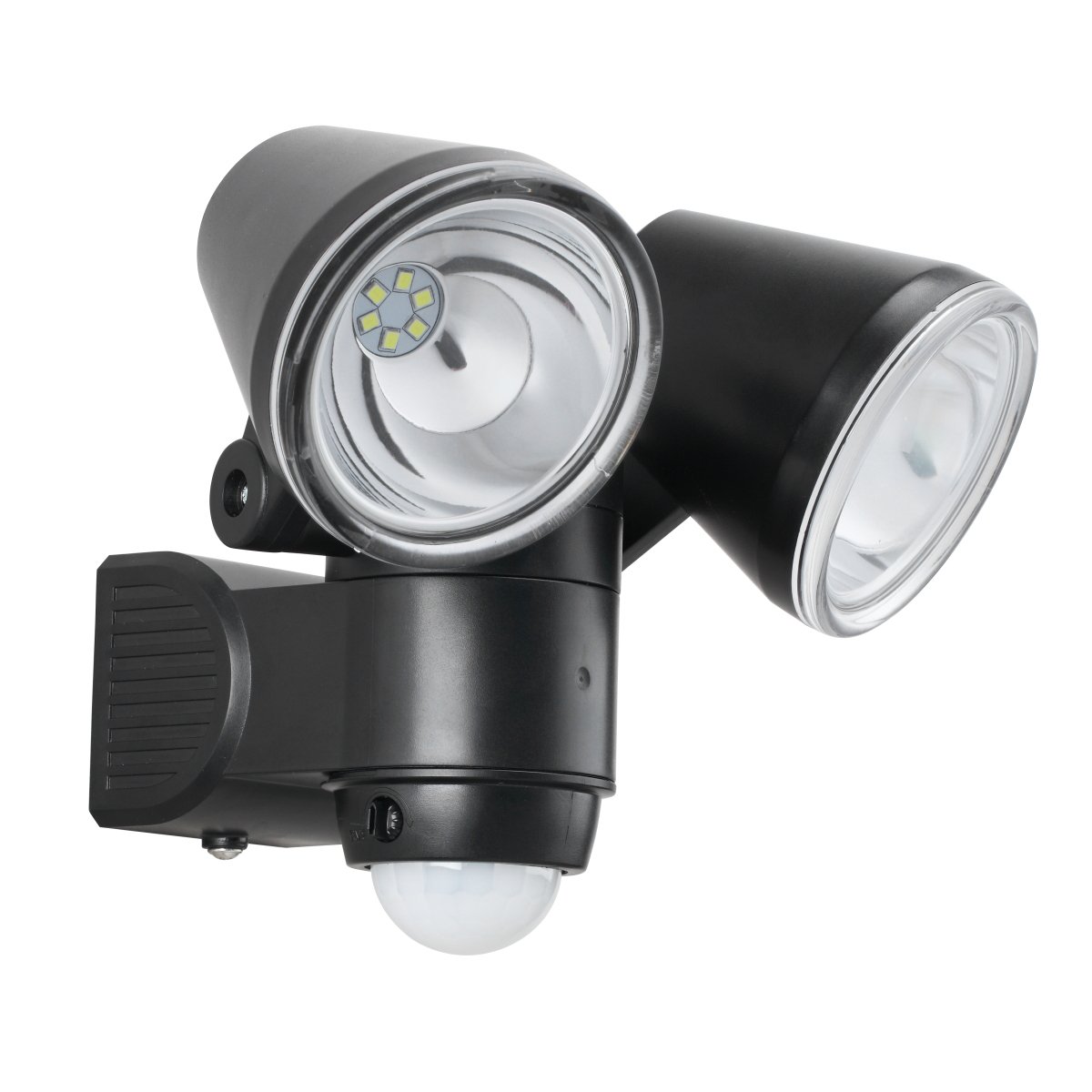
Image: The Link2Home EM-BL268B floodlight with icons highlighting its key features: 140° motion sensor (max 40 ft), 330 lumens, water resistance, 2 lux light sensitivity, and adjustable run time (3s-7mins).
Enstalasyon ak Enstalasyon
1. Enstalasyon batri
- Locate the battery compartment on the back or bottom of the floodlight unit.
- Louvri kouvèti lòj la.
- Insert the required batteries (typically 4x D-cell, refer to product packaging for exact type) ensuring correct polarity (+/-).
- Securely close the battery compartment cover to maintain water resistance.
2. Monte Floodlight la
The floodlight is designed for flush mount installation on a wall or other flat surface.
- Choose a suitable mounting location that provides the desired coverage and is within the motion sensor's range. Ensure the surface is stable.
- Use the mounting bracket (if separate) or the base of the unit as a template to mark the drill holes on the wall.
- Drill pilot holes at the marked locations. Insert wall anchors if mounting into drywall or masonry.
- Align the floodlight with the holes and secure it using the provided screws. Do not overtighten.

Imaj: Bò kote view of the Link2Home EM-BL268B floodlight, illustrating the mounting base and the adjustable light heads.
3. Adjusting Light Heads and Sensor
Once mounted, adjust the light heads and sensor for optimal performance.
- Light Heads: Manually pivot each light head up, down, and sideways to direct the light beam to your desired area.
- Capteur Mouvman: The motion sensor is typically located at the bottom of the unit. It can often be tilted or rotated to adjust its detection angle.
- Settings Dials: Look for small dials on the sensor unit. These typically control:
- TAN: Adjusts how long the light stays on after motion is detected (e.g., 3 seconds to 7 minutes).
- LUX/DAYLIGHT: Adjusts the ambient light level at which the sensor becomes active. Set to a lower LUX for activation only in darker conditions, or higher for activation in brighter conditions.
- SENSITIVITY/RANGE: Adjusts the detection range of the motion sensor (up to 40 feet).

Image: The Link2Home EM-BL268B floodlight from an angle, highlighting the adjustable light heads and the motion sensor with its control dials.
Enstriksyon Operasyon
The Link2Home EM-BL268B floodlight operates automatically based on its sensor settings.
- Aktivasyon otomatik: Once batteries are installed and settings are configured, the floodlight will automatically turn on when motion is detected within its range, provided the ambient light level is below the set LUX threshold.
- Dire: The light will remain on for the duration set by the TIME dial. If motion is continuously detected, the light will reset its timer and stay on until no motion is detected for the set period.
- Fonksyon Photocell: The integrated photocell prevents the light from activating during daylight hours, conserving battery power. The light will only become active when the surrounding light level drops sufficiently (as determined by the LUX setting).

Image: The Link2Home EM-BL268B floodlight mounted on a brick wall during the day, demonstrating its inactive state due to sufficient ambient light.

Image: The Link2Home EM-BL268B floodlight mounted on a brick wall at night, showing its bright illumination when activated by motion in low-light conditions.
Antretyen
- Ranplasman batri: When the light output becomes dim or the unit stops activating, it is time to replace the batteries. Follow the battery installation steps in the Setup section. Always replace all batteries at once with new ones of the same type.
- Netwayaj: Periodically wipe the light fixture and sensor lens with a soft, damp cloth to remove dirt, dust, or debris. Do not use abrasive cleaners or solvents. Ensure the sensor lens is clear for optimal detection.
- Enspeksyon: Regularly check the mounting screws and the fixture for any signs of wear or damage.
Depanaj
| Pwoblèm | Kòz posib | Solisyon |
|---|---|---|
| Limyè pa limen. |
|
|
| Limyè rete limen kontinyèlman. |
|
|
| Limyè limen pandan jounen an. |
|
|
| Detection range is poor. |
|
|
Espesifikasyon
- Modèl: EM-BL268B
- Mak: Link2Home
- Sous limyè: dirije
- Sorti Lumen: 330 Lumen
- Sous pouvwa: Battery Powered (e.g., 4x D-cell, 6 Volts total)
- Wattage: 1.5 Watts
- Ang Deteksyon Capteur Mouvman: 140°
- Ranje Deteksyon Capteur Mouvman: Jiska 40 pye (12 mèt)
- Adjustable Run Time: 3 segonn a 7 minit
- Photocell Activation: Approx. 2 Lux
- Itilizasyon anndan/deyò: Deyò
- Kalite enstalasyon: Flush Mount
- Koulè: Nwa
- Dimansyon pwodwi (LxWxH): 16.51 x 14.48 x 16.51 cm (6.5 x 5.7 x 6.5 pous)
- Pwa atik: 535 g (1.18 lbs)
Garanti ak sipò
This Link2Home product is covered by a manufacturer's warranty. Please refer to the warranty card included with your purchase or visit the official Link2Home websit la pou wè tèm ak kondisyon garanti detaye yo.
For technical support, troubleshooting assistance, or to inquire about replacement parts, please contact Link2Home customer service. Contact information can typically be found on the product packaging or the official brand websit.
Websit: www.link2home.com (Egzample, verify actual websit)


