
1. Enfòmasyon enpòtan sou sekirite
Read all instructions carefully before assembling, installing, operating, or maintaining this fan. Failure to follow these instructions may result in electric shock, fire, or serious personal injury.
- Sekirite elektrik: Ensure the fan is connected to a properly grounded 120 Volt AC outlet. Do not operate the fan with a damaged cord or plug. Do not run the power cord under carpeting or cover it with throw rugs, runners, or similar coverings. Arrange the cord away from traffic areas where it will not be tripped over.
- Operasyon Jeneral: Always place the fan on a stable, level surface to prevent tipping. Keep hands, hair, clothing, and other objects away from the fan blades during operation. Do not insert fingers or foreign objects into the grille.
- Anviwònman: This fan is designed for indoor use. Do not use outdoors or in wet locations. Keep the fan away from water and excessive humidity.
- Antretyen: Toujou debranche vantilatè a nan priz kouran anvan ou netwaye li oswa fè nenpòt antretyen.
- Pwopozisyon 65 Avètisman: Pwodui sa a ka gen ladan pwodwi chimik yo konnen nan Eta Kalifòni pou lakòz kansè ak domaj nesans oswa lòt domaj repwodiksyon.
2. Karakteristik pwodwi ak plis ankòview
The Master 24-Inch Oscillating Industrial High Velocity Pedestal Fan is designed for powerful air circulation in various indoor environments such as shops, garages, and warehouses. It features durable all-metal construction and OSHA-compliant safety guards.
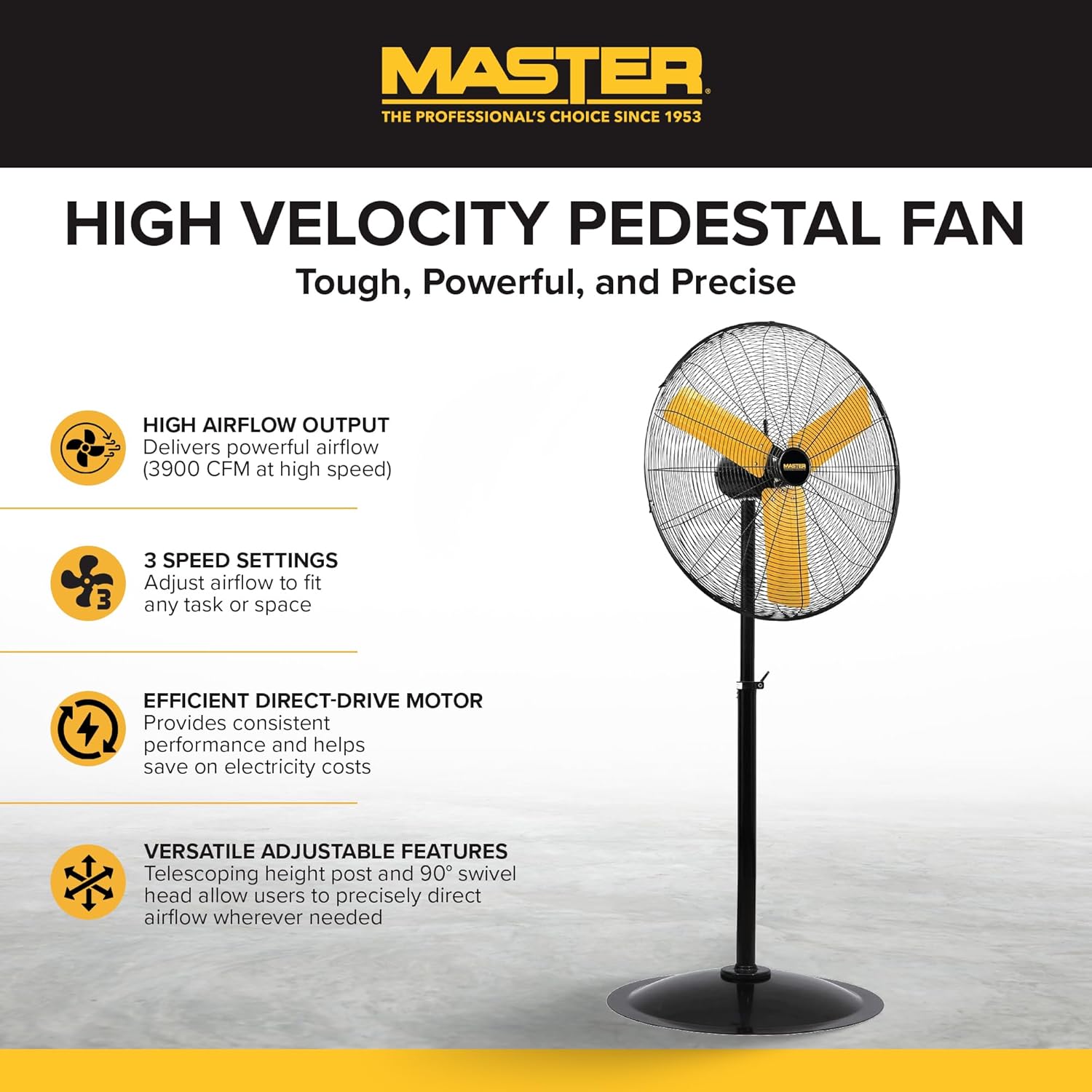
Yon plen view of the Master 24-Inch Oscillating Pedestal Fan, showcasing its black metal construction and yellow fan blades.

Yon bò view of the Master 24-Inch Oscillating Pedestal Fan, showing its adjustable height post and stable base.
Karakteristik kle:
- High Airflow Output: Delivers powerful airflow up to 3900 CFM.
- 3 Anviwònman Vitès: Allows adjustment of airflow to suit various needs.
- Efficient Direct-Drive Motor: Provides consistent performance and helps conserve electricity.
- Totalman reglabl: Features a telescoping adjustable height post for customized positioning.
- Osilasyon: The fan head oscillates to cool a wide area.
- Baz solid: A wide, heavy-duty pedestal base prevents the fan from tipping over.
- Konstriksyon tout metal: Asire rezistans ak lonjevite.
3. Enstalasyon ak Asanble
Assembly is required for this fan. Follow these steps to ensure proper setup:
- Depake konpozan: Carefully remove all parts from the packaging. Verify that all components listed in the packing list are present.
- Rasanble baz: Attach the main support pole to the sturdy pedestal base. Ensure it is securely fastened.
- Attach Motor Assembly: Secure the fan motor assembly to the top of the support pole. This typically involves attaching the motor to a bolt that connects to the pole via a bracket. Ensure all screws and fasteners are tightened.
- Install Grilles and Blades: Mount the fan blades onto the motor shaft, followed by the front and rear safety grilles. Ensure the grilles are properly aligned and secured to prevent accidental contact with the blades.
- Ajiste Wotè: Adjust the telescoping height post to your desired operating height. Secure it in place using the provided locking mechanism.
- Pozisyon Fanatik: Place the assembled fan on a firm, level surface in the desired location.

A close-up of the fan's wide, heavy-duty round base designed for stability.

A close-up showing the bolt and knob used to adjust the fan head's tilt angle.
4. Operasyon Enstriksyon
Once assembled and placed, the fan is ready for operation.
- Koneksyon pouvwa: Plug the fan's power cord into a standard 120 Volt AC electrical outlet.
- Turn On/Adjust Speed: Locate the push-button switch, typically on the rear of the motor housing. Rotate the knob to select one of the three available speed settings (1, 2, or 3). Position '0' is off.
- Adjust Oscillation: The fan head is designed to oscillate automatically. To stop oscillation, consult the fan's specific mechanism, which may involve disengaging a drive arm or a dedicated switch.
- Adjust Tilt Angle: Loosen the adjustment knob on the side of the fan head to tilt the fan up or down to direct airflow. Tighten the knob securely once the desired angle is set.
- Metòd kontwòl: This model may support app control. Refer to the manufacturer's website or additional documentation for details on connecting and using the fan with a compatible application.
- Etenn: Rotate the speed control knob to the '0' position to turn off the fan. Unplug the fan from the outlet when not in use for extended periods.

A close-up of the fan's rotary switch, indicating three speed settings (0-1-2-3).

Yon detaye view of the fan's yellow blades and protective metal grille.
5. Antretyen
Antretyen regilye asire pèfòmans optimal epi pwolonje lavi fanatik ou an.
- Netwayaj: Toujou debranche vantilatè a anvan ou netwaye li. Sèvi ak yon twal mou.amp cloth to wipe down the exterior surfaces. For the fan blades and grilles, hand wash with mild soap and water if necessary, ensuring they are completely dry before reassembly and operation. Do not use abrasive cleaners or solvents.
- Lubrifikasyon motè: Motè vantilatè a grese pou tout tan e li pa bezwen plis wilaj.
- Depo: Si w ap sere vantilatè a pou yon peryòd tan pwolonje, kouvri l pou pwoteje l kont pousyè epi sere l nan yon kote ki sèk.
NAN. Depanaj
Si ou rankontre pwoblèm ak vantilatè ou a, gade etap depanaj komen sa yo:
- Fanatik pa limen:
- Asire w ke kòd kouran an byen branche nan yon priz 120V ki fonksyone.
- Tcheke disjoncteurs oswa bwat fuzib la.
- Verify the speed control knob is set to a speed setting (1, 2, or 3) and not '0' (off).
- Redwi Airflow:
- Check for any obstructions around the fan grilles.
- Netwaye tout pousyè oswa debri ki sou lam ak griy vantilatè yo.
- Bri oswa Vibrasyon ki pa nòmal:
- Asire w ke vantilatè a mete sou yon sifas ki estab e ki plat.
- Check that all assembly screws and fasteners are tight.
- Inspect fan blades for any damage or imbalance.
- Osilasyon an pa fonksyone:
- Verify that the oscillation mechanism is engaged (if applicable).
- Check for any obstructions preventing the fan head from moving.
If these steps do not resolve the issue, contact Master customer support for further assistance. Availability of replacement parts may vary; inquire with customer support.
7. Espesifikasyon
| Non modèl | MAC-24POSC |
| Mak | Mèt |
| Style | 24-Inch Oscillating Pedestal Fan |
| Koulè | Nwa |
| Konsepsyon fanatik elektrik | Fan etaj |
| Sous pouvwa | Fil elektrik |
| Dimansyon pwodwi | 7"D x 35"W x 31.5"H |
| Karakteristik espesyal | Osilan |
| Wattage | 2.2 KW |
| Kantite lam | 3 |
| Kapasite Flow Air | 3900 pye kib pou chak minit |
| Voltage | 120 Volts |
| Chanje Kalite | Pouse bouton |
| Pwa atik | 52.9 liv |
| Itilizasyon Andedan kay la / Deyò | Andedan kay la |
| Espesifikasyon Met | OSHA |
| Metòd kontwòl | App (refer to manufacturer for details) |
| Kantite Nivo Pouvwa | 3 |
| Asanble obligatwa | Wi |
| Dyamèt | 24 pous |
8. Garanti ak sipò
Enfòmasyon sou garanti:
This Master 24-Inch Oscillating Industrial High Velocity Pedestal Fan (MAC-24POSC) comes with a 1 ane garanti limiteGaranti sa a kouvri domaj nan materyèl ak nan fabrikasyon anba itilizasyon nòmal. Tanpri konsève prèv acha ou pou reklamasyon garanti.
Sipò Kliyan:
For technical assistance, warranty claims, or inquiries regarding replacement parts, please contact Master customer support. Refer to the product packaging or the official Master websit la pou jwenn enfòmasyon kontak ki pi resan yo.