
1. Entwodiksyon
This manual provides essential information for the safe and effective use of your Fujifilm Fujinon XC15-45mmF3.5-5.6 OIS PZ Lens. Please read this manual thoroughly before using the lens and keep it in a safe place for future reference.
2. Pwodwi souview
The Fujifilm Fujinon XC15-45mmF3.5-5.6 OIS PZ is a compact and lightweight electric-powered zoom lens designed for Fujifilm X-mount cameras. It offers a versatile focal range equivalent to 23-69mm in 35mm format, making it suitable for a variety of photographic situations from wide-angle landscapes to portraits. The lens features Optical Image Stabilization (OIS) to reduce camera shake and a minimum working distance of 5cm for close-up photography.
Karakteristik kle:
- Longè Fokal: 15-45mm (23-69mm equivalent in 35mm format)
- Ranje Ouverture: f/3.5-5.6 to f/22
- Estabilizasyon imaj optik (OIS): Integrated for sharper images.
- Power Zoom (PZ): Electric-powered zoom mechanism for smooth operation.
- Distans minimòm pou konsantre: 5cm (at 15mm wide-angle)
- Gwosè filtre: 52mm
- Pwa: Apeprè 136g (4.8 ons)
- Montaj konpatib: Fujifilm X-mount
Lens Components:

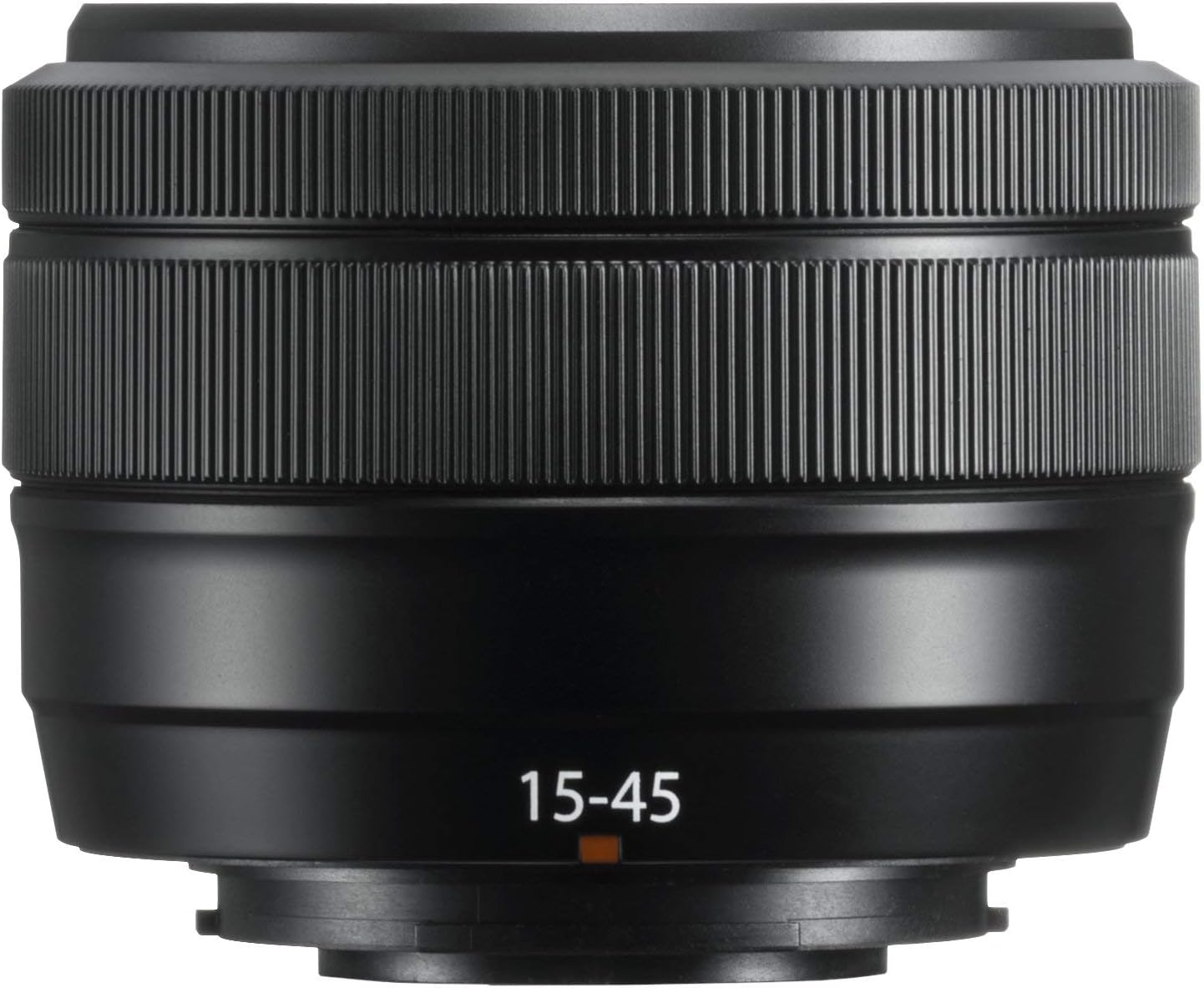
Imaj 1: Devan view of the Fujifilm Fujinon XC15-45mmF3.5-5.6 OIS PZ Lens. Shows the front element, filter thread, and the 15-45mm focal length marking.
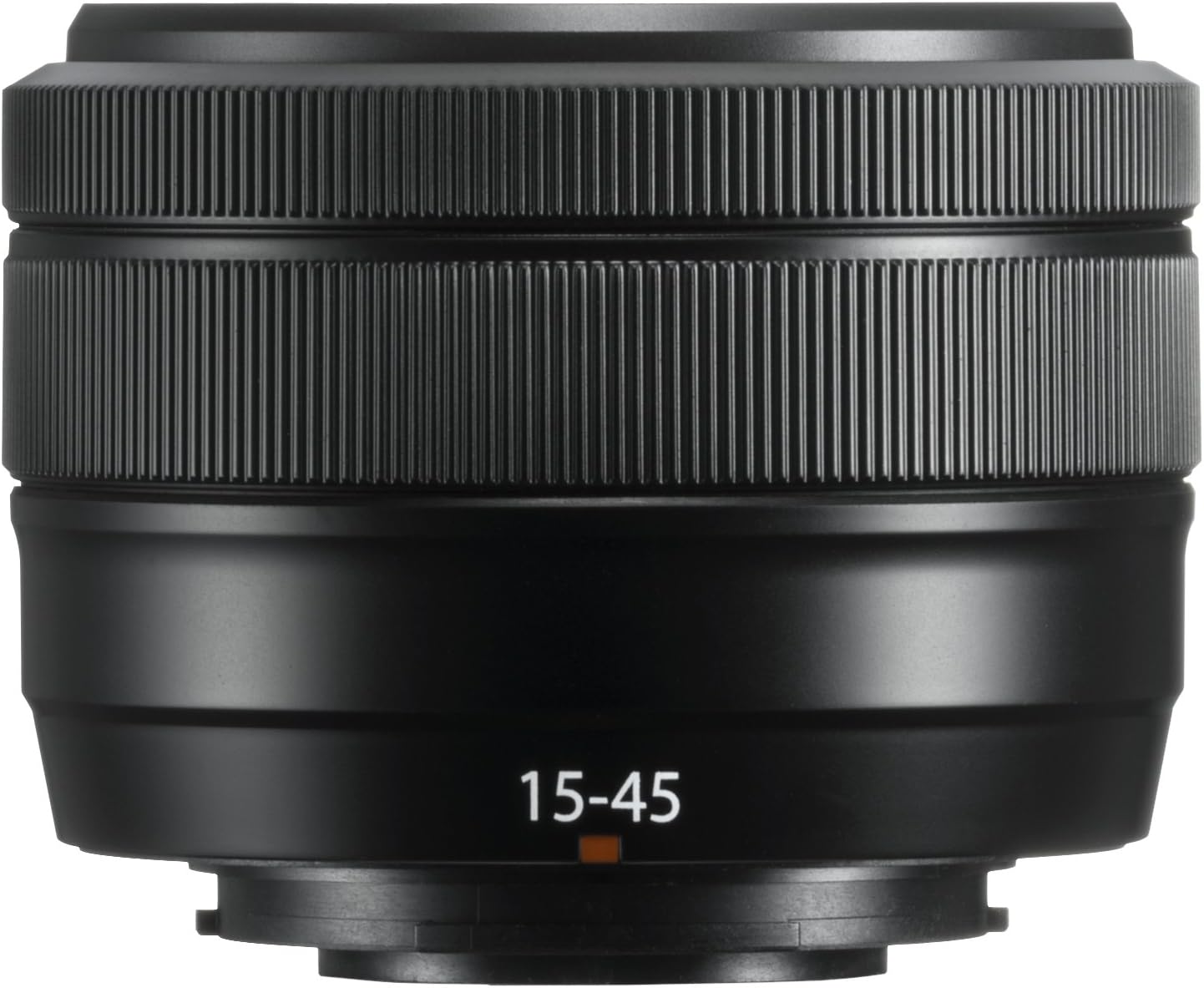
Imaj 2: Angle view of the Fujifilm Fujinon XC15-45mmF3.5-5.6 OIS PZ Lens. Highlights the zoom ring, focus ring, and lens barrel markings including "SUPER EBC XC 15-45mm 1:3.5-5.6 OIS PZ Ø52".
Imaj 3: The Fujifilm Fujinon XC15-45mmF3.5-5.6 OIS PZ Lens shown in its extended position, demonstrating the power zoom mechanism.
3. Enstalasyon
Tache lantiy la:
- Asire kamera a etenn.
- Retire bouchon lantiy dèyè a ak bouchon kò kamera a.
- Align the white mounting marks on the lens and the camera body.
- Mete lantiy la nan sipò kamera a epi vire l nan sans zegwi mont lan jiskaske li fè yon klik pou l anfòm nan plas li.
Detache lantiy la:
- Asire kamera a etenn.
- Pandan w ap peze bouton deblokaj lantiy la sou kò kamera a, vire lantiy la nan sans kontrè ak zegwi mont lan jiskaske li rete.
- Remove the lens and attach the front and rear lens caps.
Bouchon lantiy:
Always attach the front and rear lens caps when the lens is not in use to protect the glass elements from dust and scratches.
4. Itilizasyon Lantiy la
Power Zoom Operation:
This lens features an electric-powered zoom mechanism. When the camera is turned on, the lens will automatically extend to its shooting position. To zoom, rotate the zoom ring on the lens barrel. The speed of the zoom can vary based on how quickly the ring is turned. The lens will retract when the camera is turned off.
Konsantre:
The lens supports autofocus (AF) and manual focus (MF). The focus mode is typically controlled via your camera body settings. In AF mode, the camera will automatically adjust focus. In MF mode, rotate the focus ring on the lens barrel to adjust focus manually.
Estabilizasyon imaj optik (OIS):
The lens is equipped with Optical Image Stabilization to compensate for camera shake, especially useful in low light conditions or when shooting at longer focal lengths. OIS is typically activated and controlled through your camera's menu settings.
Ajisteman Ouvèti:
This lens does not have a dedicated aperture ring. Aperture settings are adjusted electronically via the camera's control dial or menu system. Refer to your camera's instruction manual for specific details on adjusting aperture.
5. Antretyen
Netwaye lantiy la:
- Sèvi ak yon bwòs souflè pou retire pousyè sou sifas lantiy la.
- Pou tach oswa anprent dwèt, sèvi ak yon twal mikwofib mou epi pwòp ki fèt espesyalman pou lantiy optik. Aplike yon ti kantite solisyon netwayaj lantiy sou twal la, pa dirèkteman sou lantiy la.
- Pa janm sèvi ak solvang òganik tankou penti mens oswa benzèn pou netwaye lantiy la.
Depo:
- Store the lens with both front and rear caps attached in a cool, dry place away from direct sunlight.
- Avoid storing the lens in areas with high humidity to prevent mold growth.
- If storing for extended periods, consider using a desiccant.
Prekosyon pou manyen:
- This lens is not weather-resistant. Avoid exposure to rain, snow, or high humidity.
- Do not apply excessive force to the lens barrel or rings.
- Protect the lens from strong impacts or drops.
NAN. Depanaj
Lens Not Extending/Retracting:
- Ensure the camera battery is sufficiently charged. The power zoom mechanism requires power to operate.
- Check for any obstructions around the lens barrel.
- If the issue persists, try detaching and reattaching the lens.
Pwoblèm Autofocus:
- Ensure the camera's focus mode is set to AF.
- Check for sufficient light in the scene. Autofocus may struggle in very dark conditions.
- Netwaye kontak lantiy yo sou tou de lantiy la ak kò kamera a.
Enkyetid Kalite Imaj:
- Ensure the lens elements are clean and free from dust or smudges.
- Verify camera settings such as ISO, shutter speed, and aperture are appropriate for the shooting conditions.
- Ensure the lens is securely mounted to the camera body.
For further troubleshooting or issues not covered here, please refer to your camera's instruction manual or contact Fujifilm customer support.
7. Espesifikasyon
| Mak | Fujifilm |
| Non modèl | XC15-45mmF3.5-5.6 OIS PZ Lens Black |
| Longè Fokal | 15-45 milimèt |
| 35mm Longè Fokal ekivalan | 23-69 milimèt |
| Ouverture maksimòm | f/3.5-5.6 |
| Ouverture minimòm | f/22 |
| Kalite lantiy | Wide Angle, Telephoto, Zoom |
| Montaj konpatib | Fujifilm X |
| Kalite Konsantre | Konsantre oto |
| Estabilizasyon Imaj | Optik (OIS) |
| Photo Filter Size | 52 Milimèt |
| Distans Minimòm Travay | 5cm |
| Pwa atik | 0.6 Liv (apeprè 136g) |
| Koulè | Nwa |
| Nivo rezistans dlo | Pa reziste dlo |
8. Garanti ak sipò
Enfòmasyon sou garanti:
This Fujifilm Fujinon XC15-45mmF3.5-5.6 OIS PZ Lens comes with a 1-ane garanti manifaktiTanpri konsève prèv acha ou a pou reklamasyon garanti. Garanti a kouvri domaj nan materyèl ak nan fabrikasyon anba itilizasyon nòmal.
Sipò Kliyan:
For technical assistance, service, or warranty inquiries, please contact Fujifilm customer support. Contact information can typically be found on the official Fujifilm websit la oubyen nan dokiman garanti ki vini ak pwodwi w la.