
1. Entwodiksyon
This manual provides instructions for the installation, operation, and maintenance of your Gembird 3.5" SATA USB 3.0 External HDD Enclosure. This device allows you to convert an internal 3.5-inch SATA hard disk drive into a portable external storage solution, utilizing the high-speed USB 3.0 interface for data transfer.
2. Pake kontni
Tanpri verifye sa ki nan pake a ak anpil atansyon. Si gen nenpòt atik ki manke oswa ki domaje, kontakte revandè ou a.
- Gembird 3.5" SATA USB 3.0 External HDD Enclosure (Model: EE3-U3S-3)
- USB 3.0 done kab
- Adaptè pouvwa
- Screws and screwdriver (if applicable for assembly)
- Manyèl Itilizatè (dokiman sa a)
3. Enstalasyon
3.1 Installing a 3.5" SATA Hard Drive
- Carefully slide open the enclosure casing.
- Connect your 3.5-inch SATA hard drive to the SATA data and power connectors inside the enclosure. Ensure a firm connection.
- Secure the hard drive within the enclosure using the provided screws, if necessary.
- Slide the enclosure casing back into place until it is securely closed.
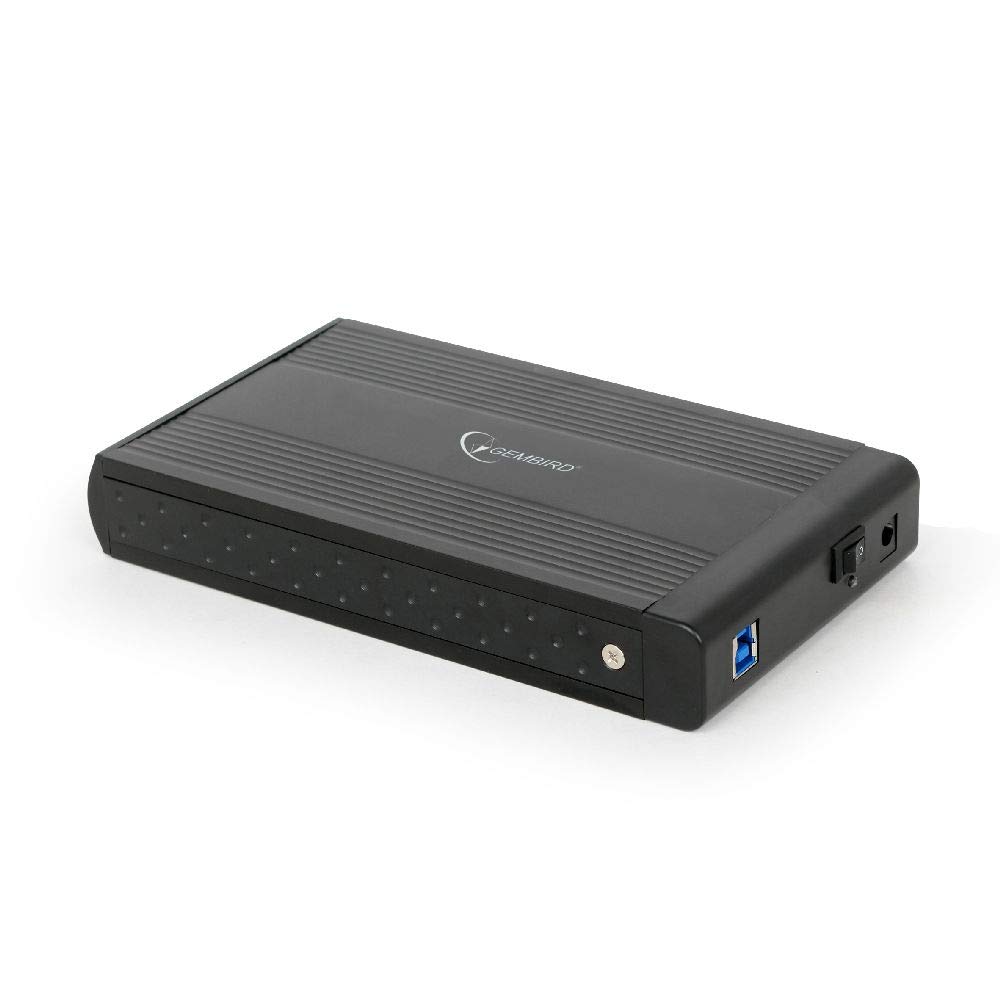
Image: The Gembird 3.5-inch SATA USB 3.0 External HDD Enclosure. This image shows the sleek black aluminum casing of the enclosure, designed to house a 3.5-inch SATA hard drive and connect to a computer via USB 3.0.
3.2 Konekte ak òdinatè w la
- Connect the power adapter to the enclosure's power input port and then plug it into an electrical outlet.
- Connect one end of the supplied USB 3.0 cable to the USB 3.0 port on the enclosure.
- Connect the other end of the USB 3.0 cable to an available USB 3.0 port on your computer. For optimal performance, use a USB 3.0 port (typically blue). The enclosure is backward compatible with USB 2.0, but data transfer speeds will be limited.
- Your operating system should automatically detect and install the necessary drivers. The hard drive will appear as a new storage device.
4. Operasyon Enstriksyon
4.1 Transfè Done
Once the enclosure is connected and recognized by your computer, you can drag and drop files to and from the external hard drive, or use it for backup purposes. The USB 3.0 interface supports data transfer speeds up to 5 Gbps (Gigabits per second), significantly faster than USB 2.0.
4.2 Retire san danje
Always safely remove the external hard drive before disconnecting it from your computer to prevent data corruption. In Windows, use the "Safely Remove Hardware and Eject Media" icon in the system tray. On macOS, drag the drive icon to the Trash or use the Eject option in Finder.
5. Antretyen
To ensure the longevity and optimal performance of your enclosure:
- Kenbe bwat la pwòp epi san pousyè. Sèvi ak yon twal mou epi sèk pou netwaye.
- Avoid exposing the enclosure to extreme temperatures, humidity, or direct sunlight.
- Do not drop or subject the enclosure to strong impacts, as this can damage the internal hard drive.
- Ensure proper ventilation to prevent overheating, especially during prolonged use.
NAN. Depanaj
6.1 Enclosure Not Detected
- Check power: Ensure the power adapter is securely connected to both the enclosure and a working electrical outlet.
- Check USB connection: Verify that the USB cable is firmly connected to both the enclosure and a functional USB port on your computer. Try a different USB port or cable.
- Hard drive installation: Re-open the enclosure and ensure the SATA hard drive is correctly seated and connected to the internal connectors.
- Jesyon Disk (Windows) / Itilite Disk (macOS): Check if the drive appears in your operating system's disk management tools. If it appears but is unallocated or unformatted, you may need to initialize and format it (note: formatting will erase all data on the drive).
6.2 Vitès transfè done ki ba
- USB 3.0 pò: Ensure you are connected to a USB 3.0 port on your computer. USB 2.0 ports will limit speeds.
- USB 3.0 cable: Use the provided USB 3.0 cable or another certified USB 3.0 cable.
- Hard drive performance: The speed of the internal hard drive itself can be a limiting factor. Older or slower HDDs will not achieve maximum USB 3.0 speeds.
7. Espesifikasyon
| Modèl | EE3-U3S-3 |
| Faktè fòm | 3.5-pous |
| Interface (Internal) | SATA |
| Interface (External) | USB 3.0 |
| Pousantaj Transfè Done | Jiska 5 Gbps (USB 3.0) |
| Materyèl | Aliminyòm |
| Koulè | Nwa |
| Aparèy konpatib | 3.5" SATA HDDs |
| Pwa | 235 gram |
8. Garanti ak sipò
Gembird products are designed for reliability and performance. For warranty information, please refer to the warranty card included with your product or visit the official Gembird website. For technical support or further assistance, please contact your retailer or the Gembird customer support team.