
Pwodwi souview
The MY ARCADE Super Gamepad is a wireless gaming controller designed to replace wired controllers for various Nintendo consoles. It offers wireless freedom and enhanced gaming features.
Karakteristik kle:
- Koneksyon Wireless: Enjoy gaming up to 25 feet away from your console without lag.
- Tan pou jwe pwolonje: Over 27 hours of gameplay on two AAA batteries (not included).
- Konsepsyon ergonomique: Provides comfortable grip and precise control for extended gaming sessions.
- Bouton Kay: Quickly access the main game selection menu directly from the controller.
- bouton Turbo: Assign turbo functionality to any action button for rapid input.
Kontni pake
Asire w tout atik yo la anvan ou kontinye ak konfigirasyon an:
- MY ARCADE Super Gamepad (DGUN-2960)
- Wireless adaptè
- Manyèl Enstriksyon (dokiman sa a)
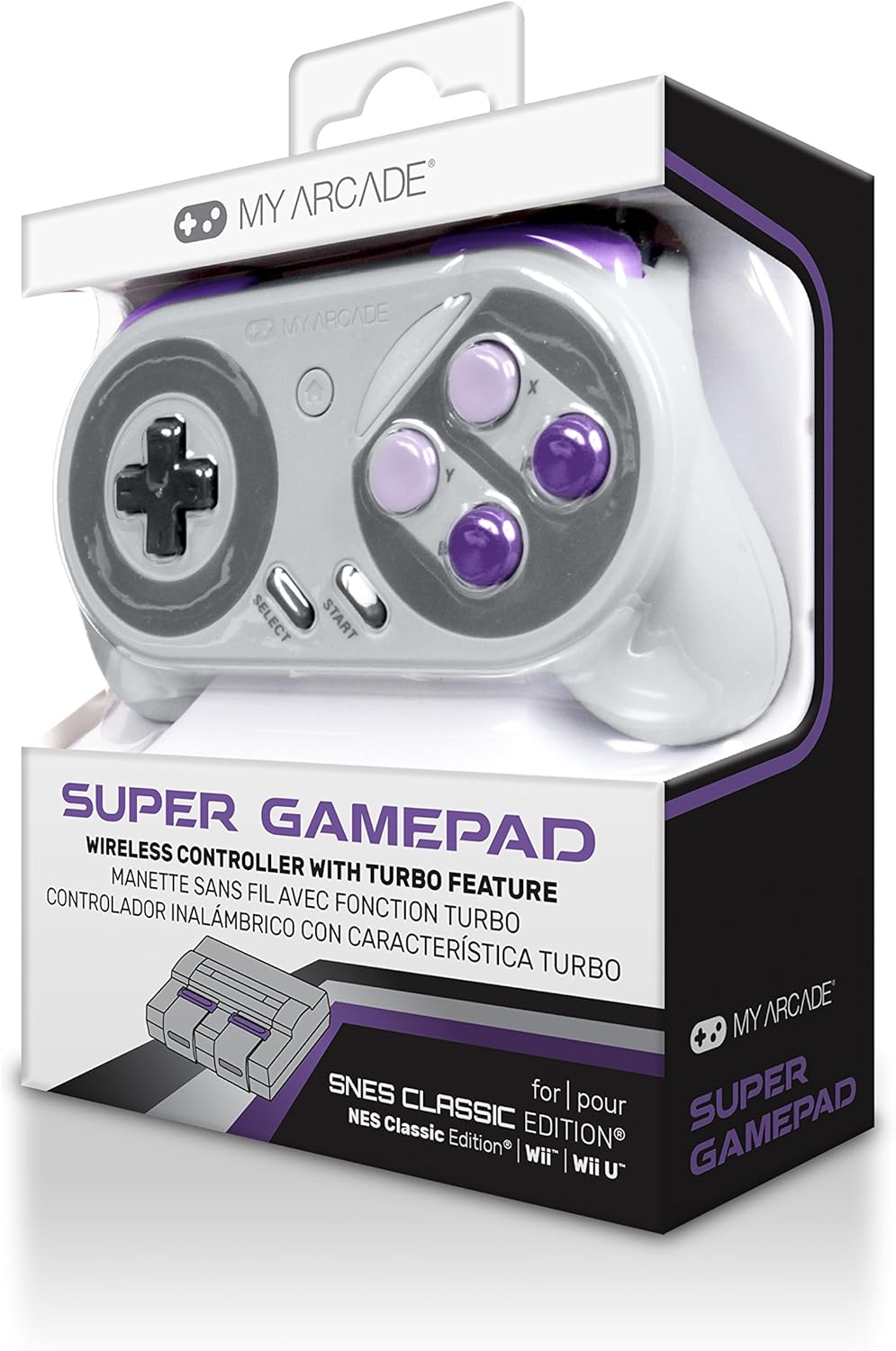
Imaj: Devan view of the MY ARCADE Super Gamepad packaging, showing the controller and branding.
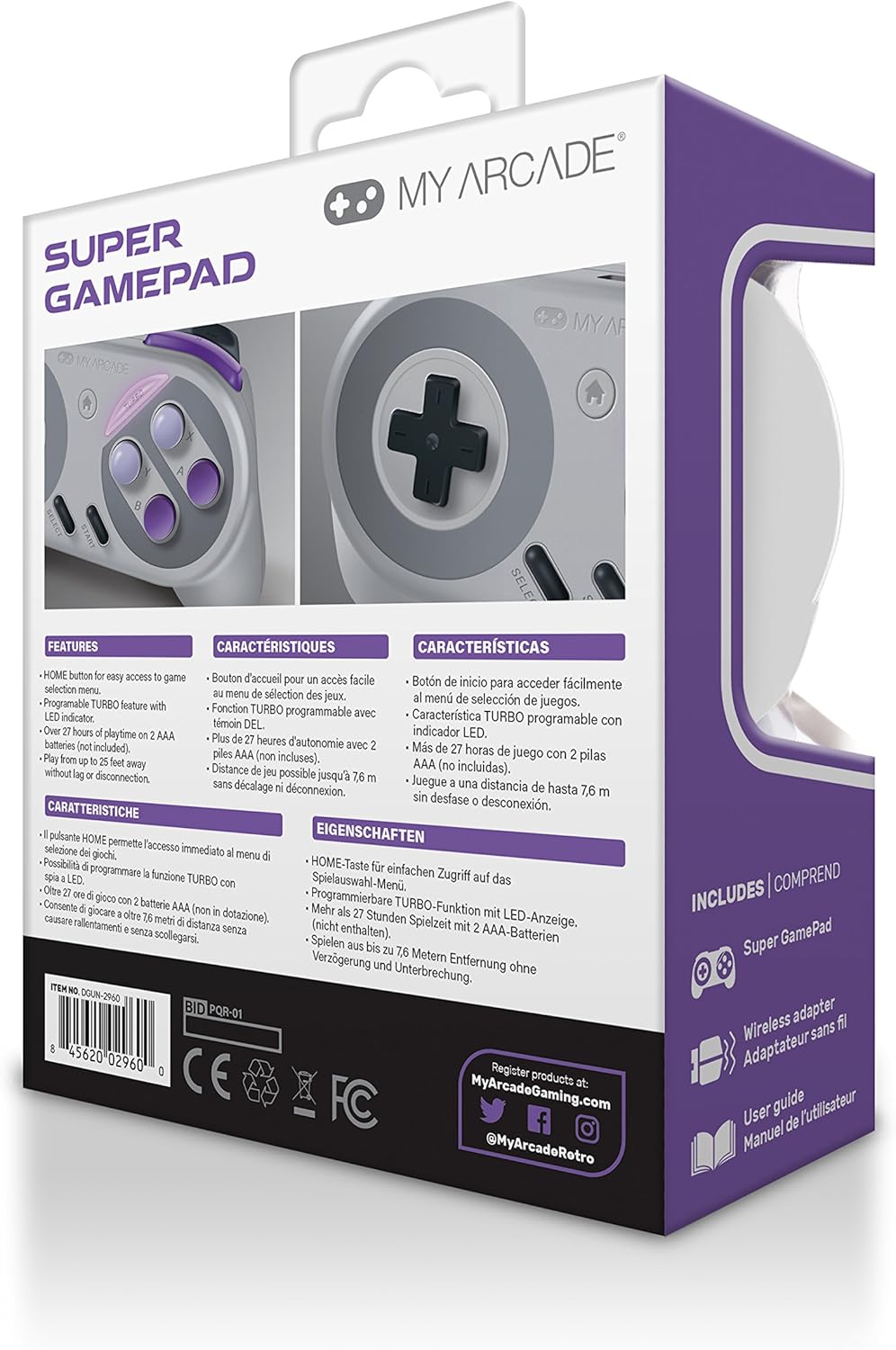
Imaj: Dèyè view of the MY ARCADE Super Gamepad packaging, detailing features and contents in multiple languages.
Gid Enstalasyon
1. Enstale pil
The Super Gamepad requires two AAA batteries (not included). Open the battery compartment on the back of the controller and insert the batteries, ensuring correct polarity (+/-).
2. Connect Wireless Adapter
Plug the included wireless adapter into an available controller port on your compatible console (Nintendo SNES Classic, NES Classic, Super Famicom, Wii, or Wii U).

Image: The MY ARCADE Super Gamepad shown alongside its compact wireless adapter, illustrating the wireless connection capability.
3. Power On and Pair
Turn on your console. Press the power button on the Super Gamepad. The controller should automatically pair with the wireless adapter. An indicator light on the controller will confirm a successful connection.
Enstriksyon Operasyon
Familiarize yourself with the controller's buttons for optimal gameplay.
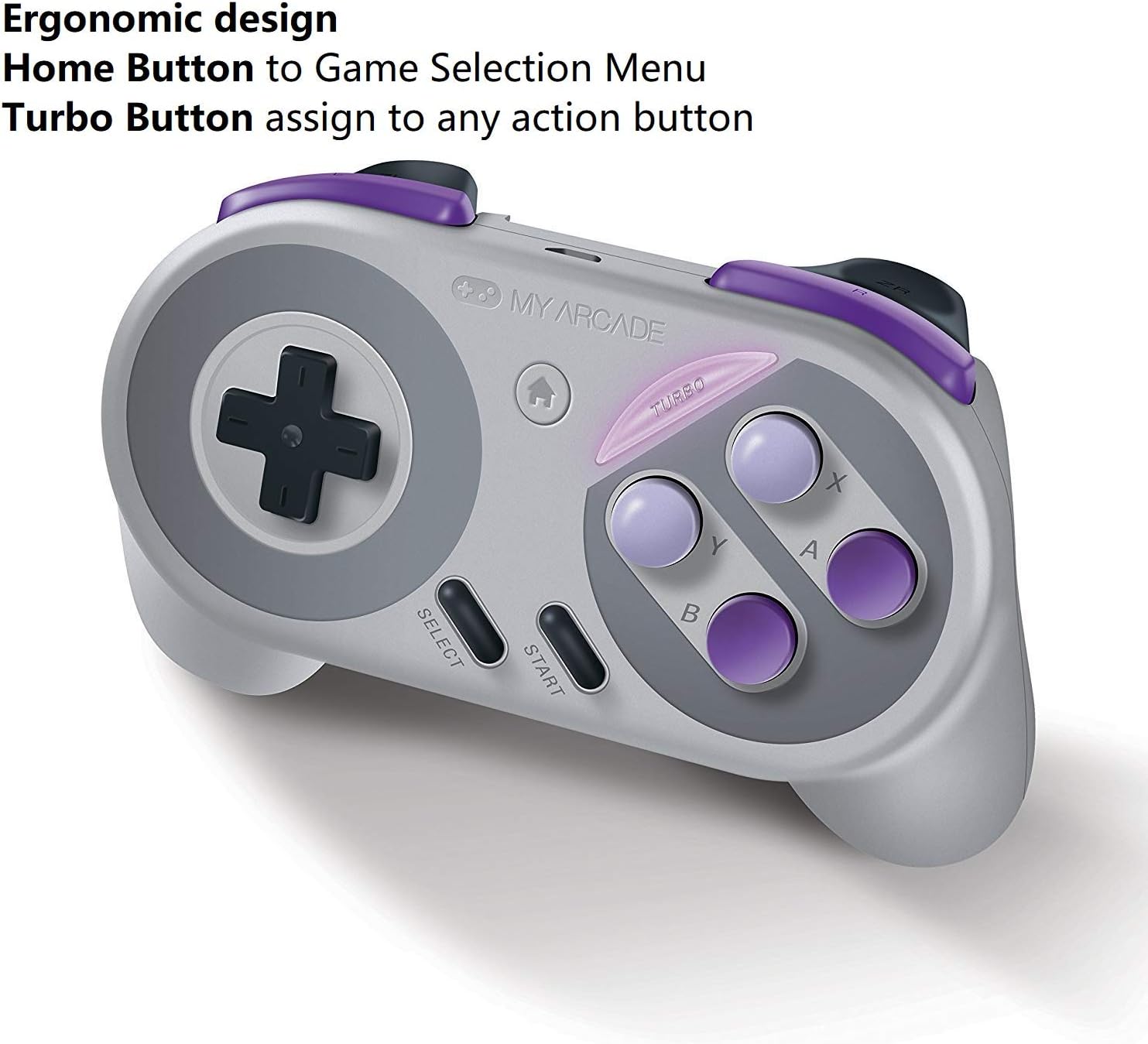
Image: The MY ARCADE Super Gamepad, highlighting the Home button (house icon) and Turbo button for special functions.
Bouton Kay:
Peze a Bouton Kay (typically marked with a house icon) to return to the main game selection menu of your console. This eliminates the need to manually reset the console to change games.
bouton Turbo:
La Bouton turbo allows you to assign rapid-fire functionality to any action button. To activate:
- Peze epi kenbe la Bouton turbo.
- While holding Turbo, press the desired action button (e.g., A, B, X, Y) to which you want to assign rapid-fire.
- Release both buttons. The assigned action button will now have turbo functionality.
Antretyen
Proper care will extend the life of your Super Gamepad.
- Netwayaj: Sèvi ak yon twal mou epi sèk pou netwaye kontwolè a. Evite pwodui netwayaj abrazif oswa solvan.
- Depo: Sere kontwolè a nan yon kote ki fre epi sèk, lwen limyè solèy dirèk ak tanperati ekstrèm.
- Ranplasman batri: When the controller's performance degrades or it fails to power on, replace both AAA batteries with fresh ones.
Depanaj
Si ou rankontre pwoblèm, eseye solisyon komen sa yo:
- Kontwolè pa reponn:
- Asire w pil yo byen enstale epi yo pa fin itilize. Ranplase yo si sa nesesè.
- Verify the wireless adapter is securely plugged into the console.
- Confirm the controller is powered on.
- Move closer to the console to ensure you are within the 25-foot wireless range.
- Lag oswa Dekoneksyon:
- Tcheke pou wè si gen entèferans ki ka soti nan lòt aparèy san fil.
- Ensure the controller and adapter have a clear line of sight.
- Ranplase pil yo si yo fèb.
- Bouton ki pa fonksyone:
- Netwaye alantou bouton yo pou retire nenpòt debri.
- Ensure the controller is properly paired.
Espesifikasyon
| Karakteristik | Detay |
|---|---|
| Nimewo Modèl | DGUN-2960 |
| Mak | ARCADE MWEN |
| Koneksyon | San fil (Bluetooth) |
| Wireless Range | Jiska 25 pye (7.6 mèt) |
| Konsol konpatib | Nintendo SNES Classic, NES Classic, Super Famicom, Wii, Wii U |
| Sous pouvwa | 2 x AAA pil (pa enkli) |
| Lavi batri | Over 27 hours of playtime |
| Dimansyon pwodwi | 3.81 x 10.16 x 8.26 cm (1.5 x 4 x 3.25 pous) |
| Pwa atik | 136.08 g (4.8 ons) |
| Kantite bouton | 16 |
| Koulè | Super NES Colors |
Garanti ak sipò
Enfòmasyon sou garanti:
The MY ARCADE Super Gamepad comes with a 120-jou garanti apati dat acha a. Garanti sa a kouvri domaj fabrikasyon anba itilizasyon nòmal. Tanpri konsève prèv acha ou pou reklamasyon garanti.
Sipò Kliyan:
For technical assistance, troubleshooting, or warranty inquiries, please contact the manufacturer:
Manifakti: DreamGEAR
Enfòmasyon pou kontakte: TORRANCE, CA, 90501 US
You may also visit the official MY ARCADE websit pou resous adisyonèl ak sipò.