
1. Entwodiksyon
Mèsi pou acha aasing the SMART SENSOR Digital Anemometer AS806. This compact and lightweight device is designed for accurate measurement of wind speed and wind temperature. It features multiple functions including current, maximum, minimum, and average value display, data hold, manual/auto power off, low battery indication, and backlight. Please read this manual thoroughly before use to ensure proper operation and to extend the life of your device.
2. Enfòmasyon sou Sekirite
- Pa eseye demonte oswa modifye aparèy la.
- Kenbe aparèy la lwen dlo ak anviwònman ki gen anpil imidite.
- Evite ekspoze aparèy la nan tanperati ekstrèm oswa limyè solèy la dirèk pou peryòd pwolonje.
- Retire pil la si ou pa pral itilize aparèy la pou yon peryòd tan pwolonje pou anpeche li koule.
- Handle the impeller carefully to prevent damage.
3. Pwodwi souview
3.1 Eleman
The SMART SENSOR AS806 Digital Anemometer consists of a main body with an LCD display and an integrated impeller for wind speed measurement.
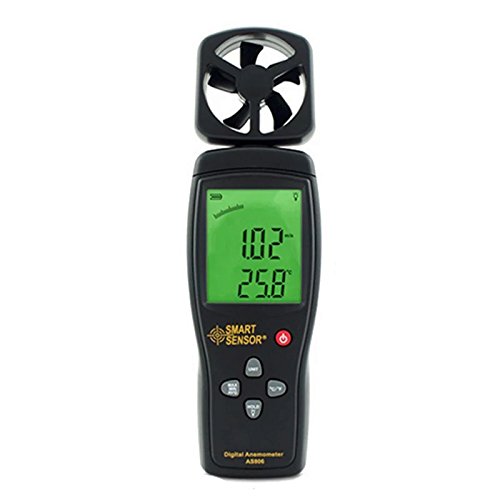
Figi 1: Devan view of the SMART SENSOR AS806 Digital Anemometer.
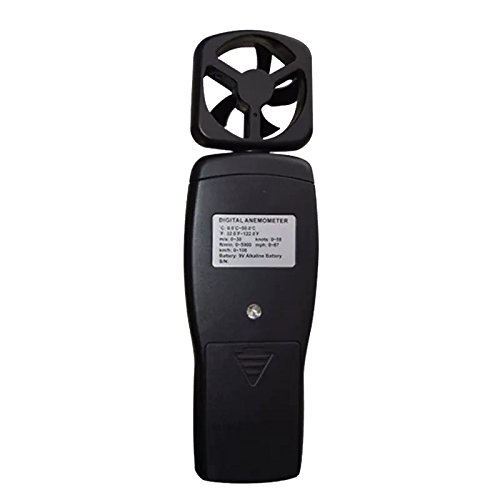
Figi 2: Retounen view of the device, showing the battery compartment.
3.2 Ekran ak bouton
The device features an LCD display that shows measurement readings and various indicators. Control buttons allow for mode selection, unit conversion, data hold, and backlight activation.
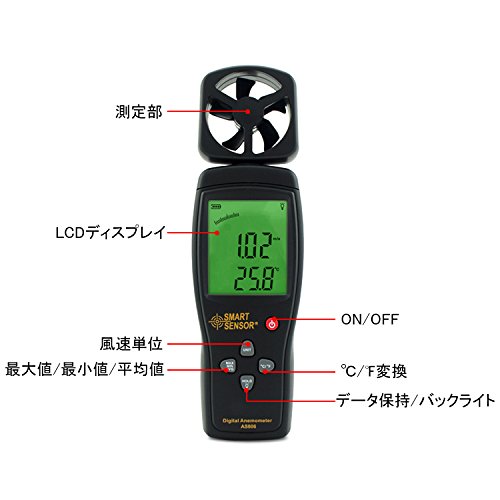
Figi 3: Detaye view of the LCD display and control buttons. Key elements include the measurement section (impeller), LCD display, ON/OFF button, wind unit selection, Max/Min/Avg function, °C/°F conversion, and Data Hold/Backlight button.
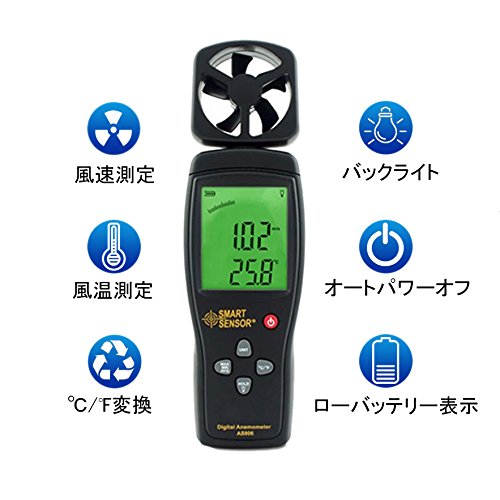
Figi 4: Plis paseview of key features: Wind Speed Measurement, Wind Temperature Measurement, °C/°F Conversion, Backlight, Auto Power Off, and Low Battery Indicator.
4. Espesifikasyon
4.1 Paramèt teknik
| Paramèt | Valè |
|---|---|
| Range vitès van | 0.3 ~ 45 m / s |
| Presizyon vitès van | ±3% + 0.1 |
| Inite vitès van | m/s, Ft/min, Knots, km/h, Mph |
| Ranje Tanperati Van an | 0 ~ 45 °C |
| Presizyon Tanperati Van an | ± 2 °C |
| Rezolisyon | 0.001 m/s |
| Max/Min/Average Value | Wi |
| °C/°F Konvèsyon | Wi |
| Ekleraj | Wi |
| Manyèl/Oto Power Off | Wi |
| Ekspozisyon analòg | Wi |
| Done Kenbe Fonksyon | Wi |
4.2 Espesifikasyon Jeneral
- Pwovizyon pou pouvwa: 9V batri
- Pwa: 170g
- Dimansyon: 220 x 65 x 30 mm
- Materyèl: Plastic PCB
- UPC: 799789670206
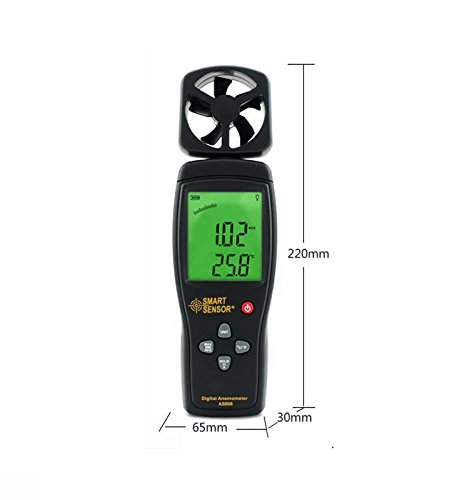
Figure 5: Device dimensions: 220mm (height), 65mm (width), 30mm (depth).
5. Enstalasyon
5.1 Enstalasyon batri
- Jwenn kouvèti konpatiman batri a sou dèyè aparèy la (gade Figi 2).
- Glise kouvèti a anba pou ouvri konpatiman an.
- Insert a 9V battery, ensuring the correct polarity (+/-).
- Fèmen kouvèti konpatiman batri a lè w glise l anlè jiskaske li fè yon klik pou l antre nan plas li.
Nòt: A low battery indicator will appear on the display when the battery needs replacement.
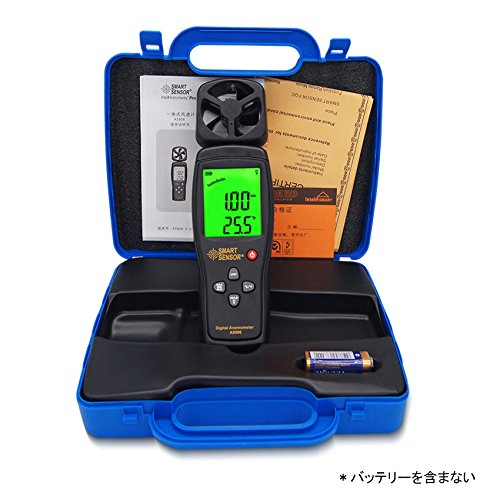
Figure 6: Package contents, including the anemometer and user manual. Note: Battery is not included.
6. Operasyon Enstriksyon
6.1 Power On/Off
- Pou pouvwa sou aparèy la, peze la ON/OFF bouton.
- Pou etenn aparèy la, peze epi kenbe bouton an ON/OFF bouton pou kèk segond.
- The device also features an auto power-off function to conserve battery life. It will automatically shut down after a period of inactivity.
6.2 Wind Speed and Temperature Measurement
Once powered on, the device will immediately begin measuring wind speed and temperature. Hold the device so that the impeller faces the wind source for accurate readings. The current wind speed and temperature will be displayed on the LCD.
6.3 Konvèsyon inite
- Inite vitès van: Peze a INITE button to cycle through available wind speed units: m/s, Ft/min, Knots, km/h, Mph.
- Inite Tanperati: Peze a ° C / ° F. button to switch between Celsius and Fahrenheit for temperature display.
6.4 Fonksyon kenbe done
To freeze the current readings on the display, press the KENBE button. Press it again to release the hold and resume live measurement.
6.5 ekleraj
To activate the display backlight for better visibility in low-light conditions, press the LIMYÈ button (often combined with HOLD). Press it again to turn off the backlight.
6.6 Max/Min/Average Measurement
The device can display the maximum, minimum, and average wind speed values recorded during a measurement session. Refer to the specific button labeled for these functions (e.g., MAX/MIN/MWAYEN or similar) and press it to cycle through these modes.
7. Antretyen
- Netwayaj: Siye aparèy la avèk yon twal mou epi sèk. Pa sèvi ak pwodui netwayaj abrazif oswa solvan.
- Depo: Store the device in a cool, dry place when not in use. Remove the battery for long-term storage.
- Impeller Care: Ensure the impeller is free from dust and debris for accurate readings. Avoid touching the impeller blades directly.
NAN. Depanaj
| Pwoblèm | Kòz posib | Solisyon |
|---|---|---|
| Aparèy pa limen. | Batri ki fèb oswa ki mouri; move enstalasyon batri. | Replace the 9V battery; ensure correct polarity. |
| Lekti ki pa kòrèk. | Impeller obstructed; device not positioned correctly. | Clear any obstructions from the impeller; ensure impeller faces the wind directly. |
| Ekran an fèb oswa vid. | Batri fèb; limyè dèyè a etenn. | Replace battery; press the backlight button. |
9. Garanti ak sipò
This product comes with a manufacturer's warranty. Please refer to the warranty card included in the package for details regarding coverage and duration. For technical support or warranty claims, please contact your retailer or the manufacturer directly.