
1. Entwodiksyon
Mèsi pou acha aasing the Coby CSB04 Bluetooth Soundbar Speaker. This manual provides important information regarding the setup, operation, and maintenance of your new soundbar. Please read this manual thoroughly before using the device and retain it for future reference.
The Coby CSB04 is a sleek and compact soundbar designed to enhance your audio experience. It features wireless Bluetooth connectivity, an RCA line input, and comes with a remote control for convenient operation.
2. Enfòmasyon sou Sekirite
Tanpri obsève prekosyon sekirite sa yo pou evite domaje aparèy la oswa blese tèt ou:
- Pa ekspoze ba son an nan lapli, imidite, oswa tanperati ekstrèm.
- Pa ouvri c laasing. Konfye tout antretyen bay pèsonèl kalifye.
- Asire w adaptè kouran an konpatib ak ekipman pou kouran lokal ou a.
- Keep the soundbar away from heat sources and direct sunlight.
- Netwaye sèlman ak yon twal sèk.
3. Pake kontni
Carefully unpack your Coby CSB04 Soundbar and check that all items are present and in good condition. If any items are missing or damaged, contact your retailer.
- Coby CSB04 Bluetooth Soundbar Speaker
- AC pouvwa adaptè
- RCA Cable
- Kontwòl Remote
- Manyèl Itilizatè (dokiman sa a)

Image 3.1: Coby CSB04 Soundbar packaging. The box displays the Coby logo and "Slim 2.0 Sound Bar" text.
4. Pwodwi souview
Familiarize yourself with the components and controls of your Coby CSB04 Soundbar.
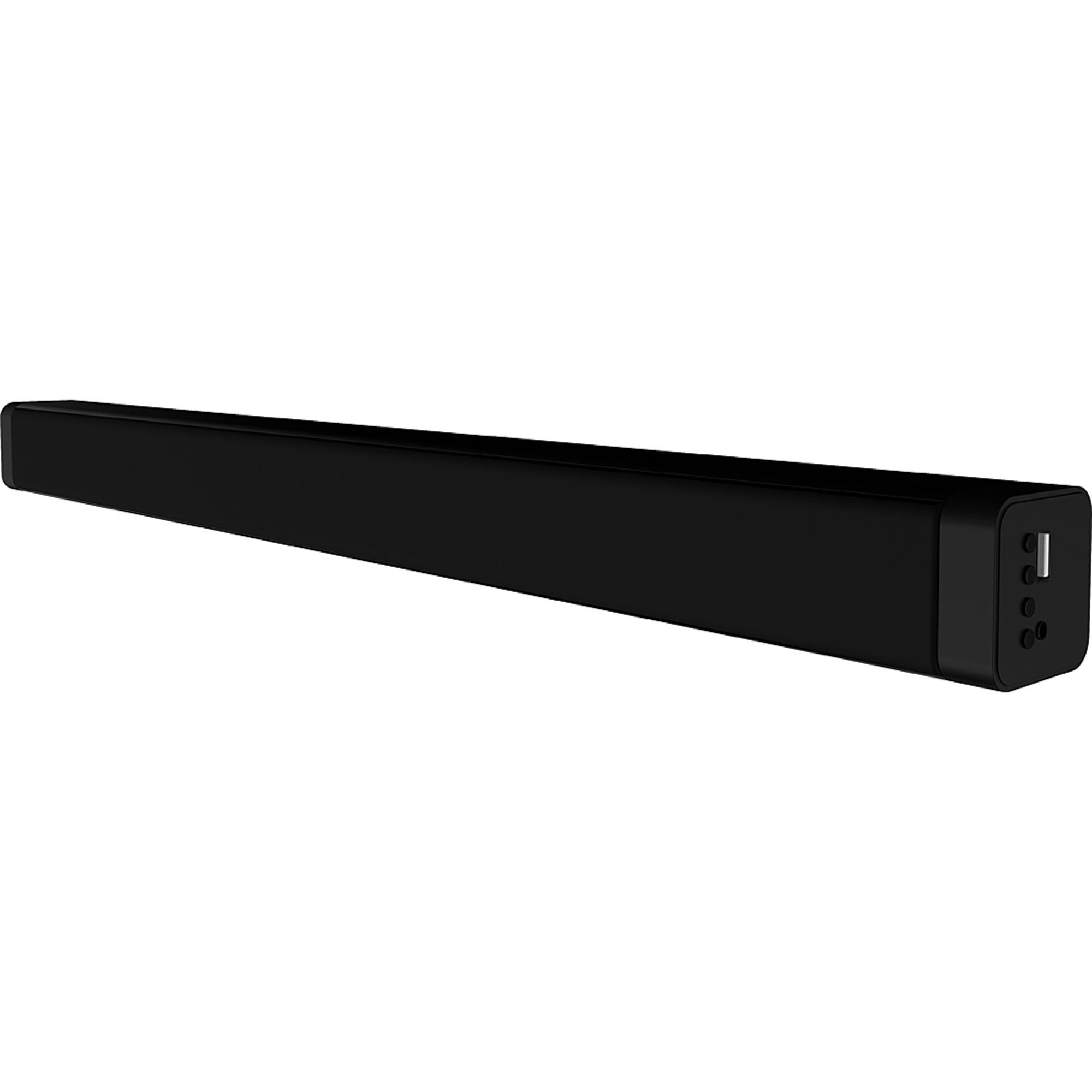
Imaj 4.1: Devan view of the Coby CSB04 Bluetooth Soundbar. The soundbar is black and rectangular.

Imaj 4.2: Kote view of the Coby CSB04 Soundbar, showing a USB port and other connection points.
4.1. Front Panel / Top Panel Controls
- Bouton pouvwa: Limen oswa etenn ba son an.
- Volim monte/desann: Ajiste nivo volim.
- bouton mòd: Switches between input modes (Bluetooth, RCA).
- Endikatè ki ap dirije: Shows current status (e.g., Bluetooth pairing, input mode).
4.2. Koneksyon Panèl Dèyè
- DC IN: Konekte adaptè pouvwa AC isit la.
- RCA L/R Input: Connect external audio devices using the RCA cable.
- Pò USB: For potential firmware updates or specific media playback (functionality may vary).
4.3. Kontwòl Remote
The included remote control allows for convenient operation of the soundbar from a distance. Functions typically include Power, Volume Up/Down, Mode Selection, Mute, and Playback controls for Bluetooth mode.
5. Enstalasyon
5.1. Koneksyon pouvwa
- Connect the AC power adapter to the DC IN port on the rear of the soundbar.
- Plug the other end of the AC power adapter into a wall outlet.
- Ba son an ap antre nan mòd sibstiti.
5.2. Koneksyon odyo
You can connect audio sources to the soundbar via Bluetooth or RCA cable.
5.2.1. Bluetooth Koneksyon
- Power on the soundbar using the Power button on the unit or remote control.
- Peze a Mode button repeatedly until the LED indicator shows Bluetooth mode (usually a blinking blue light).
- Sou telefòn entelijan ou oswa lòt aparèy ki gen Bluetooth, aktive Bluetooth epi chèche aparèy ki disponib yo.
- Select "CSB04" (or similar name) from the list of devices.
- Yon fwa li konekte, endikatè LED la ap vin ble fiks, epi w ap tande yon son konfimasyon.
- Kounye a ou kapab jwe odyo soti nan aparèy ou an atravè ba son an.
5.2.2. RCA Koneksyon
- Connect one end of the RCA cable to the RCA L / R Antre ports on the soundbar.
- Connect the other end of the RCA cable to the audio output ports (usually "Audio Out" or "L/R Out") of your TV, DVD player, or other audio source.
- Pouvwa sou soundbar la.
- Peze a Mode button repeatedly until the LED indicator shows RCA mode (e.g., a green light).
- Jwe odyo soti nan aparèy konekte ou an.
6. Operasyon Enstriksyon
6.1. Power On/Off
Peze a Pouvwa bouton ki sou ba son an oswa sou kontwòl remote la pou limen oswa etenn aparèy la.
6.2. Ajiste Volim
Sèvi ak la Volim monte (+) epi Volim Dawonn (-) bouton ki sou ba son an oswa sou kontwòl remote la pou ajiste nivo odyo a.
6.3. Changing Input Mode
Peze a Mode button on the soundbar or remote control to cycle through available input sources: Bluetooth, RCA.
6.4. Lekti Bluetooth
Once paired, your Bluetooth device will automatically connect to the soundbar when both are powered on and within range. Use your device's controls or the soundbar's remote control (if applicable) for playback functions like Play/Pause, Next Track, and Previous Track.
7. Antretyen
Bon antretyen asire lonjevite ak pèfòmans optimal soundbar ou a.
- Netwayaj: Use a soft, dry cloth to wipe the exterior of the soundbar. Do not use liquid cleaners or aerosols.
- Depo: Si w ap sere soundbar la pou yon bon bout tan, dekonekte l nan kouran an epi sere l nan yon kote ki fre epi sèk.
- Vantilasyon: Ensure the soundbar has adequate ventilation and is not covered, to prevent overheating.
NAN. Depanaj
If you encounter issues with your Coby CSB04 Soundbar, refer to the following common problems and solutions:
| Pwoblèm | Kòz posib | Solisyon |
|---|---|---|
| Pa gen pouvwa | Adaptè kouran an pa konekte oswa priz la gen pwoblèm. | Ensure the power adapter is securely connected to the soundbar and a working power outlet. Try a different outlet. |
| Pa gen son | Incorrect input mode, low volume, or incorrect cable connection. |
|
| Aparèy Bluetooth echwe | Ba son an pa nan mòd koneksyon, aparèy la twò lwen, oswa gen entèferans. |
|
| Remote kontwòl pa travay | Pil mouri oswa obstak. | Replace the batteries in the remote control. Ensure there is no obstruction between the remote and the soundbar's sensor. |
9. Espesifikasyon
Here are the technical specifications for the Coby CSB04 Bluetooth Soundbar Speaker:
- Modèl: CSB04
- Kalite oratè: Ba son
- Koneksyon Teknoloji: Bluetooth
- Max Speaker Output Power: 10 Watts
- Aparèy konpatib: Smartphone (and other Bluetooth/RCA audio sources)
- Metòd kontwòl: Kontwòl Remote
- Sous pouvwa: Electric Cable (AC Adapter)
- Koulè: Nwa
- Dimansyon: 85.09 x 14.22 x 38.35 cm (apeprè 33.5 x 5.6 x 15.1 pous)
- Pwa: 1.54 kg (apeprè 3.4 liv)
- Kalite montaj: Desktop Mount
10. Garanti ak sipò
For warranty information and technical support, please refer to the warranty card included with your product or visit the official Coby websit la. Kenbe resi acha ou kòm prèv acha.
For further assistance, you may contact Coby customer service through their official channels.