
1. Pwodwi souview
The ADATA HD710 Pro is a ruggedized 1TB external hard drive designed for extreme mobile data protection. It features a durable, triple-layered construction that makes it waterproof, dustproof, and military-grade shockproof. This device is ideal for users requiring robust storage on the go, compatible with Mac, PC, and Linux systems.
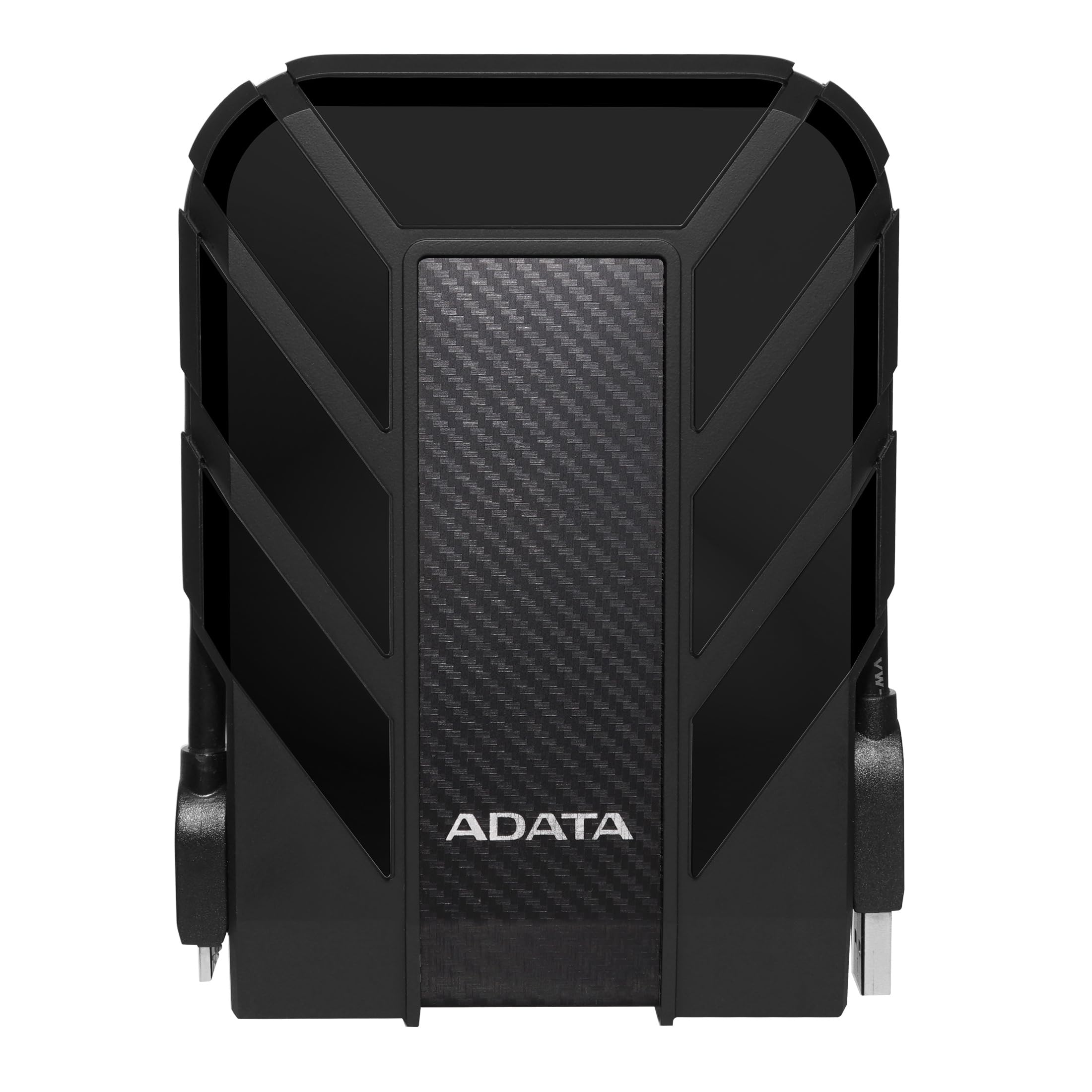
Figure 1: ADATA HD710 Pro 1TB External Hard Drive (Black)
2. Karakteristik kle
- IP68 Waterproof and IP6X Dustproof: Certified to exceed stringent International Electrotechnical Commission (IEC) standards, offering protection against water immersion and total dust ingress.
- Military-Grade Shockproof (MIL-STD-810G 516.6): Designed to withstand drops from up to 1.5 meters, ensuring data safety even in challenging environments.
- Triple-Layered Protection: Features a tough silicone outer layer, a shock-absorbing buffer, and a robust plastic shell for enhanced durability.
- USB 3.1 Entèfas: Provides ultra-fast data transfer rates of up to 5 gigabits per second.
- Jesyon kab entegre: A convenient groove around the drive allows for neat storage of the USB cable, preventing loss and tangles.
- Pa gen pouvwa ekstèn obligatwa: Powered directly via the USB connection, enhancing portability.

Figure 2: Illustration of the HD710 Pro's triple-layered protective design.
3. Enstalasyon
- Depake aparèy la: Carefully remove the ADATA HD710 Pro from its packaging.
- Locate the USB Cable: The integrated USB 3.1 cable is wrapped around the drive's casing. Gently unwrap it.
- Konekte ak òdinatè: Plug the USB connector into an available USB port on your computer (PC, Mac, or Linux). For optimal performance, use a USB 3.0/3.1 port.
- Rekonesans Inisyal: Your operating system should automatically detect the drive. A blue LED indicator on the drive will illuminate, signifying power and activity.
- Formatting (If Needed): The drive comes pre-formatted for general use. If you encounter issues or wish to change the file system (e.g., for specific operating system compatibility or larger file support), you may need to format the drive. Refer to your operating system's documentation for instructions on how to format an external drive. Warning: Formatting will erase all data on the drive. Back up any important files anvan kontinye.

Figure 3: The HD710 Pro is compatible with PC, Mac, and Linux systems.
4. Opere
- Aksè nan Drive la: Once connected and recognized, the drive will appear as a removable storage device in your computer's file eksploratè (Windows), Finder (macOS), oubyen file manager (Linux).
- Transfere Files: Ou ka trennen epi gout files or folders to and from the HD710 Pro just like any other storage device.
- Ejeksyon an sekirite: To prevent data corruption, always safely eject the drive before disconnecting it.
- Windows: Right-click the drive icon in 'This PC' or the system tray and select 'Eject'.
- MacOS: Drag the drive icon to the Trash, or click the Eject button next to the drive name in Finder.
- Linux: Right-click the drive icon in your file manager and select 'Eject' or 'Unmount'.
- Endikatè ki ap dirije: The blue LED light indicates the drive's status:
- Solid Blue: Kondwi a limen epi li pa aktif.
- Flache ble: Transfè done ap fèt.
Videyo 1: Yon overview of the ADATA External Hard Drive, demonstrating its features and usage.
5. Antretyen
- Kenbe pò yo sele: Ensure the rubber flap covering the USB port is securely closed when the drive is not in use to maintain its waterproof and dustproof integrity.
- Netwaye dousman: Use a soft, dry cloth to clean the exterior of the drive. Avoid harsh chemicals or abrasive materials.
- Evite kondisyon ekstrèm: While rugged, prolonged exposure to extreme temperatures, direct sunlight, or corrosive substances should be avoided.
- Manyen ak Swen: Despite its shockproof design, avoid intentionally dropping or subjecting the drive to excessive force.

Figure 4: The HD710 Pro offers IP68 waterproof, IP6X dustproof, and military-grade shock resistance.
NAN. Depanaj
- Kondwi pa rekonèt:
- Asire w kab USB a byen konekte ak tou de kondwi a ak òdinatè a.
- Eseye konekte nan yon pò USB diferan sou òdinatè w lan.
- Teste disk la sou yon lòt òdinatè pou elimine yon pwoblèm espesifik ak òdinatè a.
- Check your computer's Disk Management (Windows) or Disk Utility (macOS) to see if the drive is detected but unformatted or has a partition issue.
- Vitès transfè ki ba:
- Ensure you are using a USB 3.0/3.1 port on your computer for maximum speed. Connecting to a USB 2.0 port will result in slower speeds.
- Verifye ke chofè òdinatè w la yo ajou.
- Yon gwo kantite ti files can transfer slower than fewer large files.
- Koripsyon Done:
- Always safely eject the drive before disconnecting to prevent data loss or corruption.
- If data corruption occurs, data recovery software may be an option, but success is not guaranteed.
7. Espesifikasyon
| Karakteristik | Detay |
|---|---|
| Kapasite depo dijital | 1 TB |
| Entèfas Disk Difisil | USB 3.2 |
| Koneksyon Teknoloji | USB |
| Mak | ADATA |
| Karakteristik espesyal | Pòtab |
| Disk Disk Fòm Faktè | 2.5 pous |
| Deskripsyon Hard Disk | Disk difisil mekanik |
| Aparèy konpatib | Laptop, PC |
| Kalite enstalasyon | Ekstèn Disk Disk |
| Koulè | BLACK PRO |
| Karakteristik adisyonèl | Pòtab |
| Vitès wotasyon disk difisil | 5400 RPM |
| Itilizasyon espesifik pou pwodwi | personal, gaming, business |
| Li vitès | 90 Megabytes pou chak segonn |
| Vitès medya | 90 Megabytes pou chak segonn |
| Gwosè memwa kach enstale a | 1 |
| Pousantaj Transfè Done | 5000 Megabit pou chak segonn |
| Faktè fòm | Pòtab |
| Koneksyon Materyèl | USB 3.0 |
| Materyèl patiraj | Aliminyòm |
| Nimewo Modèl | AHD710P-1TU31-CBK |
| Medya entegre | External HDD, Quick start guide |
| Non modèl | HD 710 Pro |
| Manifakti | ADATA |
| Nimewo Idantifikasyon Komès Mondyal la | 04713218460394 |
| Non Kalite Atik | ADATA USB 3.1 IP68 Waterproof/Shockproof/Dustproof Ruggedized External Hard Drive, Black (AHD710P-1TU31-CBK) |
| Deskripsyon garanti | 3 ane garanti |
| Ranje pi bon vandè yo | #35 in External Hard Drives |
| ASIN | B0744NWZTM |
| Hard-Drive Size | 1000 GB |
| Pwa atik | 9.6 ons |
| Dimansyon Atik L x W x Epesè | 5.2"L x 3.8"Lajè x 0.8"Epesè |
| Kantite Atik | 1 |
| Konte inite | 1.0 Konte |
| Kalite Pakè Kliyan | Anbalaj estanda |
8. Garanti
The ADATA HD710 Pro comes with a 3-ane garanti limite. This warranty covers defects in materials and workmanship under normal use. For specific terms and conditions, please refer to the official ADATA websit la oswa kat garanti ki vini ak pwodwi ou a.
9. Sipò
For further assistance, technical support, or to download the latest drivers and software, please visit the official ADATA websit:
You may also find helpful resources and FAQs on the ADATA support pages.