
1. Pwodwi souview
This ECCPP 5-button remote key fob shell is designed as a direct replacement for your original key fob case. It does not include internal electronics, a transponder chip, or a battery. The purpose of this product is to replace a damaged or worn-out outer shell while retaining the original internal components.

Image 1.1: Two ECCPP 5-button remote key fob shells.
The shell is constructed from high-strength ABS plastic and reinforced with metal components, offering durability and resistance to impact and wear. This sturdy structure ensures your key fob shell case not only looks and feels like the original but also reliably protects the internal equipment from damage.
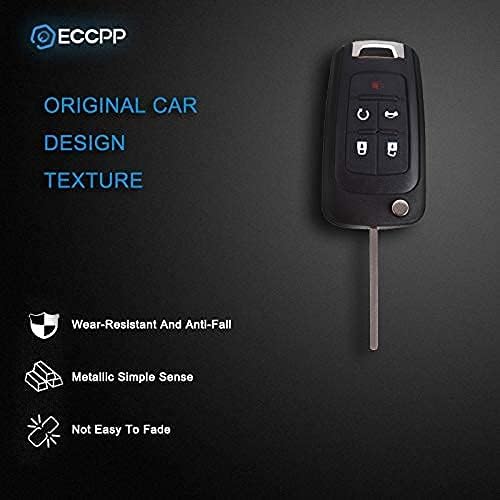
Image 1.2: Durable design features of the key fob shell.
2. Konpatibilite
This key fob shell is compatible with various Chevrolet, Buick, and GMC vehicles. Please verify your original key fob's appearance and part numbers against the following list to ensure compatibility.

Image 2.1: Compatibility list for the key fob shell.
Machin konpatib:
- 2010 Buick Allure
- 2010-2016 Buick LaCrosse
- Buick Regal 2011-2017
- Buick Verano 2012-2017
- Buick Encore 2013-2017
- GMC Tèren 2010-2017
- 2016 Chevrolet Cruze Limited
- 2016 Chevrolet Malibu Limited
- 2010-2016 Chevrolet Camaro
- 2010-2016 Chevrolet Cruze
- 2010-2017 Chevrolet Equinox
- 2010-2016 Chevrolet Malibu
- 2012-2017 Chevrolet Sonic
- 2014-2017 Chevrolet Impala
- 2014-2016 Chevrolet Impala Limited
Interchange Part Numbers: OHT01060512, 5461A-01060512, 13500221, 13500226.
3. Enstalasyon ak Enstalasyon
This section outlines the process for transferring the internal components from your existing key fob to the new ECCPP replacement shell. No programming or cutting is required for the shell itself, as it reuses your original electronics and key blade.
Zouti obligatwa:
- Small flathead screwdriver or pry tool
- Small punch or paperclip (for key blade pin removal)
Etap enstalasyon:
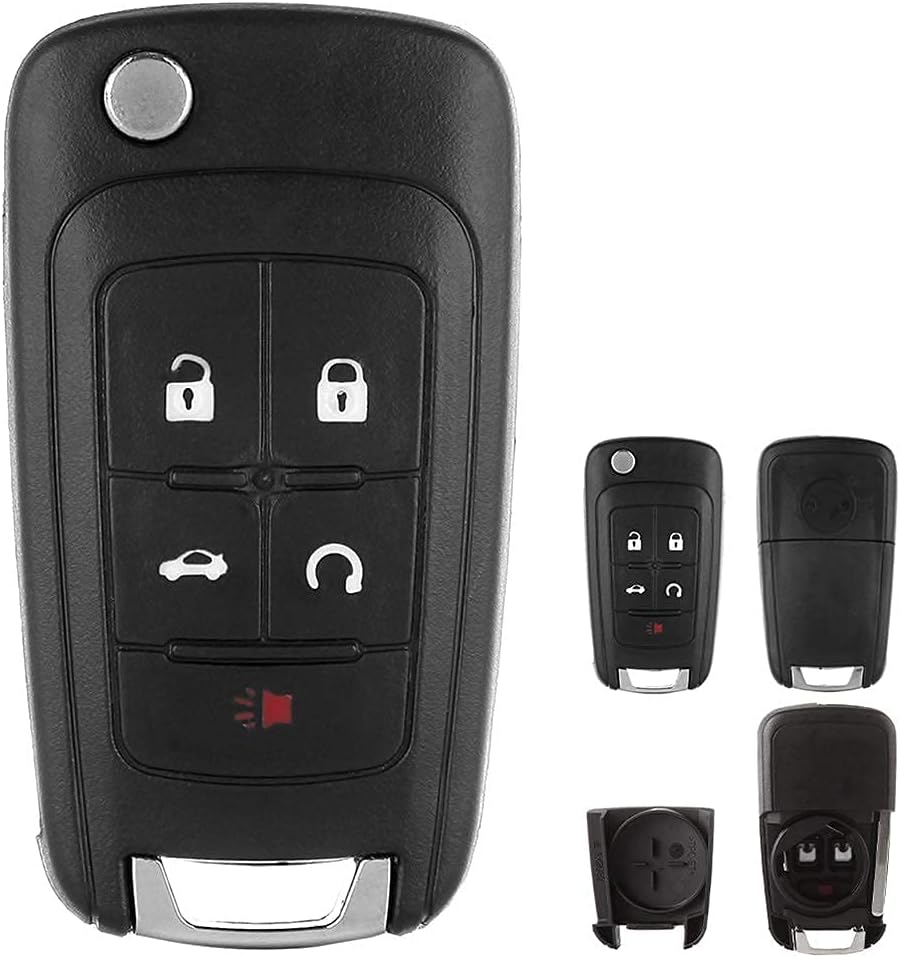
Image 3.1: Key fob components.
- Disassemble Original Fob: Carefully separate the two halves of your original key fob. This may require a small flathead screwdriver to pry them apart. Be gentle to avoid damaging the internal circuit board. Some original fobs may be fused and require more effort.
- Remove Circuit Board: Once opened, locate and carefully remove the electronic circuit board from the old shell. This is the "brain" of your key fob.
- Remove Key Blade:
Identify the small roll pin holding the key blade in place. Use a small punch or a sturdy paperclip to push this pin out. Once the pin is removed, slide the key blade out.

Image 3.2: Key blade detail.
- Transfer Key Blade to New Shell: Insert your original key blade into the new ECCPP shell. Align the hole in the key blade with the pinhole in the new shell and reinsert the roll pin to secure it.
- Install Circuit Board: Carefully place the original circuit board into the new ECCPP shell. Ensure it sits correctly within the designated grooves and that the buttons align with the shell's button pads.

Image 3.3: Key fob circuit board.
- Assemble New Fob: Carefully align the two halves of the new ECCPP shell and press them together until they snap securely into place. Ensure the flip key mechanism functions correctly. You may need to pre-tension the spring for the flip key by twisting it before closing the shell.
Nòt: This product is a shell replacement only. If your original key fob's electronics are damaged or if you require a new key blade to be cut, additional services from a locksmith or dealership may be necessary.
4. Operating Your Key Fob
Once assembled, your key fob will function identically to your original, as it uses the same internal electronics. The buttons on the ECCPP shell correspond to the standard functions of your vehicle's remote entry system.

Image 4.1: Key fob button functions.
- Bouton fèmen: Peze yon fwa pou fèmen tout pòt yo.
- Bouton Debloke: Press once to unlock the driver's door, press twice to unlock all doors.
- Trunk Release Button (Car icon): Press and hold to open the trunk or liftgate.
- Remote Start Button (Circular arrow): Press twice to remote start your vehicle (if equipped).
- Panic Button (Red horn icon): Press and hold to activate the vehicle's alarm.

Image 4.2: Detail of the Panic button.
The design ensures that the key signal is not affected by the new shell, maintaining reliable communication with your vehicle.

Image 4.3: Key fob signal integrity.
5. Antretyen
To ensure the longevity and proper function of your ECCPP key fob shell, follow these maintenance guidelines:
- Netwayaj: Wipe the exterior of the key fob with a soft, damp cloth. Avoid using harsh chemicals or abrasive cleaners, as these can damage the plastic finish.
- Pwoteksyon: Avoid dropping the key fob or exposing it to extreme temperatures, direct sunlight for prolonged periods, or moisture. While the shell is durable, excessive force or environmental exposure can cause damage.
- Batri: The shell does not contain a battery. The battery for the electronic circuit board is part of your original internal components. If your remote stops working, the battery in the circuit board may need replacement. Refer to your vehicle's owner's manual or the original fob's instructions for battery replacement procedures.
NAN. Depanaj
If you encounter issues after replacing the key fob shell, consider the following troubleshooting steps:
- Fob Not Responding:
- Ensure the internal circuit board is correctly seated within the new shell and that all connections are secure.
- Check the battery within the circuit board. A weak or dead battery will prevent the fob from transmitting a signal.
- Verify that the buttons on the circuit board align properly with the rubber button pads of the new shell.
- Flip Key Not Functioning Correctly:
- Ensure the key blade is securely fastened with the roll pin.
- Confirm that the spring mechanism was correctly tensioned during assembly. If not, you may need to reopen the shell and re-tension the spring.
- Check for any obstructions preventing the key from flipping smoothly.
- Difikilte pou rasanble:
- Ensure all components (circuit board, key blade, spring) are correctly positioned before attempting to snap the shell halves together.
- Do not force the shell halves. If they do not close easily, re-check component alignment.
If issues persist, it may indicate a problem with the original internal electronics, not the replacement shell. Consult a professional automotive locksmith or your vehicle dealership for further diagnosis.
7. Espesifikasyon
| Karakteristik | Detay |
|---|---|
| Nimewo Modèl | 990715-kle |
| Kantite bouton | 5 |
| Materyèl | High-strength ABS Plastic, Metal |
| Koulè | Nwa |
| Dimansyon (L x W x H) | 1.18 x 0.79 x 0.59 inches (approximate shell dimensions) |
| Pwa atik | 2.08 ounces (shell only) |
| Manifakti | ECCPP |

Image 7.1: Product size information.
8. Garanti ak sipò
For specific warranty information regarding your ECCPP key fob shell, please refer to the product packaging or contact ECCPP customer service directly. As this product is a replacement shell, its warranty typically covers manufacturing defects of the shell itself, not the internal electronic components transferred from your original fob.
For technical support or inquiries, please visit the official ECCPP websit entènèt la oubyen kontakte depatman sèvis kliyan yo. Anjeneral, ou ka jwenn enfòmasyon pou kontakte yo sou sit fabrikan an. websit oswa dokiman pwodwi.