
1. Entwodiksyon
This manual provides essential information for the safe and efficient operation of your SUNNYSKY MPPT-60AI Solar Charge Controller. Please read it thoroughly before installation and use. This controller is designed to optimize power harvesting from solar panels to charge various battery types, including Sealed, Gel, Flooded, and Lithium batteries, across 12V, 24V, 36V, and 48V systems.

Figi 1.1: Devan view of the SUNNYSKY MPPT-60AI Solar Charge Controller.
Videyo 1.1: Finiview of the SUNNYSKY MPPT Solar Charge Controller.
2. Enfòmasyon enpòtan sou sekirite
Obsève prekosyon sekirite sa yo pandan enstalasyon ak operasyon:
- Pwoteksyon polarite ranvèse PV
- PV kout sikwi pwoteksyon
- PV over current alarm protection
- Pwoteksyon twòp chaj batri
- Batri sou pwoteksyon egzeyat
- Pwoteksyon polarite ranvèse batri
- Chaje pwoteksyon kout sikwi
- Chaj pwoteksyon surcharge
- Kontwolè surchof pwoteksyon
Always ensure proper wiring and adhere to local electrical codes to prevent damage or injury.
3. Pwodwi Features
- Sistèm Voltage Auto-Identification: Automatically detects 12V/24V/48V system voltages.
- Volim Antre PV Segondètage: Sipòte yon volim maksimòm PV antretage nan 170V.
- Wide MPPT Working Range: Optimal MPPT voltage ranges: DC18V-DC120V (12V system), DC30V-DC120V (24V system), DC65V-DC150V (48V system).
- Batri konpatibilite: Compatible with Lead-acid (Sealed, AGM, Gel, Flooded) and Lithium batteries. Parameters can be set for specific lithium battery characteristics.
- Efficient Tracking: Maximum Power Point Tracking (MPPT) rate ≥99%, maximum conversion rate >98%.
- Power & Current Limiting: Auto control system limits charging power and current to prevent exceeding rated values.
- Display & Monitoring: Features an LCD display to show daily power generation and current curves.
4. Pake kontni
Lè w ap ouvri pake a, verifye ke tout bagay yo la epi yo pa domaje:
- SUNNYSKY MPPT-60AI Solar Charge Controller
- Manyèl itilizatè
- Sipò ak vis pou monte
- Kab Capteur Tanperati
- Communication Cable (if included with specific model)

Figure 4.1: SUNNYSKY MPPT-60AI Solar Charge Controller and accessories.
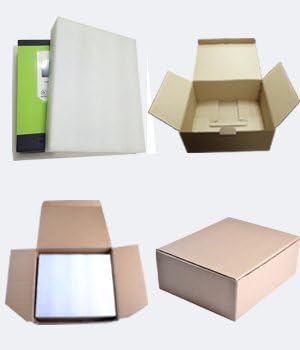
Figi 4.2: Anbalaj pwodwi a.
5. Enstalasyon ak Enstalasyon
5.1. Enstalasyon Kontwolè a
Choose a suitable, well-ventilated location away from direct sunlight and high temperatures. Ensure adequate clearance around the unit for proper airflow. Use the provided mounting brackets and screws to securely attach the controller to a vertical surface.
5.2. Koneksyon fil elektrik
Follow the wiring sequence carefully to avoid damage:
- Connect the battery cables to the controller first. Ensure correct polarity (positive to positive, negative to negative).
- Connect the solar panel cables to the controller. Ensure correct polarity.
- Connect any DC load devices to the load terminals.
Always connect the battery before the solar panels. Reverse polarity can damage the controller.

Figure 5.1: Connection terminals for solar, battery, and load.
Video 5.1: Sunnysky Solar MPPT Charge Controller charging status page.
6. Operasyon Enstriksyon
6.1. LCD Display and Navigation
The LCD display provides real-time information about your solar system. Use the MENU, UP, DOWN, and ENTER buttons to navigate through the display screens and adjust settings.

Figure 6.1: LCD display and button functions.
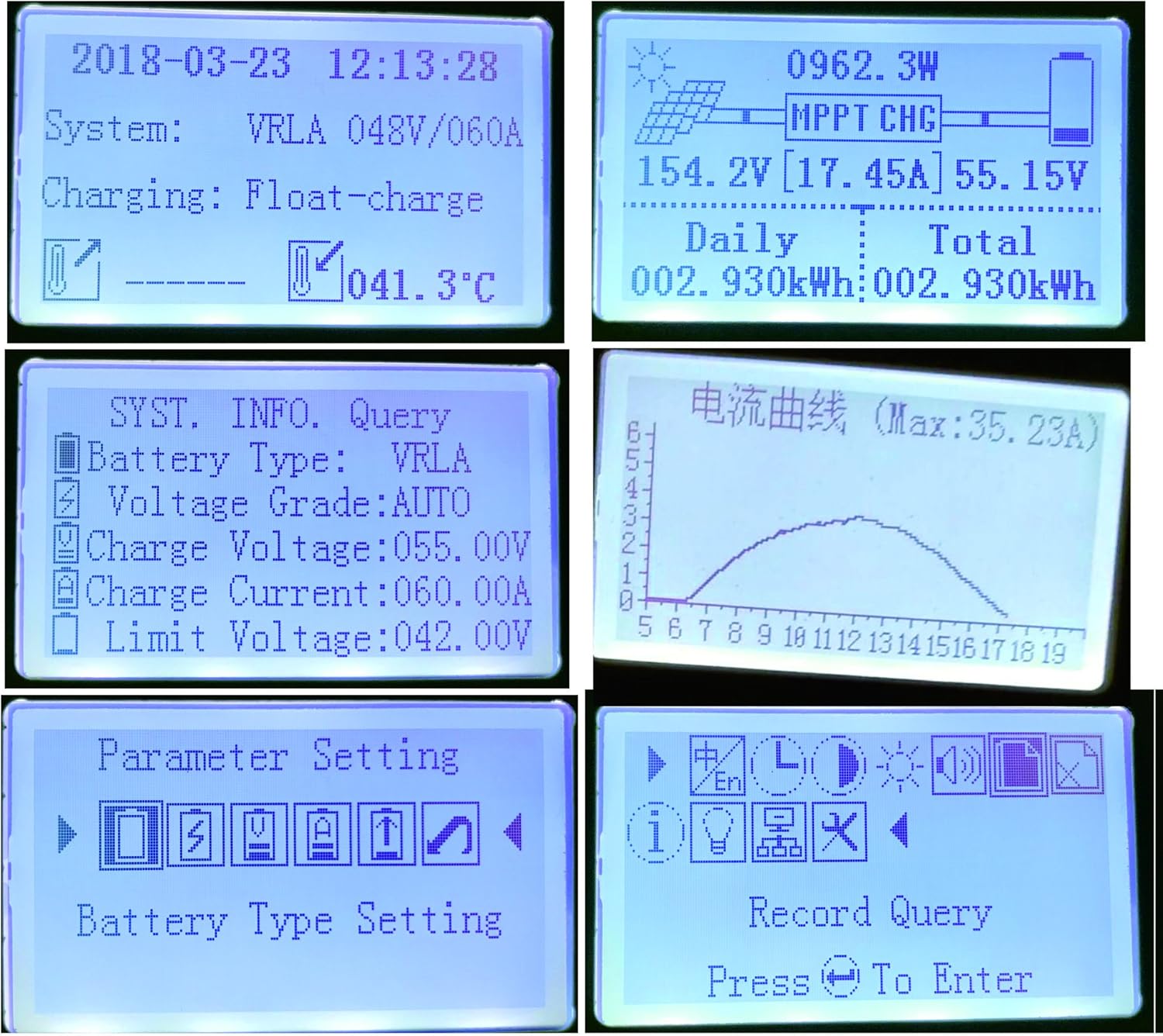
Figi 6.2: Egzamples of LCD display content.
Video 6.1: Sunnysky Solar MPPT Solar Controller Display content.
6.2. Anviwònman Kalite Batri
The controller supports various battery types. It is crucial to select the correct battery type in the settings to ensure optimal charging and prolong battery life. For Lithium batteries, specific parameters can be adjusted.
6.3. Kontwòl chaj
The controller features DC load output. You can manage the load settings through the display interface.
Video 6.2: MPPT solar controller current and power curve.
7. Antretyen
- Regularly inspect all wiring connections for tightness and corrosion.
- Kenbe kontwolè a pwòp epi san pousyè ak debri.
- Ensure proper ventilation around the unit to prevent overheating, especially during high power operation.
- Siveye ekran LCD a pou nenpòt kòd erè oswa lekti dwòl.
NAN. Depanaj
Si ou rankontre pwoblèm, gade pwoblèm ak solisyon komen sa yo:
- LCD does not light up: Tcheke koneksyon batri yo epi asire w ke vòltaj batri atage se nan seri a fonksyone.
- Pa gen chaj: Verify solar panel connections, ensure sufficient sunlight, and check for any PV over-current or reverse polarity warnings.
- Chaj la pa fonksyone: Check load connections, ensure the load is not overloaded, and verify load settings on the controller.
- Surchof: Ensure adequate ventilation and clear any obstructions around the cooling fins.
Video 8.1: Comparison of SUNNYSKY controller and other controllers.
9. Espesifikasyon
| Karakteristik | Valè |
|---|---|
| Nimewo Modèl | MPPT-60AI |
| Mak | SUNNYSKY |
| Rating aktyèl | 60A |
| Sistèm Voltage | 12V/24V/36V/48V Auto |
| Max PV Antre Voltage | 170V |
| MPPT Best Working Voltage Range (12V) | DC18V-DC120V |
| MPPT Best Working Voltage Range (24V) | DC30V-DC120V |
| MPPT Best Working Voltage Range (48V) | DC65V-DC150V |
| Max PV Input Power (12V) | 840W |
| Max PV Input Power (24V) | 1700W |
| Max PV Input Power (36V) | 2500W |
| Max PV Input Power (48V) | 3400W |
| Kalite batri sipòte | Sealed, AGM, Gel, Flooded, Lithium |
| Kalite ekspozisyon | LCD |
| Tanperati Fonksyònman | 25 Degrees Celsius (optimal) |
| Dimansyon pwodwi | 9.84 x 2.95 x 7.09 pous |
| Pwa atik | 5.72 liv (2.6 kilogram) |
| Materyèl | Plastic And Metal |
10. Garanti ak sipò
For warranty information and customer support, please refer to the official SUNNYSKY store or contact their customer service directly. Keep your purchase receipt for warranty claims.
Visit the official SUNNYSKY Store: SUNNYSKY Solar Store