1. Entwodiksyon
Mèsi pou acha aasing the MAX LED Partybar4. This versatile RGBW light set is designed to create dynamic and colorful light shows for various events. It features four PAR spots with RGBW LEDs, multiple operating modes, and comes with a sturdy stand for easy setup. This manual provides essential information for safe operation, setup, and maintenance of your device. Please read it thoroughly before use and keep it for future reference.

Image 1.1: The MAX LED Partybar4, showcasing its four PAR spots with vibrant purple illumination.
2. Enstriksyon Sekirite
- Li tout enstriksyon yo ak anpil atansyon anvan ou opere aparèy la.
- Kenbe manyèl sa a pou referans nan lavni.
- Asire ke ekipman pou pouvwa a matche ak voltage espesifye sou aparèy la.
- Pa ekspoze aparèy la anba lapli oswa imidite pou evite dife oswa chòk elektrik.
- Always disconnect from the mains power supply before cleaning or servicing.
- Do not open the housing; there are no user-serviceable parts inside. Refer servicing to qualified personnel.
- Evite kontak dirèk ak sous limyè a nan je yo, paske li ka domaje je yo.
- Asire bon vantilasyon alantou inite a pou anpeche surchof.
- Position the device on a stable surface or mount it securely using appropriate hardware.
3. Pwodwi souview
3.1 Eleman
- LED Partybar4 unit with 4 PAR spots
- Reglabl kanpe tripod
- San fil kontwòl remote
- Kab pouvwa
- Manyèl itilizatè
3.2 Karakteristik kle
- 4 PAR spots with RGBW LEDs for vibrant color mixing.
- Plug and Play design for quick setup.
- Multiple operating modes: Sound-activated, Auto, DMX, and Master/Slave.
- Pre-programmed shows for instant effects.
- Wireless remote control for convenient operation.
- Integrated control panel with LED display for easy settings adjustment.
- Sturdy, adjustable tripod stand with a maximum height of 1.8m.

Image 3.1: The MAX LED Partybar4 with its included wireless remote control, highlighting ease of color and function adjustment.
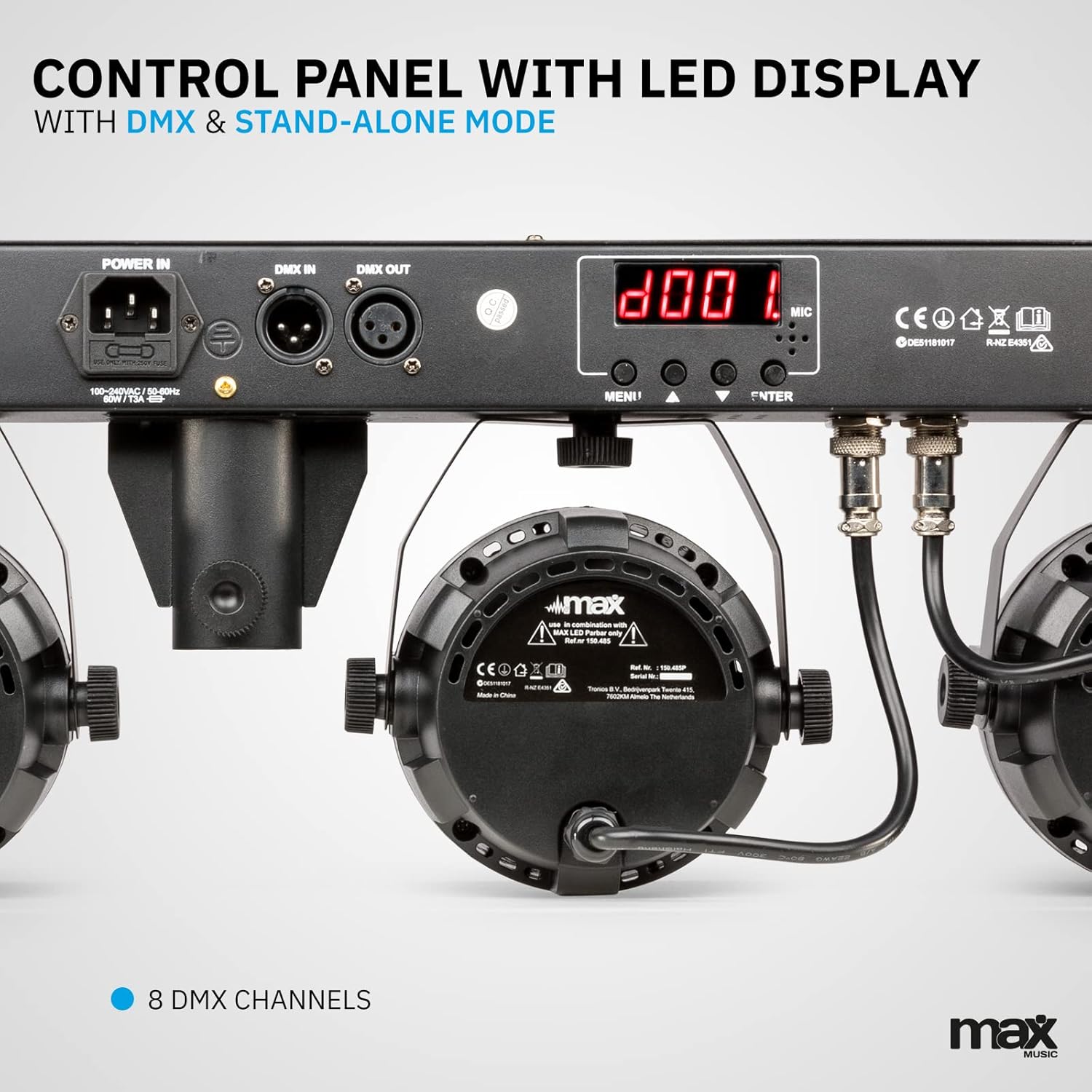
Imaj 3.2: Detaye view of the control panel, featuring power input, DMX connections, and the LED display for mode selection.
4. Enstalasyon
4.1 Asanble kanpe la
- Unfold the tripod legs and ensure they are fully extended and stable.
- Loosen the height adjustment knob on the stand.
- Extend the central pole to the desired height, ensuring it is securely locked in place. The maximum height is 1.8 meters.
- Sere boulon ajisteman wotè a byen fèm.
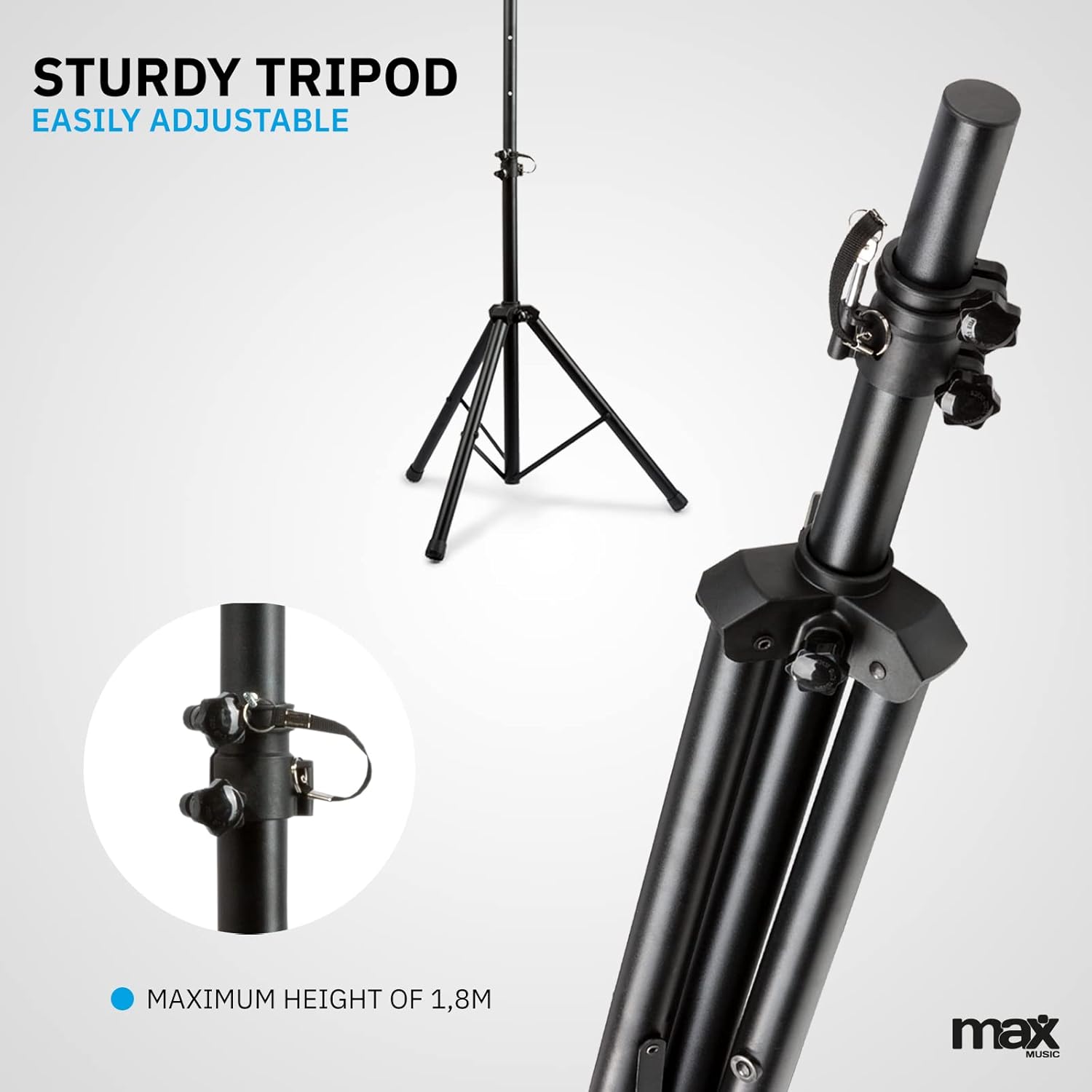
Image 4.1: The sturdy tripod stand, illustrating its adjustable height mechanism for optimal positioning.
4.2 Mounting the Partybar4 Unit
- Carefully place the Partybar4 unit onto the top of the assembled tripod stand.
- Secure the unit to the stand using the provided mounting hardware (if applicable) to prevent accidental dislodgement.
- Adjust the angle of the PAR spots as desired by loosening and tightening their side knobs.
4.3 Koneksyon pouvwa
- Connect the power cable to the "POWER IN" socket on the Partybar4 unit.
- Plug the other end of the power cable into a suitable mains power outlet.
- Ensure the power switch on the unit is in the "OFF" position before connecting to power.
4.4 Koneksyon DMX (Si ou vle)
For advanced control, connect a DMX controller to the "DMX IN" port using a standard 3-pin DMX cable. If linking multiple units, connect the "DMX OUT" of the first unit to the "DMX IN" of the next unit in a daisy chain.
5. Operasyon Modes
The MAX LED Partybar4 offers several operating modes, which can be selected via the control panel on the unit or the wireless remote control.
5.1 Operasyon Panel Kontwòl
Use the "MENU", "UP", "DOWN", and "ENTER" buttons on the control panel to navigate through the settings and select your desired mode. The LED display will show the current mode or setting.
5.2 Operasyon kontwòl Remote
Kontwòl san fil ki enkli a bay aksè pratik a plizyè fonksyon:
- ON/OFF: Pouvwa sou oswa koupe.
- AUTO/MUTE: Activates automatic program mode.
- SOUND/SEEK: Aktive mòd aktive pa son.
- DMX: Selects DMX control mode.
- PAR/FLASH: Controls PAR spot flash function.
- LED/COLOR: Adjusts LED colors or color mixing.
- MOTOR/SEN: Adjusts motor speed or sound sensitivity.
- +/-: Adjusts parameters (speed, sensitivity, DMX address).
5.3 Mòd otomatik
In Automatic mode, the Partybar4 cycles through pre-programmed light shows. You can adjust the speed of these shows using the remote control or control panel.
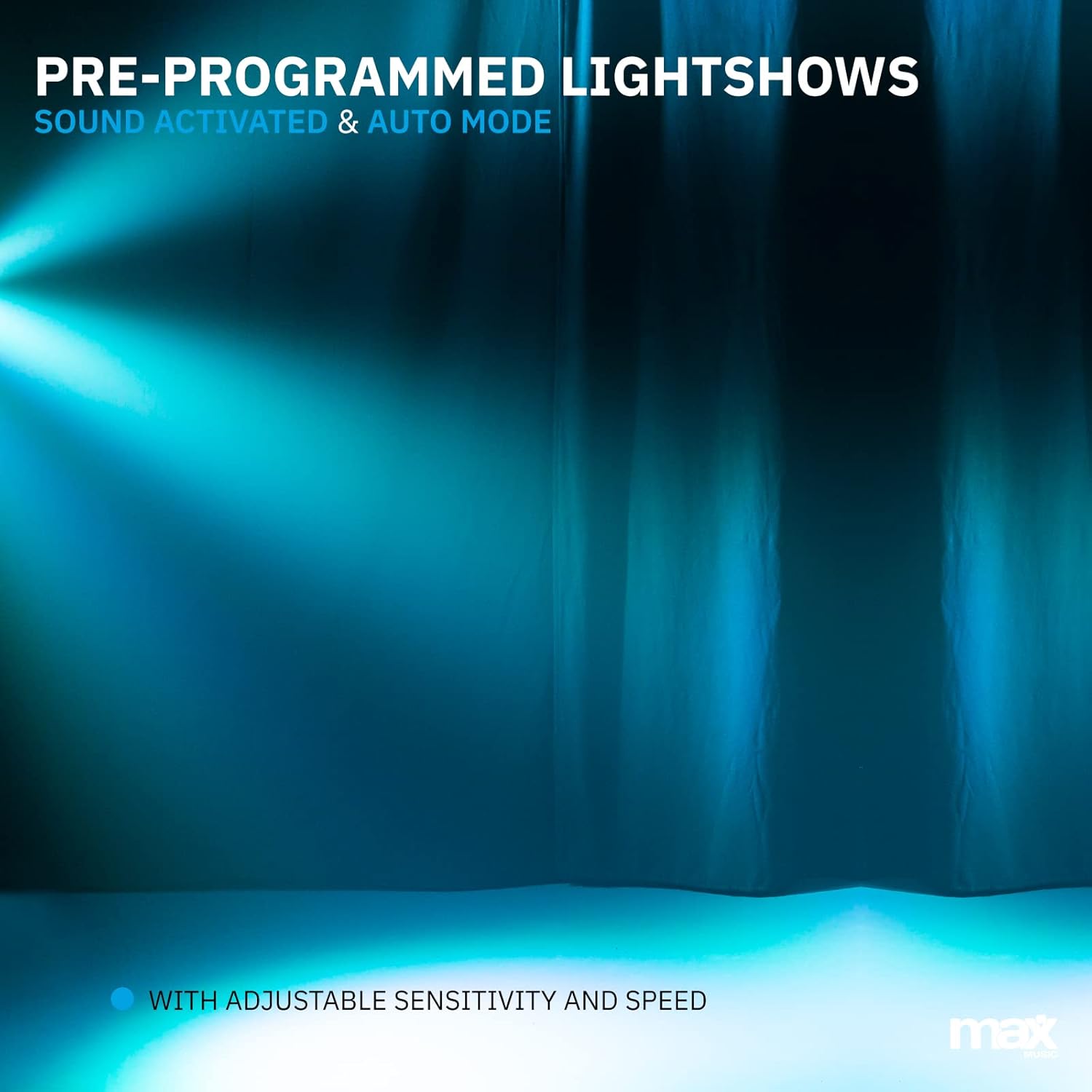
Imaj 5.1: Yon ansyenample of a pre-programmed light show, demonstrating dynamic blue and white light effects.
5.4 Mòd Aktive pa Son
In Sound-activated mode, the light effects react to the beat of the music detected by the built-in microphone. Adjust the sensitivity using the remote control or control panel to fine-tune its response.
5.5 DMX mòd
For professional control, use DMX mode. Set the DMX start address via the control panel. The Partybar4 uses 8 DMX channels, allowing precise control over colors, dimming, strobe, and program selection from an external DMX controller.
5.6 Color Mixing
The RGBW LEDs allow for a wide spectrum of colors. In certain modes, you can mix red, green, blue, and white to create custom hues.

Image 5.2: Illustration of RGBW color mixing capabilities, producing a vibrant blue light effect.
6. Antretyen
6.1 Netwayaj
- Toujou dekonekte aparèy la nan ekipman pou pouvwa a anvan w netwaye.
- Use a soft, lint-free cloth to wipe the exterior of the unit.
- For lenses, use a specialized lens cleaning solution and a soft cloth to avoid scratches.
- Pa sèvi ak pwodui netwayaj abrazif oswa solvang.
6.2 Depo
- Sere aparèy la nan yon anviwònman sèk, san pousyè lè w pa ap itilize li.
- If storing for extended periods, consider using the original packaging or a protective case.
- Ensure the tripod is collapsed and secured to prevent damage.
NAN. Depanaj
| Pwoblèm | Kòz posib | Solisyon |
|---|---|---|
| Pa gen pouvwa | Power cable disconnected; power outlet faulty; unit switch off. | Tcheke koneksyon kab kouran an; eseye yon lòt priz; asire w ke switch kouran an limen. |
| Lights not responding to music (Sound-activated mode) | Microphone sensitivity too low; music volume too low; incorrect mode selected. | Increase microphone sensitivity; increase music volume; ensure Sound-activated mode is active. |
| Remote kontwòl pa travay | Battery depleted; obstruction between remote and unit; remote not pointed at IR receiver. | Replace remote control battery (CR2); remove obstructions; ensure remote is pointed at the IR receiver on the unit. |
| DMX control issues | Incorrect DMX address; faulty DMX cable; DMX controller issue; unit not in DMX mode. | Verify DMX address settings; check DMX cable connections; test with another DMX controller; ensure DMX mode is selected on the unit. |
8. Espesifikasyon
| Karakteristik | Detay |
|---|---|
| Nimewo Modèl | PartyBar4 |
| Sous limyè | LED RGBW |
| Chanèl DMX | 8 |
| Mòd fonksyònman | Auto, Sound-activated, DMX, Master/Slave |
| Sous pouvwa | Kouran elektrik |
| Dimansyon pwodwi | 20 x 20 x 9 cm |
| Pwa atik | 7.3 Kilogram |
| Tripod Max Wotè | 1.8 mèt |
| Batri kontwòl Remote | 1 batri CR2 (enkli) |
| Sètifikasyon | CE |
9. Videyo pwodwi ofisyèl la
Video 9.1: A Closer Look at the MAX LED Partybar4. This video provides a detailed visual overview of the product's features and components.
10. Garanti ak sipò
The MAX LED Partybar4 comes with a standard manufacturer's warranty. Please refer to the warranty card included in your packaging for specific terms and conditions. For technical support, troubleshooting assistance, or warranty claims, please contact your retailer or the MAX customer service department. Keep your proof of purchase for all warranty-related inquiries.
Note: The manual provided with the item may not be available in Dutch. This document serves as a comprehensive English instruction guide.


