
1. Entwodiksyon
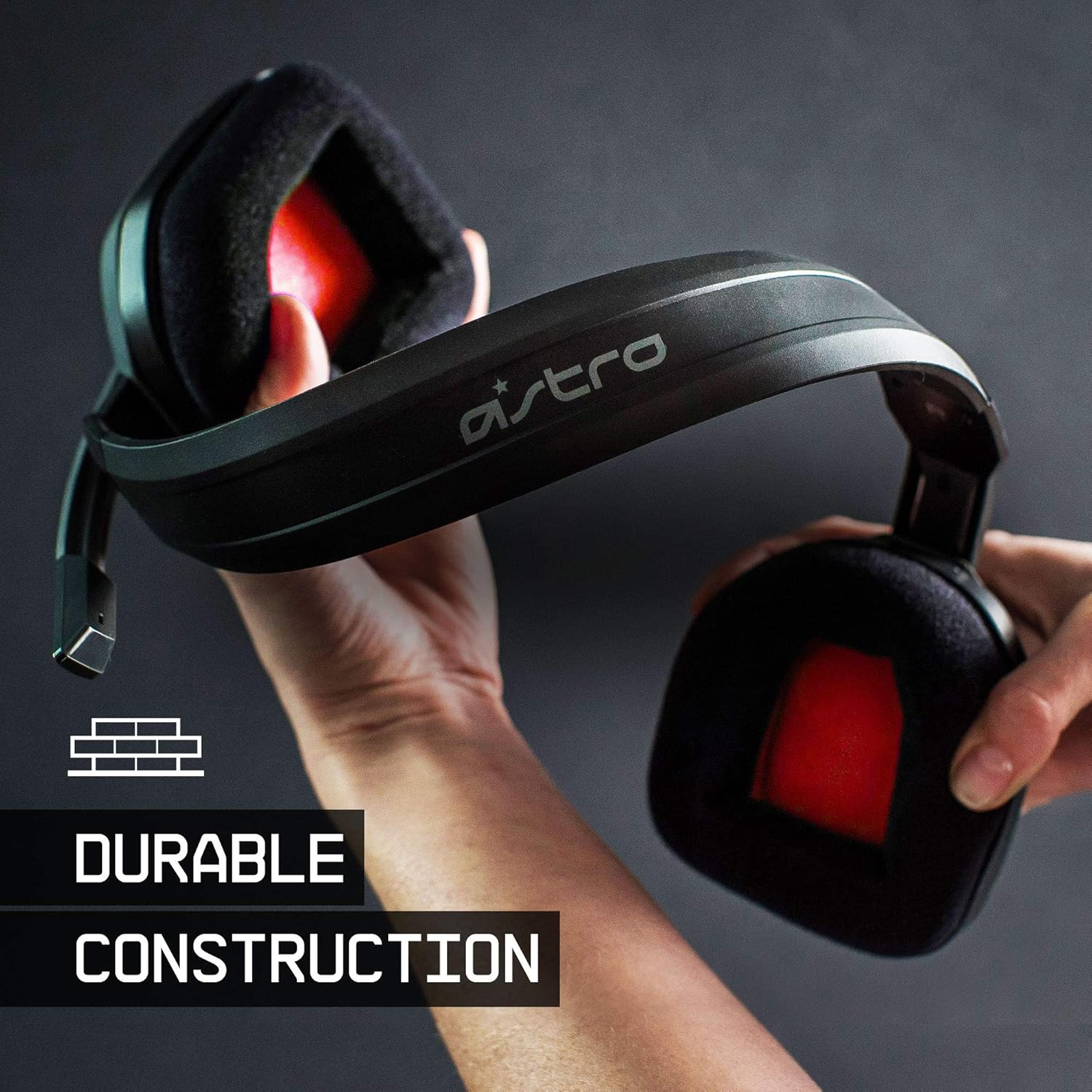
The ASTRO Gaming A10 Headset is engineered for gaming, offering durable construction and extended comfort for prolonged use. It features ASTRO Audio for clear and precise sound, an omnidirectional microphone with flip-up mute functionality, and in-line volume control for a comprehensive audio experience.
2. Ki sa ki nan bwat la
Upon unboxing your ASTRO Gaming A10 Headset, you should find the following components:
- ASTRO Gaming A10 Headset
- A10 Volume Cable (3.5mm jack)

3. Pwodwi Features
- Dirab: The A10 Headset is constructed with a durable headband made of anodized aluminum and a damage-resistant polycarbonate blend, designed to withstand rigorous use.
- Konfò: Featuring extended comfort memory foam ear-cushions, the headset is designed to minimize fatigue during long gaming sessions.
- Kominikasyon: An omnidirectional microphone with flip-up mute functionality and in-line volume control ensures clear communication with teammates.
- Kalite son: Tuned with ASTRO Audio, the A10 delivers immersive and accurate audio, providing low latency and precise voice communication.
- Konpatibilite: The headset is compatible with multiple platforms including PS5, PC/MAC, XBOX SERIES X|S, NINTENDO SWITCH, VR, and streaming devices.



4. Enstriksyon Enstalasyon
- Connect the A10 Volume Cable: Insert the smaller end of the A10 Volume Cable into the 3.5mm port located on the left earcup of the ASTRO A10 Headset. Ensure it is securely connected.
- Konekte ak aparèy: Plug the larger end of the A10 Volume Cable into the 3.5mm headphone jack on your gaming controller (e.g., Xbox, PlayStation), PC, Mac, Nintendo Switch, or other compatible device.
- Ajiste Volim: Use the in-line volume control wheel on the A10 Volume Cable to adjust the audio level to your preference.
- Pozisyon Mikwofòn: Lower the microphone boom arm to activate the microphone. Position it appropriately for clear voice capture.

5. Operasyon Enstriksyon
Itilizasyon Mikwofòn (Vire-pou-Silans)
The ASTRO A10 Headset features a convenient flip-to-mute microphone. To activate the microphone, simply lower the boom arm into the speaking position. To mute the microphone, flip the boom arm upwards until it clicks into the vertical position. This action instantly mutes your voice input.
Kontwòl Volim
Adjust the audio volume using the in-line control wheel located on the A10 Volume Cable. Rotate the wheel upwards to increase volume and downwards to decrease volume.
6. Konpatibilite
The ASTRO Gaming A10 Headset is designed for broad compatibility across various gaming and media platforms:
- PlayStation 5 (PS5)
- PlayStation 4 (PS4)
- Xbox Seri X|S
- Xbox Yon
- Nintendo switch
- PC
- Mac
- VR devices
- Aparèy difizyon
- Most mobile phones and tablets with a 3.5mm jack

7. Antretyen
- Netwayaj: Sèvi ak yon twal mou epi sèk pou netwaye kas ekoutè a. Evite itilize pwodui chimik ki agresif oswa materyèl abrazif.
- Depo: Sere kas ekoutè a nan yon kote ki fre epi sèk, lwen limyè solèy dirèk ak tanperati ekstrèm.
- Swen kab: Evite pliye byen file oswa rale kab la twòp pou anpeche li domaje.
- Kousen zòrèy: Periodically check ear cushions for wear and tear. Replacement cushions may be available from the manufacturer.
NAN. Depanaj
- Pa gen odyo / Odyo fèb:
- Asire w ke kab 3.5mm lan byen antre nan kas ekoutè a ak nan aparèy la.
- Check the in-line volume control and ensure it is turned up.
- Verify that the audio output settings on your device are correctly configured for the headset.
- Teste kas ekoutè a ak yon lòt aparèy pou elimine yon pwoblèm espesifik ak aparèy la.
- Mikwofòn pa travay:
- Ensure the microphone boom arm is fully lowered into the speaking position (not flipped up for mute).
- Check the microphone input settings on your device to ensure the headset microphone is selected and not muted.
- Teste mikwofòn nan avèk yon lòt aplikasyon oswa yon lòt aparèy.
- Static or Distorted Audio:
- Ensure the 3.5mm cable connections are secure and free from debris.
- Try using a different 3.5mm cable if available, to rule out a faulty cable.
- Reduce the volume on your device or headset if the audio is clipping.
9. Espesifikasyon
| Karakteristik | Detay |
|---|---|
| Mak | ASTRO Gaming |
| Non modèl | ASTRO Gaming A10 |
| Nimewo Modèl | 939-001508 |
| Koneksyon Teknoloji | Branche |
| Jack kas ekoutè | 3.5mm Jack |
| Pwa atik | 12.35 ons |
| Gamme frekans | 20 Hz - 20 kHz |
| Kalite chofè odyo | Chofè dinamik |
| Materyèl patiraj | Aliminyòm |
| Karakteristik adisyonèl | Microphone Included, Volume Control |
| Aparèy konpatib | PS5, PC/MAC, XBOX SERIES X|S, NINTENDO SWITCH, VR, STREAMING, most mobile phones, tablets |
10. Garanti ak sipò
The ASTRO Gaming A10 Headset comes with a Garanti manifakti 2 zan. For warranty claims, technical support, or additional product information, please visit the official ASTRO Gaming websit la oubyen kontakte sèvis kliyan yo dirèkteman.
11. Videyo pwodwi yo
ASTRO A10 Experience
Videyo: Yon emisyon videyo ofisyèlasing the overall experience and key aspects of the ASTRO A10 Headset. This video provides a visual overview of the product's design and functionality.