
1. Entwodiksyon
This manual provides detailed instructions for the safe and proper installation, operation, and maintenance of your MANHATTAN Universal Flat-Panel TV Articulating Wall Mount, Model 461399. This single-arm mount is designed to securely hold flat-panel televisions ranging from 13 to 42 inches and weighing up to 20 kg (44 lbs). It offers adjustable tilt, swivel, and level functionalities to optimize your vieweksperyans nan.

Imaj 1.1: Angle view of the MANHATTAN Universal Flat-Panel TV Articulating Wall Mount.
2. Enfòmasyon sou Sekirite
AVÈTISMAN: Read all instructions carefully before installation. Improper installation can result in property damage, serious injury, or death. If you do not understand these instructions or have doubts about the safety of the installation, contact a qualified installer.
- Asire w ke sifas montaj la ka sipòte pwa konbine montaj la ak televizyon an san danje.
- Pa depase kapasite pwa maksimòm 20 kg (44 lbs).
- Pwodwi sa a fèt pou itilize andedan kay la sèlman.
- Sèvi sèlman ak pyès ki nan konpitè yo bay pou monte yo. Si gen nenpòt pyès ki manke oswa ki domaje, kontakte sèvis kliyan.
- Always use a stud finder to locate wall studs for secure mounting in wood stud walls.
- Wear appropriate safety gear during installation, including eye protection.
3. Pake kontni
Verify that all components are present and undamaged before beginning installation. If any parts are missing or defective, do not proceed with installation and contact customer support.
- Wall Mount Assembly (Single Arm)
- TV Mounting Brackets (VESA Plate)
- Hardware Kit (Screws, Washers, Spacers, Wall Anchors)
- Manyèl Enstriksyon
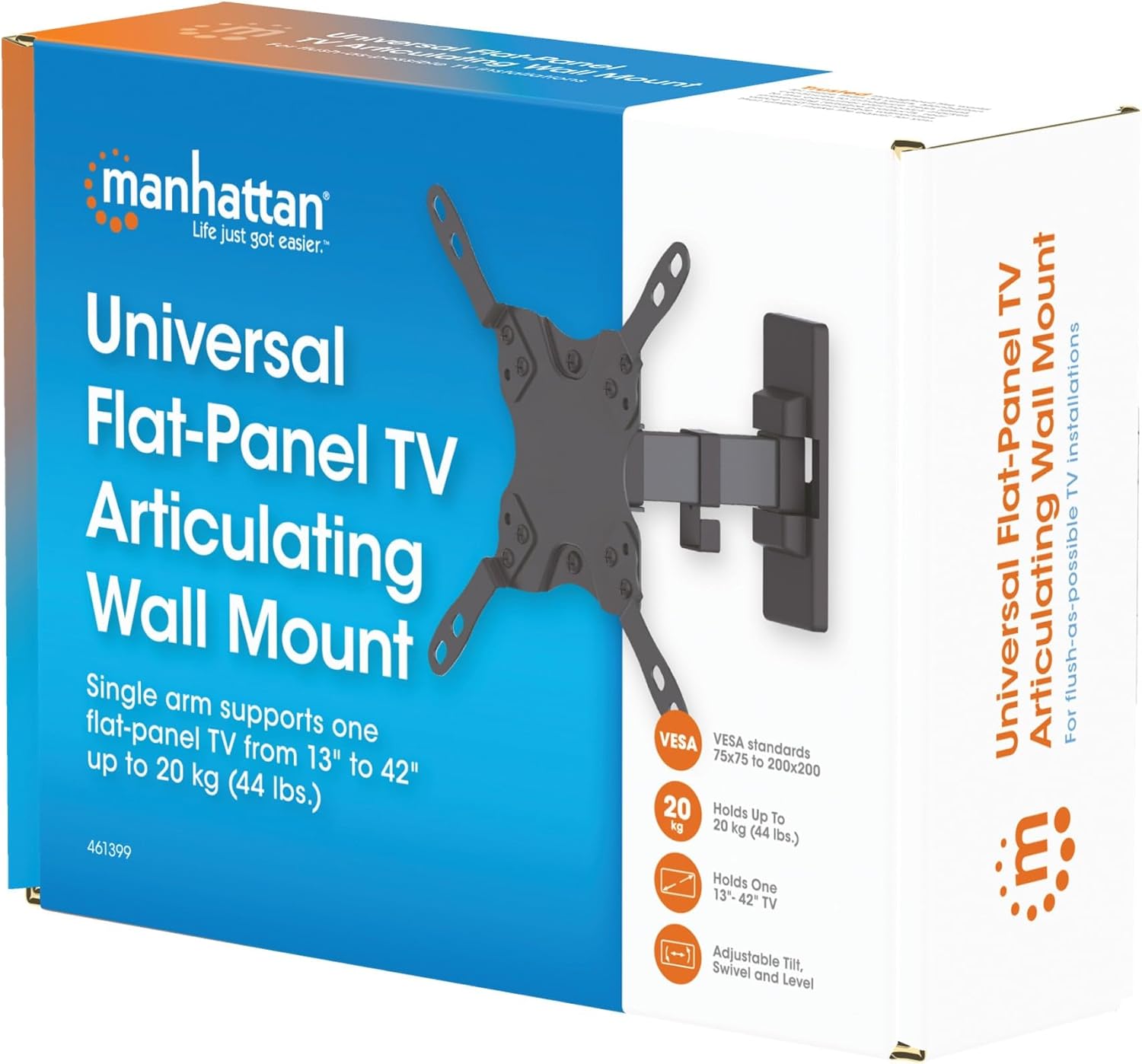
Image 3.1: Packaging of the MANHATTAN Universal Flat-Panel TV Articulating Wall Mount.
4. Enstalasyon ak Enstalasyon
4.1 Chèk Pre-Enstalasyon
- Televizyon konpatibilite: Ensure your TV's weight is within 20 kg (44 lbs) and its screen size is between 13 and 42 inches. Check the VESA mounting pattern on your TV (typically 75x75mm, 100x100mm, 200x100mm, or 200x200mm).
- Kalite miray: Determine your wall type (wood stud, concrete, brick). Different wall types require specific mounting hardware and techniques.
- Zouti obligatwa: Pencil, drill, stud finder (for wood walls), level, Phillips head screwdriver, socket wrench.
4.2 Mete Sipò Televizyon yo sou Televizyon an
- Mete televizyon ou a fas anba sou yon sifas mou epi pwòp pou evite domaje ekran an.
- Idantifye twou VESA aliye yo sou do a nan televizyon ou.
- Chwazi vis, rondelle, ak espasè ki apwopriye yo nan twou pyès ki nan konpitè a ki anfòm ak twou montaj televizyon ou an.
- Attach the TV mounting brackets to the back of your TV using the selected hardware. Ensure they are securely fastened but do not overtighten.

Imaj 4.2.1: Dèyè view of the VESA plate, showing mounting holes for TV attachment.

Imaj 4.2.2: Devan view of the VESA plate, showing mounting holes for TV attachment.
4.3 Monte Plak Miray la
- Determine the desired height and position for your TV. Use a pencil to mark the top center of where the mount will be.
- Place the wall plate against the wall at the marked position and use a level to ensure it is perfectly horizontal. Mark the drill holes.
- Pou miray ak poto an bwa: Use a stud finder to locate the center of a wood stud. Drill pilot holes (recommended size in manual, typically 5mm) into the stud. Secure the wall plate using the lag bolts and washers.
- Pou miray beton/brik: Drill pilot holes (recommended size in manual, typically 10mm) into the solid concrete or brick. Insert wall anchors into the holes. Secure the wall plate using the lag bolts and washers.
- Asire w plak miray la byen tache ak miray la.

Imaj 4.3.1: Kote view of the mount, illustrating its extension from the wall.
4.4 Pandye televizyon an
- Avèk asistans, leve televizyon an avèk anpil atansyon avèk sipò yo epi kwoke yo sou plak miray la.
- Asire w ke televizyon an byen chita sou plak miray la.
- Tighten any safety screws or locking mechanisms to prevent accidental dislodgement.
5. Enstriksyon Operasyon (Ajisteman)
This articulating wall mount allows for flexible positioning of your TV to achieve optimal viewang ing.
- Ajisteman enklinezon: Loosen the tilt knobs on the VESA plate, adjust the TV to the desired vertical angle (+5° to -12°), and then retighten the knobs.
- Ajisteman Swivel: Gently push or pull the TV to swivel it horizontally (up to 180° depending on TV size and wall distance).
- Ajisteman Nivo: If your TV is slightly unlevel after installation, there may be a mechanism to adjust the horizontal level (typically +/-3°). Consult the specific diagram for your model.

Image 5.1: Technical diagram showing dimensions and available adjustment angles (tilt, swivel, level).
5.1 Jesyon kab
Utilize the integrated cable clips on the arm to route and organize your TV cables, ensuring a neat appearance and preventing damage.

Image 5.1.1: Detail of the mount arm showing cable management clips.
6. Antretyen
- Tcheke tout vis ak koneksyon yo detanzantan pou asire yo rete sere epi byen fèm.
- Netwaye montaj la avèk yon twal mou epi sèk. Evite pwodui netwayaj abrazif oswa solvan.
- If the mount becomes stiff, a small amount of silicone-based lubricant can be applied to the articulating joints.
NAN. Depanaj
| Pwoblèm | Kòz posib | Solisyon |
|---|---|---|
| Televizyon an pa nivo | Wall plate not level during installation; level adjustment needed. | Re-check wall plate level and adjust if necessary. Use the mount's level adjustment feature if available. |
| Mòn santi l lach oswa enstab | Mounting screws are not fully tightened; wall anchors not properly installed; wall surface is inadequate. | Ensure all mounting screws are securely tightened. Verify wall anchors are correctly installed for your wall type. If the wall is inadequate, consult a professional. |
| Difficulty moving/adjusting TV | Joints are too tight or require lubrication. | Loosen adjustment screws slightly. Apply silicone-based lubricant to articulating joints if needed. |
8. Espesifikasyon
| Nimewo Modèl | 461399 |
| Mak | MANHATTAN |
| Kalite aliye | Artikulasyon miray mòn |
| Kalite Mouvman | Atikile |
| Materyèl | Metal |
| Koulè | Nwa |
| Aparèy konpatib | Television (13" - 42") |
| Kapasite maksimòm pwa | 20 kg (44 liv) |
| VESA konpatibilite | 75x75mm, 100x100mm, 200x100mm, 200x200mm |
| Panche Range | +5 ° a -12 ° |
| Ranje Swivel | Jiska 180° (selon gwosè televizyon an) |
| Ajisteman Nivo | +/-3° |
| Dimansyon pwodwi | 7.48 x 8.66 x 8.66 pous (apeprè, pliye) |
| Pwa atik | 2.31 liv |
9. Garanti ak sipò
For warranty information or technical support, please refer to the documentation included with your purchase or visit the official MANHATTAN websit la. Kenbe prèv acha ou pou reklamasyon garanti.
Manifakti: MANHATTAN
Dat premye disponib: 9 jen 2017