
1. Enstriksyon Sekirite Enpòtan
Please read these instructions carefully before using the appliance and keep them for future reference. Failure to follow these safety instructions may result in fire, electric shock, or injury.
- Toujou asire w ke aparèy la dekonekte nan kouran an anvan ou netwaye li oswa fè antretyen.
- Do not immerse the main body of the appliance (above the minimum water level mark) in water or other liquids.
- Aparèy sa a pa fèt pou itilize pa moun (ki gen ladan timoun) ki gen kapasite fizik, sansoryèl oswa mantal redwi, oswa ki pa gen eksperyans ak konesans, sof si yo te bay sipèvizyon oswa enstriksyon konsènan itilizasyon aparèy la pa yon moun ki responsab sekirite yo. .
- Timoun yo ta dwe sipèvize pou asire ke yo pa jwe ak aparèy la.
- Use the appliance only for its intended purpose, which is sous vide cooking.
- Do not operate the appliance if it has a damaged cord or plug, or if it malfunctions or has been damaged in any manner. Contact customer support for assistance.
- Always place the appliance in a suitable pot or container on a stable, heat-resistant surface.
- Ensure the water level is always between the 'MIN' and 'MAX' marks on the immersion circulator.
- Pa manyen sifas cho. Sèvi ak manch oswa bouton.
2. Pwodwi souview
The ProfiCook PC-SV 1126 is a high-quality sous vide cooker designed for precise temperature control, ensuring perfectly cooked food every time. It features an LED multifunction display, a touch control panel, and an integrated fastening clamp for easy use with various pots.
Eleman
- Sous Vide sikilasyon imèsyon
- Integrated Fastening Clamp
- LED Multifunction Display
- Manyen Kontwòl Panel

Image: The ProfiCook PC-SV 1126 Sous Vide Cooker, a sleek black and stainless steel device with an LED display.

Image: Close-up of the LED multifunction display showing current temperature, selected temperature, and timer settings.

Image: The integrated fastening clamp securely attaching the sous vide cooker to the side of a cooking pot.
3. Enstalasyon
Before first use, ensure all packaging materials are removed and the appliance is clean.
3.1 Debalaj ak Premye Enspeksyon
- Carefully remove the sous vide cooker from its packaging.
- Check for any visible damage. If damaged, do not use and contact customer support.
- Wipe the stainless steel part of the circulator with a damp twal.
3.2 Placement and Water Filling
- Place a suitable cooking pot or heat-resistant container on a stable, level, and heat-resistant surface.
- Attach the sous vide cooker to the side of the pot using the integrated fastening clamp. Ensure it is securely fixed.
- Fill the pot with water. The water level must be between the 'MIN' and 'MAX' marks indicated on the sous vide cooker. Do not overfill or underfill.
- Branche aparèy la nan yon priz elektrik ki gen tè. Ekran an ap limen.

Image: The sous vide cooker immersed in a pot of water, illustrating the water circulation for even temperature distribution.
4. Operasyon Enstriksyon
The PC-SV 1126 allows for precise temperature control for various cooking methods.
4.1 Basic Sous Vide Cooking
- Prepare Manje: Season your food and place it in a vacuum-sealable bag. Remove as much air as possible and seal the bag.
- Mete Tanperati: With the appliance plugged in, use the touch control panel to set your desired cooking temperature. The temperature can be set between 20°C and 100°C in 0.5°C increments.
- Mete revèy: Set the desired cooking time using the touch control panel. The timer can be set up to 99 hours.
- Kòmanse chofaj: Press the start button. The appliance will begin heating the water to the set temperature. The LED display will show the current water temperature.
- Ajoute Manje: Once the water reaches the target temperature, carefully place the sealed food bag into the water bath. Ensure the bag is fully submerged and not blocking the water circulation.
- Pwosesis pou kwit manje: The timer will begin counting down once the target temperature is reached. The appliance will maintain the precise temperature throughout the cooking process.
- Fini kwit manje: When the timer expires, the appliance will alert you. Carefully remove the food bag from the water bath.
- Sear (Optional): For many foods, especially meats, a quick sear in a hot pan after sous vide cooking will create a desirable crust.
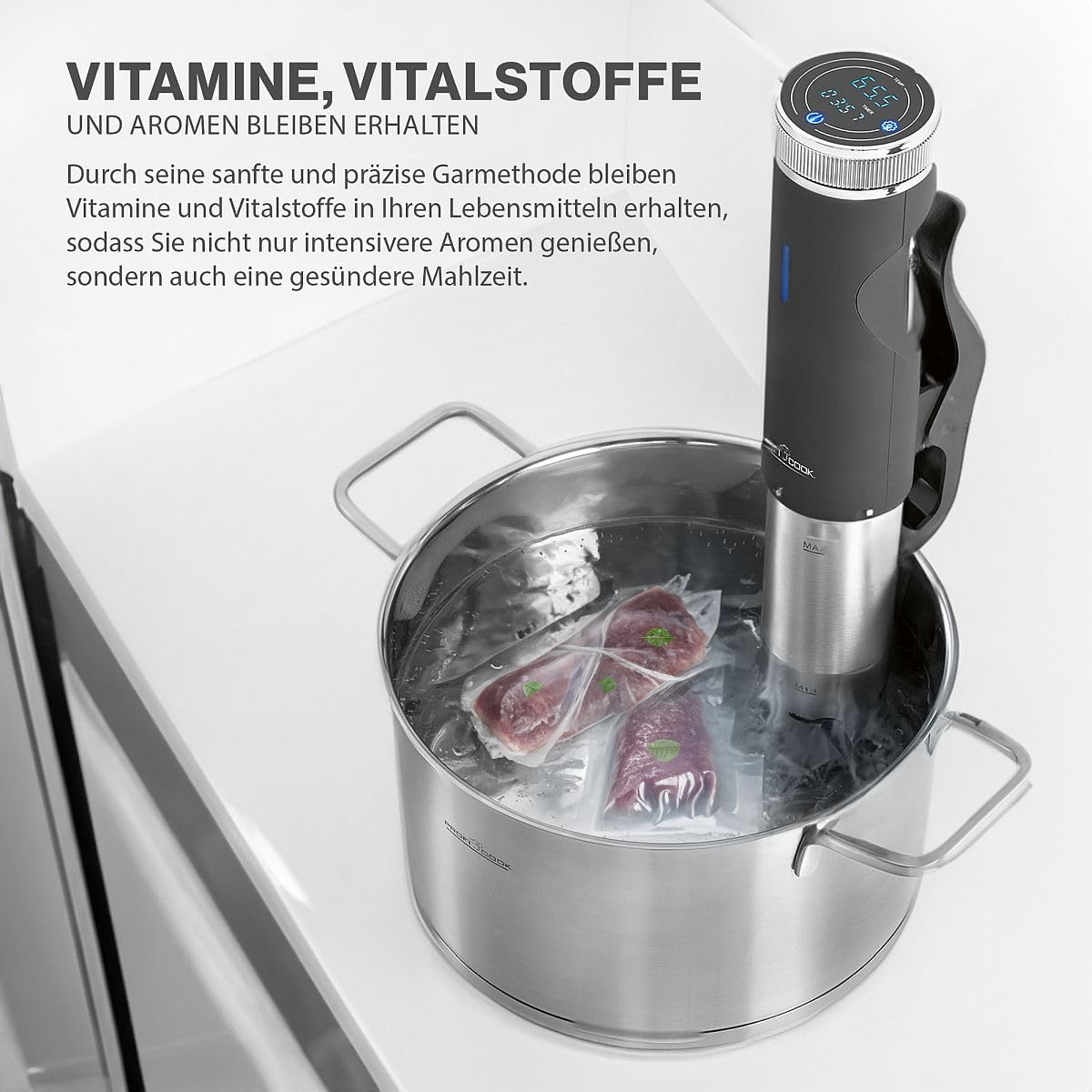
Image: A vacuum-sealed bag of meat being carefully placed into the water bath with the sous vide cooker.
4.2 Fonksyon espesyal
The PC-SV 1126 also offers additional functions for versatility:
- Machin Yogout: This function allows you to maintain the ideal temperature for making homemade yogurt. Refer to specific yogurt recipes for temperature and time settings.
- Kenbe cho: Use this function to keep cooked food warm at a safe temperature.
- Deglase: The appliance can be used to gently defrost food at a controlled temperature.

Image: The sous vide cooker operating in a pot, demonstrating its use for making yogurt.
5. Netwayaj ak antretyen
Regular cleaning and maintenance will ensure the longevity and optimal performance of your sous vide cooker.
5.1 Netwayaj jeneral
- Toujou debranche aparèy la epi kite l refwadi nèt anvan w netwaye.
- Siye eksteryè aparèy la ak anonsamp twal. Pa sèvi ak pwodui netwayaj abrazif oswa kousinen.
- The stainless steel part of the immersion circulator can be cleaned with a mild detergent and water. Rinse thoroughly.
- Do not immerse the top part of the appliance (where the display and controls are located) in water.
5.2 Detartraj
Over time, mineral deposits (limescale) may build up on the heating element, especially in areas with hard water. Descaling is recommended periodically.
- Fill a pot with water and add white vinegar (approximately 1 part vinegar to 4 parts water).
- Attach the sous vide cooker and set the temperature to 60°C (140°F).
- Run the appliance for 30 minutes to 1 hour, or until the limescale deposits are dissolved.
- Unplug the appliance, let it cool, and rinse the stainless steel part thoroughly with clean water.
5.3 Depo
Sere aparèy la nan yon kote ki pwòp epi sèk lè li pa itilize.
NAN. Depanaj
If you encounter issues with your PC-SV 1126, refer to the following table:
| Pwoblèm | Kòz posib | Solisyon |
|---|---|---|
| Aparèy la pa limen. | Pa branche; priz kouran an pa fonksyone byen. | Ensure the plug is securely inserted into a working outlet. Check the circuit breaker. |
| Dlo a pa chofe. | Temperature not set; heating element malfunction. | Verify the desired temperature is set and the start button is pressed. If the problem persists, contact support. |
| Mesaj erè sou ekran an. | Low water level; internal error. | Check water level and add water if below 'MIN' mark. If error persists, unplug and replug the device. Contact support if the issue continues. |
| Lekti tanperati ki pa kòrèk. | Limescale buildup on sensor. | Perform descaling as described in the maintenance section. |
7. Espesifikasyon teknik
| Karakteristik | Spesifikasyon |
|---|---|
| Nimewo Modèl | PC-SV 1126 (501126) |
| Pouvwa | 800 Watts |
| Voltage | 220V |
| Ranje Tanperati | 20°C - 100°C (in 0.5°C steps) |
| Revèy | Jiska 99 èdtan |
| Dlo sikilasyon | 7-8 Liters/minute |
| Dimansyon (L x W x H) | 11 x 44.5 x 13 cm (Product) / 12P x 46l x 14H cm (Item) |
| Pwa | 1.45 Kilogram |
| Materyèl | Nerjaveèi asye |
| Metòd kontwòl | Kontwòl manyen |

Image: Diagram showing the dimensions of the ProfiCook PC-SV 1126 Sous Vide Cooker.
8. Garanti ak sipò
The ProfiCook PC-SV 1126 Sous Vide Cooker comes with a 2-year availability for spare parts, ensuring long-term usability and support for your appliance.
For technical assistance, warranty claims, or to inquire about spare parts, please refer to the contact information provided with your purchase documentation or visit the official ProfiCook websit.