
Entwodiksyon
Thank you for choosing the ALLOYSEED Bluetooth FM Transmitter Car Charger. This device allows you to stream audio from your Bluetooth-enabled smartphone or tablet to your car's FM radio, make hands-free calls, and charge your mobile devices via its integrated USB port. Please read this manual carefully to ensure proper use and optimal performance.
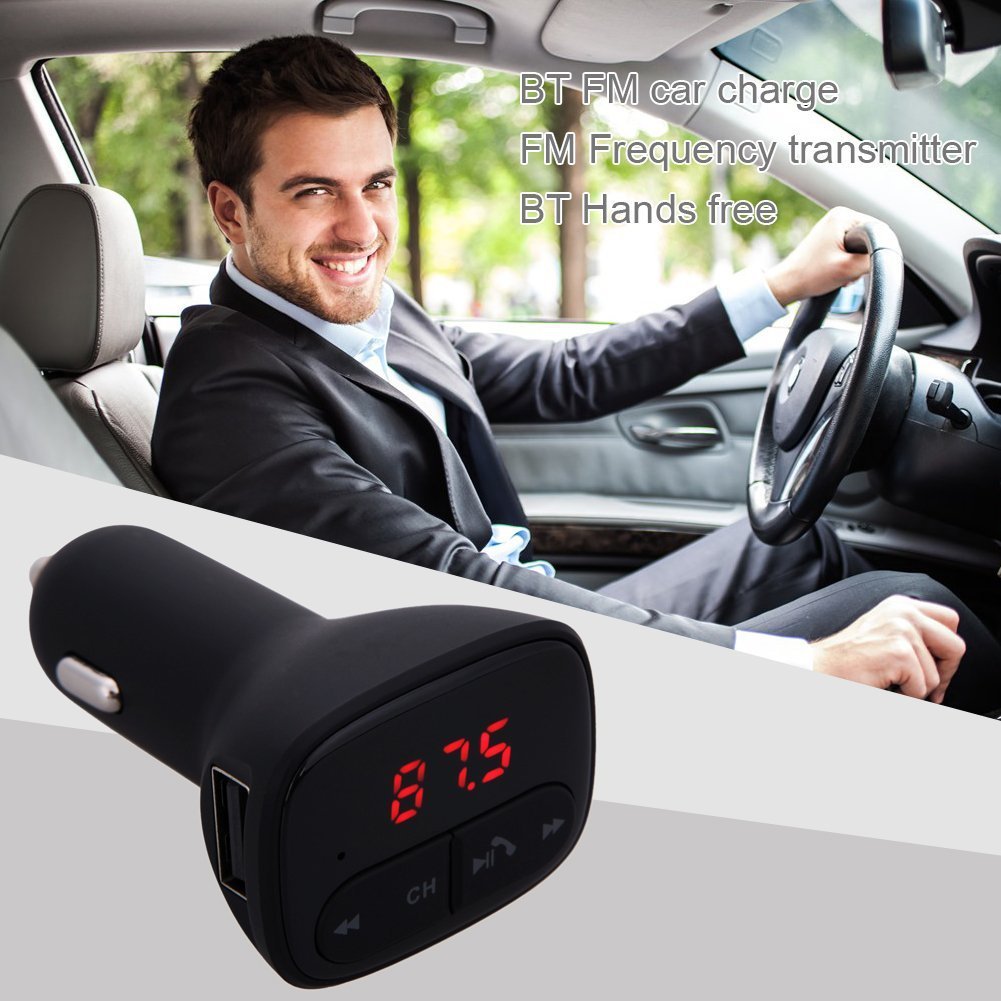
Image: The ALLOYSEED Bluetooth FM Transmitter Car Charger plugged into a car's cigarette lighter socket, with a driver in the background.
Enfòmasyon sou Sekirite
- Pa demonte oswa modifye aparèy la.
- Kenbe aparèy la lwen dlo, imidite, ak tanperati ekstrèm.
- Evite ekspoze aparèy la nan limyè solèy la dirèk pou peryòd pwolonje.
- Ensure the car's cigarette lighter socket provides the specified DC 12V~24V input voltage.
- Do not operate the device while driving if it distracts you from the road. Prioritize road safety.
Pwodwi souview
Familiarize yourself with the components of your ALLOYSEED Bluetooth FM Transmitter Car Charger:
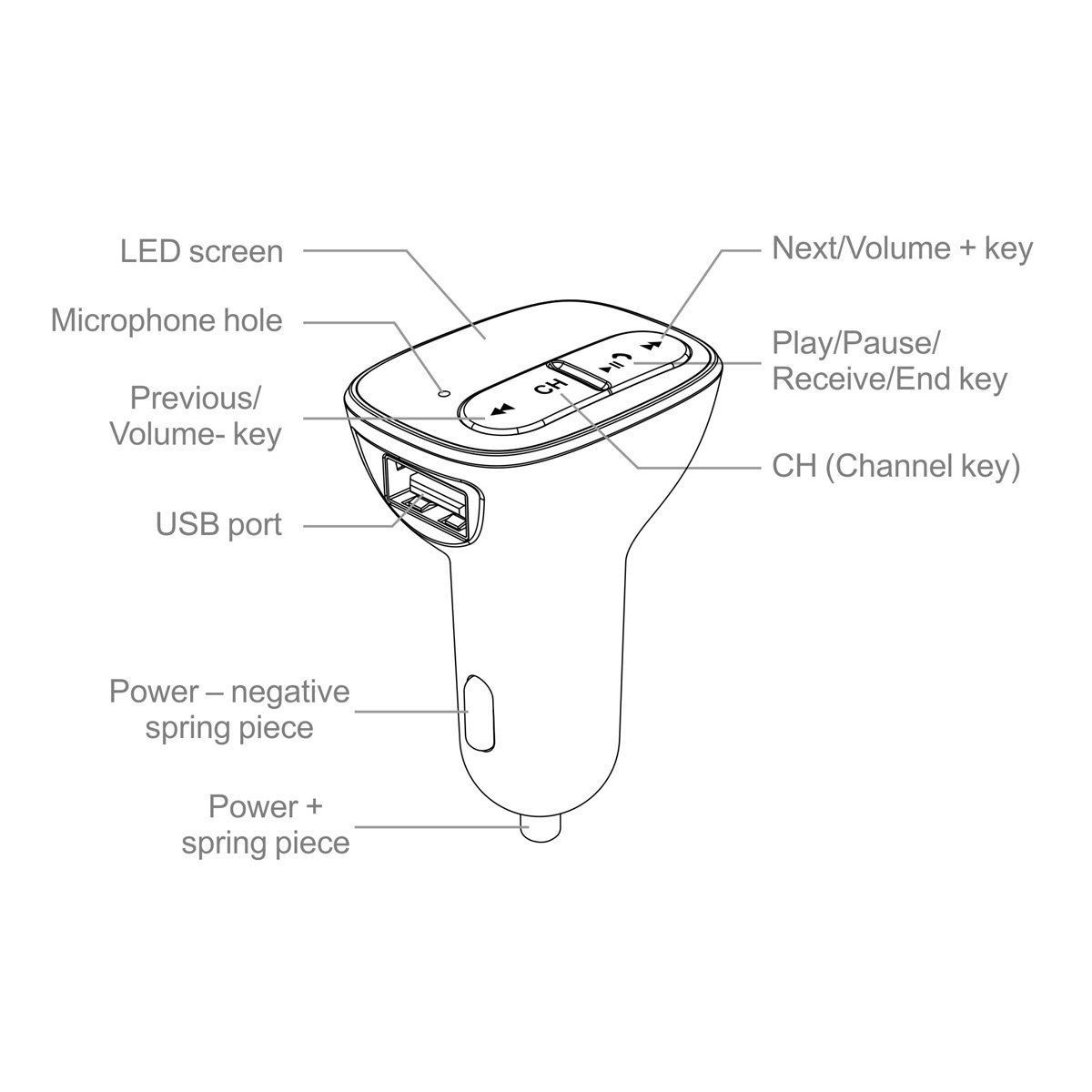
Image: A detailed diagram of the ALLOYSEED Bluetooth FM Transmitter Car Charger, highlighting its various components and controls.
- Dirije ekran: Displays FM frequency.
- Microphone Hole: Pou apèl san men.
- Previous/Volim-Kle: Peze yon ti kras pou ale nan mizik anvan an, peze lontan pou diminye volim nan.
- Next/Volume+ Key: Peze yon ti kras pou pwochen mizik la, peze lontan pou ogmante volim nan.
- Play/Pause/Receive/End Key: Peze yon ti kras pou jwe/poz mizik, reponn/fini apèl. Peze yon bon bout tan pou rejte apèl.
- CH (Channel Key): Short press to enter FM frequency adjustment mode.
- Pò USB: 2.1A output for charging mobile devices.
- Power - Negative Spring Piece: Connects to the negative terminal of the car's power socket.
- Power + Spring Piece: Connects to the positive terminal of the car's power socket.
Espesifikasyon
| Antre Voltage | DC 12V ~ 24V |
| Travay aktyèl | <100mA (when not charging) |
| Gamme frekans FM | 87.5 - 108.0MHz (0.1MHz increments) |
| Distans transmisyon FM | <3M |
| Bluetooth vèsyon | V2.1 + EDR |
| Bluetooth Protocols Supported | A2DP / AVRCP / HSP / HFP |
| A2DP Transmission Distance | > 5M |
| USB Sòti aktyèl | 2.1A |
| USB Sòti Voltage | 5.2V |
| Pwa atik | 80 g |
Enstalasyon
- Mete nan priz machin: Plug the ALLOYSEED Bluetooth FM Transmitter into your car's 12V-24V cigarette lighter socket. The device will power on automatically, and the LED screen will display the current FM frequency.
- Pouvwa sou: The device powers on automatically when connected to the car's power.
Enstriksyon Operasyon
1. Setting the FM Frequency
- Peze a CH (Channel) key. The frequency display on the LED screen will start flashing.
- Sèvi ak la Previous/Volume- key or Next/Volume+ key to adjust the FM frequency. Select a frequency that is clear and not occupied by a local radio station.
- Once the desired frequency is set, wait a few seconds. The display will stop flashing, and the frequency will be saved.
- Tune your car's FM radio to the menm frekans as displayed on the transmitter.
2. Pè Bluetooth
- After powering on, the device will automatically enter Bluetooth pairing mode. The LED screen may show a Bluetooth icon or similar indicator.
- Sou smartphone ou oswa tablèt, aktive Bluetooth epi chèche aparèy ki disponib.
- Select the device named "ALLOYSEED" (or similar) from the list to pair.
- Once paired, a confirmation sound or indicator may be heard/seen. You are now ready to stream audio.
3. Mizik lèktur
- After successful Bluetooth pairing, open your music player on your smartphone/tablet and start playing music.
- The audio will be transmitted to your car's FM radio.
- Sèvi ak la Jwe / Pause kle on the transmitter to play or pause music.
- Sèvi ak la Previous/Volume- key epi Next/Volume+ key for track navigation (short press) and volume adjustment (long press).
- The device has an automatic memory function, resuming the last played song when restarted.
4. Rele men-gratis
- Lè yon apèl rive, mizik la ap pran yon poz otomatikman.
- Peze a Play/Pause/Receive/End key yon fwa pou reponn apèl la.
- Pou fini yon apèl, peze la Play/Pause/Receive/End key yon fwa ankò.
- Pou rejte yon apèl fèk ap rantre, peze lontan Play/Pause/Receive/End key.
- Mikwofòn entegre a pèmèt yon kominikasyon klè.
5. Chaje Aparèy
- Connect your mobile device (smartphone, tablet, etc.) to the USB pò on the transmitter using a compatible USB charging cable.
- The USB port provides a 2.1A output for efficient charging.
Antretyen
- Netwaye aparèy la avèk yon twal mou epi sèk. Pa sèvi ak pwodui netwayaj likid oswa ayewosòl.
- Ensure the USB port and cigarette lighter connector are free from dust and debris.
- Sere aparèy la nan yon kote ki fre epi sèk lè w pa itilize li pou yon bon bout tan.
Depanaj
- Pa gen pouvwa: Ensure the device is securely plugged into the car's cigarette lighter socket and that the car's ignition is on. Check the car's fuse for the cigarette lighter.
- Move Kalite Son/Estatik:
- Adjust the FM frequency on the transmitter and your car radio to find a clear, unoccupied channel.
- Ensure the volume on your phone and car radio is set appropriately.
- Move away from areas with strong radio interference.
- Bluetooth pa asosye:
- Asire w ke Bluetooth aktive sou aparèy mobil ou.
- Restart the transmitter by unplugging and re-plugging it.
- Bliye aparèy la nan paramèt Bluetooth telefòn ou an epi eseye konekte li ankò.
- Ensure the transmitter is within range of your phone.
- Chaje USB a pa fonksyone:
- Check if the charging cable is properly connected to both the device and the USB port.
- Eseye yon kab USB diferan.
- Ensure the car charger is receiving power.
Garanti ak sipò
This product is covered by a warranty policy. For details regarding warranty coverage, terms, and conditions, please refer to the information provided at the point of purchase or contact ALLOYSEED customer support. Keep your purchase receipt as proof of purchase.
For technical assistance or further inquiries, please contact ALLOYSEED customer support through the official channels provided by the seller or manufacturer.